


 Video Converter Ultimate
 Snimač zaslona
 Video popravak
5 najboljih MP4 rezača: naučite kako izrezati videozapise na PC-u, Macu i mobilnim uređajima
Ako ste vloger ili ambiciozni vloger, snimanje samog sebe vrlo je uobičajeno. Za ovo bi bilo potrebno puno truda i samopouzdanja kao i za snimanje pred kamerom. Također, najčešća stvar koju čine svi profesionalci i novi u vlogiranju su pogreške. Umjesto ponovnog snimanja videozapisa, obično ga izrežu i spoje s izvornim videozapisima. Kako bi napravili jedan potpuno novi video koji se sastoji od različitih kutova, prikaza, montaža i još mnogo toga, oni ga izrezuju iz različitih videozapisa i dodaju u jedan. No budući da ste novi u ovoj vrsti posla ili čak profesionalac, teško je odabrati pravi trimer. Jer nisu sve funkcije kao što su rekli na reklami alata nisu u alatima. Umjesto da odete na drugi članak i pročitate preporuku, zašto prvo ne naučite iz ovoga. Kao što smo prikupili samo prave dokaze za vašu vlastitu korist. Dakle, ovdje na popisu su MP4 rezači koje možete koristiti za početak vlogiranja. Ostanite usredotočeni i saznajte koji su najbolji trimeri koje možete koristiti, a koji pružaju jednostavan, ali profesionalan izgled vašim videozapisima.

Dio 1. Preuzmite najbolji MP4 Video Cutter softver na PC i Mac
Ako ćemo govoriti o najboljem, onda ovo morate pročitati prvo. Kao što je ranije rečeno, stvaranje vlogova puno je teže nego što smo očekivali – nije riječ samo o samopouzdanju pred kamerom i objavljivanju. Morate uzeti u obzir i to da imate višenamjenski alat, koji će vaš video učiniti privlačnijim oku svakog gledatelja. FVC Video Converter Ultimate nudi fantastične funkcije za uređivanje i konverziju koje svatko može koristiti. Bili početnik ili profesionalac, trebamo gledati na najbolje od najboljih na tržištu. Iako je riječ o plaćenoj verziji, i dalje pruža ono najbolje što možete poželjeti. Ako ga odaberete kao svoj osobni izbor, čeka vas svijetla budućnost. Želite početi vlogati već danas? Onda slijedite ovaj korak‑po‑korak vodič kako koristiti ovaj MP4 video rezač.
Korak 1. Kliknite gumb za preuzimanje u nastavku i instalirajte program na svoj PC ili Mac. Slijedite postupak instalacije alata i kliknite “Finish” kako biste pokrenuli softver.
Besplatno preuzimanjeZa Windows 7 ili novijiSigurno preuzimanje
Besplatno preuzimanjeZa MacOS 10.7 ili novijiSigurno preuzimanje
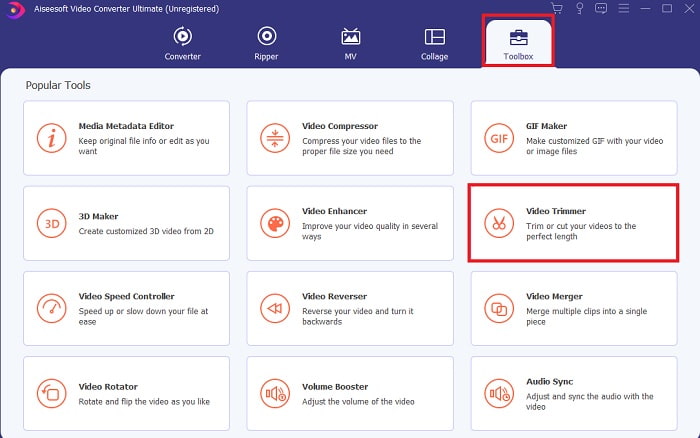
Korak 2. Ako vam se ovo prikazuje na zaslonu, kliknite Toolbar i potražite Video Trimmer ispod.
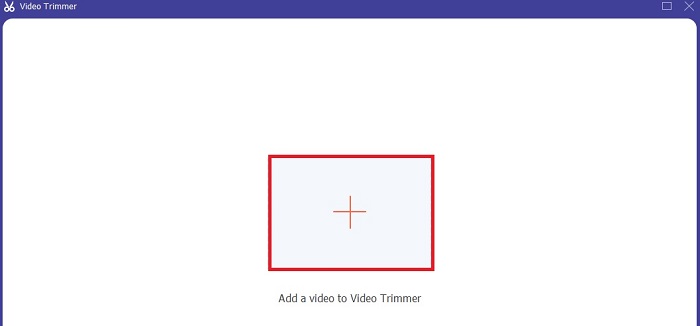
Korak 3. Kliknite gumb s plus znakom za dodavanje datoteke. Odaberite datoteku na svom disku koju želite izrezati i kliknite Open kako biste umetnuli video.
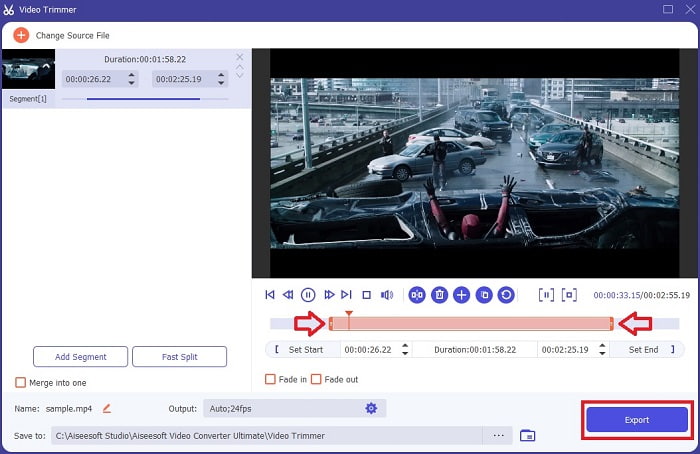
Korak 4. Kako biste podesili početnu i završnu točku videa, manipulirajte playback in and out oznakama da biste postavili željeno trajanje. Po želji dodajte fade in i fade out. Također možete promijeniti izlazni format medija ako kliknete gumb cog. Kada završite, kliknite gumb Export kako biste pokrenuli postupak rezanja.
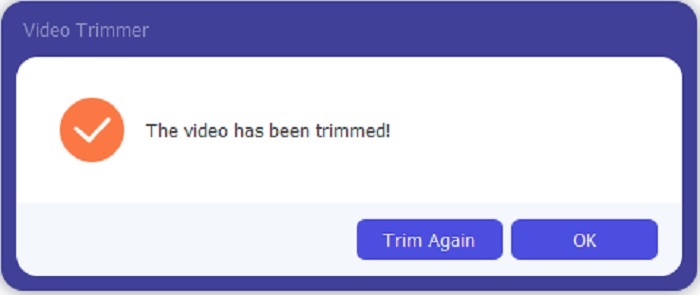
Korak 5. Pričekajte tek koju sekundu i vaš je video već izrezan. Zatim kliknite OK ili Trim Again ako trebate izrezati još jedan. Ako želite dodatno poboljšati upravo izrađeni video, ponovno kliknite Toolbar i potražite video enhancer.
Prednost alata za spajanje koji nudi FVC Video Converter Ultimate with Steps
Za razliku od bilo koje druge aplikacije, spajanje videozapisa u FVC Video Converter Ultimate iznimno je jednostavno. Ovo je bonus značajka ako nabavite ovaj alat. Kao što je rečeno, ovaj je alat višenamjenski pa bez daljnjeg počnimo spajati različite videozapise u jedan.
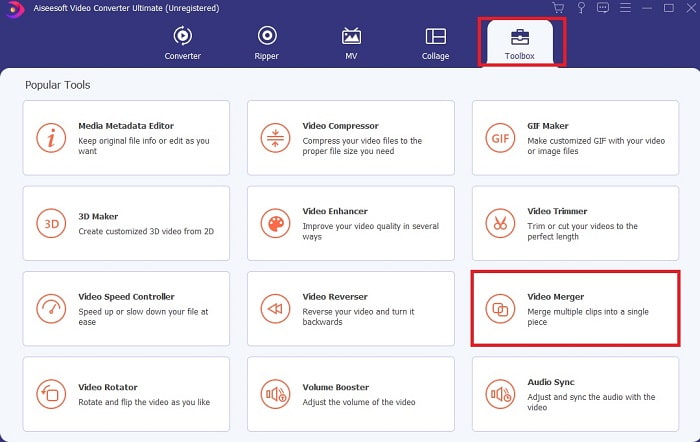
Korak 1. Otvorite softver, idite na Toolbar zatim pronađite Video Merger i kliknite ga.
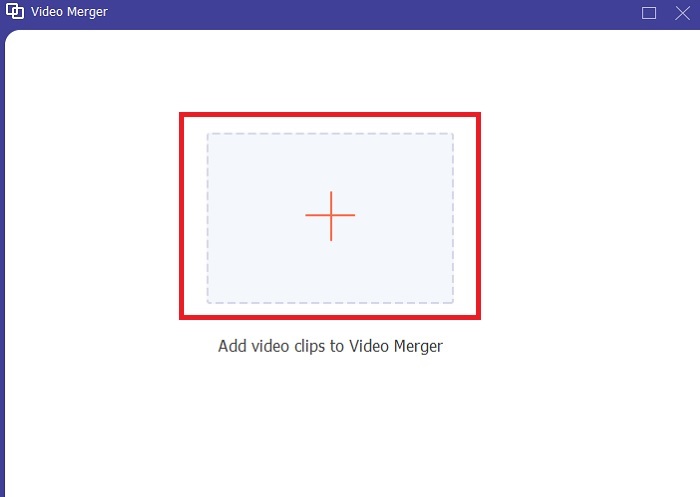
Korak 2. Kliknite gumb add i odaberite video koji želite spojiti, zatim kliknite Open za nastavak. Nakon odabira prve datoteke, kliknite znak plus da biste dodali drugu datoteku koju želite spojiti.
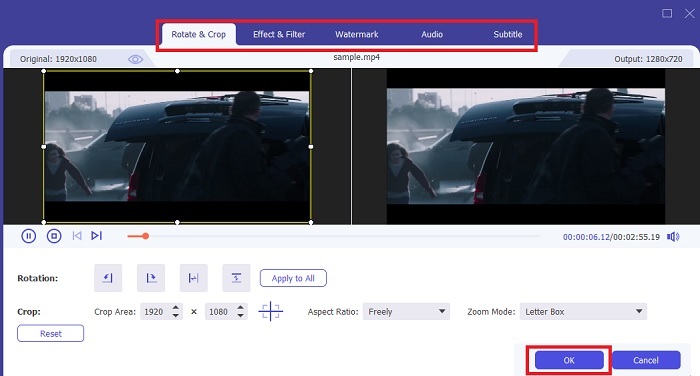
Korak 3. U sučelju kliknite gumb s wand ikonom kako biste dodali efekte, poboljšali zvuk, rotirali ili izrezali te dodali titlove. Da biste spremili upravo napravljene izmjene, kliknite OK. Po želji isto učinite i s drugim videima.
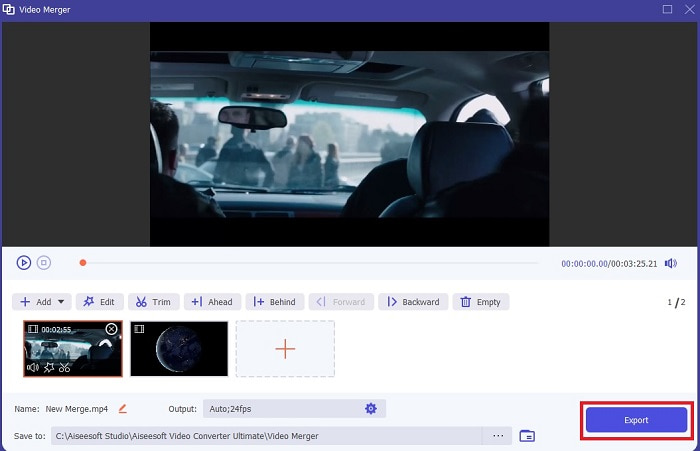
Korak 4. Kada ste spremni pokrenuti postupak, kliknite Export. Nakon završetka izvoza, na zaslonu će se pojaviti upravitelj datoteka. Za reprodukciju izvezenog videa samo ga kliknite i uživajte.
Dio 2. Najbolji MP4 rezači na mreži
Ovo je vjerojatno dobar rezač, ali ipak nije najbolji kao FVC Video Converter Ultimate. No svakako se isplati isprobati ove online MP4 rezače.
1. 123Apps Online Video Cutter
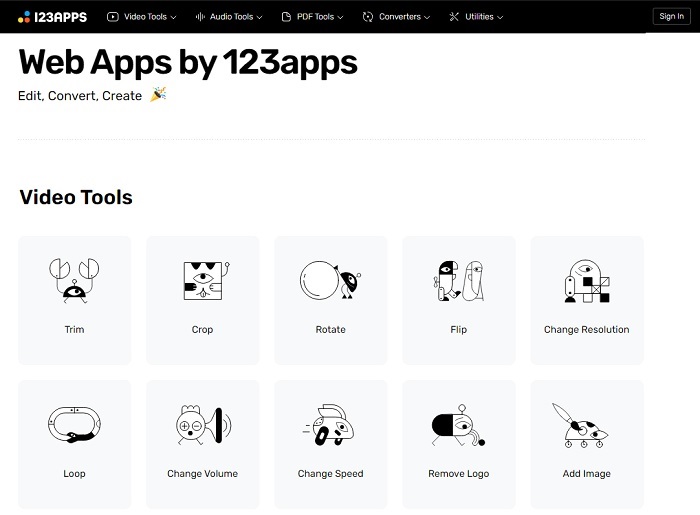
Ovaj prvi mrežni alat namijenjen je poboljšanju vaših videozapisa. Može prilagoditi trajanje videa, obrezati, dodati tekst i još mnogo toga. Ali ovaj alat oduzima vam mnogo vremena za izvoz. Nakon izvoza morate ga preuzeti, a taj će postupak ovisiti o brzini vašeg interneta. Također, ne možete prilagoditi kvalitetu svojih videozapisa. Dakle, ako je vaš video malo mutan i treba prilagoditi fps, to ne možete učiniti ovdje. Ali ipak, vrijedi pokušati.
2. Clideo
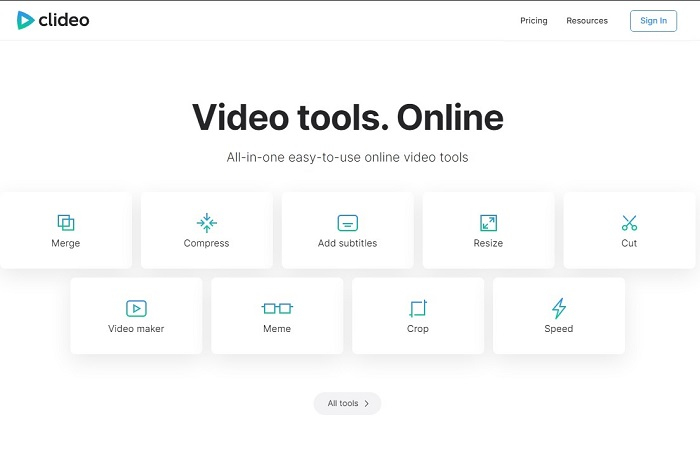
Ako govorimo o rezanju videa, i ovo može biti dobar izbor. Clideo je jedan od najboljih online MP4 rezača koji možete pronaći. Baš kao i prvi ranije spomenuti online alat, i ovaj nudi osnovne funkcije uređivanja. Iako podržava osnovno uređivanje, to ipak nije dovoljno ako radite video koji treba snažno privući pažnju. Ali možete ga isprobati online bez brige – besplatan je i siguran.
Dio 3. 3 najbolje aplikacije za rezanje MP4 zapisa na Androidu i iOS-u
Što ako nemate radnu površinu za korištenje gore navedenih alata, a želite biti vlogger, je li to još uvijek moguće? Ako imate telefon kao što je Android ili iOS, možete koristiti ove aplikacije za uređivanje na svojim telefonima. Ali postoje neke značajke koje su dostupne iznad, a nisu ovdje. Dakle, nastavite čitati u nastavku da biste saznali koji su to alati i odaberite neki od njih.
1. iMovie za iOS
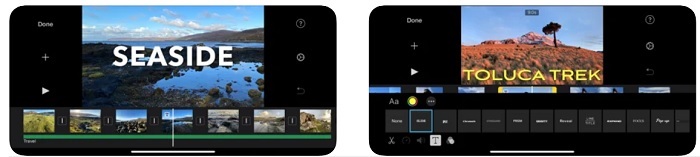
Ako svom videu želite dodati holivudski štih, onda je iMovie pravi softver. Ova MP4 aplikacija za rezanje napravljena je samo za iOS korisnike. No iako alat nudi vrhunske mogućnosti uređivanja, neki bugovi još uvijek nisu popravljeni. U nekim slučajevima aplikacija stalno puca svaki put kada pokušate uređivati i ekran pocrni. Ponekad video i zvuk nisu sinkronizirani zbog grešaka. Ovo su samo neki primjeri bugova – mogu se činiti sitnima, ali najčešće su jako iritantni. Ako ipak želite isprobati iMovie, još ga uvijek možete preuzeti u App Storeu.
2. Video Editor & Maker – Viva Video za Android
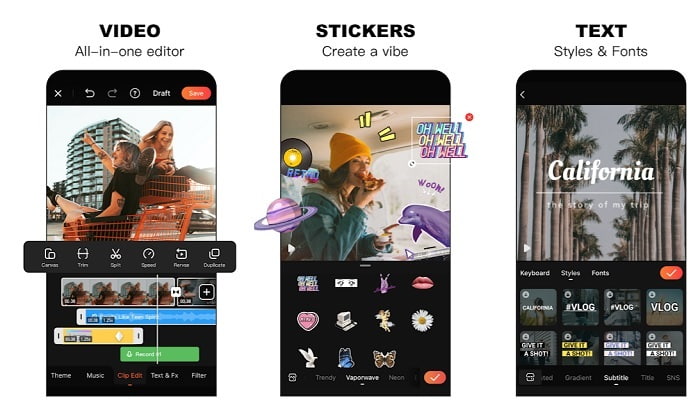
Jedan od najboljih besplatnih MP4 rezača na Androidu je Video Editor & Maker – Viva Video. Kao i prethodni alat, i ovaj nudi odlične mogućnosti uređivanja na telefonu – prijelaze, glitch efekte i još mnogo toga – ali je riječ o alatu koji se plaća. Pojavio se problem jer ne postoji gumb za odjavu pretplate kako biste zaustavili aplikaciju. Mnogi pomisle da je najbolje rješenje obrisati aplikaciju kako bi okončali pretplatu, ali ona se time ne prekida. Ako ste odabrali taj način plaćanja, kartica će vam se i dalje naplaćivati. No sve u svemu, alat je A klase, ni više ni manje.
Dio 4. Često postavljana pitanja o MP4 rezaču
Što je MP4?
MP4 je također poznat kao višenamjenski medijski format. Umjesto pohranjivanja koda, pohranjuje podatke o videozapisima, fotografijama, titlovima ili tekstovima. Također, to je najčešće korišteni format videa diljem svijeta.
Je li MP4 s gubitkom ili bez gubitka?
Budući da je višenamjenski format, MP4 je kompresija s gubitkom.
Koji je najbolji format osim MP4?
Postoje formati koji daju bolju kvalitetu izlaznog medija od MP4, ali nisu tako fleksibilni kao ovaj format. Na primjer, WMV – ovaj format daje manju veličinu datoteke od MP4, ali nije kompatibilan s Appleovim uređajima, jer je zamišljen kao izvorni format za Windows Media Player. Možete se odlučiti pretvoriti svoje MP4 datoteke u WMV za bolje reproduciranje.
Zaključak
Za kraj, sada je lakše razumjeti razlike među svakim od ovih alata koje možete koristiti. Ali kao što je ranije rečeno, ne nude svi tako dobre funkcije rezanja kao FVC Video Converter Ultimate. Posebno ako želite stvoriti privlačniji video kako biste dobili više pregleda, a time i zaradu. Dakle, umjesto da se zadovoljavate privremenim rješenjem, zašto ne biste odabrali FVC Video Converter Ultimate kako biste hrabro zakoračili u budućnost i dobili najbolju verziju za sebe.
-
 Vodič za pretvaranje RMVB u MP4 na Windowsima / Macima (3 besplatna načina)
 Želite pretvoriti RMVB u MP4 za jednostavnu reprodukciju na računalu ili mobilnom telefonu? U ovom vodiču pronaći ćete jednostavne načine za pretvaranje RMVB datoteka u MP4.
-
 4 najbolja pretvarača MP4 u M4V koji će s lakoćom pretvoriti MP4 video zapise u M4V
 Kada trebate promijeniti MP4 u M4V datoteke, trebali biste saznati više detalja o razlikama između dva formata, kao i najbolje pretvarače MP4 u M4V iz članka.
-
 AMV Converter - 3 najbolje metode za pretvaranje MP4 u AMV na Win / Mac
 Koji su najbolji pretvarači MP4 u AMV za pretvaranje videozapisa u Amine Music Video, iz članka možete saznati više o 3 najučinkovitije metode za lako postizanje željenih videozapisa.
