


 Video Converter Ultimate
 Screen Recorder
 Videó javítás
 Biztonságos letöltés
Az 5 legjobb GIF-lejátszó számítógéphez, Androidhoz és iPhone-hoz
Az animált GIF-ek több információt tudnak közvetíteni, mint az állóképek. Jó GIF-lejátszót keresel, amellyel mindenféle GIF fájlt meg tudsz nyitni iPhone-on, iPaden, Android‑telefonon vagy számítógépen?
Különféle vicces GIF-eket könnyedén fogadhatsz és küldhetsz a közösségi alkalmazásokban. Azonban miután elmented a GIF-eket az eszközödre, előfordulhat, hogy némelyiküket nem tudod közvetlenül megnyitni az általad használt alapértelmezett médialejátszóval. Így felmerülhet benned, hogy szükséged van‑e egy GIF-lejátszóra a GIF-ek lejátszásához.

A GIF fájlokat közvetlenül megtekintheted a közösségi alkalmazásban. Bizonyos esetekben azonban nem engedi a rendszer, hogy ezeket később megnyisd a számítógépeden vagy hordozható Android/iOS eszközödön lévő lejátszóval. Figyelembe véve ezt az igényt, összeállítottunk egy listát 5 animált GIF-lejátszóról, amelyek közül választhatsz. Akár Androidra, iPhone-ra, akár számítógépre keresel GIF-lejátszót, találsz majd megfelelő programot.
1. rész: A legjobb GIF lejátszó Mac és Windows rendszerekhez - FVC Free Video Player
A FVC Free Video Player egy népszerű, ingyenes médiafájl‑lejátszó eszköz, amely segít bármilyen GIF fájl lejátszásában Windows 10/8/7/XP PC-n és Macen egyaránt. Ez az ingyenes GIF-lejátszó egyfajta online lejátszó szoftver, amely minden típusú videó- és hangfájl megnyitásában segít. Első alkalommal egy kis indítófájlt kell telepítened a GIF-ek lejátszásához. Számos gyakran használt böngészővel kompatibilis, többek között a Chrome‑mal, Safarival, IE‑vel, Firefoxszal és másokkal.
Ingyenes letöltésWindows 7 vagy újabb verzióhozBiztonságos letöltés
Ingyenes letöltésMacOS 10.7 vagy újabb verzióhozBiztonságos letöltés
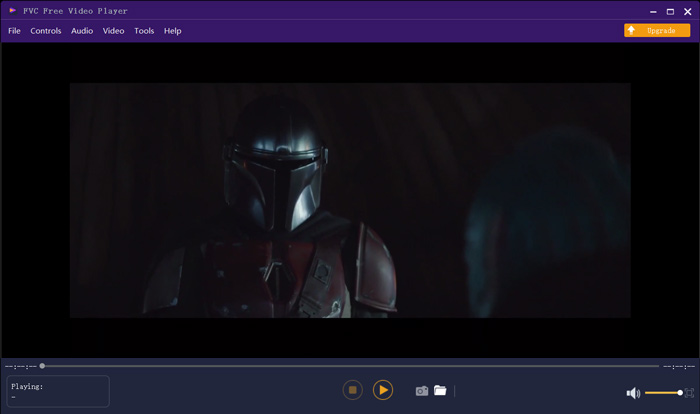
Nem csak egy ingyenes GIF-lejátszó, de minden olyan népszerű video- és audioformátumot is támogat, mint az MP4, MOV, FLV, AVI, WMV, VOB, MP3, AAC, ALAC, M4A, WAV, FLAC és így tovább. A GIF lejátszásához nincs fájlméret-korlátozás. Nagyszerű vizuális élményt nyújthat. Ezenkívül támogatja a fejlett DTS-HD és Dolby TrueHD hangkódolási technológiát, amelyek nagyszerű hanghatásokat tudnak nyújtani.
2. rész: GIF Player App for Android - OmniGIF
Az OmniGIF egy GIF‑lejátszó eszköz, amelyet elsősorban Android‑felhasználók számára terveztek. Ha Android‑telefonon szeretnél GIF-eket megnyitni, számíthatsz rá. Az OmniGIF nemcsak GIF-lejátszóként működik, hanem GIF‑készítőként és GIF‑szerkesztőként is. Lehetővé teszi GIF fájljaid, videóklipek és fotók egyszerű kezelését. Az Android‑eszközödön történő GIF‑lejátszás során gyorsíthatod vagy lassíthatod a lejátszást, előre- vagy visszafelé játszhatod, képkockáról képkockára léptetheted, és igény szerint egyéb műveleteket is végezhetsz.
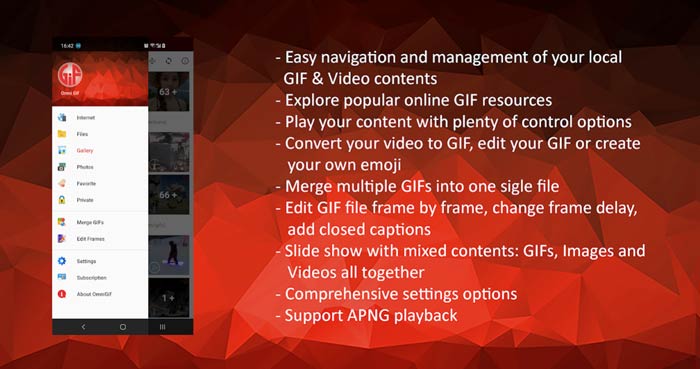
Ez az Android GIF lejátszó alkalmazás lehetővé teszi néhány privát fájl titkos elrejtését. Ezenkívül hatékony GIF szerkesztési és létrehozási funkciókat biztosít. Ezenkívül az OmniGIF nagyszerű megosztási funkcióval rendelkezik, amellyel gyorsan megoszthatja GIF fájljait, videoklipjeit vagy fényképeit a Facebookon, az Instagramon, a Twitteren, a Messengeren, a Line-on, a WhatsAppon, a Gmailen és még sok más helyen.
3. rész: GIF Player alkalmazás iPhone és iPad készülékekhez - GIF Viewer
A GIF Viewer egy GIF‑lejátszó alkalmazás iOS‑felhasználók számára. Ezt a GIF‑lejátszó appot ingyenesen telepítheted az App Store‑ból iPhone‑odra vagy iPadedre. Képes könnyedén lejátszani, rendszerezni és megosztani a Fotók alkalmazásban tárolt GIF fájlokat. Ez az iOS GIF‑lejátszó alkalmazás lehetővé teszi továbbá GIF animációk hozzáadását és megtekintését más forrásokból is.
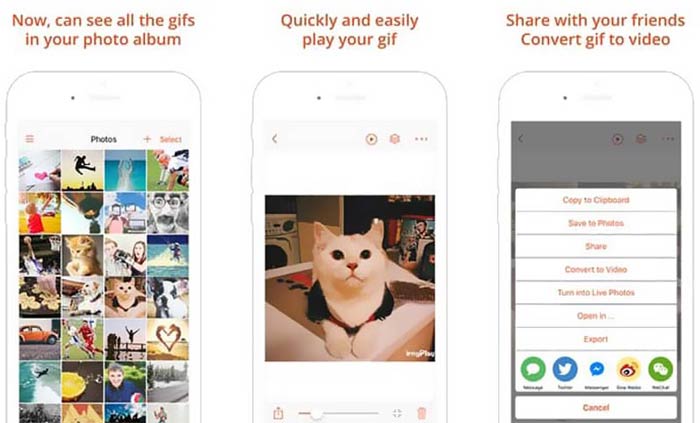
A GIF Viewer képes mindenféle GIF fájl lejátszására a helyi tárhelyről, a vágólapról, az iCloud Drive‑ból, a Dropboxból és kimásolt Twitter‑linkről. Ráadásul ez a GIF‑lejátszó segíthet GIF-ből videót konvertálni, hogy az jobb lejátszást biztosítson az eszközeiden.
4. rész: GIF Player Mac és Windows PC-hez - QuickTime Player
A QuickTime Player a Mac alapértelmezett médialejátszója. GIF‑lejátszóként is működhet, így Macen megnyithatod és megtekintheted vele a GIF fájlokat. Ha Machet használsz, egyszerűen megnyithatsz egy GIF fájlt ezzel az előre telepített médialejátszóval. Windows‑verziója is létezik, amellyel GIF-eket játszhatsz le Windows PC‑n.
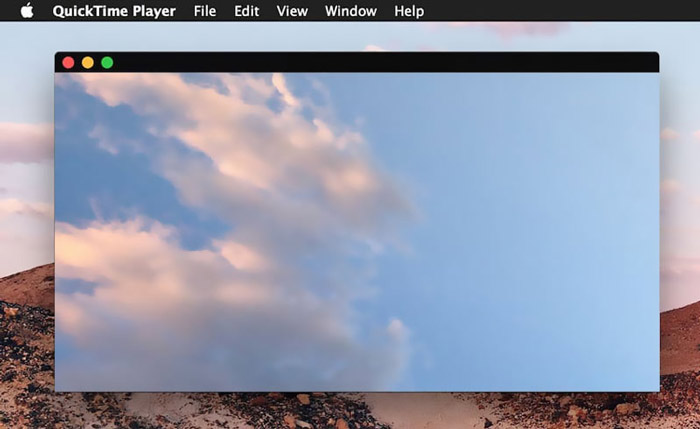
Lejátszóként a QuickTime csak néhány gyakran használt video- és hangformátumot támogat, például MP4, MOV, M4V, AAC, M4A, MP3 és így tovább. Néhány alapvető szerkesztési és felvételi funkcióval készült. A GIF lejátszóra támaszkodhat a képernyő rögzítéséhez és a fájl szerkesztéséhez.
5. rész: Ingyenes online GIF-lejátszó - OnlineImageTools
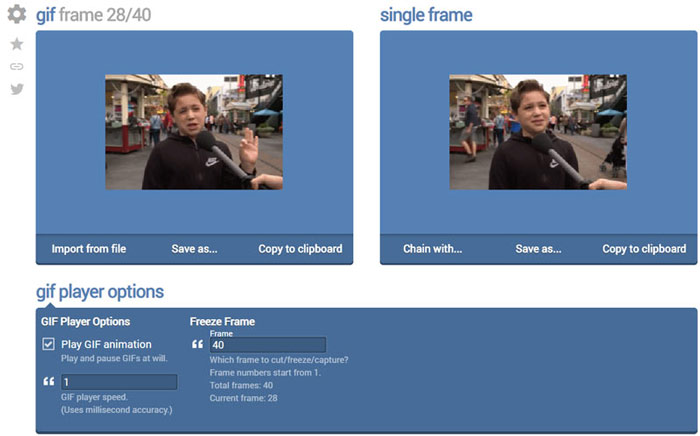
Az OnlineImageTools egy online GIF‑fájl‑lejátszó eszköz, amely lehetővé teszi a GIF-ek megtekintését Macen és Windows PC‑n egyaránt. Nem kell bővítményeket vagy más fájlokat telepítened a GIF‑lejátszáshoz. Ez az ingyenes, böngészőalapú GIF animációs lejátszó lehetővé teszi, hogy GIF fájlodat közvetlenül online nyisd meg. A GIF‑lejátszás során képkockáról képkockára is le tudsz játszani egy GIF fájlt.
6. rész: GIF Player GYIK
1. kérdés: Hogyan lehet GIF-eket menteni iPhone-on?
Ha GIF fájlt szeretne menteni az iPhone készülékére, addig nyomja és tartsa lenyomva a GIF fájlt, amíg a parancs meg nem jelenik. Ezután választhatja a Kép mentése lehetőséget a Fotók alkalmazásba való mentéshez.
2. kérdés: Hogyan lehet ingyenesen konvertálni a videót GIF-be?
Ha videóból szeretnél GIF fájlt készíteni, használhatod a népszerű Free Online Video Converter eszközt. Segítségével bármilyen videóklipeket könnyedén GIF‑fé alakíthatsz.
3. kérdés: A VLC képes GIF-et játszani?
Nem. A VLC médialejátszó csak statikus képként képes megnyitni egy GIF fájlt.
Következtetés
Akár számítógéphez, akár mobiltelefonhoz keresel GIF-lejátszót, az 5 ajánlott GIF‑lejátszó eszköz között biztosan találsz megfelelőt. Ha továbbra is van kérdésed a GIF‑lejátszókkal vagy a GIF‑lejátszással kapcsolatban, írj nekünk üzenetet.
-
 Bemutató a GIF tömörítésére és a fájlméret kiváló minőségű csökkentésére
 Itt van 2 egyszerű módszer a GIF tömörítésére a számítógépen vagy a mobiltelefonon. Használhatja az FVC Free Online Video Compressor és a Photoshop alkalmazásokat, amelyek különböző szempontokból csökkentik a GIF fájlméretet.
-
 A legjobb 10 FLV-lejátszó Windows, Mac, iOS és Android számára 2021-ben
 Az FLV lejátszó segítségével könnyedén elérheti FLV fájljait a Windows, Mac, Android, iOS eszközökön. Nézze meg a legjobb FLV fájllejátszókat, amelyeket most letölthet.
-
 A legjobb 8 SWF fájllejátszó Flash Video fájlok lejátszásához Windows és Mac rendszeren
 Ha PC-n és Mac-en szeretné élvezni az SWF-filmeket és játékokat, a cikkben többet megtudhat a 8 legjobb SWF-fájllejátszó kiváló tulajdonságairól.
