


 Video Converter Ultimate
 Screen Recorder
 Videó javítás
[2021] A 4 közül melyik a legjobb ingyenes AVI–MOV konverter online és offline
Az AVI a Microsoft által kifejlesztett tömörítetlen formátum. Bár maga a fájl nincs korlátozva, a formátum mégsem játszható le Macen, mivel a Microsoft tulajdona. Ezért az AVI-fájlok lejátszásának legjobb módja, ha MOV-fájllá konvertáljuk őket. Ha tudni szeretné, hogyan lehet az AVI-t MOV-vá konvertálni, olvasson tovább, hogy megtudja a lépéseket, és melyik a legjobb eszköz a feladatra.

1. rész. A végső út az AVI-ból MOV-vé konvertálásához
Ahogy mondani szokás, kezdd a napodat egy kávéval vagy teával, hogy jól induljon. Ugyanez érvényes itt is: kezdjük a FVC által fejlesztett, nagy teljesítményű videokonverterrel. A Video Converter Ultimate bármilyen formátumot képes másikra átalakítani, például az AVI MOV-vá konvertálása is gyerekjáték ezzel az eszközzel. Ráadásul nemcsak egy, kettő vagy három fájlt konvertálhatsz egyszerre, hanem ennél jóval többet is. Valójában nincs korlátja annak, hány fájl alakítható át egyszerre. Ezen felül a konvertálás után a program eszköztárában a videót tovább is javíthatod. Ha tehát olyan eszközt keresel, amely túlszárnyalja a listán vagy a webkeresésben szereplő összes konvertert, akkor kijelentheted, hogy a keresés véget ért. Ha kétségeid vannak ezzel az eszközzel kapcsolatban, próbáld ki, és kövesd az alábbi lépéseket annak érdekében, hogy kihasználd az „ultimate” konverter nyújtotta végső átalakítási lehetőségeket.
1. lépés. Töltsd le az eszközt, és telepítsd a merevlemezre. Módosítsd a program beállításait, majd kattints a befejezésre (Finish), hogy elmentsd az elvégzett változtatásokat.
Ingyenes letöltés Windows 7 vagy újabb rendszerre Biztonságos letöltés
Ingyenes letöltés macOS 10.7 vagy újabb rendszerre Biztonságos letöltés
2. lépés. A telepítés és a beállítások elvégzése után a program automatikusan elindul, és egy ehhez hasonló felületnek kell megjelennie a képernyőn.
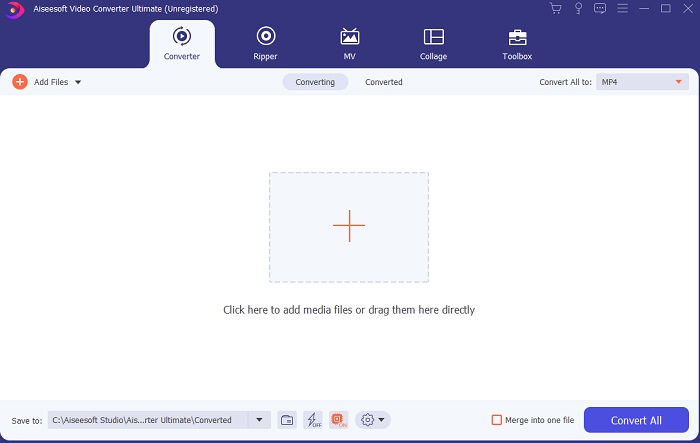
3. lépés. Kattints a középen lévő nagy plusz jelre, hogy hozzáadd a fájlt, amelyet AVI-ból MOV-vá vagy más formátummá szeretnél konvertálni.
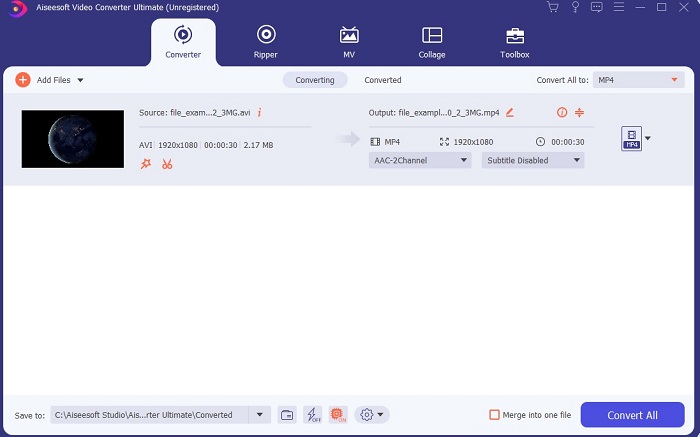
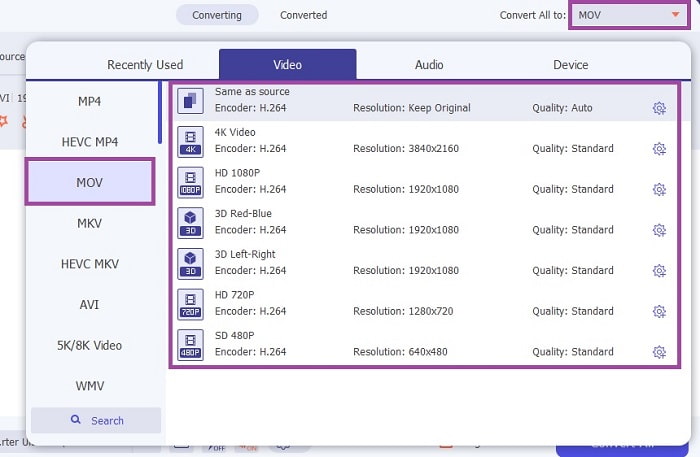
4. lépés. Változtasd meg a formátumot a lenyíló menüre kattintva, és válaszd a MOV-ot vagy azt a formátumot, amelyre konvertálni szeretnél. Ha a fájl készen áll a konvertálásra, kattints a Convert All gombra a folyamat elindításához.
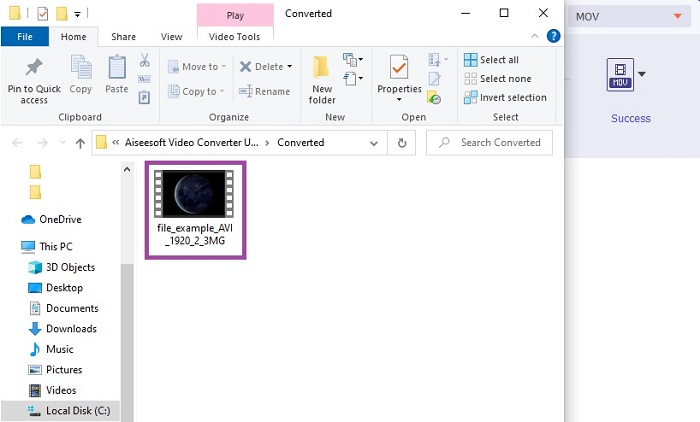
5. lépés. A konvertálás kevesebb mint egy percet vesz igénybe. Ha elkészült, egy fájlkezelő ablak ugrik fel a képernyőn; kattints az átalakított fájlra a lejátszáshoz. Ezután az eszköztár segítségével tovább javíthatod a videó minőségét.
2. rész. Egyéb lehetséges módszerek az AVI-ból MOV Online konvertálására
1. FVC Free Online Video Converter
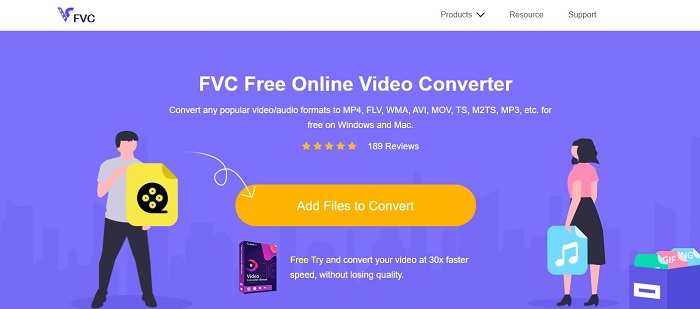
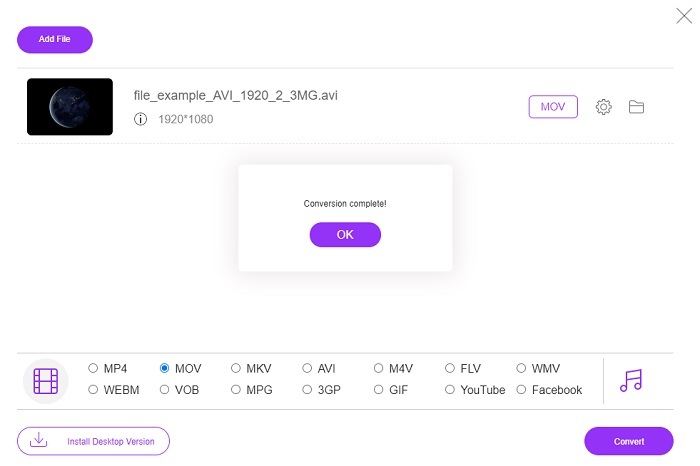
Az előző eszközzel ellentétben ez ingyenes. A FVC Free Video Converter az előbb említett program ingyenes verziója, de a főbb funkciók, például a videók javítása és egyebek, itt nem érhetők el. Alapvető konvertálási feladatokat azonban el tudsz végezni ezzel az eszközzel is. Ha tudni szeretnéd, hogyan működik ez az ingyenes online AVI–MOV konverter, kövesd az alábbi egyszerű lépéseket, hogy a konvertálási folyamat zökkenőmentes legyen.
1. lépés. Kattints erre a hivatkozásra, majd az Add Files to Convert gombra, hogy elindítsd a PC-den vagy Maceden.
Töltse le az asztali verziót a fájlok kötegelt konvertálásához.
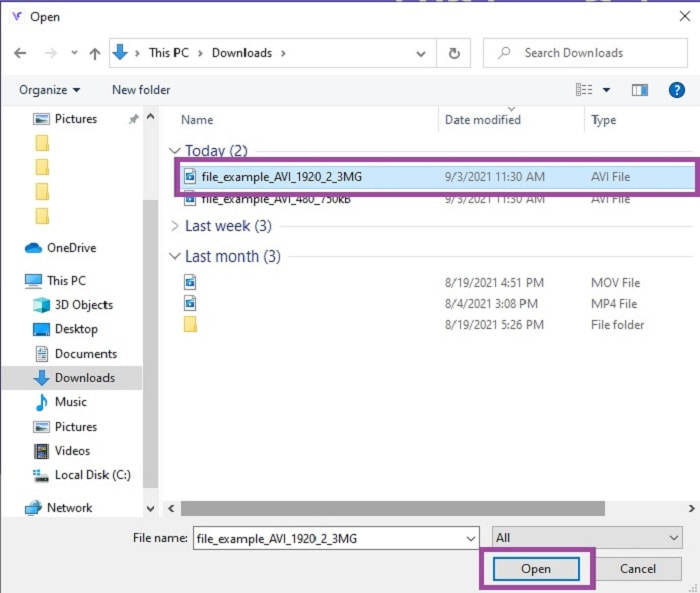
2. lépés. A kattintás után válaszd ki azokat a fájlokat, amelyeket konvertálni szeretnél. Ezután kattints az Open gombra az indításhoz.
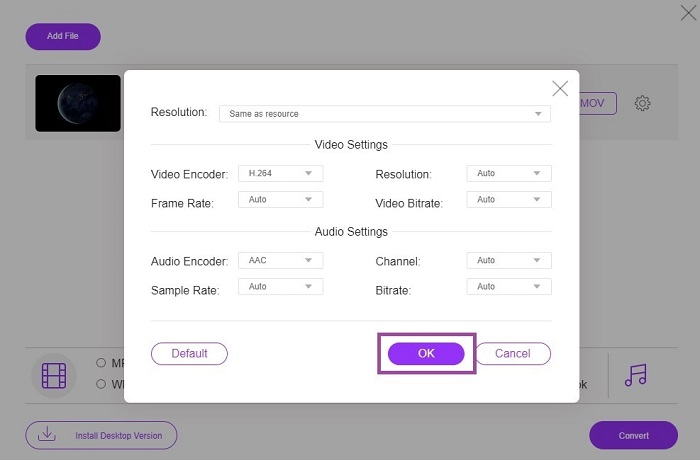
3. lépés. Kattints a fogaskerék ikonra, ha módosítani szeretnéd a videó- és hangbeállításokat. A módosítások mentéséhez kattints az OK gombra.
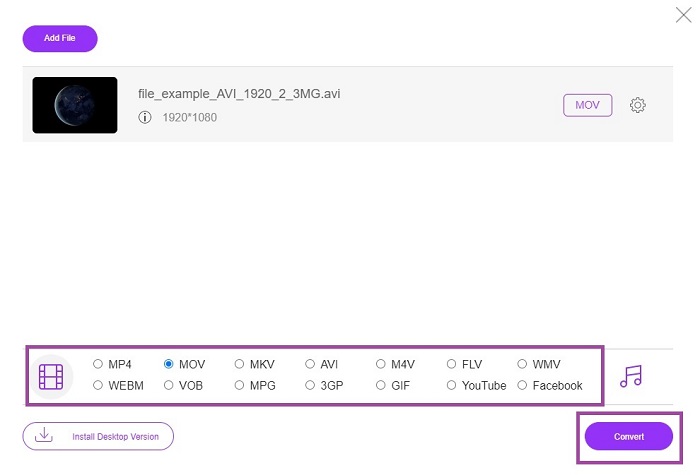
4. lépés. Ha a fájl megjelenik a felületen, válaszd ki, milyen formátumra szeretnéd konvertálni. Visszatérve a fő felületre, kattints a Convert gombra a folyamat elindításához.
5. lépés. Ha a konvertálás befejeződött, később a fájlkezelőben ellenőrizheted a fájlt.
2. CloudConvert
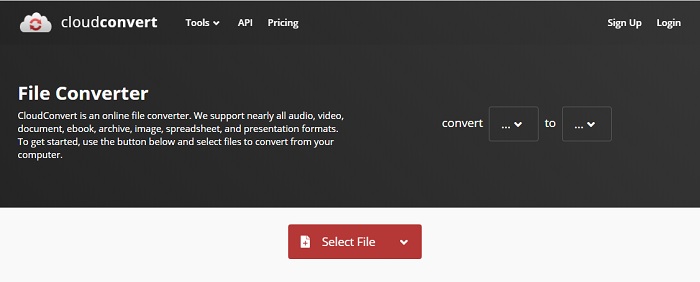
Ha online AVI–MOV konvertert Macre keresel, érdemes kipróbálni a CloudConvertet. Lehetővé teszi a felhasználók számára, hogy bármilyen típusú videót, hangfájlt, dokumentumot, PDF-et és más fájlt új formátumba konvertáljanak. A hatékony konvertálási képesség ellenére azonban ez az eszköz nem rendelkezik szerkesztési funkciókkal. Vagyis a videót anélkül alakítja át, hogy javítaná a minőségét. Összességében kiválóan konvertál, de a FVC Free Online Video Converter még ennél is jobb.
3. FreeConvert.com
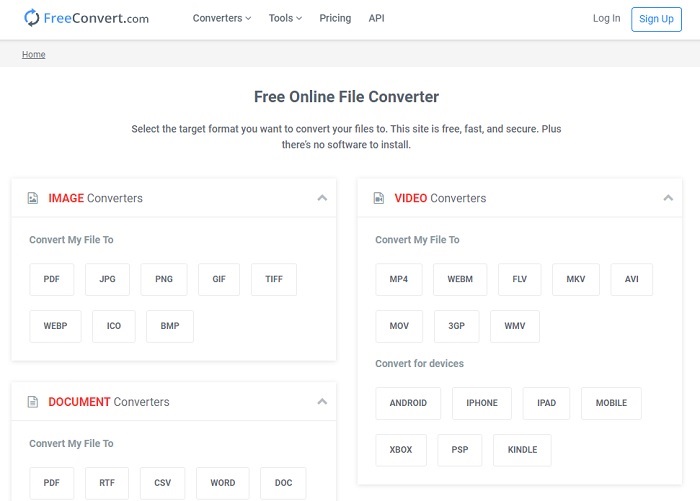
Egy másik remek online eszköz a konvertáláshoz a FreeConvert.com. Ha az előző eszköz erőteljes tömörítést kínál, ennek az eszköznek is megvannak az erősségei, így felkerülhet a listára. Alapvető szerkesztési funkciókat is biztosít, például vágást és körbevágást, fájltömörítést és eszközre optimalizált konvertálást. Ennek az eszköznek a hátránya azonban, hogy a támogatott formátumok száma erősen korlátozott. Így a szűkös funkciók miatt nem élvezhetsz teljes szabadságot a választásban.
További olvasnivaló
AVI vs. MOV
A Resource Interchange File Format (RIFF) alapján az AVI formátumot a Microsoft 1992-ben vezette be. Kiváló minőségű videót/hangot tud menteni, mivel kevesebb tömörítést használ. Ez azonban az AVI-fájlok nagy fájlméretét is okozza, ami problémát jelenthet, ha korlátozott a hely.
A MOV formátum használható filmek, TV-műsorok, rövid videoklipek vagy házi filmek tárolására. Valójában a QuickTime File Format (QTFF) formátumban van elmentve, amelyet az Apple 1991-ben vezetett be. A MOV fájlokat gyakran használják, amikor az emberek jó minőségű videót szeretnének menteni.
3. rész. GYIK az AVI-ról MOV-ra
A QuickTime képes konvertálni az AVI-t MOV-vé?
A QuickTime a Mac beépített médialejátszója. Képes AVI-ból MOV-vá is konvertálni QuickTime-ban, de nem ez a legjobb vagy legideálisabb megoldás formátumváltásra, bár a feladatot elvégzi.
Melyik a jobb? AVI vagy MOV?
Mindegyik formátumnak megvannak a saját egyedi jellemzői, amelyek kiemelik, de ez a kettő az egyik legjobb. Az AVI egy szabadalmaztatott formátum, amelyet a Microsoft fejlesztett ki a videolejátszás és a kiváló minőség szinkronizálására. De mivel az Apple versenyezni akar, ezért fejlesztik a MOV-t, amely a QuickTime natív formátuma. Több zeneszám tárolása az adatokkal, például hanggal, videóval és feliratokkal külön-külön, de egyetlen tárolóban.
Az AVI és a MOV veszteséges vagy veszteségmentes?
Ezek nem a tömörítés, mert az AVI-t tömörítetlennek hozták létre, így ez veszteségmentes, de a MOV veszteséges, tömörített és kisebb méretű.
Következtetés
Végül is az AVI-fájlok konvertálása nem játék, ezért komolyan kell venni, mivel tömörítetlen formátumról van szó. Ha rossz konvertert választasz a feladatra, fennáll a veszélye, hogy a folyamat során bizonyos kódolási információk elvesznek. Nem kell azonban aggódnod, mert a FVC Video Converter Ultimate itt van, hogy megmentse a napot. Ha sikeres konvertálási folyamatot szeretnél, ezt az eszközt kell használnod, és nem mást. Amellett, hogy gyors és biztonságos, több fájlt is képes egyszerre konvertálni. Ahelyett, hogy megvárnád az első fájl átalakítását, az összes AVI-fájlt egyszerre konvertálhatod MOV formátummá – vagy bármilyen más formátummá, amelyre szükséged van.
-
 FLV-ból MOV-ba - Hogyan konvertálhatom az FLV-t MOV-ra Mac / PC / Online ingyen
 Hogyan lehet átalakítani FLV-t MOV-vá? Hogyan konvertálhatom az FLV-t MOV-ra Mac-en? Van-e ingyenes mód a YouTube FLV konvertálására MOV-ra online? Ez a bejegyzés 3 FLV – MOV konvertert oszt meg, hogy az FLV fájlokat MOV-vá változtassák.
-
 5 működőképes módszer a QuickTime kijavítására, amely nem tudja megnyitni a MOV-fájlokat
 A MOV formátumot elsősorban QuickTime Playerben való lejátszáshoz hozták létre. Néha azonban előfordulhat, hogy nem játszanak benne. Ismerje meg, hogyan javíthatja ki a QuickTime nem játszik le MOV fájlokat ebből a bejegyzésből.
-
 Kivételes útmutató a MOV fájlok lejátszásához Android mobileszközökön
 Problémája van, hogy a MOV-fájlok miért nem játszódnak le az Android médialejátszón? Ezután olvassa el ezt a cikket, amely két különböző módszert kínál a MOV-fájlok javítására és lejátszhatóvá tételére.

