


 Video Converter Ultimate
 Screen Recorder
 Videó javítás
A VOB konvertálása MOV-ba a legtapasztaltabb eszközök segítségével [ingyenes és egyszerű]
In the case of a DVD, a VOB file is a movie data file that is typically kept in the VIDEO TS folder at the root of the DVD. It contains a large portion of the material recorded on a disc, which includes video and audio files and subtitles, DVD menus, and other navigational content. However, the QuickTime File Format (QTFF) is a multimedia container file format that can be used to save a MOV file. Media data, including video, audio, and text, can be stored on one or more tracks (subtitles). To save video files, MOV files are often utilized.If you have a second thought of his video format and need to know all the details about it or how to convert it to other video formats using different converters? This is the right article for you, presenting the best and easiest ways to convert VOB to MOV.

1. rész Mi a VOB és a MOV?
A DVD-n lévő adatok többsége ebben a fájlformátumban található, amely digitális videót, hangot, navigációs tartalmat, DVD-menüket és feliratokat tartalmaz. A VOB fájlok a VIDEO TS mappában tárolódnak, és minden DVD-videó magját képezik. Ez egy film adata. Az MP2, DTS, AC3 és MPEG-2 videofolyamok mind erről a helyről származnak. Lehetséges, hogy a VOB formátumban mentett fájlok titkosítottak. A VOB egy olyan típusú videofájl, amely nagyon hasonlít a WMV-hez. A VOB fájlkiterjesztés a VOB fájlokhoz használatos. Például a VOB formátum az MPEG programfolyam formátumon alapul, de további korlátozásokat és kritériumokat tartalmaz a magánszektorban.
Nevertheless, In the QuickTime framework of Mac, the MOV file extension indicates the QuickTime video format, developed by Apple. The Windows platform also supports this multimedia container's capacity to store several tracks, each one containing a specific sort of data (audio, video, subtitles). Video editing programs can benefit significantly from separating media data from media offsets, abstract data references, and track edit lists. For sharing movies and videos on the internet, the MOV video container is a popular choice.
| Fájlkiterjesztés | VOB | MOV |
| Fájltípus | DVD Video Object File | Apple QuickTime Movie |
| Által kifejlesztett | N/A | alma |
| Előnyök | Jó minőség; DVD-ket lehet belőle készíteni. | Kiváló videó minőség; webes közvetítésre alkalmas; a főbb elemek határozott elkülönítése |
| Hátrányok | 4,7 GB 2 órányi filmezéshez, ami nagyon sok hely | Ez a formátum nagyobb fájlmérettel rendelkezik, mint a többi népszerű streaming formátum. |
2. rész: VOB konvertálása MOV-vá [Mac és Windows]
Starting with converting VOB to MOV offline, this best tool is the most reliable in restoring a wide range of formats. Video Converter Ultimate can convert VOB to MOV in the fastest way possible. Plus, you can change the quality output of the video before you upload the file. This converter also has different tools that can help you improve your video file to the next level. Since it supports a massive amount of video formats, you won't have to worry about converting unfamiliar video formats to your desired format. Now that you have learned about this best converter, you can now learn the procedures given below:
Step 1. To begin, click on the Free Download button below to start the download process. You have the option of downloading the software from Windows or Mac if you prefer once the download is complete. Before you simply run the program, you need to get it installed on your computer's desktop and click Start Now to get started.
Ingyenes letöltés Windows 7 vagy újabb rendszerre Biztonságos letöltés
Ingyenes letöltés macOS 10.7 vagy újabb rendszerre Biztonságos letöltés
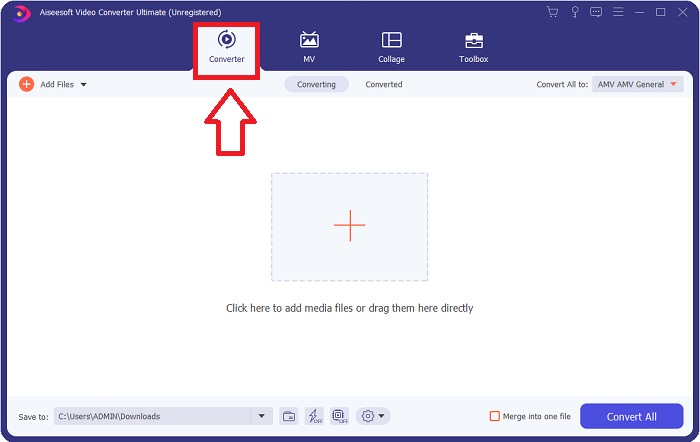
Step 2. Launch the downloaded application. When you first start the program, a window will appear with the Converter interface. This is where you'll enter your video file and begin converting.
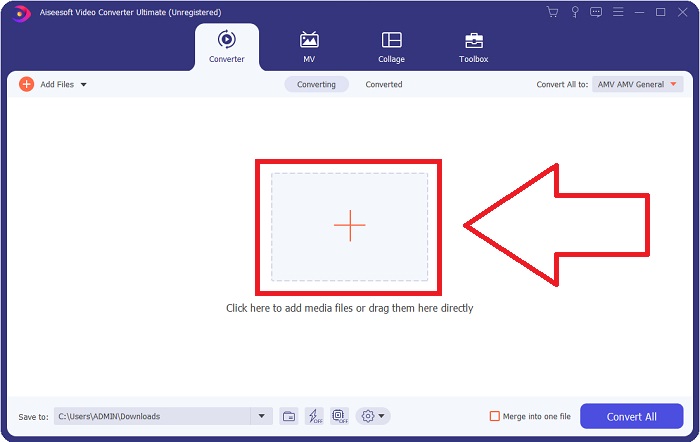
Step 3. Import your files into the converter to begin the conversion process. Drag and drop the video file you want to convert onto the + icon.
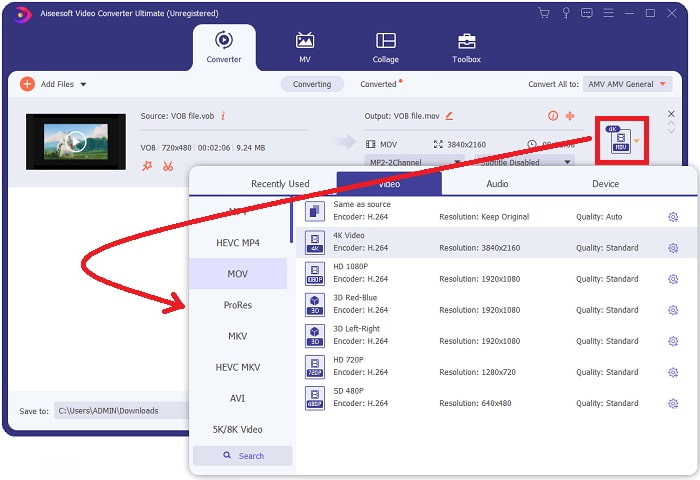
Step 4. Select a video format from the list in the upper-right corner of the screen. Locate and select the MOV file type from the drop-down menu. There are several video qualities options available once you've chosen an MOV format. However, if your preferred video output isn't listed, you can change the quality settings to suit your needs. You can alter the display's resolution, frame rate, and even audio quality by clicking the gear icon. To keep your changes, click the Create New button.
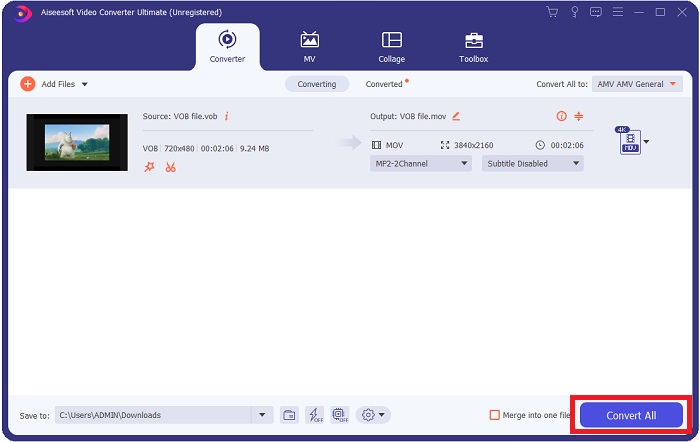
Step 5. Once you've finished editing the video and it's ready to be converted, click Convert All to start the process of transferring it to your computer.
3. rész: VOB konvertálása MOV-ba [Online]
If you don't have time to download the Video Converter Ultimate, you can also use this online version of the software. Free Video Converter Online is the best online web tool you can access on the internet that can convert many varieties of formats in a fast manner. Other than an online converter, this converter doesn't limit formats it can support. That's why it is recommended to use for some beginner users. To know more about this online web tool, here are the procedures given below.
Step 1. Navigate to the main website of this online converter by clicking on the link here.
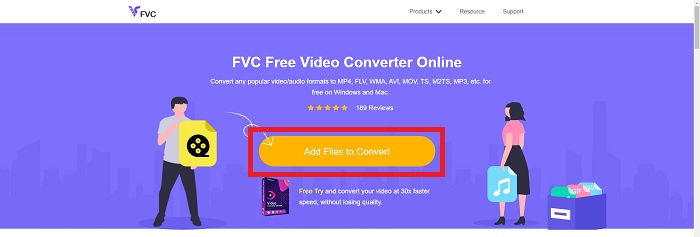
Step 2. If this is your first time using it, click the Add Files to Convert button to download the launcher for your computer. It will automatically launch when it has been downloaded once more. Select the file from your folder and click Open after it has been downloaded once again.
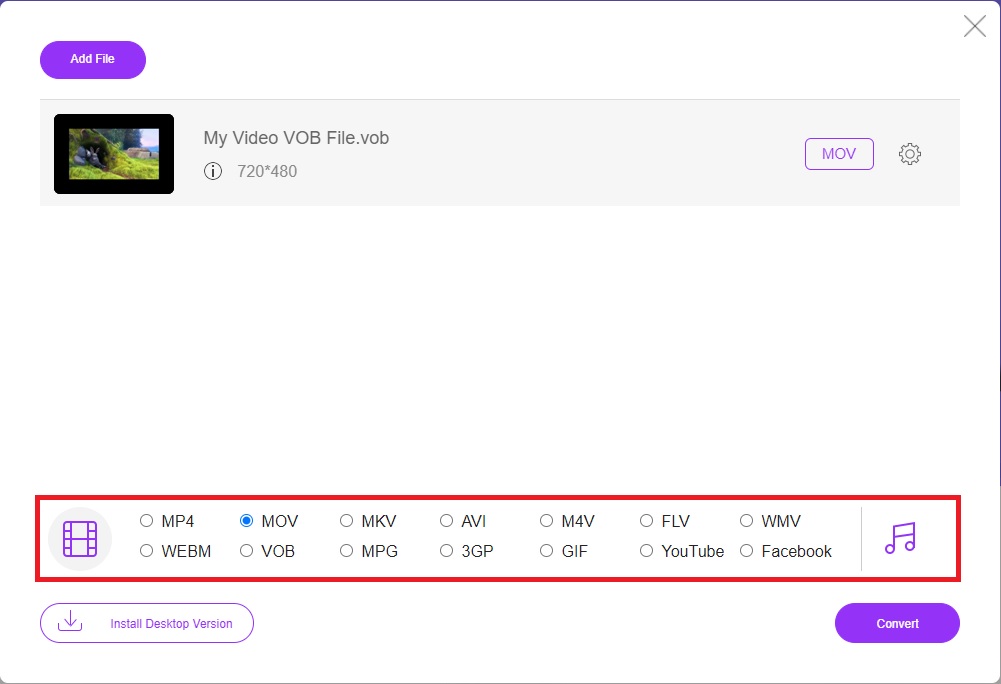
Step 3. Before the conversion process begins, select the MOV format from the category list of Video below by clicking on it.
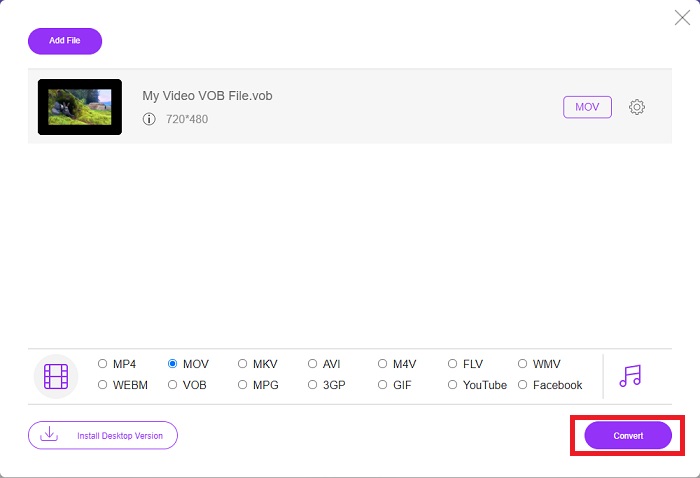
Step 4. After selecting a format, click Convert to begin the process of converting the format to another.
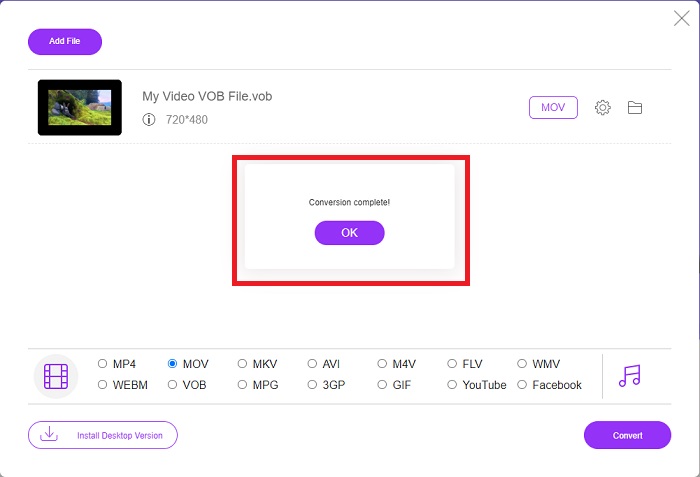
Step 5. After a few minutes, a file folder containing the converted file will appear; simply click on it to begin watching it.
4. rész. GYIK a VOB MOV-vé konvertálásával kapcsolatban
Miért olyan nagyok a VOB fájlok?
There is no reason for the big downloads other than the videos themselves (including audio). Because the video codecs use variable bit length encoding, they are diverse in length. It's, therefore, possible to encode the same number of images into a variety of various file sizes. Click here to learn how to compress large VOB files.
A VOB ugyanaz, mint a DVD?
Videoobjektumokhoz a DVD-Video média VOB-t (a videoobjektum rövidítése) használ. A feliratok, a DVD-menük és a navigációs információk mind szerepelhetnek egy VOB-fájlban, amely több formátumú fájl. A VOB-fájlok titkosítása lehetséges.
Mit tartalmaz a MOV fájl?
Lehetőség van a MOV-fájlok felhasználására többféle médiatípus tárolására és szinkronizálására, beleértve a videót, a hangot, az időkódot és a szöveget. Különféle kodekek használhatók egy adott tartalom kódolására. Ha tömörítésről van szó, a MOV-fájlok általában az MPEG-4 kodeket használják.
Következtetés
Overall, it is clear to state the differences between the software or online converter given above, and they always have flaws and good qualities in using them. But if you choose to use a very professional-wise and user-friendly converter, the software Video Converter Ultimate is the best recommended to use. As the article said about this video converter, they are nothing compared to another competitor in achieving the standard this software has brought. They can't get to the level of how excellent this software is.
-
 8 legjobb MOV-lejátszó a QuickTime MOV fájlok eredeti minőségben történő lejátszásához
 Csak tudjon meg többet a Windows 8 és a Mac számára elérhető 8 legjobb MOV-lejátszóról. Kiválaszthatja a kívánt és megfelelőt a MOV fájlok eredeti minőségben történő lejátszásához.
-
 MKV-ból MOV-ba - Hogyan lehet konvertálni az MKV-t MOV-ba
 Hogyan konvertálhatom az MKV-t MOV-ra Mac-en? Az iMovie képes olvasni az MKV-t? Mit jelent a MOV formátum? Ez a bejegyzés 2 egyszerű módszert ismertet az MKV konvertálásához MOV-ba ingyenes online és professzionális videokonverterekkel.
-
 FLV-ból MOV-ba - Hogyan konvertálhatom az FLV-t MOV-ra Mac / PC / Online ingyen
 Hogyan lehet átalakítani FLV-t MOV-vá? Hogyan konvertálhatom az FLV-t MOV-ra Mac-en? Van-e ingyenes mód a YouTube FLV konvertálására MOV-ra online? Ez a bejegyzés 3 FLV – MOV konvertert oszt meg, hogy az FLV fájlokat MOV-vá változtassák.
