


 Video Converter Ultimate
 Screen Recorder
 Videó javítás
Könnyen elérhető XviD Converter: Hogyan lehet XviD fájlokat konvertálni MOV formátumba
Az XviD a legismertebb kodek, amelyet a DivX vetélytársaként fejlesztettek ki. Ez a kodek szintén az MPEG-4 ASP-t használja, amely olyan funkciókat tartalmaz, mint a B‑frame-ek, a fényerő‑maszkolás, a globális és negyedpixeles mozgáskompenzáció, a trellis kvantálás, az egyéni kvantálási mátrixok és a H.263. Ennek köszönhetően az XviD népszerűbb kódolóvá vált, mint a DivX. Tegyük fel, hogy egy XviD‑kodeket használó fájlt viszel át iOS‑eszközre. Ha a fájl nem játszható le, ne lepődj meg, mert ez a kodek nem támogatja a mobil eszközöket, például az iOS‑t és más készülékeket. Bár megoldhatatlannak tűnhet, minden problémára létezik megoldás: mi azt javasoljuk, hogy az XviD‑del kódolt fájlt konvertáld AVI formátumba. Ha tudni szeretnéd, hogyan lehet az XviD fájlokat MOV‑vá konvertálni, olvasd tovább ezt a cikket.

1. rész. Az XviD és a MOV bemutatása
Ahogy korábban említettük, a fájl mérete kisebb lehet, ha XviD‑et használsz a tömörítéshez, anélkül hogy a minőség romlana, és a visszafejtés is gyors. Bár az XviD nem tulajdonosi (nem zárt) tömörítő, a kodek kompatibilitása korlátozott a hordozható eszközökkel, különösen szerkesztéskor. Tehát ha XviD‑kodekes videót szeretnél nézni vagy szerkeszteni, a fájlt mindenképpen MOV formátumba kell alakítanod. Miért éppen MOV? Mert ez a formátum tartalmazhat metaadatokat, médiatartalmakat, például hangot, videót, szöveget vagy feliratokat. Ráadásul ez a formátum lejátszható iOS‑eszközökön és más készülékeken is. Most pedig, hogy megoldjuk az XviD‑fájloddal kapcsolatos problémát, nézzük meg, hogyan lehet az XviD‑et MOV‑vá konvertálni az alább bemutatott eszköz segítségével.
2. rész. A legjobb konverter az XviD MOV formátumba konvertálásához Windows és Mac rendszeren
FVC Video Converter Ultimate
Olyan XviD–MOV konvertert keresel, amely egy szempillantás alatt átalakítja a fájlokat? Akkor a FVC Video Converter Ultimate az az eszköz, amit keresel. A felhasználóknak kínált, akár 30‑szoros sebességű konvertálás mellett vághatod, szerkesztheted, egyesítheted a videóidat, és még sok mást is tehetsz velük, hogy még látványosabbak legyenek. Bár az eszköz fejlett funkciókat kínál, nincs szükség „szuperszámítógépre” a letöltéséhez és használatához.
Ezen kívül ez a szoftver hardveres gyorsítást és gyors konverziót is tartalmaz, hogy gyorsabbá és jobbá tegye a konvertálást. És most, ha meg akarja tanulni, hogyan konvertálhat Xvid fájlokat MOV-ba ennek az eszköznek a segítségével, akkor folytassa az alábbi oktatóanyaggal.
Lépések az XviD MOV‑vá alakításához az FVC Video Converter Ultimate segítségével:
1. lépés. Ez a szoftver bármilyen PC‑re vagy Mac OS‑re letölthető, ezért kattints az alábbi letöltés gombra. A letöltés után kattints a fájlra a telepítéshez, végezd el gyorsan a beállítást, majd kattints a Start Now gombra, hogy azonnal megnyisd az eszközt.
Ingyenes letöltés Windows 7 vagy újabb rendszerre Biztonságos letöltés
Ingyenes letöltés macOS 10.7 vagy újabb rendszerre Biztonságos letöltés
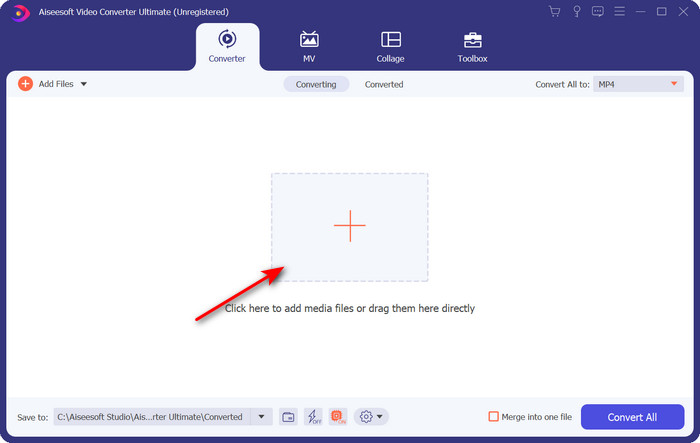
2. lépés. Az .xvid fájl importálásához kattints a + gombra, keresd meg a mappában, majd kattints az Open gombra. Ha azonban kettőnél több .xvid fájlod van, javasoljuk, hogy húzd és dobd be őket a felületre.
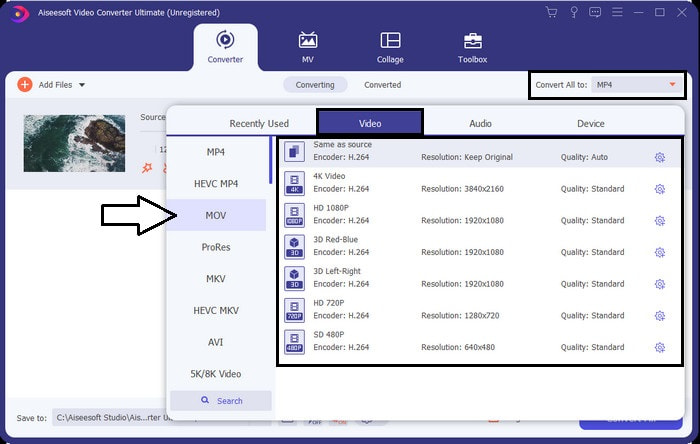
3. lépés. Kattints a felület jobb felső sarkában lévő legördülő gombra, és keresd meg a listában a MOV formátumot.
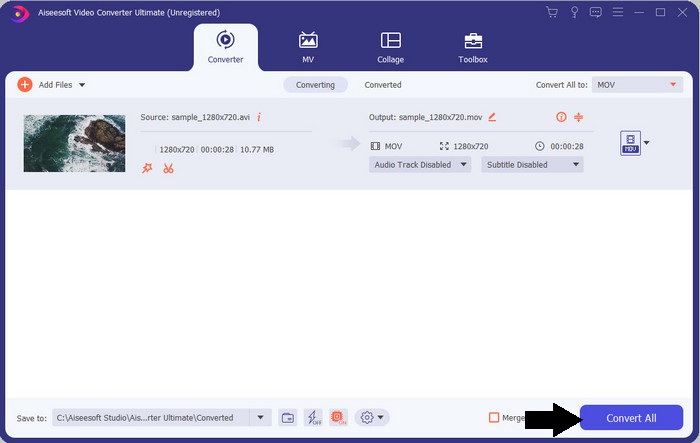
4. lépés. Indítsuk el az XviD fájlok MOV‑vá alakítását a Convert All gombra kattintva.
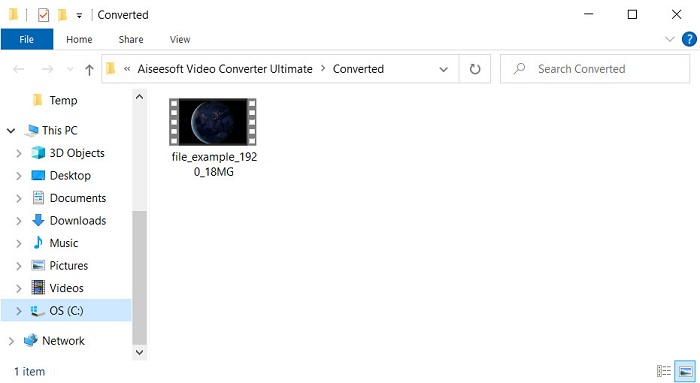
5. lépés. Várj néhány másodpercet, míg a folyamat befejeződik. Ekkor megjelenik egy mappa a képernyőn a .mov fájllal; kattints a fájlra, hogy lejátszd a helyi médialejátszóddal, és élvezd a videót.
3. rész. A legjobb online konverter az Xvid MOV-vé alakításához
FVC ingyenes online videokonverter
Nincs kedved azzal bajlódni, hogy szoftvert tölts le a meghajtódra, mert tele van a tárhelyed, és csak egyetlen fájlt szeretnél online konvertálni? A FVC Free Video Converter Online minden webböngészőben elérhető. Az XviD fájl konvertálása ezzel az eszközzel egy percen belül elvégezhető. Ráadásul a használatához nincs szükség fiók létrehozására, és hirdetések sincsenek a felületen. Ez az eszköz az egyik legtisztább, legegyszerűbb online konverter, amelyet a weben elérhetsz. Ugyanakkor internetkapcsolat nélkül nem használható, mert hálózatra támaszkodik. Emellett közepes számú formátumot támogat, amelyek közül választhatsz és használhatsz. Ha tehát nem szeretnél konvertert letölteni, mindenképpen használd ezt az online XviD–MOV konvertert.
Lépések az XviD fájlok MOV formátummá alakításához online az FVC Free Video Converter Online segítségével:
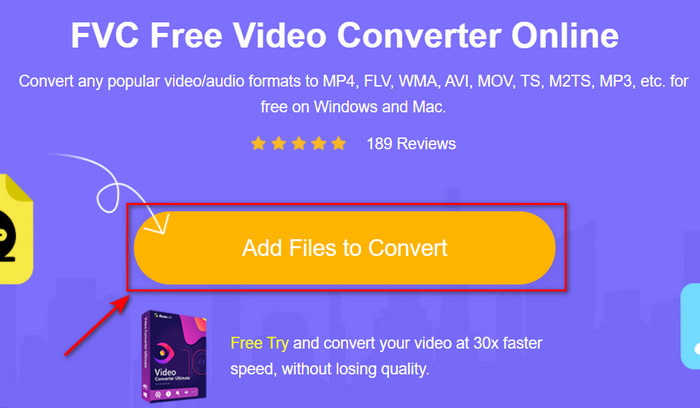
1. lépés. Az online konverter fő weboldalára úgy jutsz el, ha rákattintasz erre a linkre.
2. lépés. Nyomd meg az Add Files to Convert gombot az eszköz elindításához, majd megjelenik egy mappa, ahol megkeresheted az átalakítani kívánt XviD fájlt, és a folytatáshoz kattints az Open gombra.
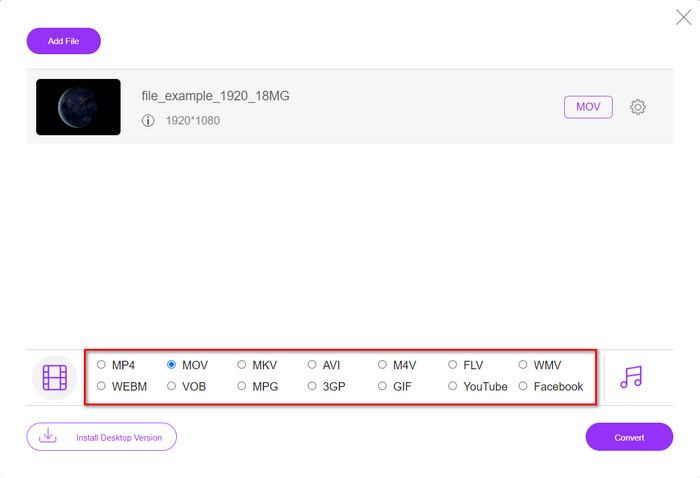
3. lépés. Miután beillesztetted az XviD fájlt, egy új felület jelenik meg; alul válaszd ki a MOV formátumot vagy egy másik kívánt formátumot.
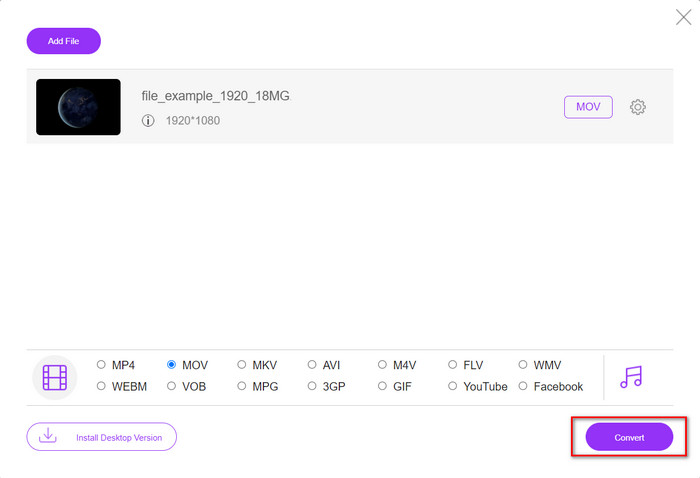
4. lépés. A formátumváltás elindításához kattints a Convert gombra.
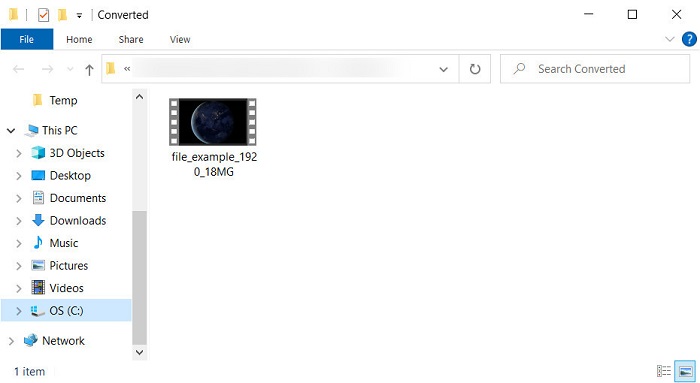
5. lépés. A fájl konvertálása kevesebb időt vesz igénybe, mint más online konvertereknél; ezután megjelenik egy mappa az elkészült átalakított fájllal.
4. rész. GYIK az XviD-ből MOV-ba való konvertálásról
Hol tudok XviD videókat nézni?
Az XviD fájlok lejátszásához használhatod a VLC médialejátszót. Ha nem akarsz új programot letölteni, használhatod a Windows Media Playert, amely minden Windows rendszeren elérhető. Mac‑felhasználók számára ott a QuickTime. Ha viszont nagy felbontású XviD videót szeretnél nézni, olvasd el ezt a cikket, mert összegyűjtöttük benne az összes lehetséges XviD lejátszót, amelyet használhatsz XviD fájlok lejátszásához.
Az XviD ingyenes vagy nem?
Az XviD ingyenes, és bárki számára elérhető, aki szeretné használni és tömöríteni a fájlját az interneten történő gyors átvitelhez vagy helyet takaríthat meg. Mindez a GPL ingyenes szoftverlicencének köszönhető, tehát ingyenesnek készült.
Miért nem tudok XviD videókat szerkeszteni?
Az egyik fő ok, amiért nem szerkeszthet videókat ilyen típusú kodekkel, az az, hogy ez nem támogatott. Ebben az esetben a minimális videószerkesztők csak ezt a típusú kodeket támogatják annak összetettsége miatt. Tehát tegyük fel, hogy ebben a formátumban szeretne videót szerkeszteni, először meg kell fontolnia annak konvertálását. Ebben az esetben elengedhetetlen egy többcélú konverter, amely képes az XviD fájlokat MP4-re, AVI-ra, MOV-ra vagy hasonlókká konvertálni. Ezután a fájl konvertálása után töltse fel a szerkesztőbe, hogy elvégezze a kívánt szerkesztést.
Következtetés
A cikk elolvasása után bővült a tudásunk az XviD‑ről, és most már más szemszögből is látjuk ezt a formátumot. Ha videót szeretnél menteni vagy lejátszani iOS‑eszközödön, előbb át kell alakítanod a fájlt MOV formátumba. Ahogy korábban említettük, ez a két bemutatott konverter kiválóan teljesít a fájlok MOV formátummá konvertálásában. Bár mindkét eszköz szinte tökéletesnek tűnik, az FVC Video Converter Ultimate sebessége és teljesítménye páratlan, és jobb, mint bármely más asztali vagy webes eszközé. Ha viszont ingyenes és biztonságos online konvertálást szeretnél, válaszd a FVC Free Video Converter Online megoldást.
-
 Az AVI átalakítása MOV -ba az egyszerű lépések és eszközök segítségével
 Szeretné tudni, hogyan alakíthatja át az AVI-t játszható MOV-vé? Kövesse ezt a cikket, hogy megtudja, hogyan kell ezt megtenni, és tippeket talál a sikeres konverzióhoz.
-
 AVI importálása és átalakítása iMovie által támogatott formátumba [2021]
 Problémája van, mert nem tudja importálni az AVI-fájlt az iMovie-ba? Ha elolvasta ezt a cikket, akkor már kiválasztotta a megfelelő megoldást erre a problémára.
-
 Hogyan lehet konvertálni a TS-t AVI / MKV / MOV / WMV online és ingyenes formátumba Win / Mac rendszeren
 Szeretné gyorsan átalakítani a TS fájlokat AVI / MKV / MOV / WMV fájlokká? Ez a cikk online és offline videokonvertereket mutat be teljes útmutatóval. Talán itt kaphatja meg a legjobb ingyenes TS átalakítót.
