


 Video Converter Ultimate
 Screen Recorder
 Videó javítás
Hogyan konvertálhat AVI-t MP3-ba az alábbi ingyenes oktatóanyagok segítségével
Mint már említettük, az AVI fájlok a legjobb minőségű videót és hangot tárolják, amire valaha is vágyik. Sajnos ennek a rossz része a hatalmas fájlméret. A rajta tárolt médiafájl 3-4 percében a fájl mérete akár 3-4 giga falatot is elérhet. Ami az AVI formátum felhasználójaként elsöprő. Mielőtt szomorúnak vagy frusztráltnak érezte magát, most már van mód arra, hogy minőségi AVI hangot tároljon a számítógépén. Anélkül, hogy elveszítené a minőségét, és ez a konvertálás. Ha tudni szeretné, hogyan konvertálhatja az AVI-t MP3-ba, akkor jó úton jár. Mert foglalkozni fogunk azzal, hogyan lehet konvertálni, és milyen más elérhető konvertereket használhat kiváló minőségű MP3 hang előállításához. Ha tovább olvassa ezt a cikket, meg fogja érteni az átalakítási folyamatot, amelyről beszélünk.

1. rész: AVI konvertálása MP3-ra online
1. FVC ingyenes MP3 konverter
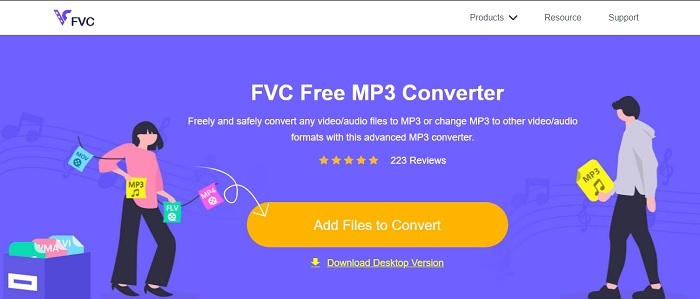
Ha tudni szeretné, melyik a legjobb ingyenes online AVI–MP3 konverter, akkor ez az. A FVC mutatja be, mint az egyik legjobb konverter, a FVC Free MP3 Converter ízelítőjeként. Ez az online eszköz a lehető legtöbb előnyt nyújt, ha konvertálásról van szó. Ha rangsorolnánk az itt található eszközöket, ez maradna az első. Nemcsak biztonságos tömörítést kínál, hanem gyors átalakítást is. Szeretné tudni, milyen gyors a konvertálási folyamat? Akkor kövesse az alábbi lépéseket, és próbálja ki maga, hogy meggyőződhessen róla.
1. lépés. Kattintson a hivatkozásra, hogy a program fő weboldalára jusson.
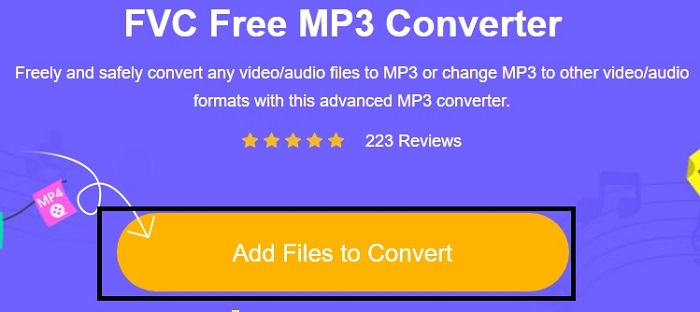
2. lépés. Nyomja meg az Fájlok hozzáadása a konvertáláshoz gombot, majd kattintson az Engedélyezés gombra az eszköz elindításához.
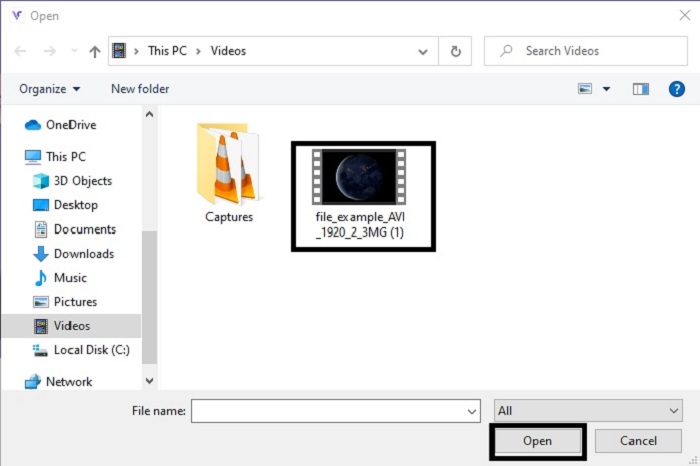
3. lépés. Válassza ki, melyik fájlt szeretné konvertálni. A kiválasztás után kattintson a Megnyitás gombra a folytatáshoz.
4. lépés. Állítsa az AVI fájlt MP3 hangformátumra, vagy bármely más kívánt formátumra.
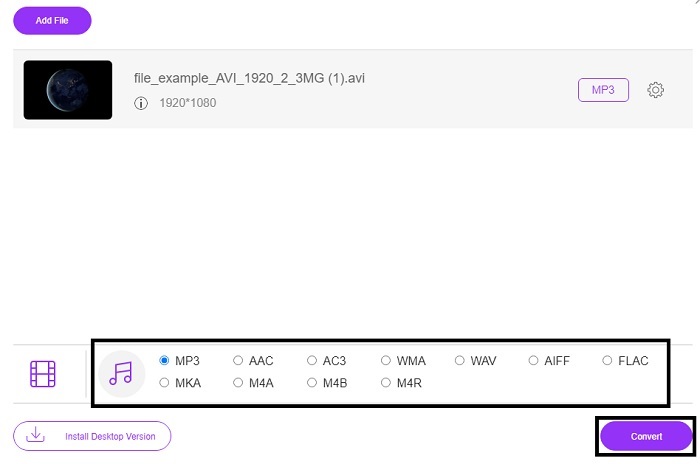
5. lépés. A folyamat elindításához kattintson a Konvertálás gombra, és várjon néhány percet, amíg befejeződik. Ha elkészült, később a mappájában ellenőrizheti az eredményt.
2. Convertio
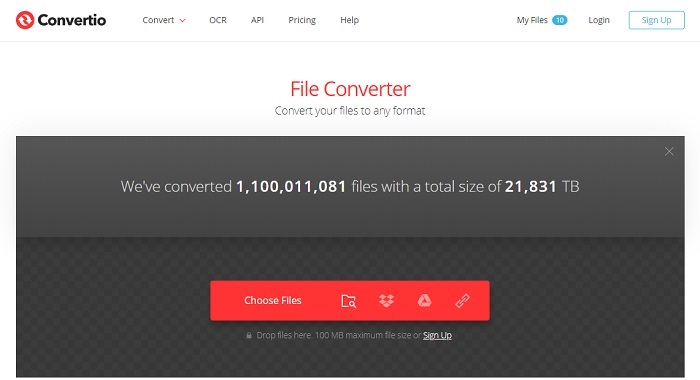
Ha arról van szó, hogyan lehet AVI-t MP3-ra konvertálni Macen ingyen, akkor a Convertio siet a segítségére. Ez az eszköz minőségi tömörítést és konvertálást kínál Windowsra is. A FVC Free MP3 Converter-rel ellentétben ez a program dokumentumok, e-könyvek, vektoros fájlok és egyebek konvertálását is tudja. Viszont nem módosíthatja a bitrátát, a képkockasebességet és a kodekeket úgy, mint az első eszköznél. Bár a konvertálási folyamat itt is gyors és hatékony, az elsőként bemutatott program mégis felülmúlja ezt. Ennek ellenére érdemes kipróbálni, mert egyszerű és nagyon felhasználóbarát. Így kezdők és haladók is nyugodtan használhatják.
1. lépés. Lépjen a Convertio weboldalára.
2. lépés. Válassza ki a konvertálni kívánt fájlt, és töltse fel.
3. lépés. Válassza ki az MP3 formátumot, majd a kezdéshez kattintson a konvertálás gombra.
3. Zamzar
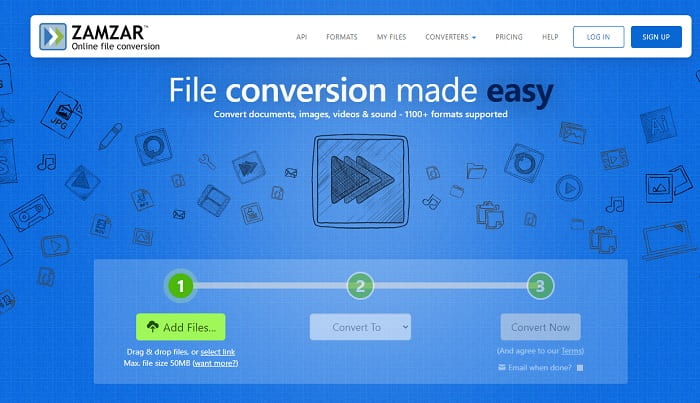
Használja a Zamzart, ha AVI fájlokat szeretne online MP3-ra konvertálni. Emellett ez az eszköz egyszerű, mégis klasszikus konvertálót kínál, amelyet valószínűleg már használt vagy kipróbált. A legkevésbé praktikus része, hogy az összes formátumtípus – hang, kép, videó és egyéb – egyetlen legördülő menüben található. Így a konkrét formátum megkeresése kicsit körülményes, de mégis kezelhető. Ne feledje, hogy ez az eszköz csak legfeljebb 50 MB méretű fájlokat fogad, és egyszerre csak egy konvertálást enged. Szeretné tudni, hogyan kell használni a Zamzart? Akkor kövesse az alábbi lépéseket.
1. lépés. Keresse meg a Zamzar hivatalos weboldalát. Kattintson a „fájl hozzáadása” gombra, és válassza ki a konvertálni kívánt fájlt.
2. lépés. Válassza ki a kívánt végső formátumot a „konvertálás ide” almenüben.
3. lépés. Kattintson a „konvertálás most” gombra a folyamat elindításához.
2. rész. A legjobb AVI-MP3 konvertáló PC-n és Mac-en
Mindazon csodálatos funkciók ellenére, amelyeket az online AVI–MP3 konvertáló szoftverek kínálnak, a FVC Video Converter Ultimate továbbra is az átalakítás királya az egész weben. Elgondolkodott már azon, hogy a fájlkonvertálás magasabb szintre is emelhető? Pontosabban: ha ezt használja személyes konvertereként, jóval többre képes, mint pusztán konvertálni.
A fenti online eszközzel ellentétben ez a szoftver nem csak konvertálásra, hanem vágásra, javításra, hangerőnövelésre stb. is specializálódott. Miért nem próbálja meg ezt az eszközt használni a fenti első eszköz helyett? Ezzel most folytatjuk, hogyan lehet tökéletes konverziót készíteni az AVI-fájlban, és életre kelteni az MP3 formátumot. Kövesse az alábbi lépéseket az eszköz átalakítási folyamatának mélyebb megértéséhez.
1. lépés. Töltse le a FVC hivatalos ultimate eszközét a letöltés gombra kattintva. Kövesse a telepítési lépéseket, majd a módosítások mentéséhez kattintson a befejezés gombra.
Ingyenes letöltés Windows 7 vagy újabb rendszerre Biztonságos letöltés
Ingyenes letöltés macOS 10.7 vagy újabb rendszerre Biztonságos letöltés
2. lépés. Mindezek után a szoftver automatikusan megnyílik a képernyőn. Így fog kinézni.
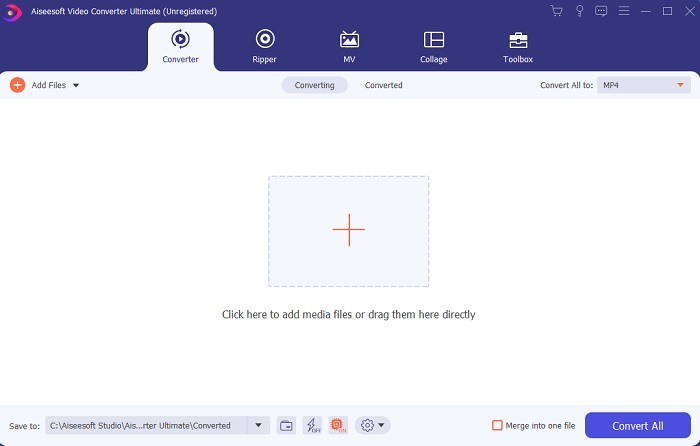
3. lépés. A főfelületen válassza ki azt az AVI fájlt, amelyet konvertálni szeretne, az Fájlok hozzáadása gombra kattintva. További információ: ha sok fájlja van, egyszerűen húzza át őket a felületre (drag & drop).
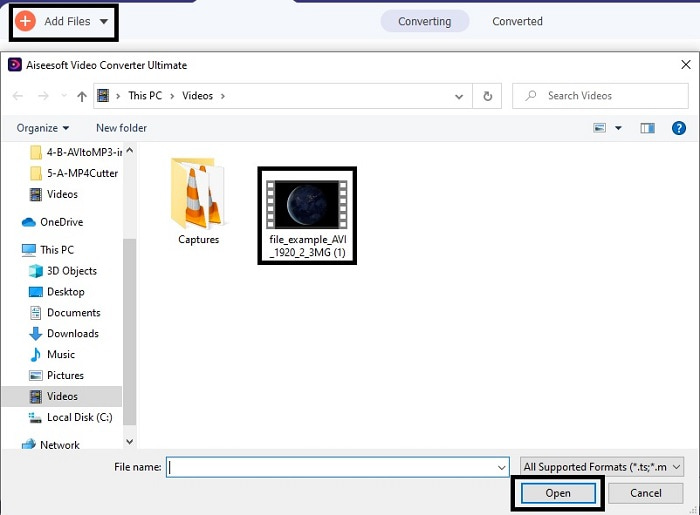
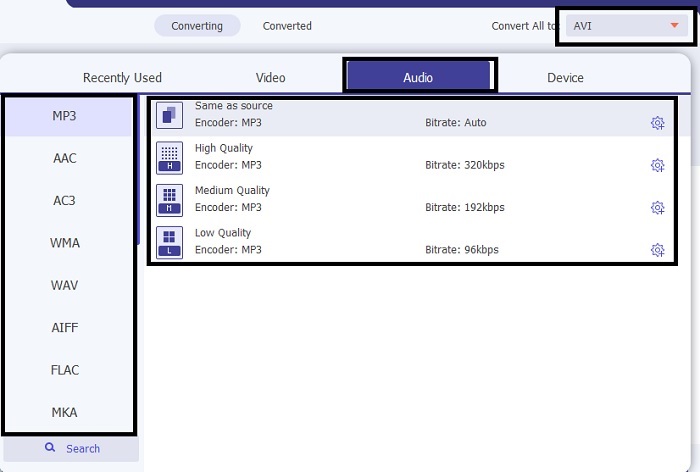
4. lépés. A jobb felső sarokban látni fog egy kis almenüt, kattintson rá. Válassza ki az MP3 formátumot vagy bármilyen más kívánt hang- vagy videoformátumot. A kiválasztás után kattintson az Összes konvertálása gombra a folyamat elindításához, amely hamarosan megkezdődik.
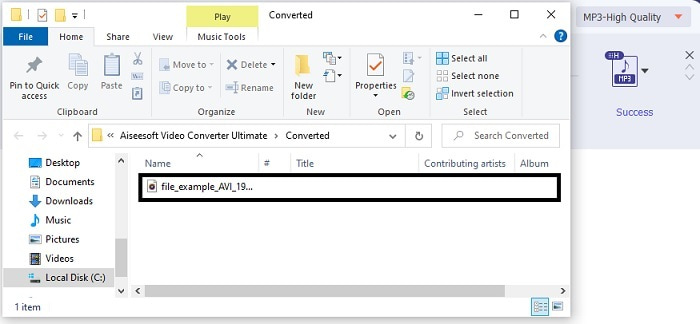
5. lépés. A konvertálás másodpercek alatt elkészül, és amikor befejeződött, azonnal megnyílik egy fájlkezelő ablak a képernyőn. Kattintson az átalakított fájlra a meghallgatáshoz, és ha szeretné javítani a hangminőséget, később megnézheti az eszköztárat.
Ezen felül ez az eszköz lehetővé teszi a WMV–MP3, illetve MOV–MP3 konvertálást is.
3. rész. GYIK az AVI-ról MP3-ra
Mi az MP3?
Az MP3 kiváló minőségű hangformátumot tárol. Manapság nagyon népszerűvé vált, mert ez a leggyakrabban használt hangformátum. Az MP3 legjobb példái a dalok, a felvételek és még sok más.
Az MP3 veszteséges vagy veszteségmentes?
Az MP3 egy példa a veszteséges adattömörítésre. Ami nagyszerű az audio adatok tárolására a többi tömörítetlenhez képest, mint például a korábban említett AVI.
Az MP3 képes videofájlokat tárolni?
A válasz nem. Az MP3 csak hangfájlok tárolására szolgál. De videofájlokat is hozzáadhat az MP3 továbbfejlesztett verziójához, amely az MP4 univerzális multimédiás formátum is. Kattintson ide az MP3 és az MP4 közötti különbségek megismeréséhez.
Következtetés
Most már világosabb, az AVI audio formátum helyett jobb MP3-ra konvertálni. A fenti lista a konvertálás módjáról és az Ön igényeinek megfelelő egyéb lehetőségekről szól. De az FVC Video Converter Ultimate még mindig rendelkezik a felsorolt funkciókkal. Talán arra gondol, hogy egy egyszerű konvertert szeretne szerkesztési funkciók nélkül, ami rendben van. De hosszú távon valami hiányzik belőle, amit nem talál a listán szereplő konverterben. Ahelyett, hogy arra várna, hogy ez megtörténjen, miért nem használja ezt, és készüljön fel a jövőre. Tehát, hogy biztosítsa jövőbeli megtérését, meg kell szereznie a végső felkészülési eszközt.
-
 4 100% munkamódszer az FLV videofájlok konvertálásához MP3 formátumba
 Hogyan lehet átalakítani az FLV fájlokat MP3 fájlokká? Mindössze annyit kell tennie, hogy figyelmesen olvassa el ezt a cikket, keresse meg kedvenc módszerét, és kövesse lépésről-lépésre útmutatónkat, hogy megkapja, amit szeretne.
-
 A legnépszerűbb 4 módszer az OGG átalakítására MP3-ra a minőség romlása nélkül
 Hogyan lehet konvertálni OGG fájljait MP3 formátumba, hogy számítógépen vagy mobileszközön hallgathassák őket? Itt megosztjuk öt legegyszerűbb módját asztali számítógépen vagy online.
-
 Hogyan lehet átalakítani az M4A-t MP3-ba 4 ingyenes audio konverterrel
 Nem tudja lejátszani az M4A-t, és MP3-ra kell konvertálnia? Van valami ingyenes módja annak, hogy az M4A-t MP3-má konvertálja online? Ez a bejegyzés 4 ingyenes módszert oszt meg az M4A MP3 formátumba konvertálásához iTunes, online és professzionális audio konverterekkel.
