


 Video Converter Ultimate
 Screen Recorder
 Videó javítás
Mit jelent az AVI, és hogyan kell lejátszani asztali számítógépeken és mobileszközökön
Az egyik ismert tömörítetlen formátum az AVI. Leggyakrabban videók és hangok szinkronizált lejátszására használják. Ha többet szeretne megtudni az AVI-ról, érdemes tovább olvasnia. A cikk célja, hogy megismerje, mi az az AVI, és hogy mely médialejátszók támogatják ezt a fájltípust. Olvasson tovább, hogy még több információt kapjon a formátumról és az elérhető médialejátszókról.

1. rész: Mi az AVI fájl?
Az AVI-t 1992 végén vezette be a Microsoft. Az AVI név jelentése Audio Video Interleave (hang–videó átfűzés). Az egyik legnépszerűbb fájltároló formátum az egyszerűsége és különböző platformokkal való kompatibilitása miatt. Tehát, ha AVI formátumban szeretne videót vagy hangot rögzíteni vagy letölteni, számítson rá, hogy a fájl nagy méretű lesz, mivel tömörítetlen. Hogy jobban átlássa, íme néhány előny és hátrány a formátummal kapcsolatban.
Előnyök
- Ez egy többfunkciós fájltároló, amely bármilyen fájlt tartalmazhat.
- Széles körben használt formátum bármilyen rövidfilmhez, promócióhoz és reklámhoz. Az általa nyújtott minőség miatt.
- A minőségi AVI üzletek kivételesek.
- Nincs szükség speciális hardverre vagy szoftverre csak az AVI fájlok lejátszásához, mert ez korlátlan.
- Könnyen tömörítse az AVI fájlokat, mert támogatja a különböző kodekeket, mint például a DivX, XviD, MPEG-1, MPEG-4 és még sok más.
Hátrányok
- Ha a korláton túl tömöríti az AVI-fájlt, előfordulhat, hogy a 4k, HD vagy 1080 fájl minősége romlik.
- Az AVI-k nincsenek tömörítve, ezért nagy fájlméretre számíthat, ha ezt a formátumot használja.
- Ha online kodekeket használ az AVI tömörítéséhez, ne feledje, hogy ugyanazokat a kodekeket kell telepíteni a meghajtóra. A kodekek telepítése nagyon egyszerű, de kissé ijesztő a kodek kiválasztása, mert egyesek megbízhatatlanok és nem biztonságosak. Tehát legyen óvatos, ha letölt egyet.
Most, hogy már tudja, miről szól ez a formátum, itt az ideje megismerni, hogyan lehet AVI fájlokat lejátszani az asztali gépén. Az alább említett összes eszköz a legjobb médialejátszók közé tartozik, amelyekkel talán már találkozott az interneten keresgélve, vagy még nem. Minden AVI lejátszóhoz tartozik leírás és lépésről lépésre útmutató, ezért olvassa el figyelmesen, hogy megtudja, melyik a legmegfelelőbb az Ön számára.
2. rész: AVI fájlok lejátszása Macen és Windows Media Playeren
1. FVC ingyenes videolejátszó
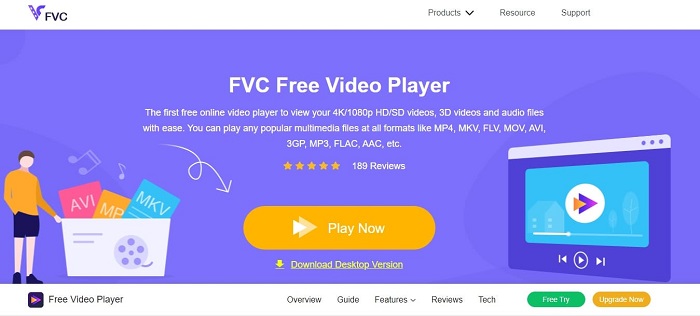
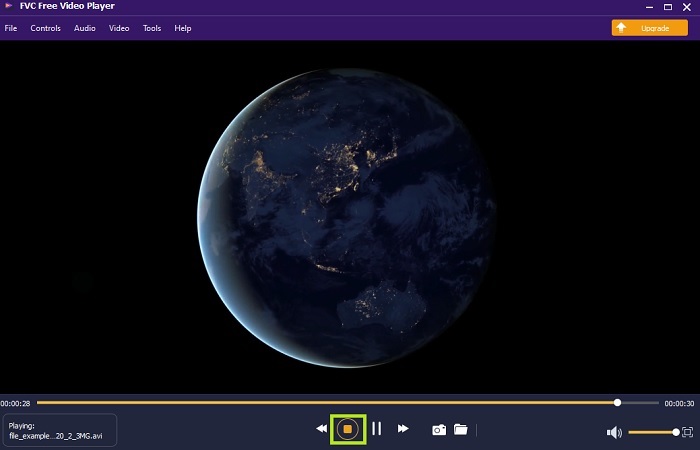
Használja ezt az FVC Free Video Player nevű lejátszót, hogy bármilyen videóformátumot megnézhessen az internet segítségével. A lentebb említett többi médialejátszóval ellentétben ez az eszköz nem igényel további fájlokat a működéshez. Tehát, ha van internetkapcsolata, bármikor és bárhol nézhet videókat. Emellett kiváló minőséget biztosít, és soha nem jelentkeznek vele hibák AVI lejátszásakor. Arra azonban figyeljen, hogy ha megszakad az internetkapcsolat, az eszköz tölt vagy szünetelhet egy percre. Ez teljesen megszokott, mivel internetfüggő. Itt akár DVD-ket is lejátszhat, ha szeretne. Többé nem kell azon gondolkodnia, hogyan nyissa meg az AVI fájlokat, hogy le tudja játszani őket. Csak kövesse az alábbi, kifejezetten Önnek készült lépéseket.
1. lépés. Kattintson erre a hiperhivatkozásra, hogy továbblépjen az AVI videolejátszó fő weboldalára.
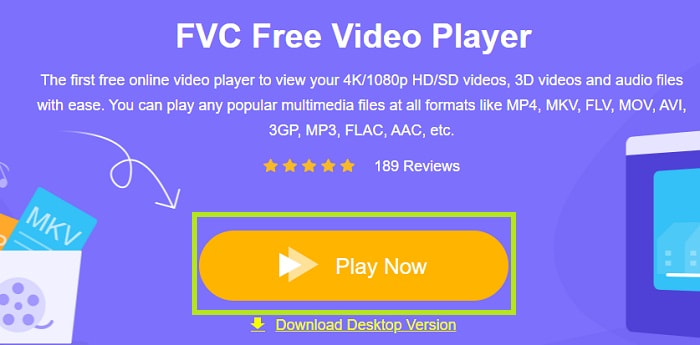
2. lépés. Kattintson a Play Now gombra az online AVI lejátszó elindításához.
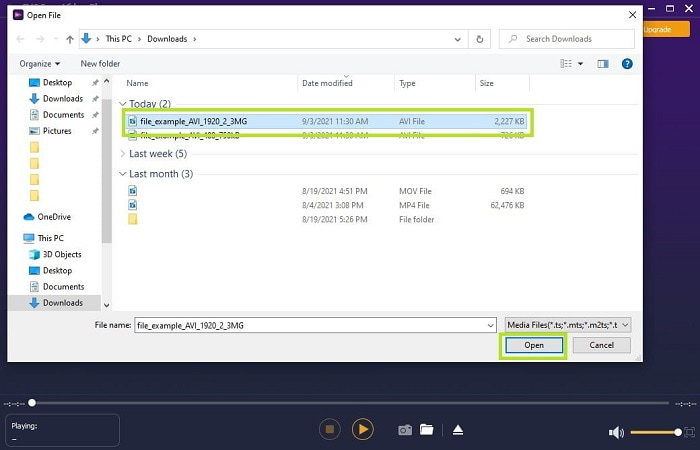
3. lépés. Ezután kattintson az Open File gombra, és válassza ki a lejátszani kívánt AVI videót. Miután kiválasztotta, kattintson az Open gombra.
4. lépés. Várjon egy pillanatot, amíg az AVI videó elindul, és máris lejátszásra kerül. A felületen akár ingyenes képernyőmentést is készíthet nézés közben, ha szeretné.
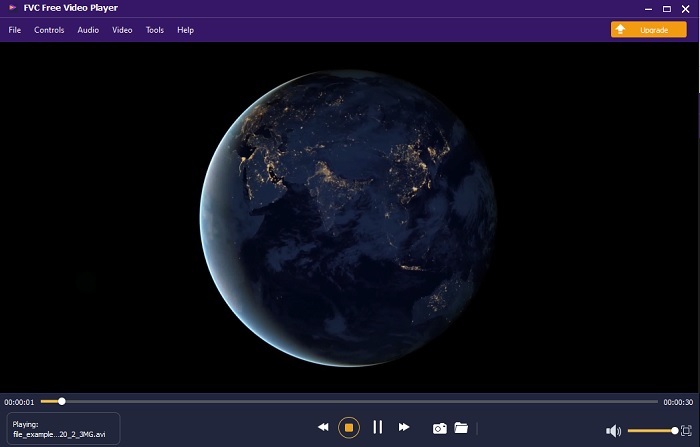
5. lépés. Ha be szeretné fejezni a videót, egyszerűen kattintson a négyzet gombra a leállításhoz. Ha egy másik AVI videót vagy más formátumot szeretne lejátszani, ismételje meg ugyanazokat a lépéseket.
Előnyök
- Az eszköz elindításához nincs szükség extra fájlra.
- Hatékonyabb, mint a többi alábbi eszköz.
- 3D-s hangulatot biztosít, ha 4K-s videót néz.
Hátrányok
- Internet függő, így ha nincs interneted, nem érheted el.
- A prémium néhány főbb funkciója itt nem látható.
2. Windows Media Player
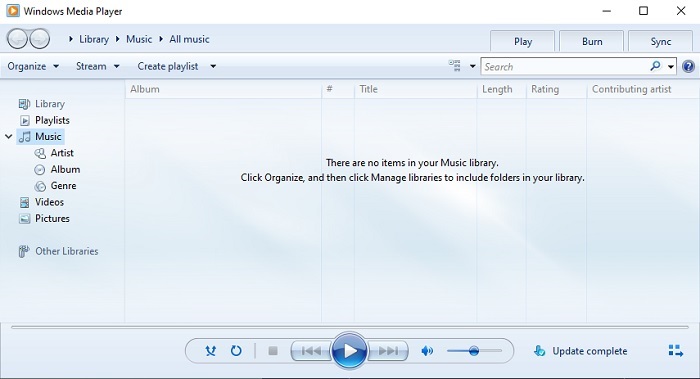
Ha arra kíváncsi, hogyan lehet AVI fájlokat lejátszani Windows 10-en, használhatja ezt, a Windows-felhasználók számára a Microsoft által fejlesztett alapértelmezett médialejátszót. Előfordulhat azonban, hogy további kodeket kell letöltenie ahhoz, hogy AVI-t tudjon lejátszani ebben a lejátszóban. Ez kissé körülményes, és időnként bosszantó is lehet, mert a megfelelő kodek megtalálása elég nehéz feladat. Ilyenkor számítson próbálkozásra és tévedésre, és arra is, hogy esetleg rossz kodekeket tölt le. De nem kell aggódnia, mert a kodekek letöltése a számítógépére nagyon egyszerű.
Előnyök
- Beépített médialejátszó Windowshoz.
- Szinte az összes formátumot támogatja.
- Könnyen kezelhető.
Hátrányok
- Bizonyos esetekben további kodeket kell letöltenie, amelyeket ez az eszköz nem támogat.
- Nem biztosít streamelést lassú DSL-kapcsolaton keresztül.
3. VLC Media Player
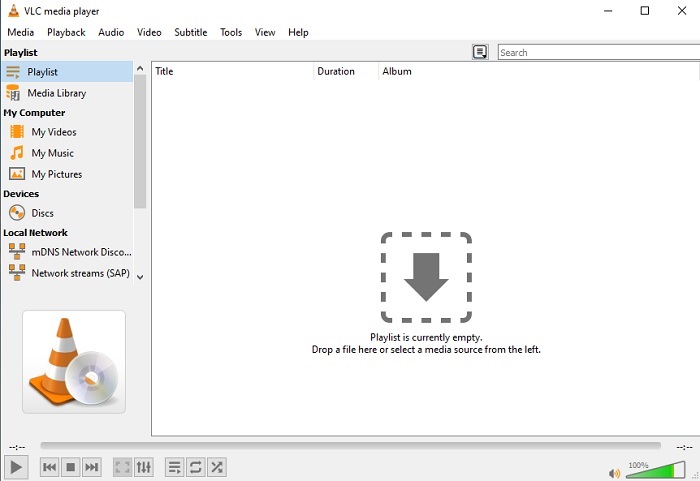
Ez a médialejátszó nem igényel további kodekek letöltését az AVI lejátszásához. Ha esetleg azon gondolkodik, hogyan futtasson le könnyedén egy AVI fájlt, a VLC Media Player lehet a megoldás. Ez a médialejátszó világszerte emberek millióinak segít, hogy egyszerűen megnyissák és lejátsszák médiatartalmaikat. Annak ellenére, hogy felhasználók milliói bíznak ebben az eszközben, előfordulnak bizonyos hibák, és néhány fájlt nem támogat a szoftver. Számítson néhány hibára, de nem kell aggódni, mert ez csak nagyon ritkán fordul elő.
Előnyök
- Az egyik legjobb médialejátszó minden platformon.
- Akkor is képes lejátszani a videót, ha még nem fejeződött be a letöltés. De nem az egész videót.
- Rugalmas minden formátumban.
Hátrányok
- Legtöbbször előfordulnak kisebb hibák, amelyekkel VLC használata közben találkozhat.
- A kodekek miatt néhány videóformátumot is nehezen játszik le.
3. rész: AVI-fájlok megtekintése iPhone-on
A fenti médialejátszók nem érhetők el közvetlenül mobileszközökön. Van azonban mód arra, hogy AVI-t játsszon le iPhone-on vagy iPodon. Emellett köztudott, hogy az AVI fájlok nagy méretűek. Ha tehát átmásolja őket a telefonjára, jó eséllyel a tárhely jelentős részét elfoglalják. A nyers AVI fájl átvitele helyett érdemes átkonvertálni egy olyan új formátumba, amely lejátszható, és közben nem romlik a minősége sem. Konvertálja az AVI-t megfelelő formátumba a Video Converter Ultimate segítségével. Ha további részletekre kíváncsi a konvertálással kapcsolatban, kattintson erre a linkre.
4. rész. GYIK az AVI-val kapcsolatban
Melyik a jobb, AVI vagy MP4?
Az AVI jobb minőségű, de tömörítetlen, míg az MP4 fájlok kevesebb helyet foglalnak, de szintén jó minőséget kínálnak. Ha többet szeretne megtudni a különbségekről és arról, melyik a jobb, kattintson az AVI vs MP4 oldalra.
Hogyan lehet AVI-t MP4-re konvertálni?
A konvertálás a legjobb módja annak, hogy csökkentse a fájlméretet, és más formátumba alakítsa át a fájlt. A AVI MP4-re konvertálásának legjobb módjai ebben a cikkben találhatók. Megmutatja a lépéseket a konvertáláshoz, valamint a különféle eszközöket, amelyeket ehhez használhat.
A QuickTime le tudja játszani az AVI-t?
Bár a QuickTime médialejátszó különböző formátumokat támogat, vannak problémák az AVI lejátszásakor a Mac alapértelmezett lejátszóján. Mivel a védett Microsoft. Tehát, hogy megtudja, mi a legjobb alternatíva a QuickTime számára, el kell olvasnia ezt a cikket, és ki kell választania, melyik a legjobb alternatíva.
Mi van, ha az AVI fájl nem nyílik meg?
Van néhány oka annak, hogy az AVI fájlok nem nyílnak meg. Először is azért, mert a fájl hiányos, kivéve, hogy mivel nincs tömörítve, néhány fájl elveszhet. Másodszor, az AVI formátumot nem támogatja a helyi vagy harmadik féltől származó médialejátszó. Harmadszor, tekintse halottnak, különösen, ha túlságosan tömöríti, hogy lejátszhatatlanná váljon. Végül a kodek hibás, így ha az AVI-t egyidejűleg különböző kodekkel tömöríti, ez a probléma gyakori.
Következtetés
Összefoglalva: az AVI-t a felhasználók világszerte széles körben használják. Maga a fájl azonban tömörítetlen, ezért készüljön fel rá, hogy sok tárhelyre lesz szüksége a meghajtón, ha AVI fájlokat rögzít, tölt le vagy továbbít. A mai naptól kezdve már nem kell azon töprengenie, mi az az AVI formátum, hiszen a fenti információkból megtudta, mi ez, és hol lehet lejátszani. Nyugodtan használja az FVC Free Video Player lejátszót, mivel nyílt forráskódú, és bárki számára elérhető, aki rendelkezik internetkapcsolattal. Emellett akár az eszköz prémium verzióját is választhatja, amely több formátumot támogat, mint az ingyenes változat, és sok extra funkcióval is rendelkezik. Ha szeretné kipróbálni, kattintson a letöltés gombra, hogy telepítse az asztali számítógépére.
-
 A legjobb 5 legjobb Windows Media Player alternatíva Android mobilokhoz
 Mivel nem tudja letölteni a Windows Media Player for Android alkalmazást, olvassa el ezt a cikket, és ismerje meg a Windows Media Player 5 legjobb alternatíváját.
-
 Az 5 legjobb iPhone videolejátszó, amelyet nem szabad kihagyni 2025-ben
 Ha bármilyen formátumban szeretne videókat lejátszani, és jobb megtekintési élményt szeretne elérni iPhone-ján, olvassa el ezt a cikket, és ismerje meg az iPhone 12/11/X/8/7/6 legjobb 5 videolejátszóját.
-
 Kivételes útmutató a MOV fájlok lejátszásához Android mobileszközökön
 Problémája van, hogy a MOV-fájlok miért nem játszódnak le az Android médialejátszón? Ezután olvassa el ezt a cikket, amely két különböző módszert kínál a MOV-fájlok javítására és lejátszhatóvá tételére.
