


 Video Converter Ultimate
 Screen Recorder
 Videó javítás
2 gyors és egyszerű módszer az M2TS AVI-vé konvertálására a megadott lépésekkel
Ahogy egyre tovább lépünk a jövő felé, sok formátum már nem kap túl nagy támogatást, például az M2TS. Ez a formátum még mindig a régi Blu-ray Audio Video konténert használja, amely MPEG‑2 adatfolyamot alkalmaz az adatok továbbítására. Ezt a formátumot bizonyos eszközökön, például iPhone-on, iPodon, sőt Androidon sem tudod megnyitni, mert ezek nem tudják értelmezni a formátum szerkezetét. Ha azonban még mindig rendelkezel ilyen kiterjesztésű fájllal, és meg szeretnéd nézni, azt javasoljuk, hogy alakítsd át AVI formátumba. Most tehát nézzük meg, melyik megoldás a jobb, hogy segítsen neked az M2TS konvertálása során. Ha pedig lépést tartasz ezzel az ismertetéssel, meg fogod tanulni, hogyan tudod az M2TS-t online vagy offline módon M2TS‑t AVI‑vá konvertálni.

1. rész. M2TS vs. AVI
Amint azt korábban kifejtettük, az M2TS fájlok korábban egy tárolót jelentettek a Blu-ray-n, amely különböző videókat, hangokat és egy másik adatfolyamot támogat egyetlen tárolóban. Továbbá, ha a Blu-ray vagy AVCHD fájlkiterjesztése ebben a formátumban van, akkor számítson arra, hogy a minősége kiváló. Bár ez a fájlformátum jól teljesít, egyes médialejátszók támogatása még mindig csekély. Egy másik az, hogy ha ilyen típusú fájlkiterjesztést szeretne lejátszani, akkor a videó ebben a formátumban történő megtekintéséhez plug-in-play-re, kodekre és néhány összetevőre lesz szüksége. Ellentétben azzal, ha a fájl kiterjesztése .avi. Ez a formátum az egész weben vonzza a rajongókat, mert milyen jó videóminőséget tartalmazhat ez a formátum. A fájl mérete azonban nagy probléma, mert nincs megfelelő kodek a fájlméret csökkentésére. De ha összehasonlítjuk az M2TS-t és az AVI-t, akkor mindkettő kiváló. Ennek ellenére a támogatások eltérőek, és az AVI formátum rugalmassága meghozhatja Önt.
2. rész. Az első módszer az M2TS konvertálása AVI Online-ra a legegyszerűbb webes eszközzel
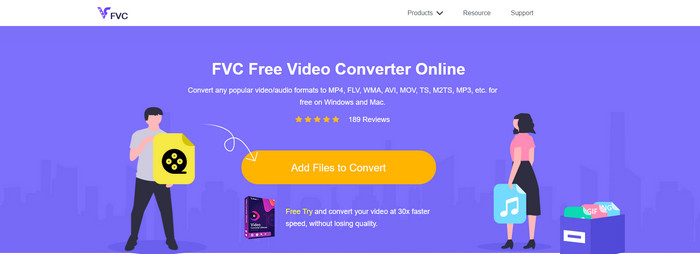
Ha azon gondolkodsz, hogy lehet‑e az M2TS‑t ingyen AVI‑vá konvertálni, akkor neked szól a FVC Free Video Converter bemutatása. Ez a webes eszköz az egyik legjobb online konverter, amelyet az interneten találhatsz. Továbbá, ha problémád akad a formátum átalakításával, ez is megoldást kínál: módosíthatod a bitrátát, a felbontást és a képkocka-sebességet. Noha az eszköz közepes számú különböző formátumot támogat, mégsem rendelkezik fejlett funkciókkal, hogy a végső kimenetet olyan kiemelkedővé tegye, mint amire a FVC Video Converter Ultimate képes. Ha azonban nem szeretnél fizetni, és rendelkezel internetkapcsolattal, akkor ez legyen a választásod, hogy a formátumot egy új verzióra alakítsd.
Előnyök
- A letöltéshez nincs szükség szoftverre, mert az internetről elérhető.
- Támogatja a választható formátum közepes fajtáit.
- Díjmentes és nincs hirdetés a weboldal felületén.
Hátrányok
- Internet kapcsolatra van szüksége, hogy el tudja érni.
- Egyes formátumok itt nem támogatottak, és korlátozott a formátumtámogatás.
Útmutató az online konverter használatához a weben
1. lépés. Kattints erre a hivatkozásra, hogy megnyisd az online konverter fő weboldalát – nem kell aggódnod, a link biztonságos, saját magunk is kipróbáltuk.
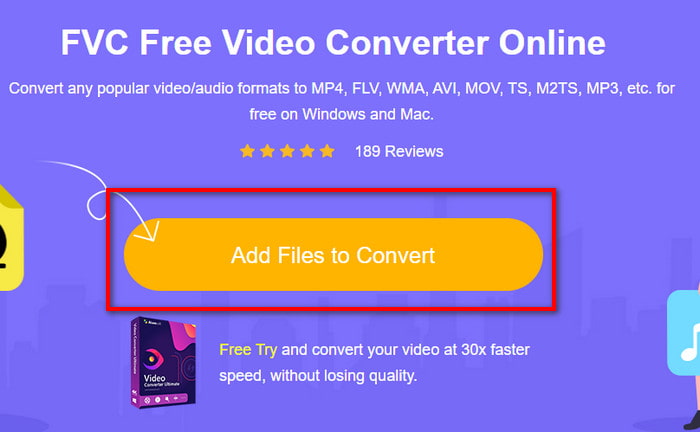
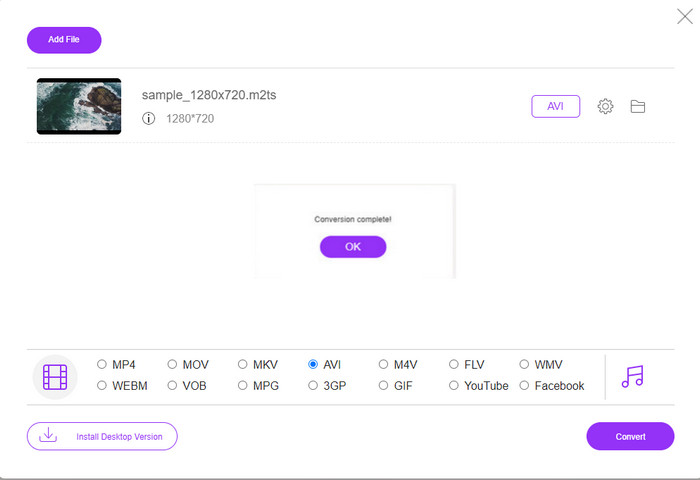
2. lépés. Ezután kattints az Add Files to Convert gombra, ekkor megjelenik egy mappa az asztalodon; válaszd ki a .m2ts kiterjesztésű fájlt, majd kattints az Open gombra.
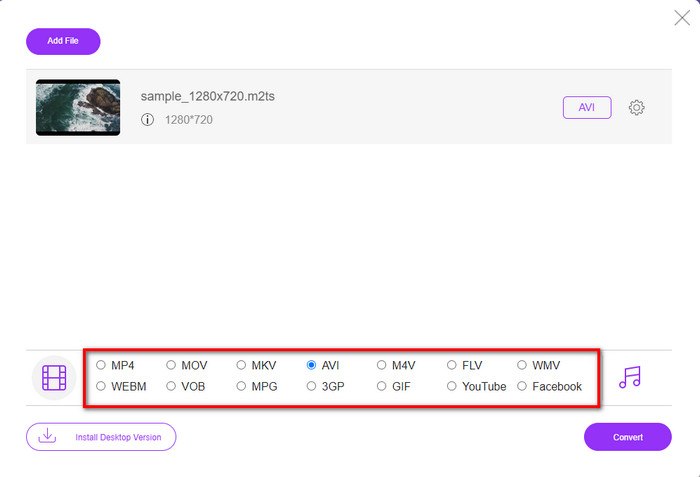
3. lépés. A fájl betöltése után egy felület jelenik meg a képernyődön, alul a rendelkezésre álló formátumválasztóval; válaszd ki a listából az AVI formátumot.
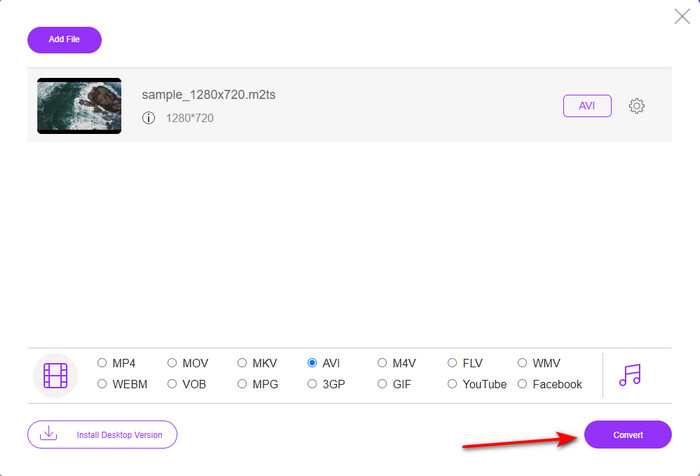
4. lépés. Miután kiválasztottad a formátumot, kattints a Convert gombra, hogy elindítsd az átalakítást AVI formátumba.
5. lépés. A konvertálás nagyjából egy percet vesz igénybe; ezután megjelenik egy mappa az általad korábban átalakított fájllal.
3. rész. A második módszer az Ultimate eszköz használata az M2TS AVI offline konvertálására
Ha olyan eszközt szeretnél, amely lényegesen jobban teljesít, mint a jelenleg elérhető online vagy offline konverterek, akkor a FVC Video Converter Ultimate a tökéletes választás. Ez az eszköz kiválóan teljesít számos feladatban, legyen szó szerkesztésről, GIF készítéséről, formátumváltásról, hangerő-növelésről és még sok másról. A szoftverhez már számos fejlett, mégis egyszerűen használható funkciót adtak hozzá, hogy a lehető legjobb kimenetet biztosítsa az ügyfeleknek. Igen, igaz, előbb ügyféllé kell válnod, hogy hozzáférj ehhez az „ultimate” eszközhöz. De nem kell elkeseredni, mert nem drága, és lényegesen jobban teljesít, mint a többi konverter. Emellett az eszköz minden ismert formátumot támogat, és kétségkívül azt a fájlformátumot is, amelyet az eszközeid vagy az asztali géped kezelni tudnak. Ha pedig a lehető legjobb konvertálási folyamatot szeretnéd megtapasztalni, kövesd a lentebb jelzett, lépésről lépésre szóló útmutatót ennek a M2TS–AVI konverternek a használatához.
Előnyök
- Sokkal fejlettebb funkciókat támogat, amelyeket szívesen használna.
- Néhány másodpercen belül képes konvertálni egy fájlt az eszköz hardveres gyorsítása és gyors átalakítása miatt.
- Minden platformon elérhető, és az összes formátumot támogatja.
Hátrányok
- Az eszköz eléréséhez fizetnie kell.
- Először le kell töltenie a számítógép meghajtójára.
Útmutató az M2TS videóformátum offline AVI-vá alakításához
1. lépés. Töltsd le a szoftvert a rendszerednek megfelelő verzióban az alábbi letöltés gombra kattintva. Ezután telepítsd, végezd el a beállítást, és indítsd el az eszközt.
Ingyenes letöltés Windows 7 vagy újabb rendszerre Biztonságos letöltés
Ingyenes letöltés macOS 10.7 vagy újabb rendszerre Biztonságos letöltés
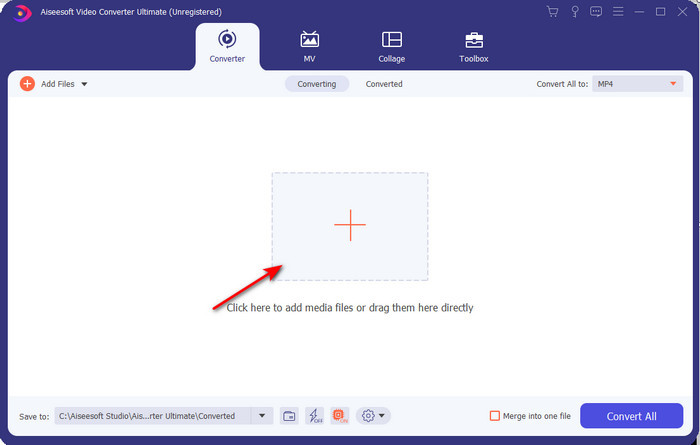
2. lépés. Indítsd el a szoftvert, kattints a + gombra, hogy betöltsd a .m2ts fájlt a mappából, majd kattints az Open gombra.
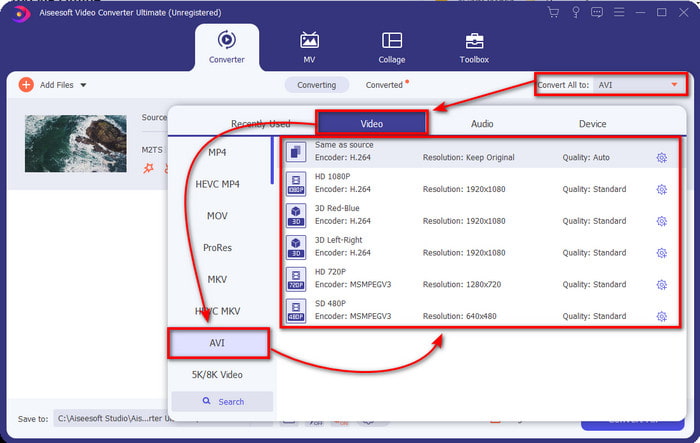
3. lépés. Most a felület jobb felső részén látni fogod a Convert All to menüt, kattints rá. A kattintás után egy almenü jelenik meg; keresd meg a listában az AVI formátumot.
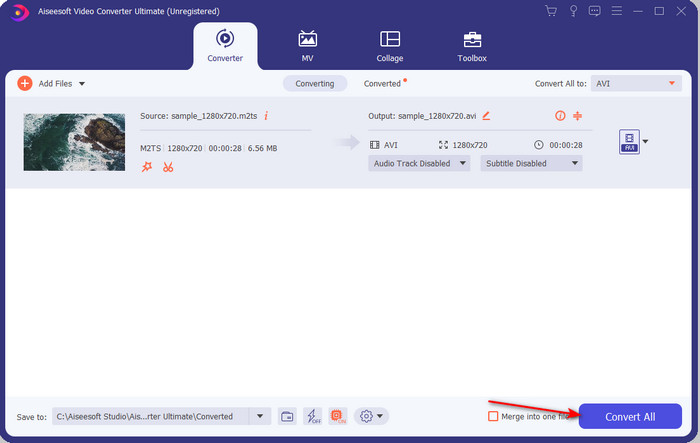
4. lépés. Miután kiválasztottad a formátumot, indítsuk el az átalakítást a Convert All gombra kattintva.
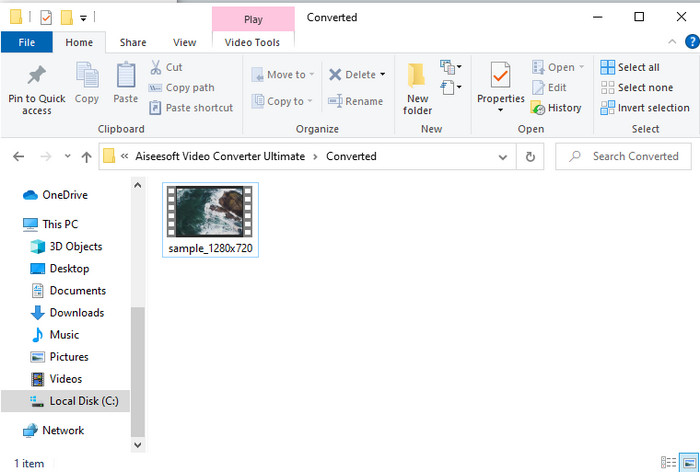
5. lépés. Ha a konvertálás befejeződött, egy mappa jelenik meg a képernyőn; kattints a fájlra, hogy lejátszd az átalakított .m2ts videót.
4. rész. GYIK az M2TS-ről és az AVI-ról
Az M2TS AVI-ba konvertálása után megmarad a minősége?
Az M2TS AVI-vá konvertálása után a videó minőségét meg kell őrizni. Azonban fennáll annak az esélye, hogy a minőség megváltozik, ha a kimenet minőségét közepesre vagy alacsonyra állítja. Ez elkerülhető, ha 1080-ra vagy 4k-ra állítod, de a fájl mérete nagyobb lesz, mint a rossz minőségűek.
Miért nem tudom lejátszani az M2TS-t a Windows Media Playeren?
Van egyetlen oka annak, hogy miért nem tudod lejátszani a .m2ts kiterjesztésű fájlt: mert nem támogatott. Tehát ha továbbra is szeretnéd megnézni a .m2ts fájlodat, akkor elengedhetetlen, hogy átkonvertáld, vagy keress egy másik, külső médialejátszót, amely képes M2TS fájlok lejátszására.
Az MTS és az M2TS különbözik?
Ha összehasonlítanánk ezt a két formátumot, gyakorlatilag nem számíthatsz lényeges különbségre. Mindkettő az AVCHD videoformátumot használja, amely a lehető legmagasabb szinten őrzi meg a videóminőséget. Ha több információt szeretnél az MTS és az M2TS fájlokról, olvasd el a What Is Difference Between MTS and M2TS című írást.
Következtetés
Együtt találtuk meg a különböző technikákat az M2TS fájl AVI formátumba konvertálására. Az egyes eszközök egyenkénti vizsgálata során rájöttünk, hogy az FVC Video Converter Ultimate jól teljesít a fájlok konvertálásakor. Tehát végül azt javasoljuk, hogy töltse le a fenomenális konvertert az egyszerűbb konvertálás érdekében, és tapasztalja meg a valaha volt leggyorsabb konvertálási folyamatot.
-
 Hogyan lehet átalakítani az M2TS-t MKV Free & Online-ra
 Szeretné átalakítani az M2TS-t MKV formátumba, az eredeti minőség megőrzése mellett? Ez a bejegyzés ingyenes és online módszereket mutat be az M2TS veszteség nélküli MKV-re történő megváltoztatására.
-
 [2021] A legjobb 6 ingyenes és online módszer az M2TS MP3-ra konvertálására
 Konvertálható egy M2TS fájl MP3-ba? Ebben a bejegyzésben felsoroltuk a legjobb 6 ingyenes és online módszert, amelyek segítenek az M2TS átalakításában MP3, AAC, AIFF és még több audio formátumba.
-
 Az M2TS ingyenes konvertálása MOV-ba [Online és offline]
 Konvertálni kell az M2TS-t MOV-ba, hogy videofájlokat játsszon le számos lejátszón és platformon? Ez a cikk segít megtalálni a legjobb online / offline módszert az M2TS MOV konvertálására Windows / Mac rendszeren.
