


 Video Converter Ultimate
 Perekam Layar
 Perbaikan Video
Manakah Konverter Terbaik untuk Digunakan dalam Mengonversi MP3 ke WAV
MP3 is the well-known audio format around the world. Actually, it is the default format for saving and recording audio files. Although this format is used by many, still there are many other formats that produce a high-quality audio than MP3 like WAV. So, if you want to know how to convert MP3 to WAV to have the pleasure of listening to music or recording you did. Then you must keep up the pace because this might be a long run to go without further ado let's start the race.

Bagian 1. Bagaimana Mengkonversi MP3 ke WAV di Windows & Mac dengan Langkah-Langkah Terperinci
1. FVC Video Converter Ultimate
Do you want to know how to convert MP3 to WAV on Mac and PC that produces high-quality audio? Then FVC Video Converter Ultimate must be it. Also, it is fast in conversion like the SSC Tuatara and safe also. Convert as many as you want at the same time because there is no limit of media files to be converted here. Not only that you can also use this tool to create MV, Collages, and other features as well. So, if you want to know how to use it then follow these steps and let's start the conversion process.
Step 1. Choose between PC or Mac and click the download button next. Install the tool and follow the set-up then click finish to save the changes.
Unduh GratisUntuk Windows 7 atau yang lebih baruUnduhan Aman
Unduh GratisUntuk MacOS 10.7 atau yang lebih baruUnduhan Aman
Step 2. After the installation, click the Add Files to insert the MP3 audio you want to be converted. If audio is more than two it is better to drag-and-drop it to the interface.
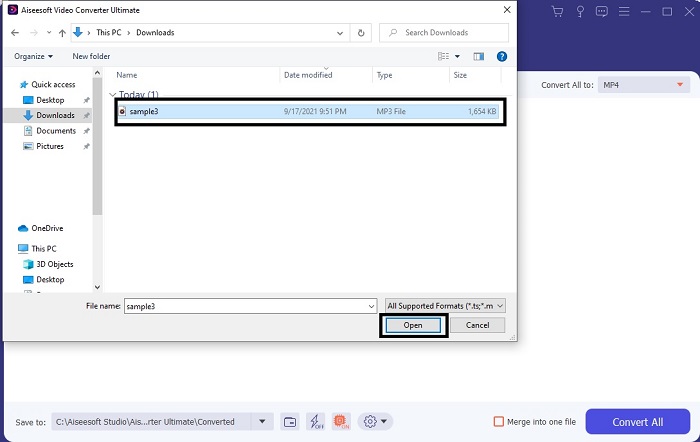
Step 3. Change the MP3 to WAV or any audio format you want in the submenu.
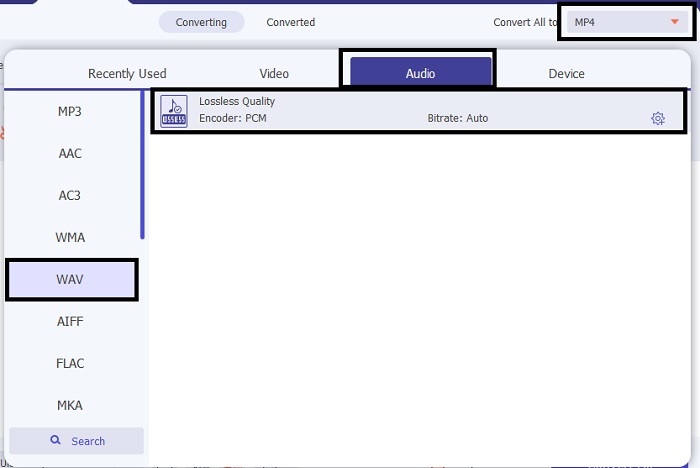
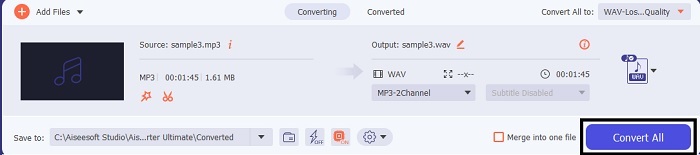
Step 4. If everything is already settled, click the Convert All to start the conversion.
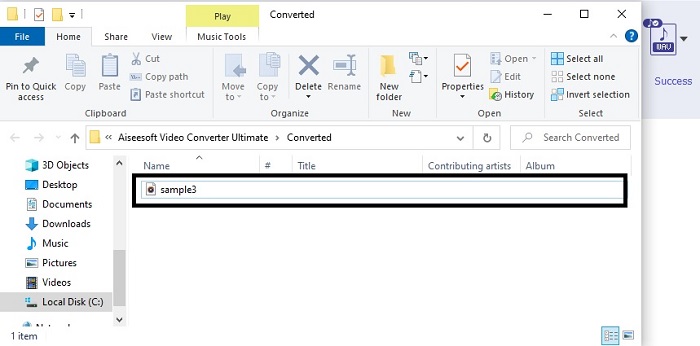
Step 5. After the conversion is done, a file manager will automatically be opened into your screen. Click the audio converted and enjoy listening to the newer version of it. Additionally, if the audio is a bit low for you. Go to the Toolbar and locate Audio Booster to have clearer and better audio.
2. iTunes
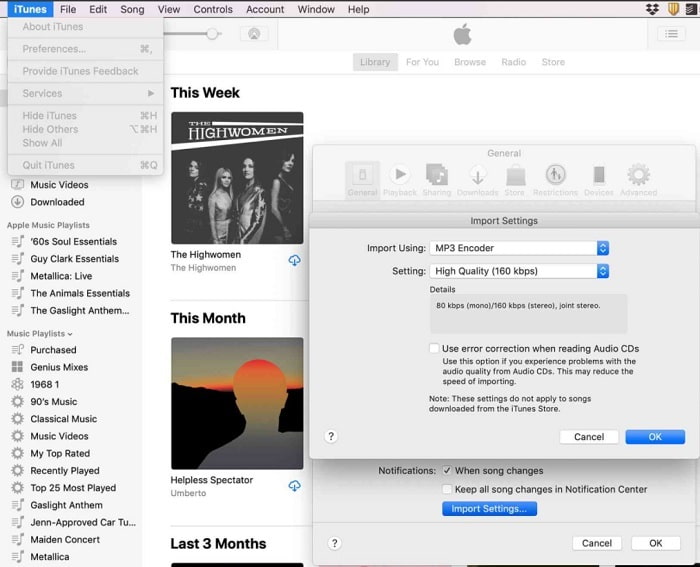
iTunes is widely used to play music on Mac and iOS products. But did you know that you can convert MP3 to WAV on iTunes? The answer is yes. Play and convert is all in this tool but it can't be accessed over Android and Windows because it is the default media player of Apple to their product. So, if you don’t have an Apple product you can still make the conversion with the help of FVC Video Converter Ultimate. But if you have one then it is a must to use iTunes and follow this step provided.
Step 1. Open the software into your device.
Step 2. Select the MP3 audio you want to be converted.
Step 3. After that click the Convert and wait till the process is complete.
Bagian 2. Top 5 Konverter MP3 ke WAV Online Gratis Terbaik di Web
1. FVC Free Audio Converter
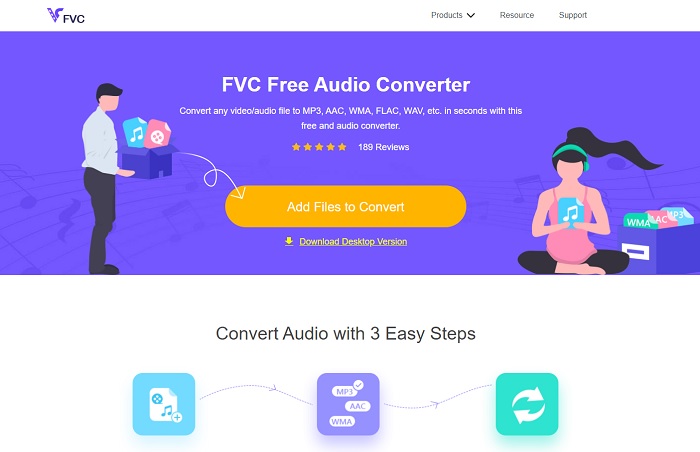
FVC Free Audio Converter is the best MP3 to WAV converter online. Because it has the same minor features the FVC Video Converter Ultimate can be brought to you. So, expect nothing less while using this tool although the major parts of the premium are not presented here. Because it is free of charge, if you want to try it you can click the hyperlink provided only for you. So, before anything else let's start on how to use this web-based converter.
Step 1. To access the tool, you must click this link.
Step 2. Click the Add Files to Convert to start the tool.
Unduh Versi Desktop untuk mengonversi file secara batch.
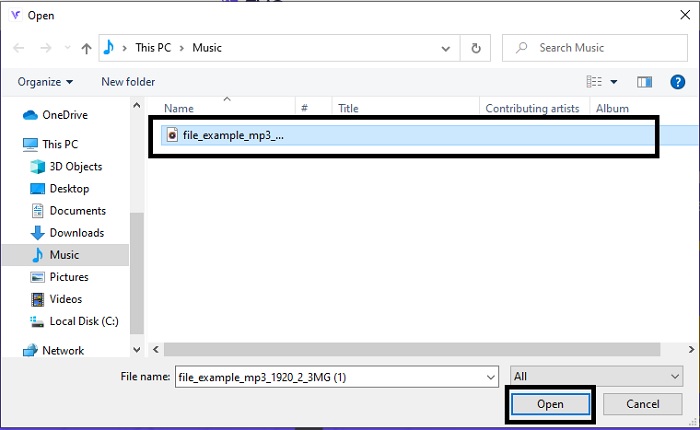
Step 3. After launching the tool, select the MP3 file you want to be converted and click open.
Step 4. Select the format below then click Convert to start the process.
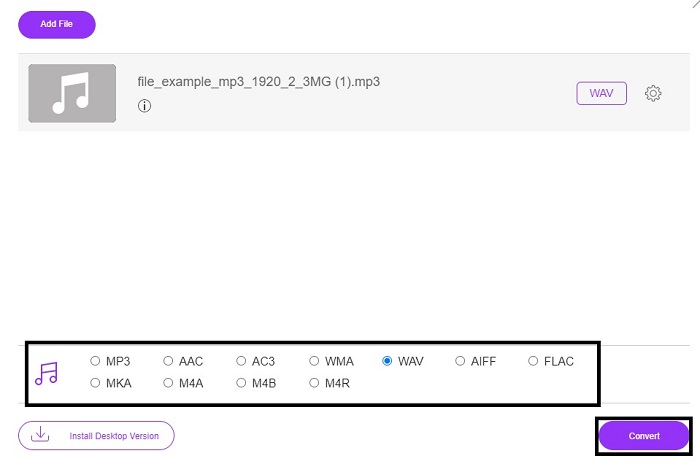
Step 5. It will only take a few minutes and after the conversion is done. Click the folder to locate the file you just converted.
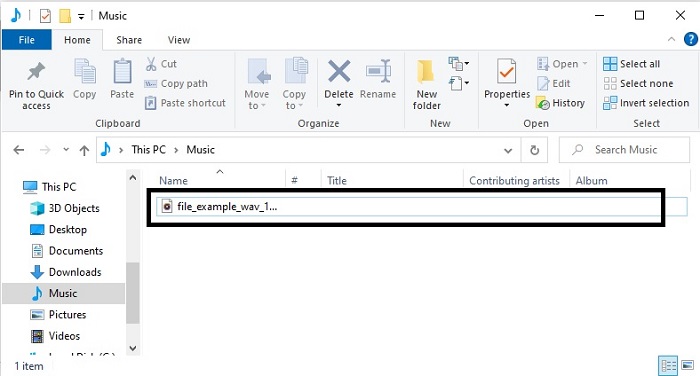
2. Konversi Awan
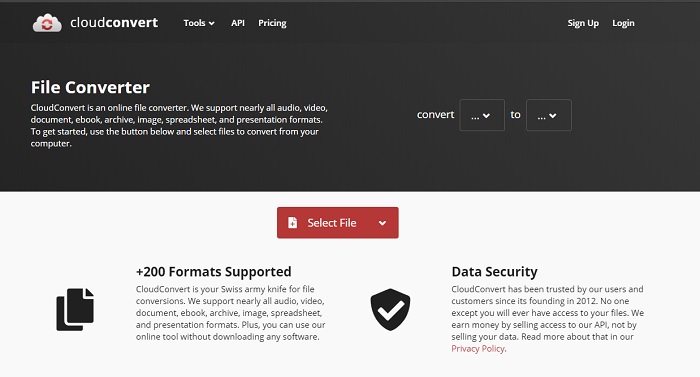
Another tool you can access over the web is Cloud Convert into a new format. It is the best in the market when we talk about conversion but you can't adjust or change the bitrate, fps, and codecs as well. But if you may like to convert text files into a new format then this tool is a must to try.
3. Convertio
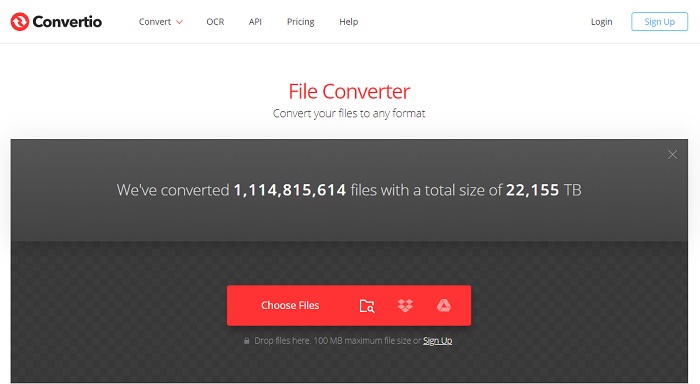
Just like Cloud Convert, Convertio was created to be free of charge as well. Speaking of converting it also provides powerful compression and conversion. This tool is used by many users to convert because of its on-point instructions and the simplicity of it. Although you can access the tool on the web, the main website has a lot of ads in the web interface which is a bit annoying. Especially if you don't want to be disturbed while converting.
4. Konversi Online
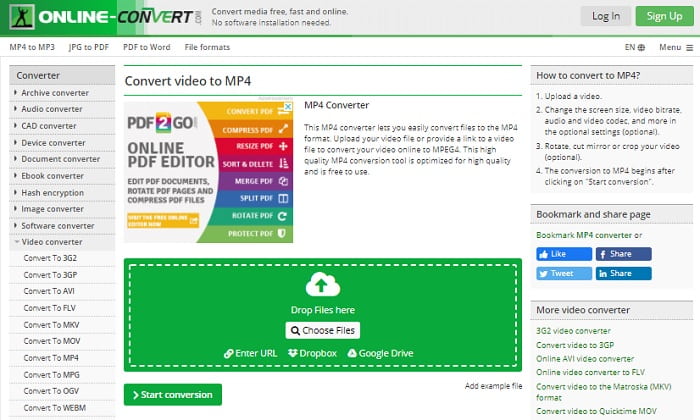
This tool has a lot to offer in converting also it is very informative too. Online-Convert provides advanced features on which you can modify the bitrate, resolution and channels. If you're new to converting this tool must be a bit overwhelming to do. Also, if you insert the file on the web interface you must wait for it to be processed. Not only that, there is a limit to convert and that is only 100mb so if you want to convert the number of files. Then you must buy the premium tool to remove the ads as well.
5. 123 Aplikasi- Konverter Audio
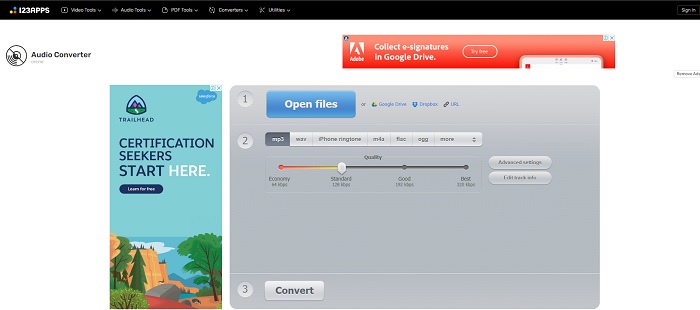
In this webtool you can do the conversion effectively and efficiently. Although, it supports only three formats for audio. 123 Apps - Audio Converter is one easiest tool. You can just open this tool, insert the file, choose the format and convert as easily as that. But the downside of this tool, there are some reports that after the conversion the quality audio became low.
Bagian 3. Bagan Perbandingan Pengonversi pada Daftar
Pelajari perbedaan masing-masing alat dan mari kita bandingkan.
| fitur | FVC Video Converter Ultimate | iTunes | Konverter Audio Gratis FVC | Konversi Awan | Convertio | Konversi Online | 123 Aplikasi- Pengonversi Audio |
| Konverter Audio |  | | | | | | |
| Fitur Pengeditan | |  | | | | | |
| Memodifikasi Bitrate, Fps, resolusi atau sejenisnya | | | | | | | |
| Program yang Didukung | Alat berbasis desktop | Alat berbasis desktop default | Alat berbasis web | Alat berbasis web | Alat berbasis web | Alat berbasis web | Alat berbasis web |
| Sistem Operasi yang Didukung | Tersedia di Semua OS | Hanya produk yang didukung Apple | Tersedia di Semua OS | Tersedia di Semua OS | Tersedia di Semua OS | Tersedia di Semua OS | Tersedia di Semua OS |
| Kisaran harga | Selama 1 bulan: $25.00 Selama setahun: $31.20 Untuk Lisensi Seumur Hidup: $55.20 | Untuk menghapus iklan: $10 per bulan $15 sebulan untuk keluarga beranggotakan enam orang $5 per bulan untuk siswa | Gratis | Gratis | Gratis | Untuk tambahan 8gb: Langganan Bulanan $70 USD ditagih setiap bulan Berlangganan Tahunan $672 USD | Gratis |
MP3 vs WAV
Format MP3 dirilis pada tahun 1993 oleh Moving Picture Experts Group (MPEG). Itu adalah standar untuk menyimpan musik karena dapat memampatkan audio ke ukuran yang jauh lebih kecil daripada format tidak terkompresi lainnya. Ini masih banyak digunakan saat ini, terutama untuk mendistribusikan audio online.
WAV, juga dikenal sebagai format WAVE, didasarkan pada Resource Interchange File Format (RIFF). Ini dikembangkan oleh Microsoft dan IBM bersama-sama pada awal 1990-an. Ini adalah opsi untuk menyimpan audio mentah dan tidak terkompresi di Microsoft Windows. Dengan demikian, file WAV lebih sering diputar di komputer Windows.
Bagian 4. FAQ tentang MP3 ke WAV
Apa yang dimaksud dengan WAV?
WAV berarti File Audio Bentuk Gelombang; ini adalah format lossless yang tidak terkompresi.
Manakah yang lebih besar dalam ukuran file? MP3 atau WAV?
Although both formats store audio files, WAV is much larger than MP3. In some cases it can go up to 15x larger than MP3 because it is uncompressed. You can click here to learn how to convert WAV to MP3.
Di mana saya bisa merekam WAV?
To record you must use the unrivaled tool over the web. Especially because this format is uncompressed so you must be careful not to lose data while recording. And that being said, FVC Screen Recorder is the unrivaled WAV recorder. It can record and edit as well to make your output much better in visuals and sounds. To know more you must download the software into your drive.
Kesimpulan
As the race comes to an end, it is now clearer to us that there is one winner. Just by acquiring this tool you will feel like a king of the world in recording. FVC Video Converter Ultimate does the most job that the other recorder can't do. If you have a problem recording a video, audio, or gameplay then you must claim the upper hand if you choose the right bet. Place your all to the FVC Video Converter Ultimate and get the easy win on the way.
Unduh GratisUntuk Windows 7 atau yang lebih baruUnduhan Aman
Unduh GratisUntuk MacOS 10.7 atau yang lebih baruUnduhan Aman
-
 Cara Gratis Mengonversi MP4 ke WAV di Desktop atau Online [2021]
 Berusaha keras untuk mengonversi MP4 ke WAV? Tidak tahu konverter mana yang dapat membantu Anda dengan sempurna tanpa membayar sepeser pun? Baca posting ini dan semua pertanyaan Anda akan dijawab.
-
 WAV Player - Top 5 Aplikasi WAV Player untuk Android, iPhone, PC dan Mac
 Bagaimana cara memainkan file WAV di ponsel Android? Pemain apa yang bisa memainkan WAV? Posting ini membagikan 5 pemain WAV gratis terbaik untuk Android, iPhone, Mac dan PC.
-
 FLV ke WAV - Konversi FLV ke WAV Online Gratis dan di Mac / PC
 Bagaimana cara mengonversi file FLV? Bisakah VLC mengonversi YouTube FLV ke WAV? Posting ini menjelaskan 3 cara gratis untuk mengonversi FLV ke WAV tanpa kehilangan kualitas.

