


 Video Converter Ultimate
 Perekam Layar
 Perbaikan Video
Konverter OGV ke MOV Terbaik untuk Mengonversi File OGV di Mac
Salah satu format video lossy terbaik yang sering digunakan untuk menyimpan konten video pada halaman web adalah OGV. Format ini memiliki struktur yang hampir sama dengan file OGG, tetapi berisi video. Karena format ini dapat menyimpan file media dan mentransmisikannya di internet, tetap saja format ini belum mendapatkan dukungan penuh secara global dari pemutar dan editor media. Agar format ini sesuai dengan standar pemutar atau editor video di Mac, Anda harus mengonversi file OGV ke format yang didukung seperti MOV. Untungnya, kami menyediakan langkah‑langkah yang dapat Anda lakukan dengan mudah untuk mengonversi OGV ke MOV tanpa mengubah kualitasnya.

Bagian 1. Konversi OGV ke MOV di Mac dengan pengonversi OGV ke MOV Terbaik
Ingin tahu apa konverter OGV ke MOV terbaik di Mac? Jika itu yang Anda inginkan, gunakanlah FVC Video Converter Ultimate. Mengapa? Karena ini adalah konverter luar biasa yang dapat Anda gunakan untuk membuat proses enkode dan dekode OGV semudah 1‑2‑3. Selain itu, Anda dapat menyelesaikan konversi dalam waktu kurang dari satu menit atau bahkan beberapa detik dibandingkan dengan konverter online maupun offline lainnya.
Bukan hanya itu, Anda juga dapat mengedit video, menggabungkannya, membuat GIF, mempercepat video atau memperlambatnya, dan masih banyak opsi lainnya. Tidak diragukan lagi, ini adalah konverter hebat yang sudah membantu banyak pengguna, dan berikutnya adalah Anda. Untuk menyelesaikan masalah Anda, mari lanjut ke tutorial cara menggunakan konverter ini.
Langkah 1. Untuk menggunakan alat ini di Mac, Anda harus mengunduhnya terlebih dahulu lalu memasangnya. Setelah proses tersebut, jendela sambutan akan muncul, lalu klik Start Now.
Unduh GratisUntuk Windows 7 atau yang lebih baruUnduhan Aman
Unduh GratisUntuk MacOS 10.7 atau yang lebih baruUnduhan Aman
Langkah 2. Pindahkan file .ogv Anda ke sini, kemudian cari di folder dengan mengklik Add Files atau +.
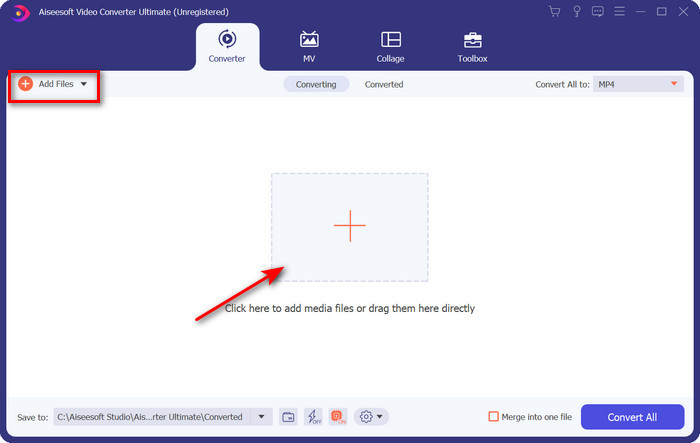
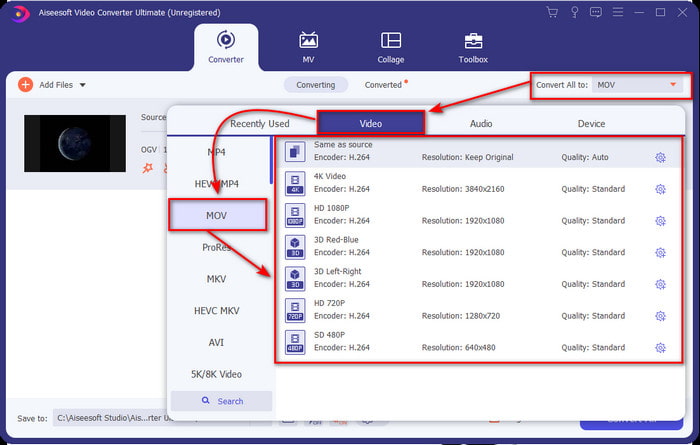
Langkah 3. Setelah mengunggah file, Anda harus mengubah format menjadi MOV di bawah Convert All.
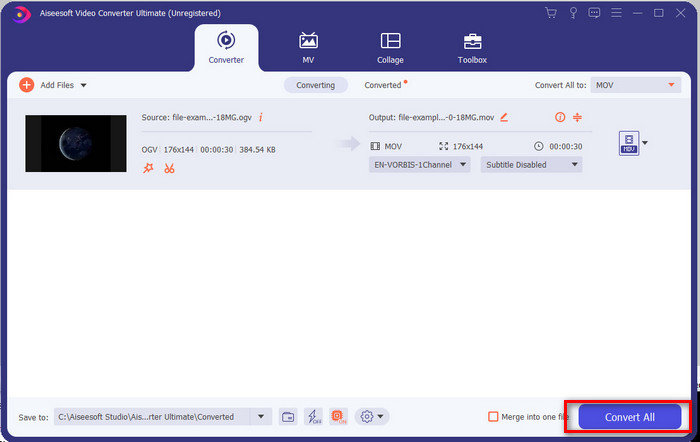
Langkah 4. Mulai proses konversi dengan mengklik tombol Convert All.
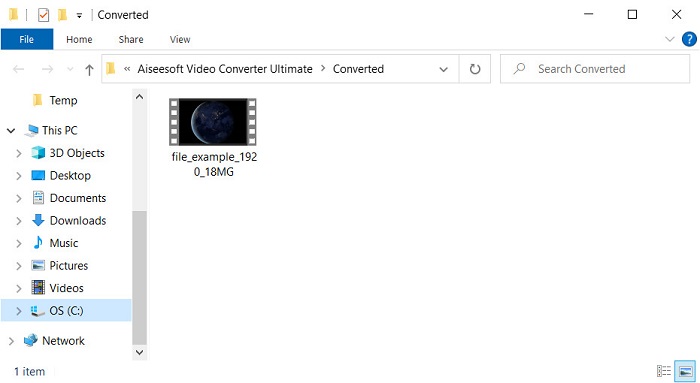
Langkah 5. Setelah konversi OGV ke MOV selesai, akan muncul folder lain tempat file Anda berada. Sekarang Anda bebas mengklik file tersebut untuk menonton atau mengedit media di dalam format MOV yang baru.
Pro
- Konverter tingkat berikutnya yang dapat Anda gunakan di Mac atau bahkan di PC.
- Fitur-fitur canggih seperti mengedit, menggabungkan, memotong, memotong, dan lainnya ada di dalam Toolbox.
- Pilihan yang disukai oleh pengguna yang selalu melakukan konversi karena betapa ringannya perangkat lunak ini.
- Batch mengkonversi OGV, MOV, AVI, MKV, MP4, 200+ format lainnya di sini.
Kontra
- Bayar untuk menggunakan perangkat lunak.
Bagian 2. Konversi OGV ke MOV Online dengan Konverter Gratis dan Mudah Digunakan
Tidak ingin repot mengunduh, memasang, dan mengatur konverter? Cobalah gunakan konverter OGV ke MOV online yang tersedia di semua mesin pencari ini. FVC Free Video Converter Online adalah konverter video online yang inovatif untuk mengubah format yang tidak didukung menjadi format yang bisa diputar. Banyak pengguna internet sudah menikmati performa keseluruhan dari alat web ini. Selain itu, alat ini tidak memerlukan pendaftaran sebelum digunakan dan tidak menampilkan iklan yang mengganggu di situs yang bisa menghambat proses konversi. Namun, Anda tidak bisa menggunakannya jika tidak memiliki koneksi internet. Jadi, jika Anda ingin mengganti konverter biasa yang Anda pakai, gunakan alat ini dan ikuti langkah‑langkah di bawah ini.
Langkah 1. Klik FVC Free Video Converter Online ini untuk pergi ke situs web alat tersebut.
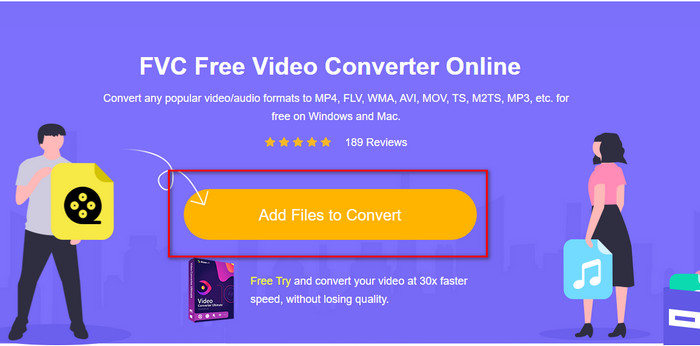
Langkah 2. Di antarmuka web, klik Add Files to Convert, lalu akan muncul folder tempat Anda dapat mencari file OGV, kemudian klik Open.
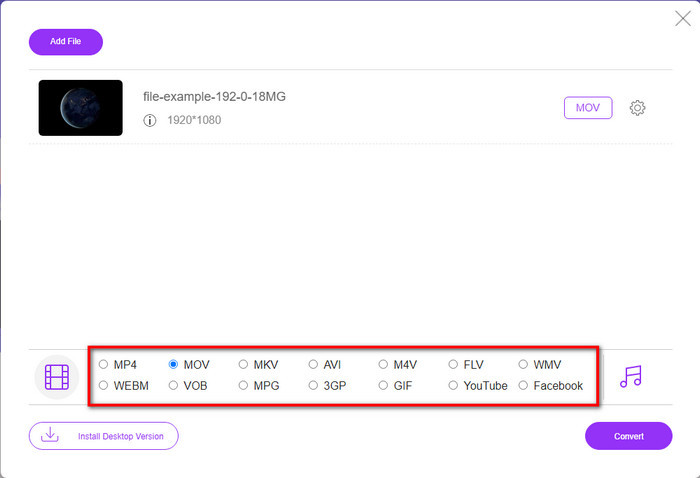
Langkah 3. Pilih format MOV di bagian bawah atau format lain apa pun yang Anda inginkan sebagai output akhir.
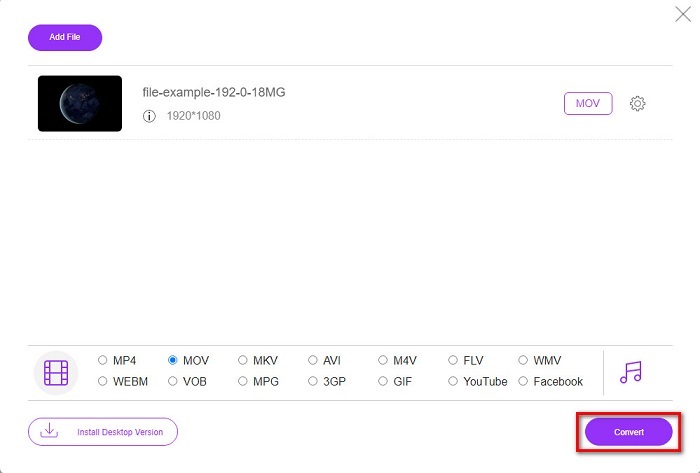
Langkah 4. Centang Convert untuk memulai proses konversi.
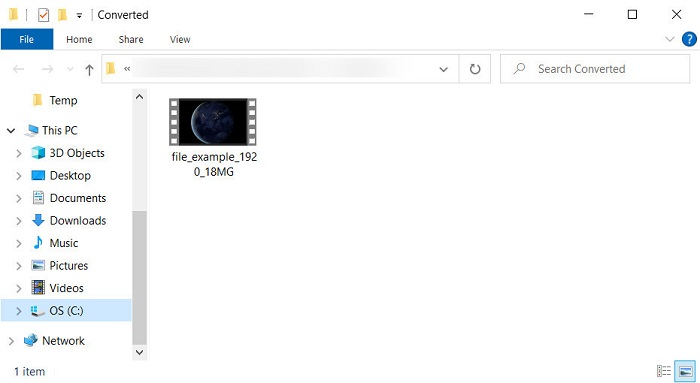
Langkah 5. File Explorer akan muncul setelah proses konversi selesai; file yang Anda konversi akan ada di sana; klik untuk menontonnya.
Pro
- Mendukung format jarak menengah dan kompatibel di semua browser web.
- Gratis untuk digunakan dan tidak perlu mendaftar.
- Iklan sial tidak ditampilkan di alat web dan saat mengonversi.
Kontra
- tergantung internet.
- Tidak mendukung konversi batch.
Bagian 3. OGV vs. MOV
OGV adalah format file multimedia yang menggunakan beberapa codec seperti Theora, Dirac, atau Daala untuk tag video HTML 5. Tetapi ketika Anda menggunakannya pada HTML, ini disebut sebagai .ogg meskipun file tersebut berisi konten video. Karena ada di situs web, memainkannya di pemutar media default cukup menantang karena struktur format yang unik dan banyak codec. Tetapi jika Anda ingin menambahkan visual dan audio yang luar biasa di situs web Anda, ini harus digunakan.
MOV adalah format yang dibuat oleh Apple untuk menyimpan banyak trek dan data media sambil menjaga kualitas audio, video, dan subtitle. Anda juga dapat menyinkronkan trek media yang dikodekan ke dalam MPEG-4 atau dengan codec lainnya. Meskipun formatnya untuk Quicktime, Anda tetap dapat memainkannya di Windows Media Player karena didukung.
Untuk menyelesaikan semuanya, jika Anda ingin memasukkan video dan audio di situs web Anda dan mentransfer data lebih cepat, gunakan OGV. Namun jika ingin mengedit video terlebih dahulu dan memutarnya di Mac, jangan gunakan OGV karena tidak support. Sebagai gantinya, gunakan MOV karena kompatibel dengan semua perangkat Apple, baik Mac, iPhone, iPod, atau iPad. Mengonversi OGV Anda ke MOV adalah suatu keharusan untuk memiliki kompatibilitas di Quicktime player, iMovie atau dengan alat lain yang dapat Anda temukan di Apple.
Bagian 4. FAQ tentang Konversi OGV ke MOV
Bisakah saya mengompres OGV?
Mengompres file itu diperlukan, terutama jika Anda ingin mengirimnya melalui email karena ada batasan pengiriman file media di sana. Jadi, jika Anda ingin memperkecil ukuran file, baca artikel ini untuk mengetahui cara mengompres file OGV.
Apakah VLC mendukung file OGV untuk dimainkan?
Meskipun tujuan format ini adalah untuk menggunakan tag HTML 5, Anda masih dapat menggunakan pemutar VLC untuk menonton file OGV yang diunduh. Tapi tahukah Anda bahwa ada alternatif VLC lain yang dapat Anda gunakan untuk memainkan format ini? Jika Anda ingin tahu apa saja alternatif pemutar media untuk VLC, klik tautan ini.
Apakah kualitas OGV akan berubah setelah dikonversi?
Setelah mengonversi file OGV, kualitasnya harus tetap sama dengan aslinya. Tetapi Anda dapat membuat kecepatan video lebih tinggi atau lebih rendah dengan bantuan FVC Video Converter Ultimate. Tidak seperti konverter lain yang tidak memberikan manipulasi kualitas sesuai keinginan Anda. Anda juga dapat mengaturnya pada 1080 atau 4k jika Anda menginginkan video definisi tinggi.
Kesimpulan
Sebagai hasil dari temuan, mengonversi file OGV yang diunduh adalah suatu keharusan sebelum Anda dapat memutar atau mengedit. Kali ini ada di tangan Anda untuk memilih cara mana yang akan digunakan dan mengonversi file OGV Anda menjadi MOV. Untuk ringkasan singkat, jika Anda ingin mengonversi file online secara gratis dan tanpa gangguan, gunakan FVC Free Video Converter Online. Namun, jika Anda ingin mengalami tingkat konversi baru, Anda harus mengunduh FVC Video Converter Ultimate. Pilih konverter terbaik yang akan membantu masalah Anda dengan format OGV.
-
 4 Cara Mengkonversi DivX ke MOV Gratis [Online & Offline]
 Apakah Anda kesulitan dengan keterbatasan DivX, atau Anda tidak memiliki pemutar media untuk mengakses video dalam format ini? Jika Anda ingin mengonversinya ke format MOV, lanjutkan membaca artikel ini untuk mengisi kekosongan.
-
 Konverter M4V ke MOV Gratis – Cara Mengonversi M4V ke MOV
 Jika pemutar media Anda tidak mendukung M4V, pernahkah Anda kesulitan menonton film di iPhone? Topik utama artikel ini adalah mengubahnya menjadi file video MOV.
-
 3 Metode Efisien dalam Mengonversi MPEG ke MOV [Offline & Online]
 Apakah Anda lelah mencari pemutar media untuk memutar format video MPEG Anda? Cobalah untuk mengonversinya ke format lain yang mungkin dimainkan, terutama di Mac, misalnya, format video MOV. Baca artikel ini untuk mengetahui lebih lanjut.
