


 Video Converter Ultimate
 Perekam Layar
 Perbaikan Video
Manakah Konverter Terbaik untuk Digunakan dalam Mengonversi MP3 ke WAV
MP3 adalah format audio yang sangat dikenal di seluruh dunia. Sebenarnya, ini adalah format bawaan untuk menyimpan dan merekam file audio. Meskipun format ini digunakan banyak orang, masih ada banyak format lain yang menghasilkan kualitas audio lebih tinggi daripada MP3 seperti WAV. Jadi, jika Anda ingin tahu cara mengonversi MP3 ke WAV agar lebih puas saat mendengarkan musik atau rekaman Anda, Anda harus mengikuti langkah-langkah berikut karena prosesnya bisa cukup panjang. Tanpa berlama-lama lagi, mari mulai "perlombaan" ini.

Bagian 1. Bagaimana Mengkonversi MP3 ke WAV di Windows & Mac dengan Langkah-Langkah Terperinci
1. FVC Video Converter Ultimate
Ingin tahu cara mengonversi MP3 ke WAV di Mac dan PC dengan hasil audio berkualitas tinggi? Maka FVC Video Converter Ultimate adalah jawabannya. Selain itu, kecepatan konversinya sangat tinggi, layaknya SSC Tuatara, dan juga aman. Konversikan sebanyak mungkin file sekaligus karena tidak ada batasan jumlah file media yang bisa diubah di sini. Bukan hanya itu, Anda juga bisa menggunakan alat ini untuk membuat MV, Kolase, dan fitur lainnya. Jadi, jika Anda ingin tahu cara menggunakannya, ikuti langkah-langkah berikut dan mari mulai proses konversinya.
Langkah 1. Pilih versi PC atau Mac lalu klik tombol unduh. Instal alatnya dan ikuti proses pemasangan, kemudian klik Finish untuk menyimpan perubahan.
Unduh GratisUntuk Windows 7 atau yang lebih baruUnduhan Aman
Unduh GratisUntuk MacOS 10.7 atau yang lebih baruUnduhan Aman
Langkah 2. Setelah instalasi selesai, klik Add Files untuk memasukkan audio MP3 yang ingin Anda konversi. Jika audio lebih dari dua file, sebaiknya seret dan jatuhkan (drag-and-drop) langsung ke antarmuka.
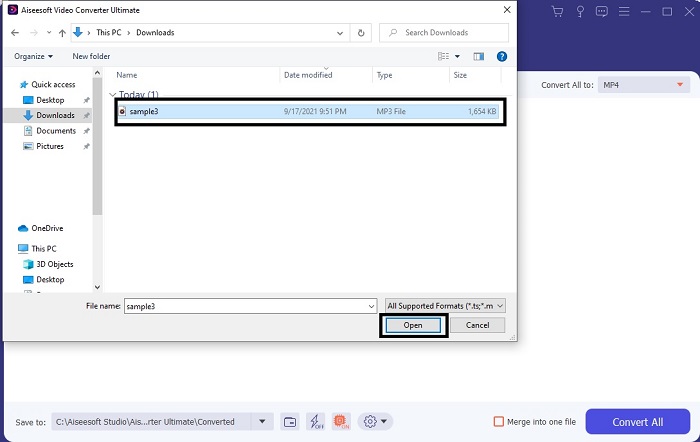
Langkah 3. Ubah MP3 ke WAV atau ke format audio lain yang Anda inginkan di submenu.
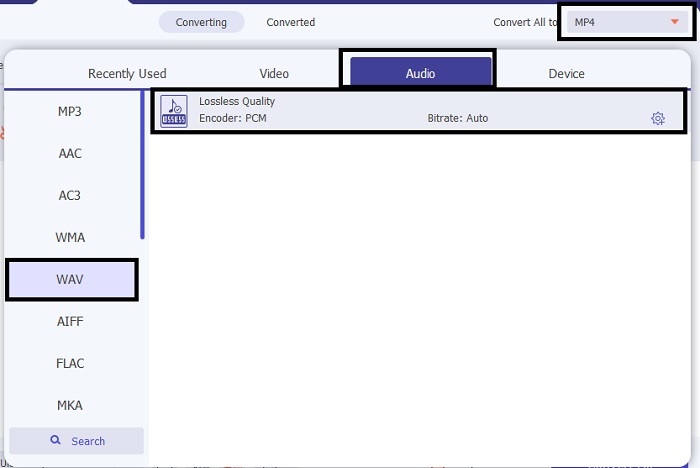
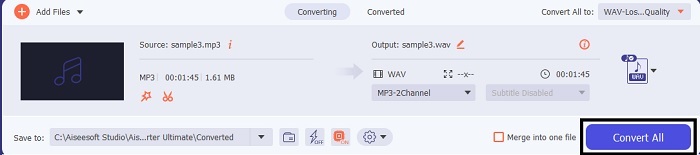
Langkah 4. Jika semuanya sudah diatur, klik Convert All untuk memulai proses konversi.
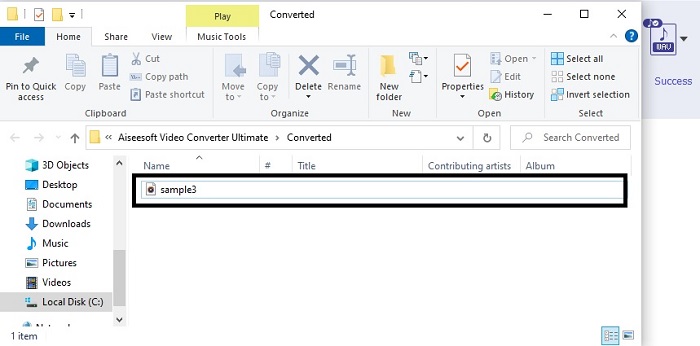
Langkah 5. Setelah konversi selesai, pengelola file akan otomatis terbuka di layar Anda. Klik audio yang sudah dikonversi dan nikmati versi terbarunya. Selain itu, jika menurut Anda suara audionya masih terlalu pelan, buka Toolbar dan cari Audio Booster untuk mendapatkan audio yang lebih jernih dan lebih baik.
2. iTunes
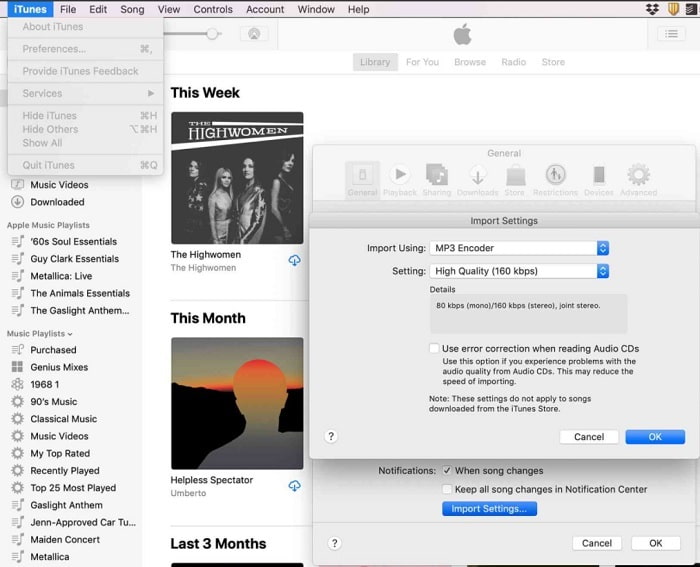
iTunes sangat umum digunakan untuk memutar musik di Mac dan perangkat iOS. Namun tahukah Anda bahwa Anda bisa mengonversi MP3 ke WAV di iTunes? Jawabannya: bisa. Memutar dan mengonversi audio bisa dilakukan di alat ini, tetapi iTunes tidak dapat diakses di Android dan Windows karena merupakan pemutar media bawaan Apple untuk produknya. Jadi, jika Anda tidak memiliki produk Apple, Anda tetap bisa melakukan konversi dengan bantuan FVC Video Converter Ultimate. Namun jika Anda memilikinya, sebaiknya gunakan iTunes dan ikuti langkah‑langkah berikut.
Langkah 1. Buka perangkat lunak di perangkat Anda.
Langkah 2. Pilih audio MP3 yang ingin Anda konversi.
Langkah 3. Setelah itu klik Convert dan tunggu hingga proses selesai.
Bagian 2. Top 5 Konverter MP3 ke WAV Online Gratis Terbaik di Web
1. FVC Free Audio Converter
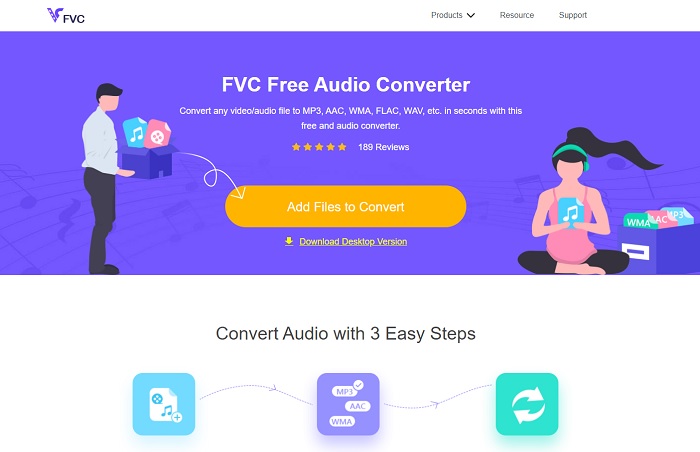
FVC Free Audio Converter adalah konverter MP3 ke WAV online terbaik. Karena alat ini memiliki fitur kecil yang serupa dengan yang ada di FVC Video Converter Ultimate. Jadi, jangan berharap hasil yang lebih rendah saat menggunakan alat ini meskipun fitur utama versi premiumnya tidak sepenuhnya tersedia di sini. Karena alat ini gratis, jika Anda ingin mencobanya Anda bisa mengklik tautan yang sudah disediakan khusus untuk Anda. Jadi, sebelum yang lain, mari mulai cara menggunakan konverter berbasis web ini.
Langkah 1. Untuk mengakses alat ini, Anda harus mengklik tautan ini.
Langkah 2. Klik Add Files to Convert untuk memulai alatnya.
Unduh Versi Desktop untuk mengonversi file secara batch.
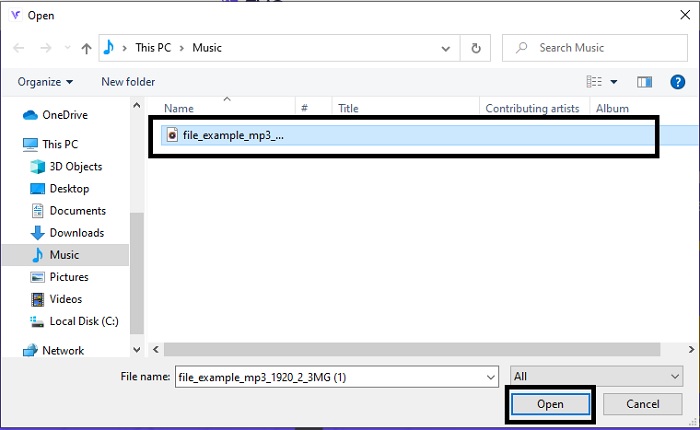
Langkah 3. Setelah meluncurkan alat, pilih file MP3 yang ingin Anda konversi lalu klik open.
Langkah 4. Pilih format di bagian bawah, kemudian klik Convert untuk memulai proses.
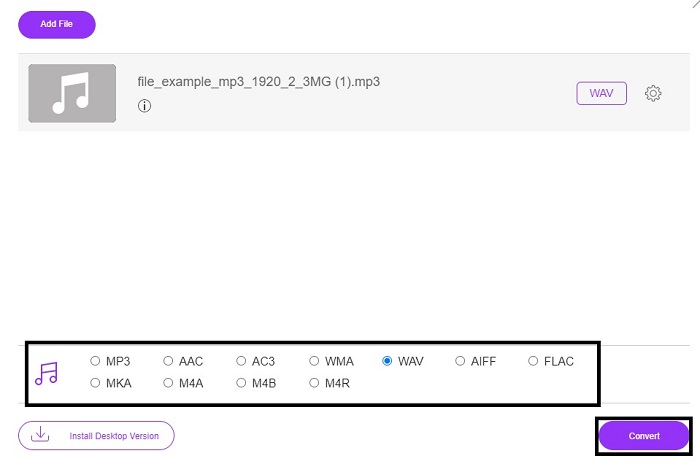
Langkah 5. Proses ini hanya akan memakan waktu beberapa menit dan setelah konversi selesai, klik folder untuk menemukan file yang baru saja Anda konversi.
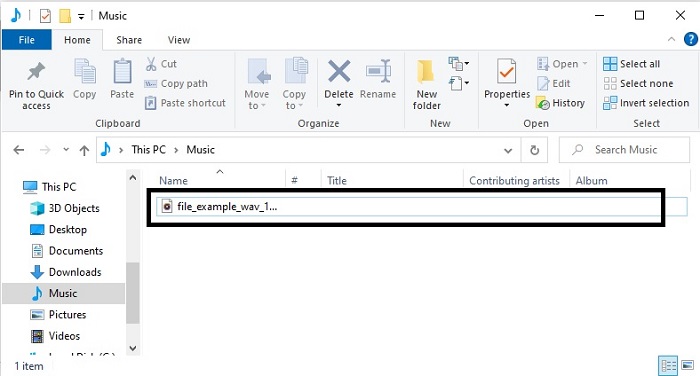
2. Konversi Awan
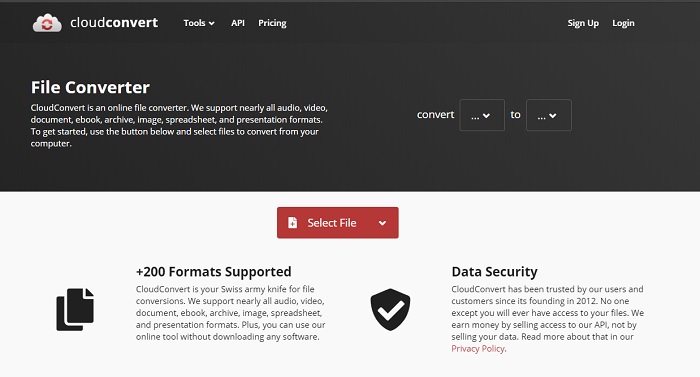
Alat lain yang bisa Anda akses lewat web adalah Cloud Convert untuk mengubah ke format baru. Alat ini termasuk yang terbaik di pasaran jika berbicara soal konversi, tetapi Anda tidak bisa menyesuaikan atau mengubah bitrate, fps, dan codec. Namun jika Anda ingin mengonversi file teks ke format baru, maka alat ini wajib Anda coba.
3. Convertio
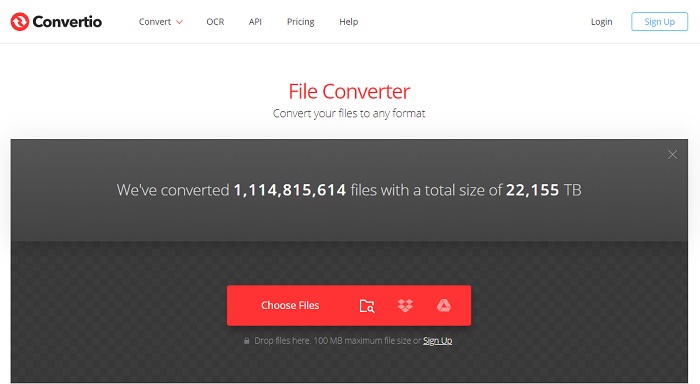
Sama seperti Cloud Convert, Convertio juga dibuat agar bisa digunakan secara gratis. Soal konversi, alat ini juga menyediakan kompresi dan konversi yang kuat. Alat ini digunakan banyak pengguna untuk mengonversi karena instruksinya jelas dan tampilannya sederhana. Meskipun dapat diakses lewat web, situs utamanya memiliki banyak iklan di antarmuka yang cukup mengganggu, terutama jika Anda tidak ingin terganggu saat melakukan konversi.
4. Konversi Online
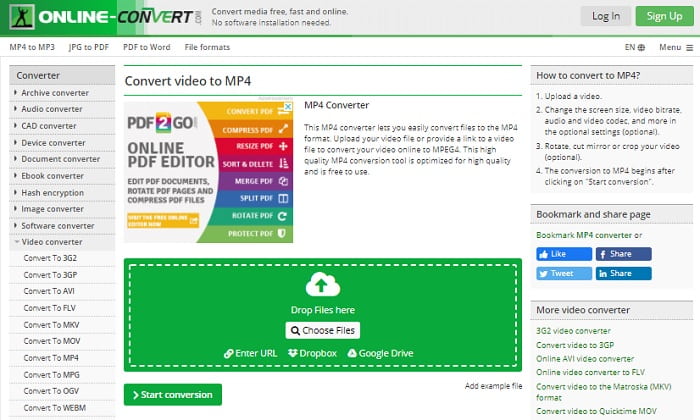
Alat ini menawarkan banyak hal dalam hal konversi dan juga sangat informatif. Online-Convert menyediakan fitur lanjutan yang memungkinkan Anda mengubah bitrate, resolusi, dan jumlah kanal. Jika Anda baru pertama kali melakukan konversi, alat ini mungkin terasa agak rumit. Selain itu, setelah Anda memasukkan file ke antarmuka web, Anda harus menunggu hingga selesai diproses. Bukan hanya itu, ada batasan ukuran file yang bisa dikonversi, yaitu hanya 100 MB. Jadi, jika Anda ingin mengonversi banyak file, Anda harus membeli versi premium untuk menghapus batasan dan iklan.
5. 123 Aplikasi- Konverter Audio
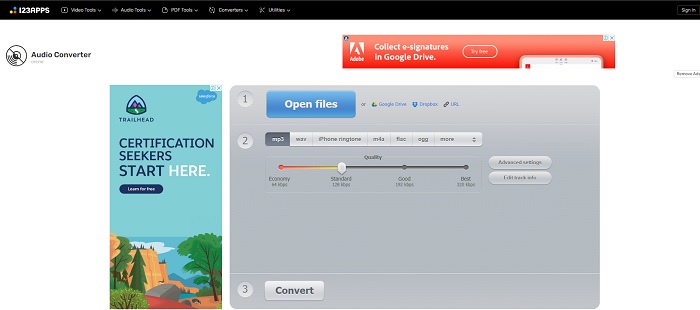
Dengan webtool ini, Anda bisa melakukan konversi secara efektif dan efisien. Namun, alat ini hanya mendukung tiga format audio. 123 Apps - Audio Converter adalah salah satu alat yang paling mudah digunakan. Anda cukup membuka alat ini, memasukkan file, memilih format, lalu mengonversinya—semudah itu. Tetapi kekurangannya, ada beberapa laporan bahwa setelah konversi, kualitas audio menjadi menurun.
Bagian 3. Bagan Perbandingan Pengonversi pada Daftar
Pelajari perbedaan masing-masing alat dan mari kita bandingkan.
| fitur | FVC Video Converter Ultimate | iTunes | Konverter Audio Gratis FVC | Konversi Awan | Convertio | Konversi Online | 123 Aplikasi- Pengonversi Audio |
| Konverter Audio |  | | | | | | |
| Fitur Pengeditan | |  | | | | | |
| Memodifikasi Bitrate, Fps, resolusi atau sejenisnya | | | | | | | |
| Program yang Didukung | Alat berbasis desktop | Alat berbasis desktop default | Alat berbasis web | Alat berbasis web | Alat berbasis web | Alat berbasis web | Alat berbasis web |
| Sistem Operasi yang Didukung | Tersedia di Semua OS | Hanya produk yang didukung Apple | Tersedia di Semua OS | Tersedia di Semua OS | Tersedia di Semua OS | Tersedia di Semua OS | Tersedia di Semua OS |
| Kisaran harga | Selama 1 bulan: $25.00 Selama setahun: $31.20 Untuk Lisensi Seumur Hidup: $55.20 | Untuk menghapus iklan: $10 per bulan $15 sebulan untuk keluarga beranggotakan enam orang $5 per bulan untuk siswa | Gratis | Gratis | Gratis | Untuk tambahan 8gb: Langganan Bulanan $70 USD ditagih setiap bulan Berlangganan Tahunan $672 USD | Gratis |
MP3 vs WAV
Format MP3 dirilis pada tahun 1993 oleh Moving Picture Experts Group (MPEG). Itu adalah standar untuk menyimpan musik karena dapat memampatkan audio ke ukuran yang jauh lebih kecil daripada format tidak terkompresi lainnya. Ini masih banyak digunakan saat ini, terutama untuk mendistribusikan audio online.
WAV, juga dikenal sebagai format WAVE, didasarkan pada Resource Interchange File Format (RIFF). Ini dikembangkan oleh Microsoft dan IBM bersama-sama pada awal 1990-an. Ini adalah opsi untuk menyimpan audio mentah dan tidak terkompresi di Microsoft Windows. Dengan demikian, file WAV lebih sering diputar di komputer Windows.
Bagian 4. FAQ tentang MP3 ke WAV
Apa yang dimaksud dengan WAV?
WAV berarti File Audio Bentuk Gelombang; ini adalah format lossless yang tidak terkompresi.
Manakah yang lebih besar dalam ukuran file? MP3 atau WAV?
Meskipun keduanya menyimpan file audio, ukuran WAV jauh lebih besar daripada MP3. Dalam beberapa kasus, ukurannya bisa sampai 15 kali lebih besar daripada MP3 karena WAV tidak dikompresi. Anda bisa klik di sini untuk belajar cara mengonversi WAV ke MP3.
Di mana saya bisa merekam WAV?
Untuk merekam, Anda harus menggunakan alat yang benar‑benar andal di web. Terutama karena format ini tidak terkompresi, jadi Anda harus berhati‑hati agar tidak kehilangan data saat merekam. Dengan demikian, FVC Screen Recorder adalah perekam WAV yang unggul. Alat ini bisa merekam dan mengedit juga untuk membuat hasil akhir Anda lebih baik baik dari segi visual maupun audio. Untuk mengetahui lebih lanjut, Anda harus mengunduh perangkat lunaknya ke drive Anda.
Kesimpulan
Seiring berakhirnya "perlombaan", kini menjadi jelas bahwa hanya ada satu pemenang. Hanya dengan memiliki alat ini Anda akan merasa seperti raja dunia dalam hal perekaman. FVC Video Converter Ultimate melakukan lebih banyak hal yang tidak bisa dilakukan perekam lain. Jika Anda punya masalah dalam merekam video, audio, atau gameplay, Anda bisa mendapatkan keunggulan jika memilih alat yang tepat. Pertaruhkan semuanya pada FVC Video Converter Ultimate dan dapatkan kemenangan mudah di depan mata.
Unduh GratisUntuk Windows 7 atau yang lebih baruUnduhan Aman
Unduh GratisUntuk MacOS 10.7 atau yang lebih baruUnduhan Aman
-
 Cara Gratis Mengonversi MP4 ke WAV di Desktop atau Online [2021]
 Berusaha keras untuk mengonversi MP4 ke WAV? Tidak tahu konverter mana yang dapat membantu Anda dengan sempurna tanpa membayar sepeser pun? Baca posting ini dan semua pertanyaan Anda akan dijawab.
-
 WAV Player - Top 5 Aplikasi WAV Player untuk Android, iPhone, PC dan Mac
 Bagaimana cara memainkan file WAV di ponsel Android? Pemain apa yang bisa memainkan WAV? Posting ini membagikan 5 pemain WAV gratis terbaik untuk Android, iPhone, Mac dan PC.
-
 FLV ke WAV - Konversi FLV ke WAV Online Gratis dan di Mac / PC
 Bagaimana cara mengonversi file FLV? Bisakah VLC mengonversi YouTube FLV ke WAV? Posting ini menjelaskan 3 cara gratis untuk mengonversi FLV ke WAV tanpa kehilangan kualitas.

