


 ビデオコンバーター究極
 スクリーンレコーダー
 ビデオ修復
ビデオ修復PC用の5つの最高のビデオエディタについてもっと知り、比較する
最近では、多くの人が思い出に残る瞬間を残すために動画を撮ることを好み、その多くがそれを収益化するために利用しています。例えば、Vlogger やインフルエンサーのように、彼らは自分のファンのために、自分が何をしているのかを常に動画に撮っています。また、ほかのインフルエンサーや Vlogger よりも知名度を上げるためでもあります。ですから、自分自身を撮影するのが好きな、これから Vlogger やインフルエンサーを目指したい方は、印象的な動画を作成・強化し、より多くの「いいね」や再生回数、登録者、そして長期的な収益を得るためにも、最高のWindows 10 動画編集ソフトを用意しておくべきです。 では始める前に、すでに「成功する Vlogger/インフルエンサーになるための第一歩」を踏み出したあなたにお祝いを述べたいと思います。ただし、どのツールを使うか選ぶことは、これから直面する最も重要なポイントのひとつです。そこで今回、あなたのために、今なお十分実用的で効果的なさまざまな動画編集ソフトを厳選してご紹介します。

パート1。オンラインおよびオフラインの上位5つのWindowsビデオエディター
トップ1。ビデオコンバーターアルティメット
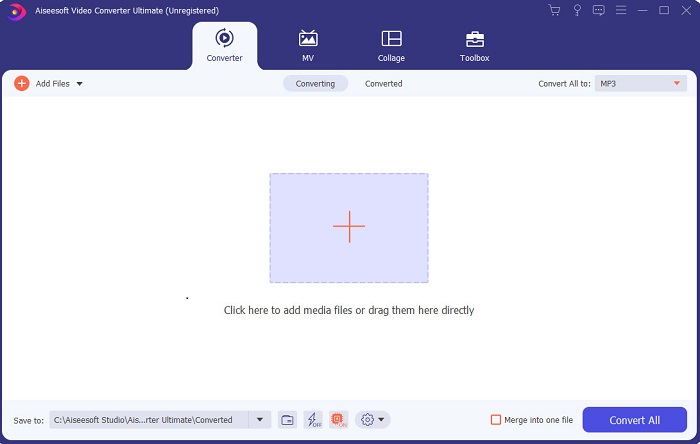
憧れのあの人たちのように、一段上のクオリティの動画を作りたいなら、FVC Video Converter Ultimate を使ってみてください。このコンバーター兼Windows 用動画編集ソフトは、すでに多くのユーザーを世界的な人気者へと押し上げてきた実績があり、次はあなたの番かもしれません。多くの有名インフルエンサー、Vlogger、動画編集者が、エディター・高画質化・ブースターなどとしてこのソフトを愛用しています。憧れのクリエイターのようなプロ並みの仕上がりを手に入れ、本格的に収入を得たいなら、このソフトを今すぐダウンロードして、新たなネット界のスターとなり、自分史上最高の姿を実現しましょう。また、このツールをよりよく理解できるよう、メリットとデメリットも用意しました。
無料ダウンロードWindows 7 以降に対応安全なダウンロード
無料ダウンロードMacOS 10.7 以降に対応安全なダウンロード
長所
- 初心者にとって、このツールは彼らにとって正しい選択です。それはあなたが従うべきそして理解しやすいための簡単な指示を提供するので。基本的に、それはオンポイントです。
- 他とは異なり、専門家向け PC用ビデオエディタ このツールには多くの未来的な機能があります。たとえば、オーディオ品質を向上させ、ビデオを強化したい場合は、このツールを使用できます。また、オーディオがビデオと同期されていない場合は、それを修正するためのオーディオ同期機能があります。
- 全体として、これは信頼できる驚異的なコンバーターとエディターです。特に、vloggerやインフルエンサーの世界に驚くべき入り口を作りたい場合は。
- エディターソフトウェアはダウンロード可能であり、このような同じ機能を持つエディターツールはありません。
短所
- このツールは無料ではありませんが、低価格です。言い換えれば、それは安価で高品質の出力を生成します。
トップ2。Windowsムービーメーカー
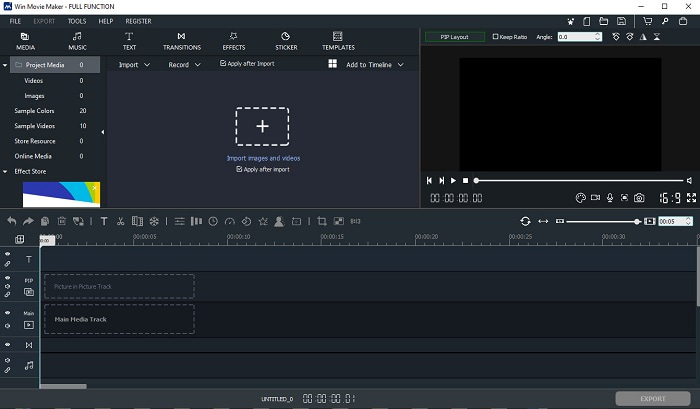
このWindows 7 用動画編集ソフト(Windows 8/10/XP 対応)は、動画の作成と編集においてトップクラスのソフトのひとつです。Windows Movie Maker は、すでに多くのユーザーにダウンロードされ、自分の動画編集に使われてきました。高度な編集機能を備えている一方、動画編集が初めての人にとっては、機能が多くて圧倒されてしまうかもしれません。しかし、編集経験がある、あるいは「プロ」に近い方なら、ぜひ試してみる価値があります。このソフトには有料版があり、無料版とかなり似ていますが、有料版では書き出し時にウォーターマーク(透かし)が付きません。
長所
- 初心者にとって、このツールは理想的ではありませんが、複雑な編集を行うのに最適です。
- 専門家の場合、ここに示されている機能は、経験があれば実行可能です。
- トランジション、エフェクト、ステッカーなどを提供します。
短所
- ここで実行できるツール機能のため、ツールは少し厄介です。また、圧倒的で操作方法の説明もありません。
- このツールの無料バージョンを使用する場合は、エクスポート後にビデオ自体に透かしが入ることを期待してください。
トップ3。OpenShot
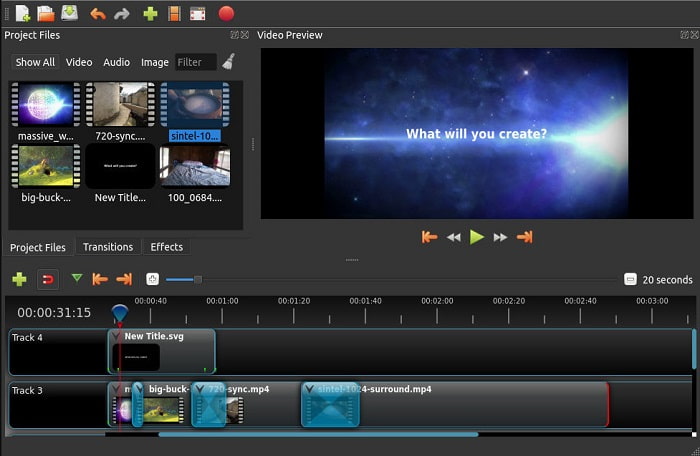
もうひとつのウォーターマークなしの無料動画編集ソフトが、Openshot です。Windows Movie Maker よりもシンプルで分かりやすい機能を提供しています。インストール後、基本的な機能を案内してくれる簡単なツアーも用意されています。ただし、説明されるのはあくまで基本的な機能のみです。また、このツールで利用できる編集機能はベーシックなものに限られているため、自由度の高いクリエイティブな編集にはやや不向きです。さらに、インターフェースがモノクロ調で、見た目がやや味気なく感じられるかもしれません。
長所
- 初心者向けに、これはWindowsムービーメーカーのよりシンプルなバージョンです。エフェクト、トランジションなどを追加できます。
- 専門家にとっては、それを使用することは問題ありませんが、それは最善ではありません。
- 簡単な編集が付属していれば、ソフトウェアは大丈夫です。
短所
- それの退屈なインターフェースを変更することはできず、インタラクティブ性が低くなります。
- 更新後も、いくつかのメジャーバグとマイナーバグがここに残っています。
トップ4。ライトワークス
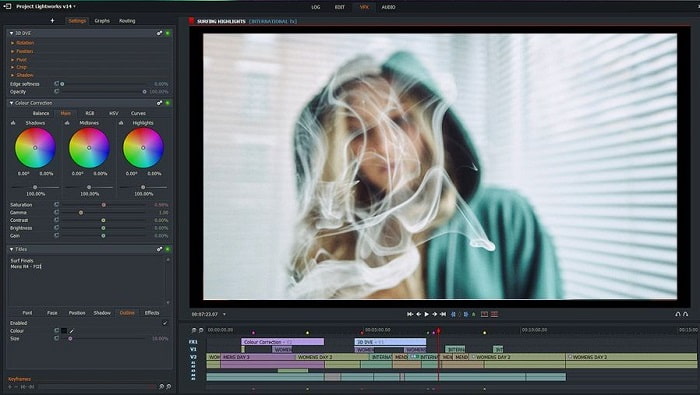
Lightworks はWindows 用の無料動画編集ソフトですが、有料版も用意されています。ただし、実際にダウンロードしようとしたところ、「.exe ファイルがコンピューターに害を及ぼす可能性がある」という警告が表示されました。そのためインストールは行わず、代わりにこのツールについて徹底的にリサーチしました。ツールをドライブにインストールすると、使用前にユーザー登録が必要になります。提供されている編集機能は数多く、初心者にとってはかなりハードルが高く、プロであっても少し難しく感じる部分があるかもしれません。それでも、実際に触ってみて使い方を覚えていけば、十分に習得できる範囲と言えるでしょう。
長所
- 初心者の場合、ツールは複雑すぎて、処理するには多すぎる可能性があります。特に、簡単な編集を試してみたい場合は特にそうです。
- 専門家の場合、このツールが提供するリアルタイム編集機能を使用できます。一部の機能は新しく、ほとんどは有料ですが。
- ツールの全体的なパフォーマンスは、ビデオの編集と作成においてクラスAに分類されます。
短所
- 1080pxの出力が必要な場合は、ツールを購入する必要があります。そして、あなたがそれを使うことができる前でさえ、あなたは登録する必要があるでしょう。
- ソフトウェアには有害な.exeファイルが含まれているため、自己責任でダウンロードしてください。
トップ5。ClipChamp
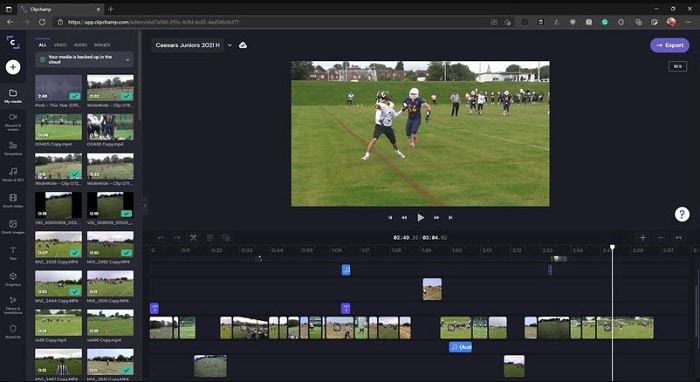
このオンラインツールは、プランをアップグレードすることでさらに機能を拡張できます。また、専用ソフトをダウンロードせずに動画編集ができる、手軽にアクセス可能なツールのひとつです。Clipchamp は非常に使いやすいツールですが、利用するには事前のユーザー登録が必要です。このオンライン版Windows 10 動画編集ソフトは、Lightworks に似た機能を備えていますが、ブラウザー上で動作します。ただし、編集したい動画ファイルをインポートする際は、読み込みに時間がかかることを想定しておく必要があります。その一方で、ツール自体を PC にダウンロードしなくてよいという大きな利点もあります。
長所
- 初心者にとって、このツールは試してみる必要がありますが、ここでビデオを編集して挿入するプロセスは少し遅くなります。
- 専門家にとっては、限られたリソースで簡単なビデオを使用および編集することは問題ありません。
- 全体として、このツールはWindowsムービーメーカーよりも理解しやすいです。
短所
- インターネットに依存します。つまり、インターネットの速度が遅い場合は、プロセスが不安定になることが予想されます。
- Webツールを使用する前に、登録フォームが必要です。
パート2。Windows用の5つのビデオエディタの比較チャート
| 特徴 | ビデオコンバーター究極 | Windowsムービーメーカー | OpenShot | Lightworks | ClipChamp |
| トリミング、カット、マージなどのビデオ編集。 |  | | | | |
| ビデオエンハンサー | |  | | | |
| 透かし | | | | | |
| サポートされているプログラム | デスクトップベースのツール | デスクトップベースのツール | デスクトップベースのツール | Webベースのツール | Webベースのツール |
| 価格帯 | 1か月間:$25.00 1年間:$31.20 | $39.95一括払い | 無料ですが寄付できます | QScan Pro QScan Pro –毎月のサブスクリプションアクティベーション$59.99 | クリエイター-$9 /月額 ビジネス-$19 /毎月 |
| 生涯ライセンスの場合:$55.20 | QScan Max QScan Max –毎月のサブスクリプションアクティベーション$119.99 | ビジネスプラチナ– $39 /月額 |
パート3。Windowsビデオエディターに関するFAQ
私が使用できる最高のMacビデオエディタは何ですか?
ここで紹介したツールは、Video Converter Ultimate を除き、すべて Windows 用の編集ソフトです。ほかの Mac 用動画編集ソフトを知りたい場合は、このリンクをクリックして、一覧の中から選んでください。
Androidで動画を再生できないのはなぜですか?
Android で動画が再生できない理由は数多くあります。その原因を知り、すぐに問題を解決するためにも、Android スマホで動画が再生されないときの修復方法を読んで確認しておきましょう。
長い動画を圧縮してYouTubeで共有するにはどうすればよいですか?
現在、アップロードできる最大ファイルサイズは 256 までとなっているため、最も効果的な対処法は動画を圧縮することです。動画を YouTube で共有したい場合は、YouTube 用にファイルサイズを小さくして投稿する方法を一緒に学びましょう。
結論
いつも憧れている Vlogger やインフルエンサーの一員になる前に、まずは自分で編集できるスキルを身につける必要があります。今こそ、ハリウッド級の編集機能とクオリティを備えた、驚異的なエディターを使うチャンスです。そうすることで、視聴者やフォロワーはもちろん、自分自身さえも驚かせることができるでしょう。ダイヤモンドのように輝き、その光が成功への道を切り開いてくれるよう、FVC Video Converter Ultimate の力を借りてください。
-
 2025 年の Windows と Mac 向けの最高の MP4 エディター
 コンピューターをMP4ビデオ編集に使用している場合でも、電話で作業している場合でも、WindowsおよびMacに最適なMP4エディターなど、いくつかの優れたオプションをここで見つけることができます。
-
 コンピュータ/電話で無料でビデオにオーディオと音楽を追加する方法
 この記事では、ビデオにオーディオを無料で追加する4つの簡単な方法を紹介します。ビデオに追加するオーディオトラックに関係なく、ここで満足のいく結果を得ることができます。
-
 オンラインで曲をカットしてマージする方法–知っておくべき4つの最良の方法
 オンラインで曲をカットしてマージして曲を作成したい場合は、曲をクリップして記事のファイルを組み合わせるための4つの最高のオンラインツールについて詳しく知ることができます。
