


 ビデオコンバーター究極
 スクリーンレコーダー
 ビデオ修復
ビデオ修復考慮すべきスローモーションカメラに関する膨大な選択肢
スローモーション動画を作成するためのアプリケーション、ソフトウェア、オンラインツールにはさまざまな種類があります。しかし、カメラだけでスローモーション動画を撮影できたらどうでしょうか。そこでご紹介するのがスローモーションカメラです。このタイプのカメラなら、編集ソフトを使わずにスローモーション動画を撮影できます。どのカメラを買うべきか決めかねている場合は、購入時にチェックすべき具体的なポイントを知るために、この記事を読み進めてください。

Part 1. スローモーションカメラとは?
スロー モーション カメラは基本的に、最終的に再生される速度よりもはるかに速い速度で写真を撮るカメラです。毎秒多くの静止フレームをキャプチャする必要があるため、時間がゆっくりと動いているように見えます。スロー モーションについて話すときは、ビデオが通常よりもゆっくり動く頻繁な映画制作効果を指します。以前は、映画、広告、テレビでのみ使用されていました。しかし、スマートフォンの技術が飛躍的に進歩したおかげで、スマートフォンでもスローモーションを撮影できるようになりました。
Phantom HD ハイスピードカメラを例に考えてみましょう。このカメラは、高解像度で撮影する場合、最大フレーム レートが毎秒 1,455 フレームです (通常のフィルムは通常、毎秒 24 フレームで表示されます)。通常の動きは、毎秒 24 フレームで写真を撮影し、毎秒 24 フレームで再生することで確認できます。それよりも高いフレーム レート (たとえば 1 秒あたり 1,455 フレーム) で撮影し、それを 24 フレーム/秒 (スロー モーション効果) で再生すると、動作が遅くなることに気付くでしょう。
パート 2.3 最高のスローモーション カメラ
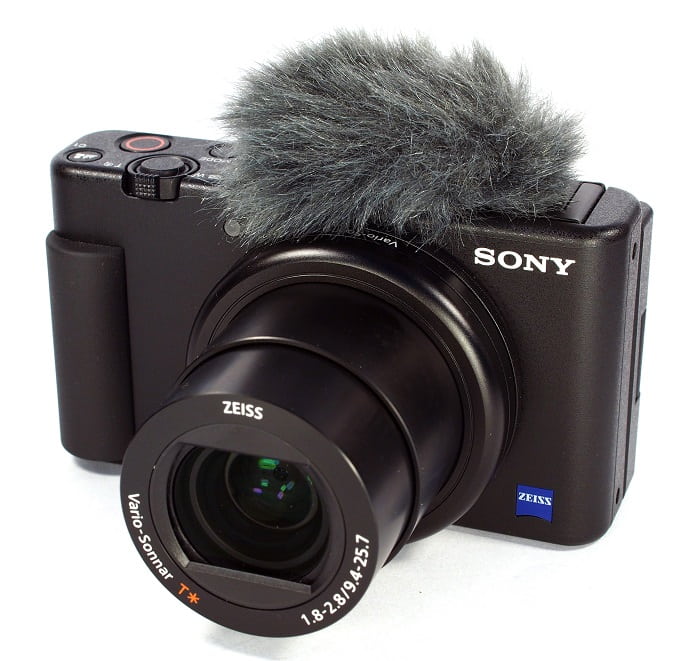
1. ソニー ZV-1 カメラ
4K スローモーション ビデオ用の最も注目すべきカメラの 1 つは、Sony ZV-1 です。このソニーのデバイスは、フォーカスを失うことなくモード間を移動できるため、vlog に最適です。写真の優れた被写体であると思われる場合は、もう一度検討してください。 Sony ZV-1 は多くのことを実行できますが、vlogging はそれが際立つ場所です。フォーカスとデフォーカスはシステムによって処理されます。これが採用する主要な戦略です。暗所での使用は作業ミスの原因となります。 Sony ZV-1 のオートフォーカスと画像安定化は、競合するビデオカメラよりも優れています。 YouTuberにとって、これはカメラです。しかし、物事は完璧ではありません。このデバイスの価格は法外です。 $700 もするので、本当にそれだけの価値があるのか疑問に思うかもしれません。 Sony ZV-1 の寸法は 4.15 x 2.36 x 1.7 インチで、21MP で画像をキャプチャし、2160p でビデオを録画します。ソニー ZV-1 のようなカメラを持つ理由の 1 つは、上記のすべての理由によるものです。
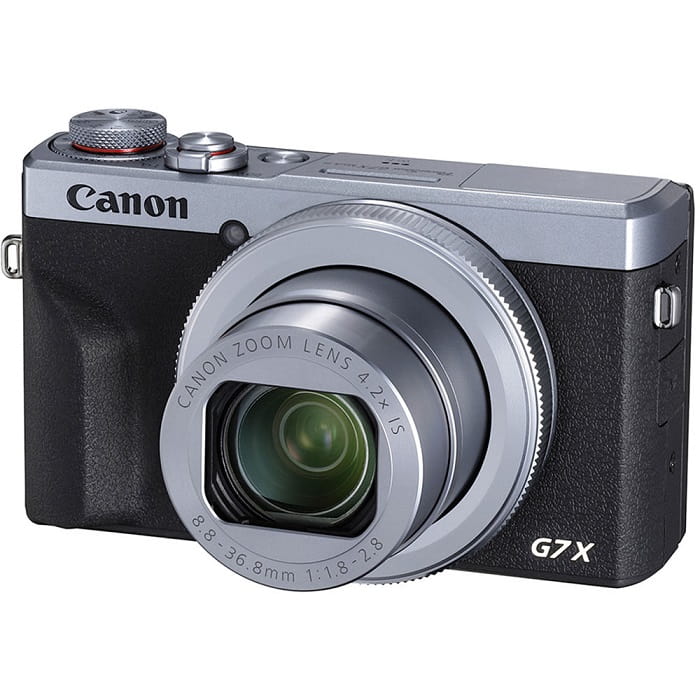
2. Canon PowerShot G7 X Mark III
Canon PowerShot G7 X Mark III は、Sony ZV-1 とは対照的に、ライブ ストリーミングに最適です。 YouTube など、屋内で動画を作成する人に便利です。ノーカットの 4K ビデオ品質と芸術的なセルフィーを撮影するための優れた LCD の結果として、このまとめに含まれています。 Canon PowerShot G7 X Mark III の写真と 4K 30p ビデオの最大解像度は 20.1 メガピクセルですが、4K 60p オプションはありません。これを考慮する必要があります。自撮りカメラの視野角は 180 度、シャッター速度範囲は 1/25600 ~ 30 秒、光学式手ぶれ補正システムを備えています。おそらく、この Canon PowerShot G7 X Mark III の価格は約 $750 です。
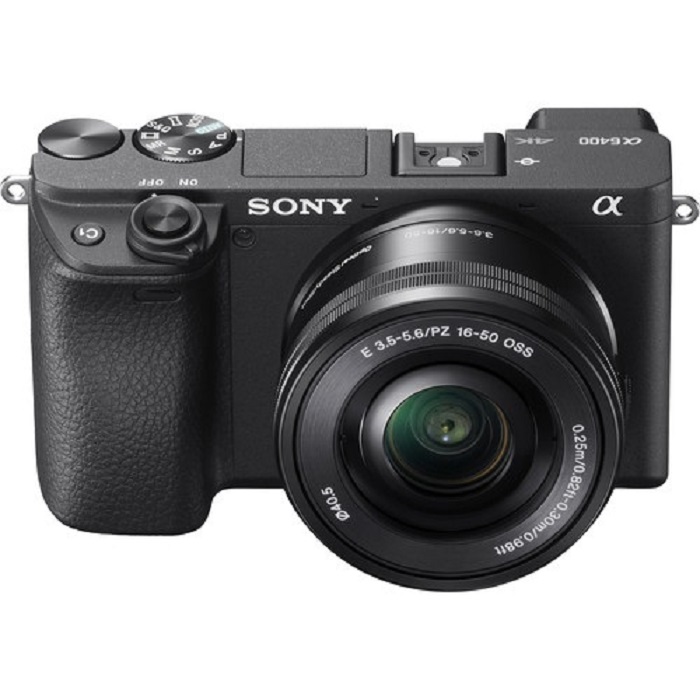
3. ソニー A6400
一方、Sony A6400は、以前のモデルよりも機能的です。このデバイスの魅力は、プロのビデオ撮影、個人のビデオブログ、写真撮影に使用できる、その驚くべき多用途性にあります。さらに、Sony A6400 はスローモーションとタイムラプスで録画できるため、これらの効果を映画で使用するオプションが提供されます。画質は素晴らしく、カメラの 24 MP 解像度のおかげで、くっきりとクリアで、色にじみのない写真が得られます。ただ、このカメラは3機種の中でも$1299程度と非常に高価です。
パート 3. スロー モーション カメラを持っていない場合はどうすればよいですか?
上で紹介したカメラはすべて、スローモーション撮影用に設計されており、スローモーションに関して非常に優れた映像を出力できます。ただし欠点として、スローモーションカメラは高価で、スローモーション動画を撮影しきるにはやや扱いが難しいという面があります。スローモーションカメラをお持ちでない場合の最適な代替手段として、Video Converter Ultimateのご利用をおすすめします。スローモーションカメラとは異なり、このソフトは無料でダウンロードでき、誰でも手軽に使うことができます。
搭載されている機能のひとつであるVideo Speed Controllerを使えば、通常速度の動画を、理想的なスローモーション動画へと変換できます。各ステップをワンクリックで進めるだけで、高価なカメラを使わずにスローモーション再生を楽しめます。ソフトの詳細を知るために、以下の手順をご覧ください。
ステップ 1: まずソフトをダウンロードする必要があります。そのためには、「無料ダウンロード」ボタンの下にあるリンクをクリックしてください。デスクトップにダウンロードしたら、「今すぐ開始」ボタンをクリックしてインストールを開始します。
無料ダウンロードWindows 7 以降に対応安全なダウンロード
無料ダウンロードMacOS 10.7 以降に対応安全なダウンロード
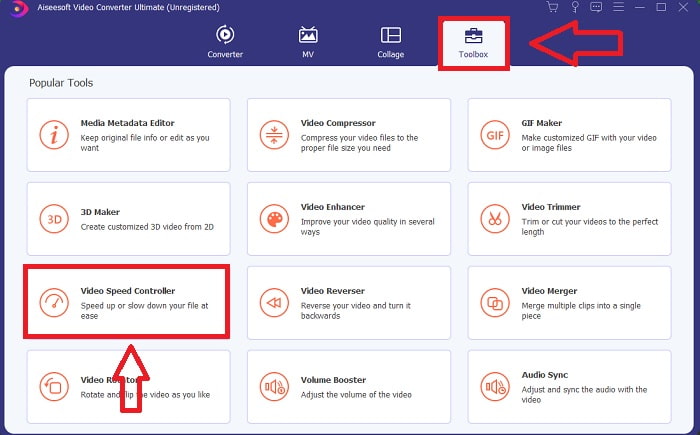
ステップ 2: インストールが完了すると、メイン画面で変換プロセスを確認できるようになります。その後、ツールボックス機能を利用して、スローモーション動画を作成するのに必要な機能を探してください。表示されたツール一覧の中から、動画の速度を変更したい、あるいは動画をスローモーションにしたい場合は、Video Speed Controllerを選択します。
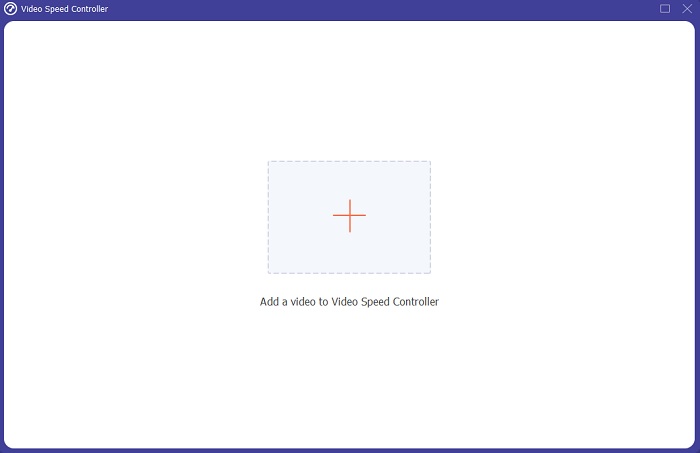
ステップ 3: 続行を選択すると、パソコン画面上に別ウィンドウが表示されます。プラスアイコン+をクリックして、編集を開始します。
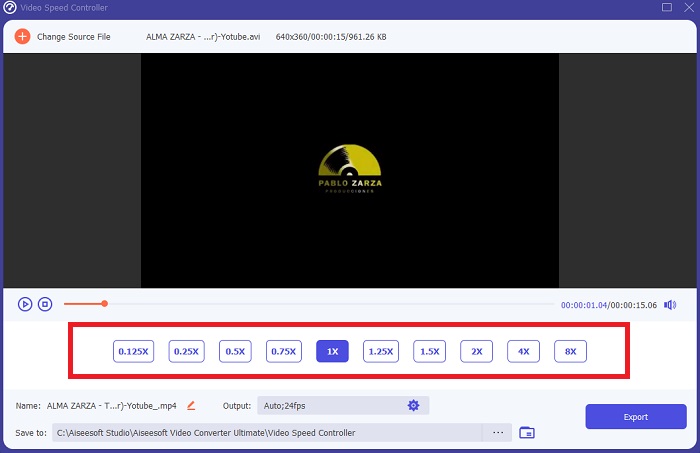
ステップ 4: まず動画のフレームレートから調整を始め、再生時にどの程度速度を上げるか、または下げるかを選択して、動画の速さ・遅さを決定します。これによって、どれくらいスローモーション効果を加えるかが決まります。スローモーションカメラの代替として動画を作成するので、通常よりも低い再生速度を選び、速度を落とします。そうすることで、動画にスローモーション効果が適用されます。
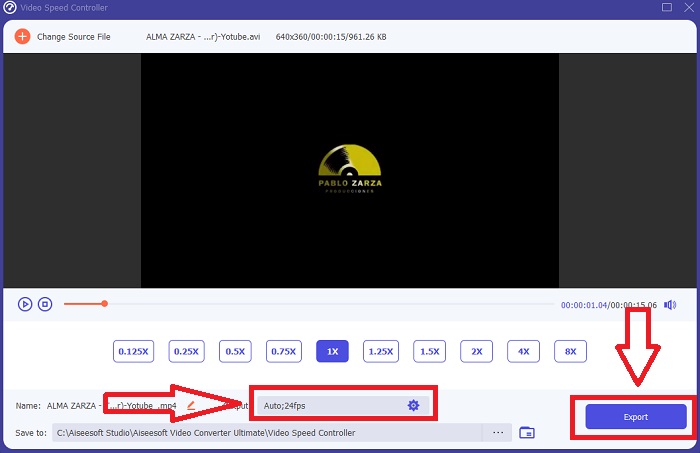
ステップ 5: 動画の速度に満足したら、次にフォーマット、解像度、フレームレートなどのパラメータを変更して画質を微調整できます。出力する動画ファイルの名前を変更することも可能です。作業内容を保存するには、エクスポートをクリックし、パソコン内の保存先フォルダを指定してください。
関連記事
Windows Media Player で動画の再生速度を上げる方法
パート 4. スロー モーション カメラに関するよくある質問
スローモーションカメラの価格は?
高品質のスローモーション効果が必要な場合は、フレーム レートの高いカメラを選択してください。カメラのフレームレートが高または中程度の場合、ビデオがぎくしゃくしたり、途切れたりしないという印象を与えます.考えるべきもう1つのことは、予算です。スローモーション映像は、高価な機材を購入する必要はありません。このようなカメラは、約 $350 から始まり、$4,000 まで高くなります。この2つの機能を備えたカメラだけで、素晴らしいフリーフレーム映像を撮影できます。
フレームレートとは?
通常、1 秒あたりのフレーム数で定義されるフレーム レートは、連続する画像が画面に表示される頻度 (fps) を表します。フレーム レートという語句は、フィルム カメラ、ビデオ カメラ、コンピュータ グラフィックス、またはモーション キャプチャ システムを表すために使用されているかどうかに関係なく、同じものを指します。 SMPTE (Society of Motion Picture and Television Editors) は、映画およびテレビのフレーム レート (SMPTE) の業界標準を設定しています。
スローモーションカメラアプリはありますか?
はい、Android および iOS オペレーティング システムで利用できるスローモーション アプリケーションが多数あります。 iOSにはiMotion、SloPro、SlowCamなどがあります。AndroidにはSlow Motion Video FX、Efectum、Coach's Eyeなどがあります。
結論
まとめると、スローモーションカメラは高価で、扱うにはある程度の経験が必要なため、やや上級者やプロ向けの機材といえます。一方で、新しいソフトウェアであるVideo Converter Ultimateなら、内蔵ツールのひとつを使って、通常速度の動画を無料でスローモーションに変換でき、スローモーションカメラと同様の目的を実現できます。
-
 [簡単]同期していないオーディオとビデオを修正する方法
 ストリームを明日スケジュールする予定であるが、セットアップを確認すると、オーディオとビデオが同期していないとします。この懸念について詳しく知るために、この記事を読んでください。
-
 OBSオーディオ遅延の問題を修正するための7つの簡単なステップ[解決済み]
 OBS Studioを使用しているときにオーディオの遅延が原因で、録画後にビデオクリップを見るのに苦労していませんか?非同期オーディオを効果的に修正する方法については、以下の記事をお読みください。
-
 可能な優れた方法 | VLC オーディオの遅延を修正する方法 [2021]
 オーディオの不確実性のために、VLCメディアプレーヤーでお気に入りの映画を見るのに苦労していませんか?この記事を読み続けて、VLCオーディオ遅延を修正するためのすべての可能な方法を知ってください。
