


 ビデオコンバーター究極
 スクリーンレコーダー
 ビデオ修復
ビデオ修復PCとMacのトップ8GIFメーカーオンラインで感情をよりよく表現する
GIFについて話すときに最初に頭に浮かぶのはコメディです。これらのシンプルなビデオ画像は、私たちのプレーンな古いテキストメッセージをより活気のある曲に変えることができます。このように、GIFは、私たちが世界に見てもらいたい誇張された感情の一部を示しているため、最近人気が高まっています。しかし、感情をよりよく表現するために、メッセージにGIFを追加する方が確かに簡単です。しかし、インターネット上のすべてのGIFが、提供したい特定の感情を提供するわけではありません。したがって、誤解を招くGIFがあると、メッセージに誤った意図が与えられる可能性があります。しかし、インターネットで検索したり、メッセージングアプリに依存したりする代わりに、独自のGIFを作成してみませんか?

実際のところ、自分で作るのは簡単です。もしあなたが最高のオンラインGIFメーカーを探しているなら、ここはまさにうってつけの場所です。そこで、以下のリストに注目してください。どのツールなら、感情を表現するための最高のGIFを作れたり、また自分の感情を表すのに最適なGIFを見つけられずに困っているほかのユーザーを助けられたりするのか、見極めていきましょう。自分のGIFの作り方を学び、同時にほかの人も助けられるのは、「一石二鳥」といえます。では、余計な前置きはこのくらいにして、どのツールが優れていて、どう使えば印象的なGIFを正しく作れるのかを見ていきましょう。以下のリストでは、ウェブ上で無料で利用できるトップ8のGIFメーカーを紹介します。
トップ1。無料のオンラインビデオコンバーター
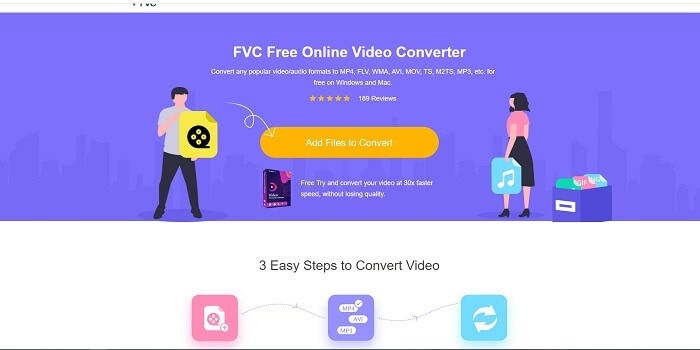
オンラインで優れたGIFメーカーを探しているなら、ここから先をよく読んでください。FVC 無料オンライン動画変換というツールは、インターネット上で見つけられるウェブベースのツールです。動画からGIFを作る最良の方法は、動画をGIF形式に変換することです。「GIFメーカーではなく、コンバーターで本当にGIFが作れるのか?」と思うかもしれませんが、その答えは「はい」です。これが、GIFを作るもっとも簡単な方法です。ただしこのツールは、以下で紹介する他のコンバーターやメーカーとは一味違います。一般的なオンラインツールとは異なり、このツールは非常に高速で失敗しにくい変換機能を提供しており、きっと気に入るでしょう。変換回数に制限はなく、インターネット接続さえあれば、動画や音声を好きなだけ変換できます。ファイルサイズにも「何MBまで」といった制限がなく、このツールが出力する画質はどれも驚くほど高品質です。
しかし、このツールには他に並ぶもののないプレミアム版があることをご存じでしょうか。「すべてのコンバーターの父」とも呼ばれる、それが Video Converter Ultimate です。このツールは、高速変換とプレミアムな高度機能によって、あらゆる形式への変換作業を、ユーザーにとってより快適なものにしてくれます。ここで紹介するほかのツールや、ウェブ上にある一般的なツールとは一線を画しています。Ultimate Converter は、どんな動画ファイルでもGIFに変換できる、最高のGIFメーカーと言えるツールです。さらに、GIFに自分なりのアレンジを加えて、より表現力豊かなものにすることもできます。GIF形式への変換速度は、オンラインツールの30倍、以下で紹介するコンバーターやGIFメーカーの100倍にもなります。利用するには、パソコンにインストールして使います。有料ツールではありますが、料金はそれほど高くありません。それに、特にGIFに関しては多目的に使えるマルチコンバーターです。単なるコンバーター以上の機能を備えているので、物足りなさを感じることはないでしょう。
無料ダウンロードWindows 7以降に対応安全なダウンロード
無料ダウンロードMacOS 10.7以降に対応安全なダウンロード
しかし今のところ、このソフトウェアの無料のオンラインツールに焦点を当てましょう。したがって、このオンラインツールが変換に非常に効果的であるという証拠を提供するには、以下の簡単な手順に従う必要があります。疑問がある場合。ただし、Converter Ultimateのすべての機能がオンラインツールに含まれているわけではありませんが、実際に驚くべき形式が生成されます。
ステップ1. ツールを起動するには、まずこのリンクをクリックして、FVC の公式サイトへアクセスします。
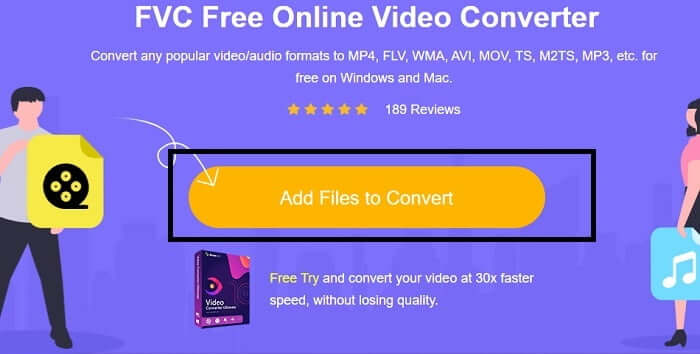
ステップ2. Add Files to Convert(変換するファイルを追加)をクリックし、コンバーターを起動するためにAllow(許可)をクリックします。
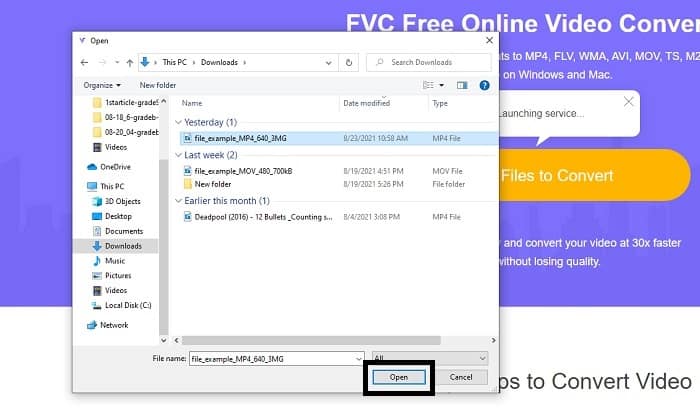
ステップ3. このようなファイルエクスプローラー画面が表示されたら順調です。変換したい動画ファイルを探してクリックし、Open(開く)を押します。
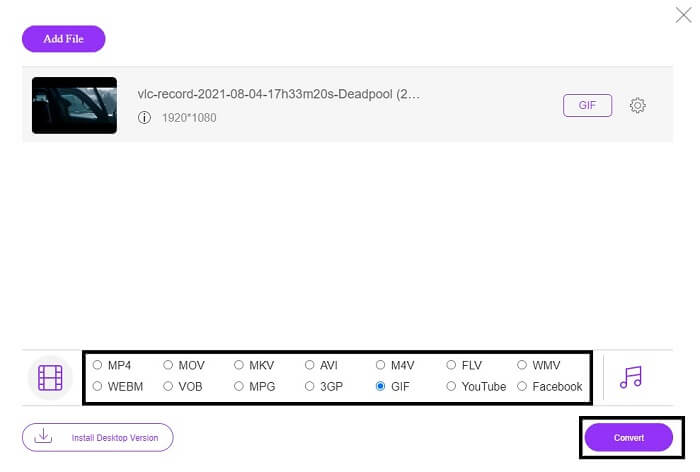
ステップ4. 出力形式をGIFに変更します。補足情報として、動画や音声を、より適した別の形式に変換することもできます。すべての設定が整ったら、Convert(変換)をクリックして変換を開始します。あわせて、最終的な出力ファイルの保存先も指定してください。
ステップ5. 変換が完了すると、ファイルエクスプローラーが画面に表示されますので、最終的な出力ファイルを探して開き、楽しみましょう。
トップ2。Ezgif
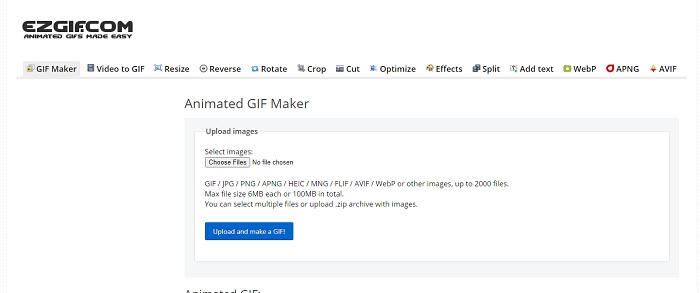
最高のオンラインGIFメーカーのひとつが Ezgif です。このツールでは、GIFの作成はもちろん、強調・リサイズ・トリミング・最適化・文字入れなど、さまざまな操作が行えます。また、動画をGIF形式に変換する機能も備えています。ただし、このツールの多くの機能はそれぞれが独立しており、ひとつの画面上ですべてをまとめて行うことはできません。作成と編集を行うたびに、ある機能から別の機能へと画面を移動する必要があります。さらに、ドラッグ&ドロップで簡単にアップロードすることもできないため、操作が少し面倒に感じられるかもしれません。それでも、オンラインで使えるGIFメーカーとしては依然として有力な選択肢のひとつです。
トップ3。Imgflip
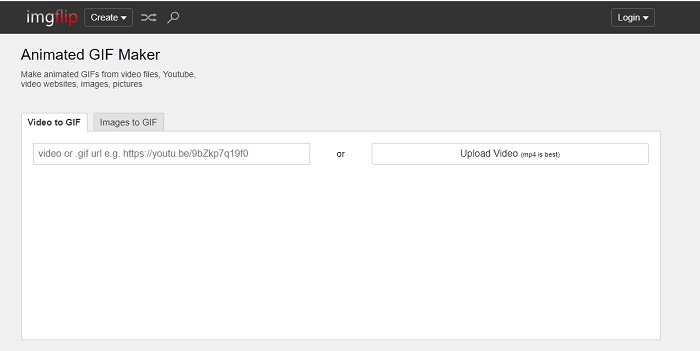
動画やリンクからオンラインでGIFを作成できるツールを探しているなら、Imgflip が向いています。Imgflip では、ミーム画像、GIF、チャートなどを作成でき、その役割をしっかり果たしてくれます。GIFに対して簡単な編集を行うことも可能です。ただし、無料版で出力できる最大解像度は360ピクセル、有料プレミアム版でも480ピクセルまでとなっています。つまり、入力動画が1080pや4Kであっても、最終的なGIFの画質は期待よりも大きく低下してしまうということです。
トップ4。Visme
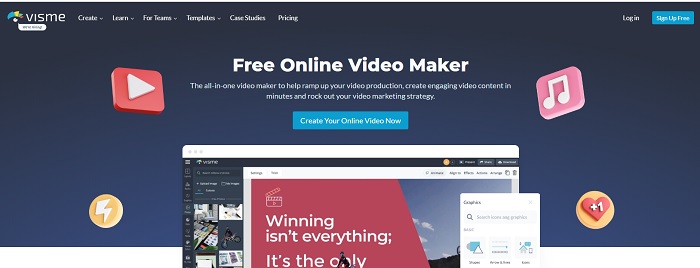
このツールを使用すると、GIFをより詳細に表示できます。 Vismeは、より詳細なビデオメーカーを提供することで知られています。また、このツールを使用するには、アカウントにログインする必要があります。 Facebook、Gmailを使用するか、それらのWebサイトにサインアップすることができます。したがって、データプライバシーのファンなら、このツールは最適な選択肢ではありません。このツールにサインインしてもあなたに関する情報が漏洩することはありませんが、データをよりプライベートにし、安全のために、私たちに関する重要な情報を提供したくない人もいます。ただし、このツールがプライバシーを侵害することはないので、心配する必要はありません。
トップ5。FreeGIFMaker.me
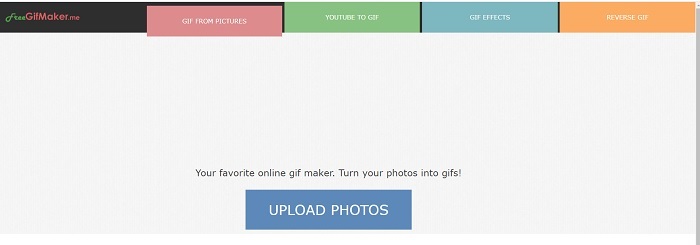
あなたがGIFコンバーターへのビデオリンクを探しているなら、これはあなたのためです。特にYouTubeプラットフォームのビデオリンクのみをサポートしています。 FreeGIFMaker。簡単なビデオからGIFへの変換を行うことができます。ただし、gifに画像を提供したり、gifを編集したり、gifを反転したりすることもできます。このツールは、GIFメーカーが提供する必要のある最も一般的な機能を提供しますが、それでも最高のツールの1つではありませんが、上位30のGIFメーカーのリストに入れることができます。リストされている機能はさまざまな部分に分かれているため、編集を使用してGIFの最終出力を生成する代わりに、必要な編集を行うために次々に実行する必要があります。
トップ6.GIFを作成する
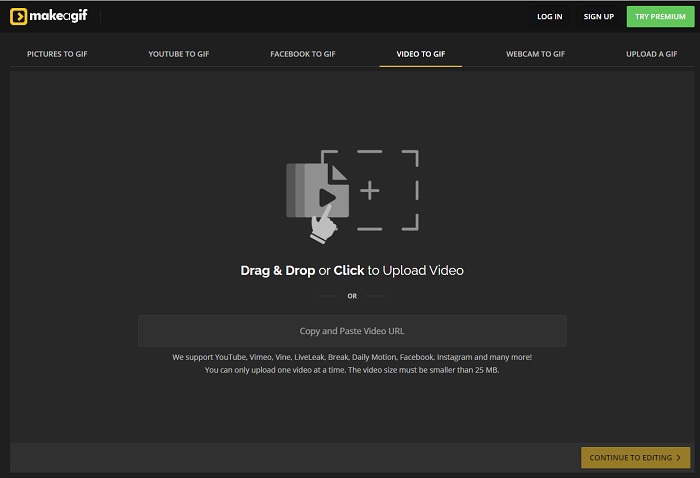
こちらも、ウェブ上でよく目にするオンラインGIFメーカーのひとつです。Make A Gif は、ダーク系のインターフェースが好みの方には落ち着いた雰囲気を与えてくれるツールです。写真、Facebook動画、YouTube動画、自分の動画、さらにはWebカメラ動画など、さまざまな素材からGIFを作成できる柔軟性の高さが特徴です。ただし、アップロードする動画は常に25MB未満でなければなりません。そのため、長めのGIFを作りたい方には向きませんが、10秒程度の短いGIFを作るのであれば、このツールはおすすめできます。
トップ7。オンライン画像エディタ
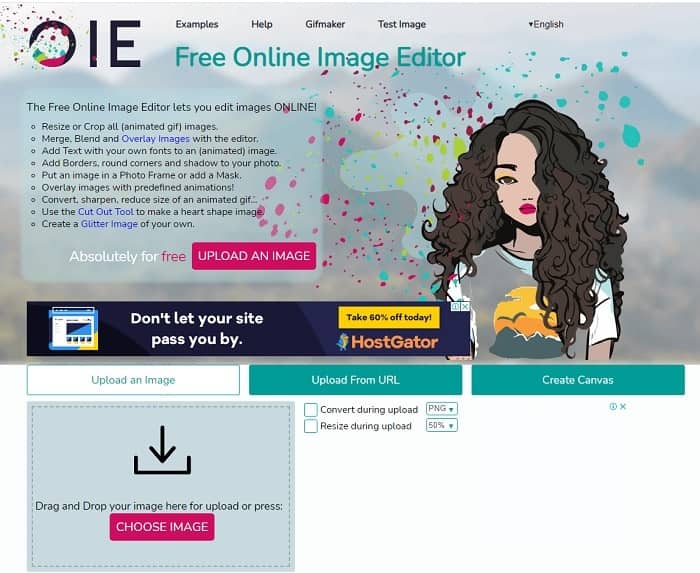
このツールを使用すると、画像を編集してGIF形式に変換できます。オンライン画像エディタを使用すると、画像を使用してGIFを作成できます。また、アニメーションや簡単な編集ツール機能も提供します。ただし、GIFの作成には時間がかかるため、このツールを使用してGIFを作成するのは困難です。したがって、GIFの作成に慣れていない場合は、このツールは優れているかもしれませんが、最適ではありません。 PhotoshopでGIFを作成しているようなものですが、ツール自体が原因でさらに悪化します。メインのウェブページは素晴らしいですが、ツールのインターフェースは非常にシンプルなので、何度も見るのは退屈になります。まだ誰もインターフェースを更新していないようです。それにもかかわらず、画像を使用してGIFを作成する場合は最適です。
トップ8。Kapwing
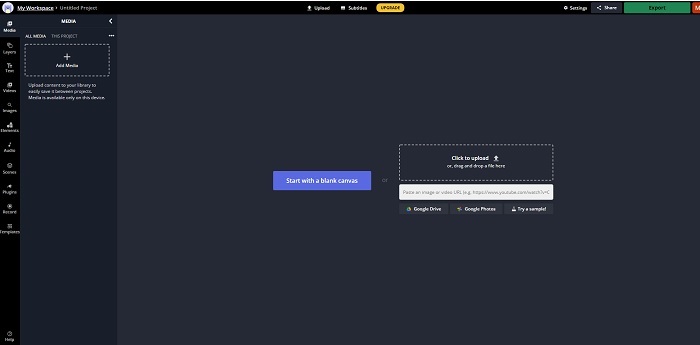
このツールも、もうひとつの無料オンラインGIFメーカーです。Photoshop のような編集画面をオンラインで使っているような感覚を与えてくれます。Kapwing では、用意した動画や画像からオリジナルのGIFを作ることができます。名前だけ聞くと少し奇妙で、本物かどうか疑わしく思えるかもしれませんが、オンラインのアニメーションGIFメーカーとしてはかなり有力な選択肢です。このツールはコンバーターではなく、純粋なGIFメーカーです。完成したGIFは、Facebook、Twitter、Instagram など主要なアプリ上で共有することもできます。操作自体は簡単にGIFを作れる一方で、動画の書き出し速度は、このリスト中のほかのツールと比べるとかなり遅めです。そのため、たとえインターネット回線が遅くても利用は可能ですが、最終的な出力ができあがるまで、かなり待つことを覚悟しておきましょう。高画質を保つために、アップロードできる動画の長さは最大60秒未満に制限されています。また、Photoshop などの画像編集ソフトの経験がない場合、このツールの操作は少し難しく感じられるかもしれません。
オンラインGIFメーカーに関するFAQ
なぜGIFが開発されるのですか?
1987年後半、CompuServeで働いていたSteve Wilhiteという名前のアメリカのコンピューター科学者は、スペースを節約しながら動画を表示したかったために問題を抱え、GIFを開発しました。また、GIFではなくJIFと発音されますが、スペルはソフトG発音のGIFであるという彼の声明に基づいています。どちらも正しいスペルですが。
Photoshopを使用してファイルをGIFに変換できますか?
はい、Photoshopまたは既知の形式を使用してMPGをGIFに変換できます。
MP4をGIFに変換することは可能ですか?
はい、MP4 をGIFに変換したり、他のあらゆる動画形式をGIFに変換したりすることができます。
結論
すべての議論の後、すべてのツールがGIF形式を作成できることが明らかになりました。 GIFに変換する、GIFを作成する、GIFにリンクする、画像をGIFに変換するなど、機能にはさまざまな機能があります。しかし、すべてのツールには独自の品質がありますが、そのうちの1つであるFVC Video ConverterUltimateが最良の選択です。これはGIFの作成に最適であるだけでなく、変換、マージ、コラージュ、MVなどを作成する機会を提供します。プレミアムバージョンの機能にオンラインでアクセスすることはできませんが、無料バージョンを使用してオンラインでテスト、試行、または変換を行うことができます。 Video Converter Ultimateは、言われているように変換するだけでなく、何よりも優れています。魔法を使って、無制限に美しい出力を作成することもできます。したがって、このツールは簡単でシンプルでありながら、壮大な出力を生成するため、スキルに制限を加えないでください。
-
 (ガイド)Windows / MacでM4VビデオをアニメーションGIFに変換する方法
 お気に入りのM4VビデオからアニメーションGIFファイルを作成する場合は、カスタマイズされた設定でM4VビデオをGIFに変換する2つの簡単で効率的な方法について学ぶことができます。
-
 WebMからGIF–独自のGIFを作成するための3つの無料のWebMからGIFへのコンバーター
 WebMはGIFですか?ビデオをGIFに変換する方法は?無料のWebMからGIFへのコンバーターはありますか?この投稿では、WebMをGIFに変換するのに役立つ3つの無料の方法を共有しています。
-
 Photoshop / FFmpegを使用せずにMKVビデオをアニメーションGIFに変換する方法
 コンピューターにMKVムービーをダウンロードして視聴した後、友人やインターネットでGIFとして素晴らしい瞬間を共有したい場合があります。この記事では、MKVをGIFに変換する2つの最も簡単な方法について学ぶことができます。
