


 ビデオコンバーター究極
 スクリーンレコーダー
 ビデオ修復
ビデオ修復
 安全なダウンロード
アメージングフォトバケットウォーターマークリムーバー[簡単な方法]
Photobucketは、個人およびビジネス用途で画像ホスティングやフォトウォレットとして利用されているアプリです。このソフトウェアアプリケーションを使えば、写真をあらゆる場所に埋め込めるほか、フィルター、ステッカー、注釈、トリミングなどの編集を行うことができます。さらに、Photobucketを使って写真を保存しても、画像の品質が劣化することはありません。ただし、Photobucketの画像はShutterstockの画像であるため、ウォーターマークなしでダウンロードすることはできません。そこで、画像からPhotobucketのウォーターマークを削除できるツールを紹介します。本記事では、最も優れたPhotobucketウォーターマークリムーバーについて解説します。

パート1。無料の透かしリムーバーを使用してPhotobucketの透かしを削除する方法
多くの人が使いやすい透かし除去剤を探すのに苦労しています。透かし除去剤の使用は複雑です。写真のPhotobucket透かしを削除するのに最適なアプリを検索しました。これは、画像上のPhotobucket透かしをさらに面倒なことなく削除するための無料のツールです。
FVC Free Watermark Removerは、画像や動画からウォーターマークを削除できるオンラインアプリケーションです。このオンラインウォーターマークリムーバーは、インターフェースがシンプルでガイドも丁寧なため、操作が容易です。また、Photobucketのウォーターマークだけでなく、JPEG、JPG、PNG、BMP形式のあらゆる写真のウォーターマークを削除できます。さらに、このツールでウォーターマークを削除した場合でも、画像は元と同じ形式で保存されます。特筆すべき点として、削除ツールの種類(ポリゴン、なげなわ、ブラシ)を選択できることが挙げられます。もしウォーターマーク削除の操作を誤っても、元に戻すことが可能です。
長所
- これはユーザーフレンドリーなツールです。
- 他のオンラインツールとは異なり、広告は含まれていません。
- 間違えたときの消しゴム機能があります。
- Google、Firefox、Safariを含むすべてのブラウザでアクセスできます。
短所
- インターネット接続が遅いと、動作プロセスが遅くなることがあります。
FVC Free Watermark Removerを使ってPhotobucketのウォーターマークを削除する手順:
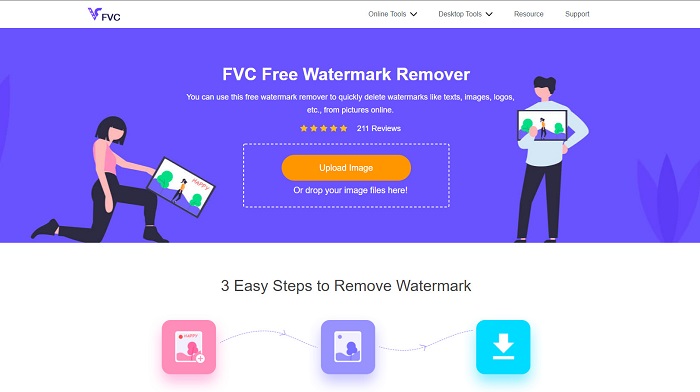
ステップ1. ブラウザでFVC Free Watermark Removerを検索します。検索結果の一番上に表示されたページをクリックします。ウェブページは次のような画面です。
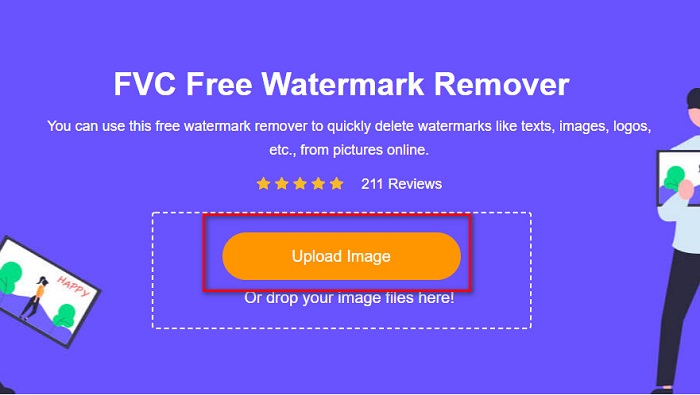
ステップ2. ソフトのメイン画面でUpload Imageボタンをクリックし、Photobucketの画像をアップロードします。コンピュータのフォルダーが表示されるので、Photobucketの画像を選択し、Openをクリックします。
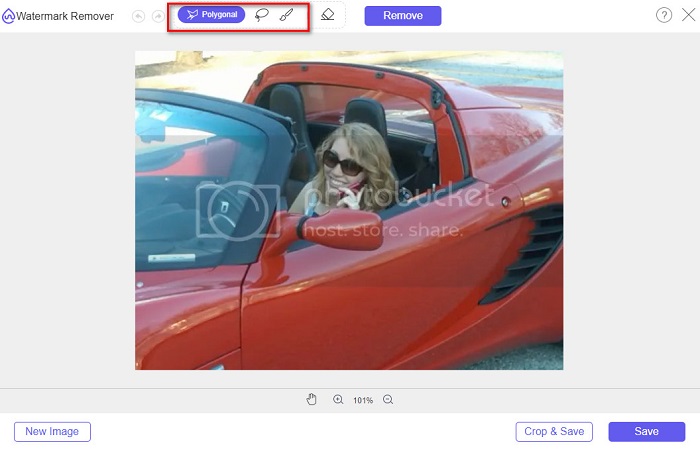
ステップ3. 次に、上部のオプションから使用したい削除ツールを選択します。polygonal(ポリゴン)、lasso(なげなわ)、brush(ブラシ)の中から選べます。
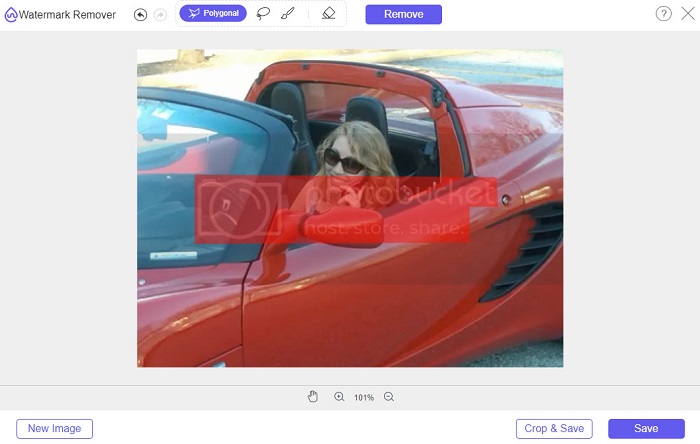
ステップ4. polygonalオプションを使って、削除したい部分を囲み、Removeをクリックします。
ステップ5. Saveボタンをクリックすると、ファイルが自動的にコンピュータ内に保存されます。

簡単ですね。 Photobucketの写真の透かしは、わずか5つの簡単な手順で削除できます。
パート2。Photoshopを使用してPhotobucket透かしを削除する方法
Adobe Photoshopは、多くの人が画像編集に利用しているツールのひとつです。Adobe Photoshopを使って、画像のウォーターマークを削除することもできます。ここでは、Photoshopを使ってPhotobucket画像のウォーターマークを削除する方法を紹介します。
長所
- 使用する多くの編集機能があります。
- 最も人気のある画像編集アプリケーションです。
- 画像を編集し、透かしを専門的に削除します。
短所
- 初心者向けではありません。
ステップ1. パソコンにAdobe Photoshopをインストールして起動し、Photoshopで画像を開きます。
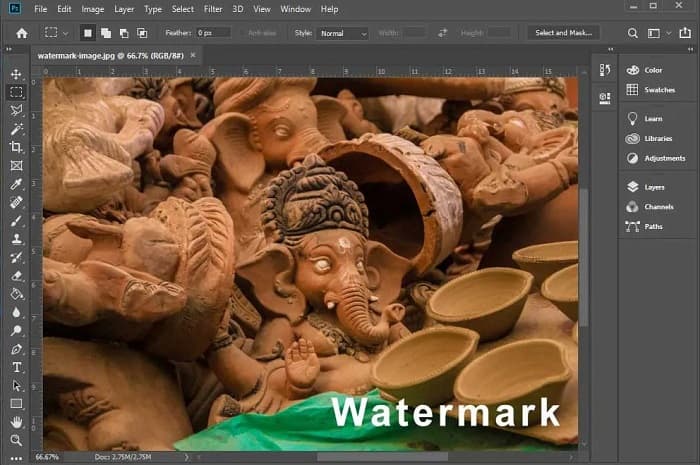
ステップ2. その後、Magic Wand Tool (W)(自動選択ツール)をクリックし、ウォーターマーク部分を拡大表示したらCTRL +でズームします。Magic Wand Toolを使って削除したいウォーターマーク部分を選択します。
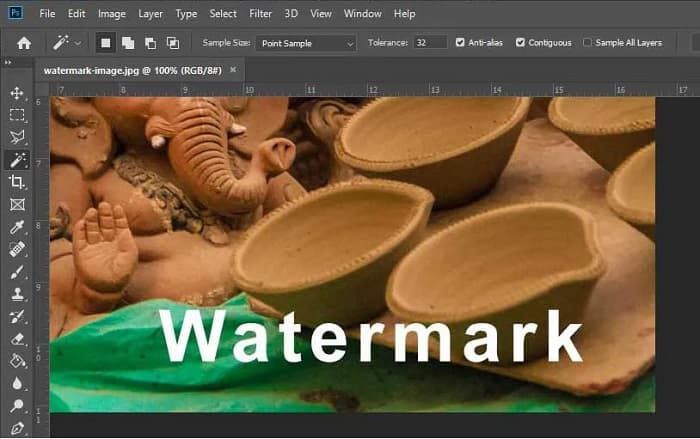
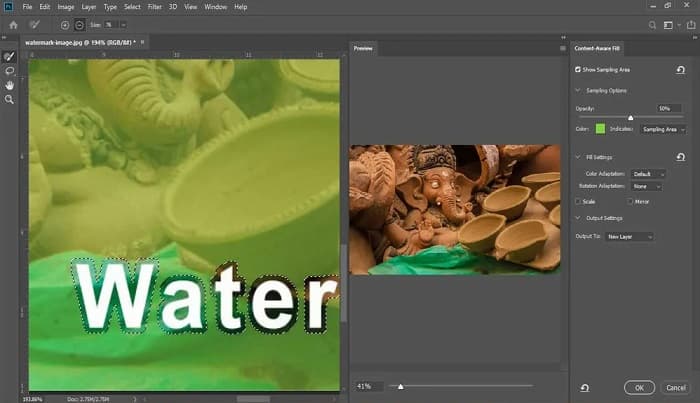
ステップ3. 最後に、EditメニューからContent-Aware Fillを選択します。Content-Aware Fill機能によって、ウォーターマークが自動で削除されます。
パート3。PixlRを使用してPhotobucket透かしを削除する方法
Photobucketウォーターマークの削除に使えるもうひとつのツールがPixlRです。PixlRは、無料で使えるオンラインフォトエディターです。このオンラインツールは単なる写真編集だけでなく、写真からウォーターマークを削除することも可能です。PSD、PXD、JPEG、PNG、SVGなど、多くの画像形式に対応しています。PixlRはインターフェースがわかりやすく、数回のクリックだけで簡単にウォーターマークを除去できます。さらに、モバイル端末からも利用することができます。
長所
- シンプルなユーザーインターフェースを備えています。
- 画像の品質とサイズを設定できます。
- 無料でアクセスできます。
短所
- 動作が遅い場合があります。
ステップ1. PixlRフォトエディターを開きます。写真をアップロードするには、Open Imageボタンをクリックします。URLを使って写真を読み込むことも可能です。
ステップ2. Retouch > Clone Stampをクリックします。その後、ウォーターマーク部分をクリックしてドラッグし、写真からウォーターマークを消します。
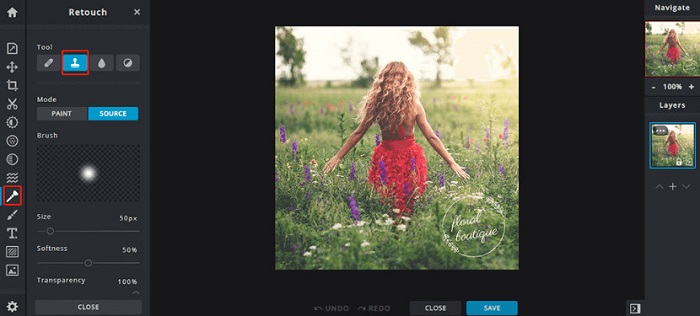
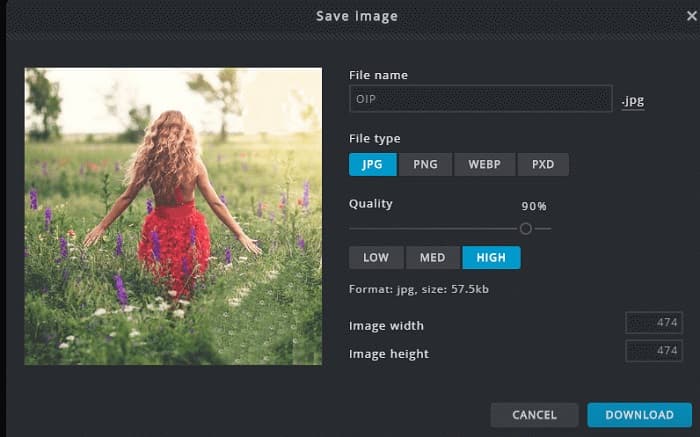
ステップ3. 最後にSaveボタンをクリックして、写真をデバイスに保存します。この手順で、写真のquality(品質)やsize(サイズ)も選択できます。
パート4。Photobucket透かしをオンラインで削除する別の方法。
あなたがインターネット上で見るであろうより多くのオンライン透かし除去剤があります。ただし、すべてのオンライン透かしリムーバーが安全で、シンプルなユーザーインターフェイスを備えているわけではありません。したがって、Photobucketの透かしを削除するための代替手段を探します。
Media.io
Media.ioは、使いやすいオンラインのウォーターマークリムーバーです。シンプルなユーザーインターフェースを備え、安全に利用できます。動画のロゴやテキスト、スタンプなども簡単に削除できます。さらに、PNG、JPEG、SVGなど、あらゆる画像形式のウォーターマークを取り除くことが可能です。加えて、このツールでは、さまざまな形式の動画からウォーターマークを削除できる点も魅力です。
長所
- 写真やビデオから透かしを削除することができます。
- オンラインビデオエディタです。
- 広告は含まれていません。
短所
- インターネットに依存します。
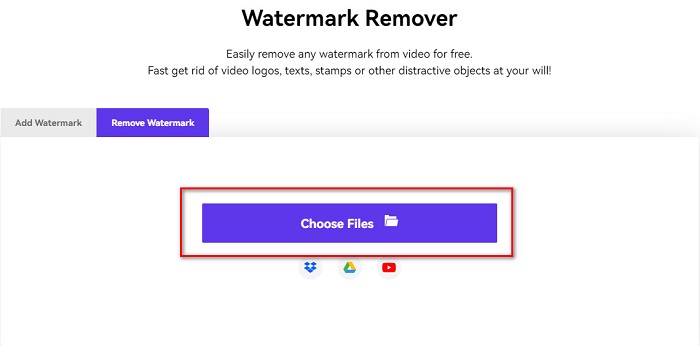
ステップ1. ブラウザでMedia.ioのウォーターマークリムーバーを検索します。次に、ソフトのメイン画面にあるChoose Filesボタンをクリックします。
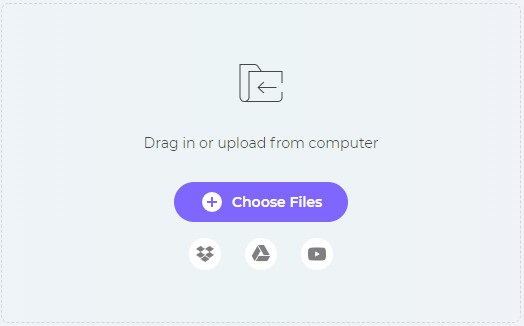
ステップ2. そして、Photobucketの画像をアップロードするために、写真をソフトの画面上にドラッグ&ドロップします。
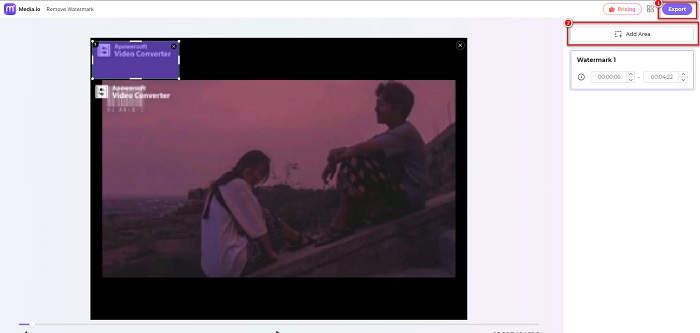
ステップ3. 最後に、Add Areaオプションをクリックし、ウォーターマーク部分の範囲を指定します。その後、Exportボタンをクリックしてウォーターマークを削除します。
関連:
iPhone/Android/パソコン/オンラインで写真に背景を追加する方法
HEICをJPGに変換する6つの効果的なオフライン&オンライン方法
パート5。Photobucketウォーターマークリムーバーに関するFAQ
JPEG画像から透かしを削除できますか?
はい。上記の透かしリムーバーを使用して、JPG/JPEG画像から透かしを削除できます。
動画から透かしを削除できますか?
幸いなことに、はい。動画から透かしを削除できます。一部のツールでは、FVC Video Converter Ultimateなど、任意のビデオ形式から透かしを削除できます。
透かしを削除するAndroid用のアプリはありますか?
PicLabは、写真の透かしを削除できる編集アプリです。このアプリは、AndroidおよびiOSプラットフォームで利用できます。
結論
上記で紹介したPhotobucketウォーターマークリムーバーツールを使えば、Photobucket画像からウォーターマークを簡単に削除できます。ただし、より手軽で便利な方法でウォーターマークを消したい場合は、FVC Free Watermark Removerの利用をおすすめします。
-
 MacとWindowsでJPGをHEICに変換する方法
 JPGをHEICに変換する方法を知りたいですか?この記事では、最高の無料のJPGからHEICへのコンバーターを使用してJPGをHEICに変換するための最良の方法を紹介します。
-
 CopyTrans HEICのレビュー、機能、および代替案
 CopyTrans HEICで何ができるかを知りたい場合は、ツールの機能、利点、および代替手段を提供します。
-
 見逃してはならない上位5つのPNGからHEICへのコンバーター
 最もよく使用されているPNGからHEICへのコンバーターを知りたい場合は、オンラインで最高のPNGからHEICへのコンバーターを提供します。詳細については、この記事をお読みください。
