


 ビデオコンバーター究極
 スクリーンレコーダー
 ビデオ修復
ビデオ修復オンラインおよびオフラインでMKVビデオファイルをMP3に変換するための最大のコンバーターを選択してください
MKV は、ファイルを保存するために使用できる中で最も先進的な形式です。しかし、その未来的ともいえる高い保存能力のせいで、ファイルサイズが非常に大きくなってしまいます。この種のファイルを扱うには圧縮ソフトをダウンロードする必要がありますが、もし間違った圧縮ソフトを選んでしまうと、そのファイル内の一部データが失われる可能性があります。とはいえ、形式を MP3 に変更すれば、この問題を回避することも可能です。さらに、MP3 はあらゆるプラットフォームでサポートされており、変換先として最適な形式でもあります。そこで本記事を道しるべとして、どのようにしてMKV を MP3 に変換し、データを失うことなく保存できるかを見ていきましょう。

パート1.3最高の無料のWebベースのMKVからMP3へのコンバーター
1.FVC無料オーディオコンバータ
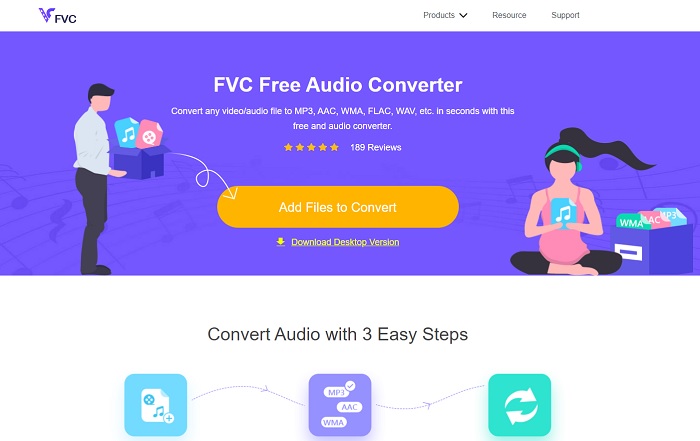
オンラインでMKV 動画ファイルを MP3 に変換する方法を知りたいのであれば、このまま読み進めてください。これから最高のオンラインツールについて解説します。FVC Free Audio Converter は、FVC 社が有料版ツールのサンプルとして開発したものです。無料で使えるにもかかわらず、ここで紹介する他のオンラインツールとは一線を画しています。どんな形式でも簡単かつ安全に変換できますが、一度に多数のファイルを変換することはできません。また、対応形式は限定されており、有料版のような編集機能も備えていません。それでも、FVC Free Audio Converter を使えばどれほど素早く変換が完了するのか、気になりませんか? それなら、以下の手順に従って、確実に変換を成功させましょう。
手順 1. 上記の、FVC が用意したハイパーリンクをクリックします。
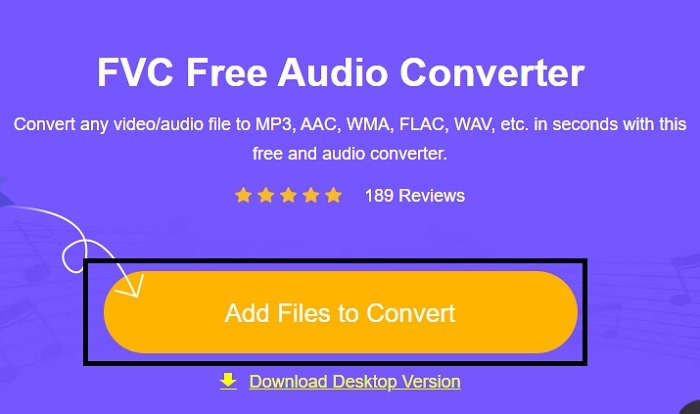
手順 2. 公式サイトにアクセスしたら、「Add Files to Convert」をクリックしてツールを起動します。
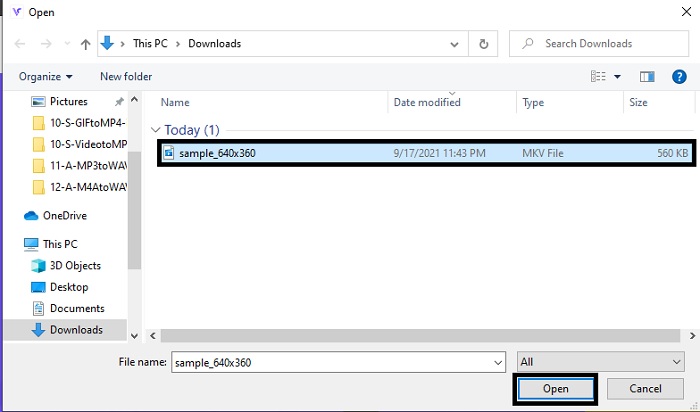
手順 3. 画面にフォルダーウィンドウが表示されるので、変換したい MKV ファイルを選択し、開く をクリックします。
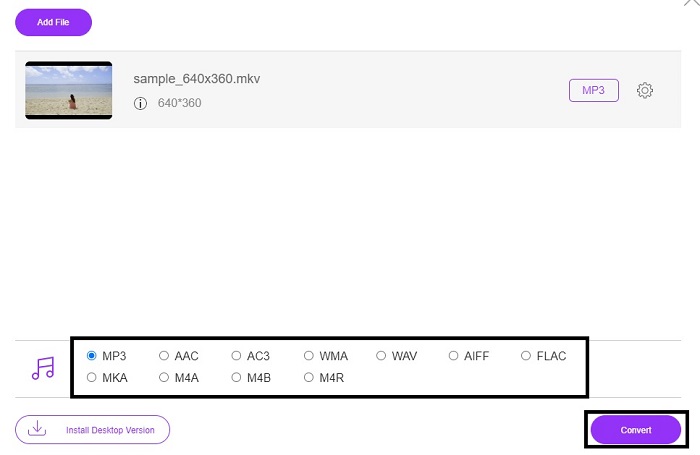
手順 4. 下部の形式設定で MKV を MP3、または希望する任意の音声形式に変更します。すべての設定が完了したら、Convert ボタンをクリックして MKV 形式の変換を開始します。
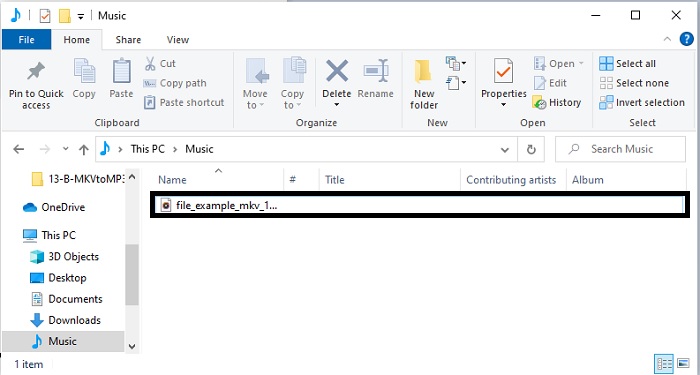
手順 5. ファイルマネージャーから、先ほど変換したファイルを探し出し、クリックして新しい形式の音声を再生してみましょう。
2.コンバーターアプリ
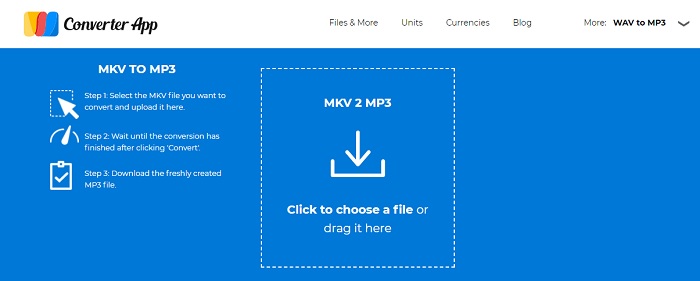
オンラインで利用できる最高クラスの無料 MKV から MP3 変換ツールの 1 つが、Converter App です。変換でお困りなら、このツールは簡単かつ的確に処理してくれるのでおすすめです。ただし、最初のツールとは違い、Converter App のサイトにはページ全体にわたって煩わしい広告が多く表示されます。また、変換したいファイルをアップロードしてから実際に読み込まれるまで、1~2 分ほど待たされることがあります。変換処理も別々に行われるため、安全かつ高速な変換を望むユーザーにとっては少々手間に感じられるでしょう。
3. Aconvert.com
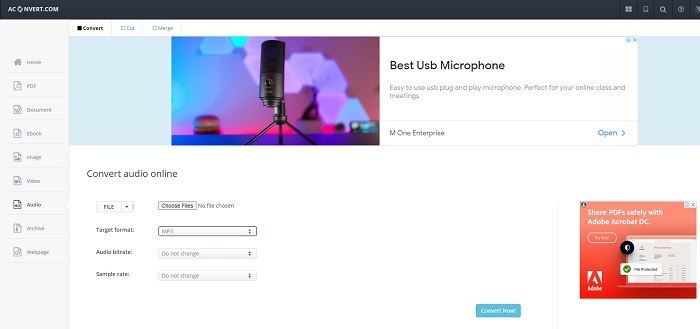
Aconvert.comを使用して、オーディオ、ビデオ、ドキュメント、達成、PDFなどを変換します。このツールは、ここで実行できる最高の機能である任意のメディアファイルを変換できるためです。また、ファイルのビットレートを変更して、適切に変換されたファイルを作成することもできます。それは変換のための良いツールですが、広告はこのウェブツールを殺しています。ツールをテストするために行ったすべてのアクションで、どこからともなく広告が表示されるためです。したがって、ウイルスがシステムを攻撃する可能性があるため、他のWebサイトにリダイレクトされないように注意してください。
パート2。品質を損なうことなくMKVをMP3に変換するために使用されるオールインワンデスクトップベースのコンバーター
オンライン・オフラインを問わず他の変換ツールを圧倒する機能を備えているのが、FVC Video Converter Ultimate です。これは、最強のオフライン MKV から MP3 変換ソフトとまで言われています。その理由は、変換速度の速さに加え、豊富な編集機能を備えているためです。音声のクオリティを向上させたい場合は、ツールバーからオーディオブースターをクリックすれば調整できます。動画と音声のズレに悩まされているなら、このツールを使って同期を取り直すことも可能です。さらに、このツールが持つその他の特長について語ろうとすれば、二つ三つの記事ではとても語り尽くせないほどです。ここからは、既知・未知を問わずあらゆる形式に対応した、この優秀な変換ソフトの使い方をステップ形式で紹介します。
手順 1. MKV を MP3 に変換する前に、まずソフトをダウンロードします。インストール中に設定を行い、「完了」を押して起動します。
無料ダウンロードWindows 7 以降に対応安全なダウンロード
無料ダウンロードMacOS 10.7 以降に対応安全なダウンロード
手順 2. 「Add Files」をクリックするか、プラスアイコンをクリックして、MP3 形式に変換したい MKV ファイルを選択します。
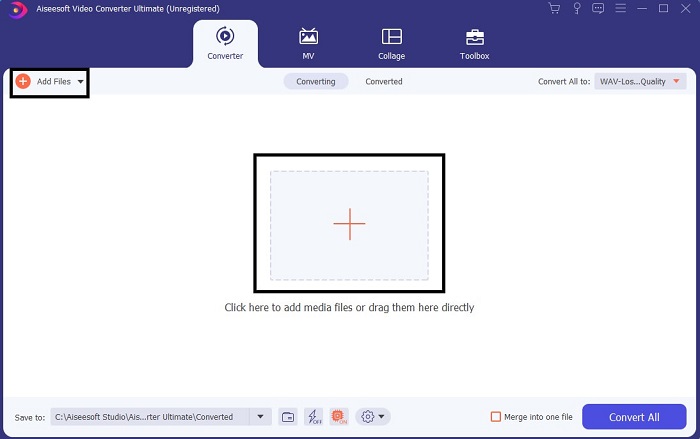
手順 3. 次に、「Convert All」のサブメニューに進み、出力形式を MP3、または希望する任意の音声形式に変更します。
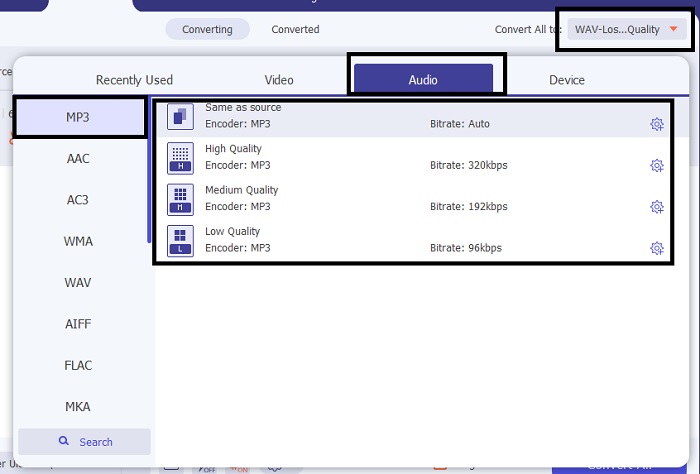
手順 4. 「Convert All」をクリックして変換を開始します。オンライン版より最大 30 倍、他社製コンバーターより最大 100 倍高速なので、ほとんど待つ必要はありません。
![[変換]をクリックします](/images/2021/10/click-the-convert.jpg)
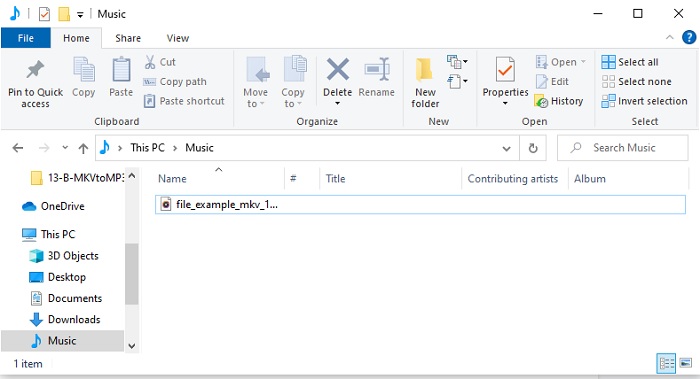
手順 5. 変換が終了すると、自動的にフォルダーウィンドウが表示されるので、変換済みの MKV ファイルをクリックして再生します。さらに編集や強化を行いたい場合は、あとでツールバーを確認してみてください。
パート3。MKVからMP3への変換に関するFAQ
コンピューターでMKVビデオを再生できないのはなぜですか?
この問題は非常によくあるもので、特に MKV がいまだ開発途上の形式であることが影響しています。つまり、お使いの標準メディアプレーヤーのように、この形式をサポートしていないプレーヤーも多いということです。そこで MKV ファイルを再生するには、このオンライン MKV メディアプレーヤーの利用が必要になります。このツールは、一般的な形式はもちろん、あまり知られていない形式まで幅広くサポートしています。さあ、何をためらう必要があるでしょうか。リンクをクリックして、高画質な映像と音声で MKV ファイルを楽しみましょう。
MKVとAVIの類似点は何ですか?
MKVとAVIはどちらも非圧縮ファイルです。つまり、ファイルをコンピューターまたはデバイスに保存する場合、ファイルサイズが大きくなることが予想されます。しかし、比較すると、MKVはAVIよりも複雑です。
MKVは損失がありますか、それとも損失がありませんか?
MKVファイルは非圧縮のロスレス形式です。
結論
ここまでの「探検」を締めくくるにあたり、ここで紹介した各コンバーターそれぞれの良さを振り返っておきましょう。そして、その中でも「宝石」と呼べる存在こそがFVC Video Converter Ultimate、いわば「失われた秘宝」とも言えるツールです。本記事は、その秘宝を探し当てるまでの地図の役割を果たしましたが、今やその宝は見つかったわけです。このツールには、今後も、そして今すぐにも役立つ数多くの機能が備わっています。ですから、ぜひFVC Video Converter Ultimateをダウンロードしてみてください。MKV ファイルを、お好みのあらゆる形式、たとえばMKV から MP4、MKV から AVI、MKV から AAC、MKV から GIF など、将来必要になるかもしれない形式にまで自由に変換できる、あなたにとって最適なツールとなるはずです。
-
 WindowsとMacでMOVをMP3に簡単に変換する4つの最良の方法
 MOVファイルからMP3オーディオファイルを抽出したい場合は、記事から目的のファイルを取得するための4つの最も効率的なMOVからMP3へのコンバーターについて詳しく知ることができます。
-
 M4VからMP3へのコンバーター–M4VファイルからMP3を抽出するための4つの最良の方法
 M4VビデオからMP3オーディオを簡単に抽出したい場合は、記事から目的のオーディオファイルを取得するための4つの最高のM4VからMP3へのコンバーターについて詳しく知ることができます。
-
 [2025] M2TSをMP3に変換する無料オンライン方法トップ6
 M2TSファイルをMP3に変換できますか?この投稿では、M2TSをMP3、AAC、AIFF、およびその他のオーディオ形式に変換するのに役立つ無料のオンライン方法のトップ6をリストしました。
