


 ビデオコンバーター究極
 スクリーンレコーダー
 ビデオ修復
ビデオ修復
 安全なダウンロード
Android、iOS、コンピューター用の5つの最高の無料WAVプレーヤー
「WAV」は「Waveform Audio File Format」の略で、Microsoft と IBM によって開発された音声フォーマット規格です。非圧縮、またはロスレスの音声形式にあたります。Android スマホや iPhone、iPad、あるいはパソコンで WAV ファイルを再生できずに困っていませんか?
一般的に、パソコンであれば Windows Media Player や QuickTime Player を使って簡単に WAV ファイルを開くことができます。しかし、適切なコーデックパックが入っていないなどの理由で、WAV が再生できないという問題が起こることがあります。その場合は、音声を再生するために優れたWAV プレーヤーが必要になります。

この記事では主に、Android および iOS デバイス向けの WAV プレーヤーについて紹介します。さらに、WAV の再生トラブルに備えて、Windows PC と Mac 向けの WAV プレーヤーについてもあわせて取り上げます。
パート1。AndroidとiPhone用のトップ5WAVプレーヤーアプリ
WAV形式は、AndroidデバイスとiOSデバイスの両方でサポートできます。したがって、iPhone、iPad、Androidのいずれの電話を使用している場合でも、ロスレスオーディオファイルを再生するにはWAVプレーヤーアプリが必要です。ここで最初の部分では、あなたが選択できる5つの最高のWAVファイルプレーヤーアプリのリストを作成したいと思います。それらのいくつかはあなたが使用するためのAndroidとiOSの両方のアプリを提供しています。各WAVプレーヤーの主な機能を確認してから、お好みのプレーヤーを選択できます。
1.VLCメディアプレーヤー
Android、iPhone、PC、Mac用のオープンソースWAVファイルプレーヤー
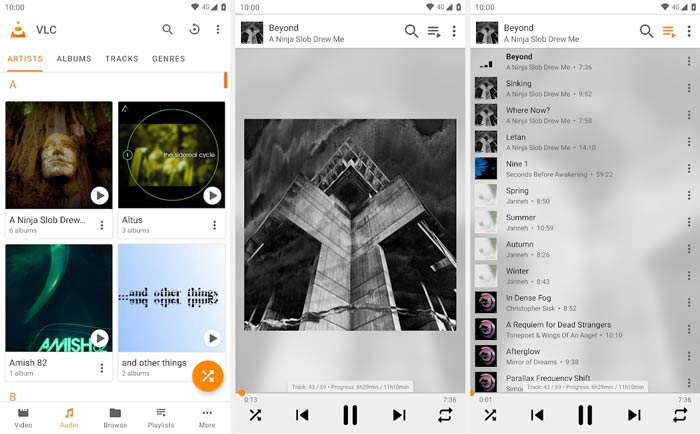
主な機能
1. WAV、MP3、AAC、AC3、WMA、FLAC、ALAC、ATRAC 3、TrueAudio、APE、Real Audio、AMR、MIDI、LPCM、RawAudioなどの頻繁に使用されるオーディオ形式をサポートします
2. MP4、MKV、MOV、FLV、AVIなどですべてのタイプの4K、HD、SDビデオを再生します。
3.オーディオサウンドを125%までブーストし、ビデオサウンドを200%まで増やします。
4.変換、編集、記録などの他の便利な機能を提供します
5.AndroidおよびiOSデバイスとコンピューターのWAVプレーヤーとして機能します
2.KMPlayer
Android、iOS、Windows、Mac用の無料のWAVプレーヤー
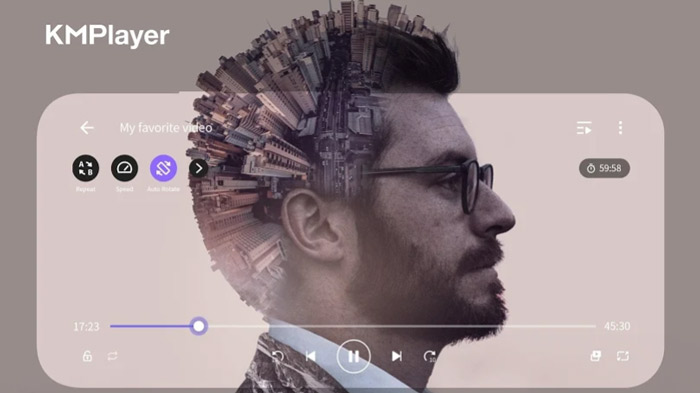
主な機能
1. WAV、MP3、AAC、MP2、OGGなどのすべてのタイプのオーディオファイルを再生します。
2.高解像度4K、8K、UHD、フルHDビデオ再生をサポート
3.彩度制御、ガンマ制御、グレースケールフィルター、自動レベル制御などでビデオ品質を向上させます
4.最大0.25〜4倍の再生速度制御機能
3.foobar2000
Android、iOS、Windows、macOS用のWAVプレーヤーアプリ
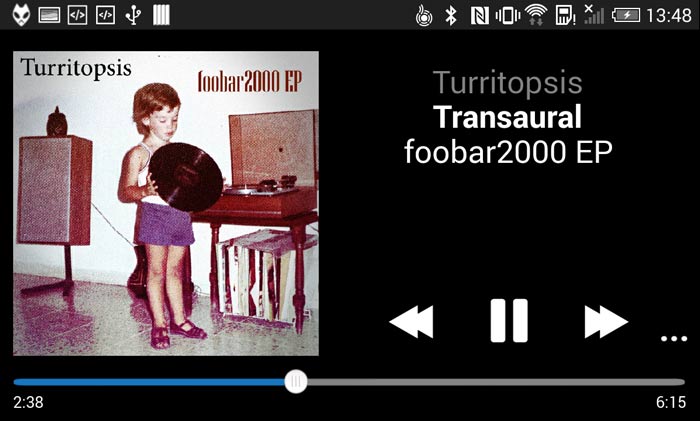
主な機能
1. MP3、AAC、Vorbis、Opus、FLAC、WavPack、WAV、AIFFなどのオーディオ形式をサポートします。
2.ギャップのない音楽再生と完全なReplayGainをサポートします
3.UPnPメディアサーバーから音楽を再生およびダウンロードします
4.オーディオCDをリッピングし、サポートされているすべてのオーディオ形式をトランスコードします
4.PowerAudio無料音楽プレーヤー
Android用の無料WAVプレーヤー
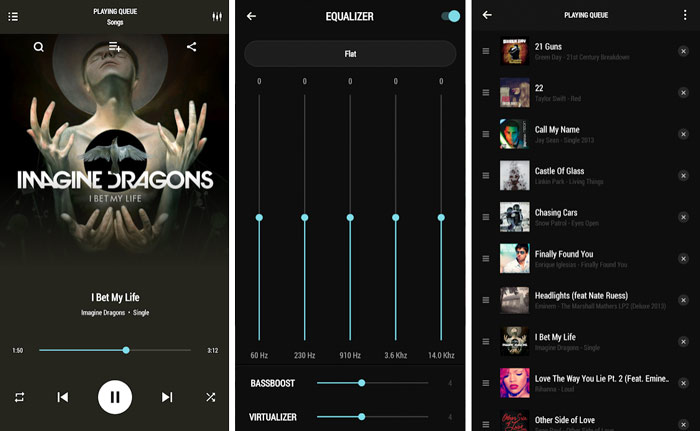
主な機能
1. MP3、WAV、M4A、AAC、AMR、OGGなどのすべての主要なオーディオ形式をサポートします。
2.アルバム、アーティスト、お気に入り、またはプレイリストごとにすべての種類の曲を閲覧します
3.さまざまなプリセットを備えたイコライザーを使用して、独自のプレイリストを作成します
4. BassBoostとVirtualizer、複数選択とカスタムキューをサポートします
5.曲を名前または日付で管理および並べ替え、電話の着信音を設定します
5.Voxミュージックプレーヤー
iOS用WAVプレーヤー
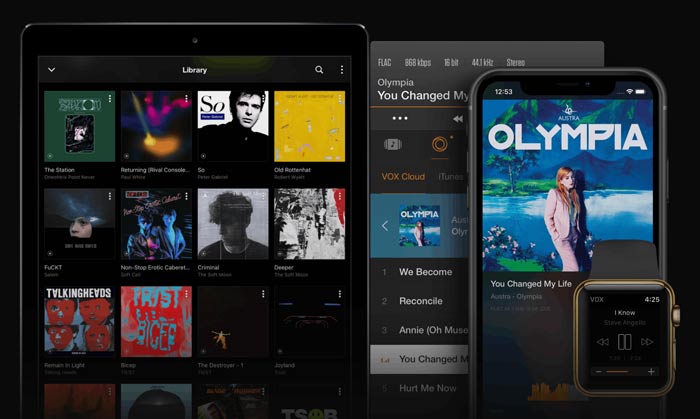
主な機能
1. WAV、AAC、MP3、AC3、ALAC、M4A、FLACなどのすべてのオーディオ形式を再生します
2.強化されたBassテクノロジーと強力な共有機能をサポートします
3. VOX Cloud Storageを提供して、さまざまなiOSデバイスのすべての音楽ライブラリを同期します
4.多数のプリセットがあり、SoundCloud、LastFM、Spotifyアカウントに簡単にリンクできる組み込みのイコライザー
パート2。Windows10/ 8 / 7PCおよびMac用の最高の無料WAVプレーヤー
FVC Free Video Player は、パソコンで高音質のまま WAV ファイルを再生できる、最も人気のある動画・音声再生ソフトの 1 つです。WAV、MP3、AAC、M4A、ALAC、AC3、FLAC、APE、FLV、MP4、AVI、MKV、MOV など、よく使われるあらゆる動画・音声フォーマットに幅広く対応しています。オンライン WAV オーディオプレーヤーの一種として、IE・Safari・Chrome・Firefox など主要なブラウザのすべてで利用できます。
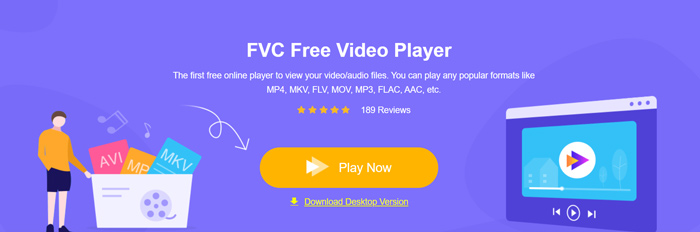
Windows PC や Mac で WAV ファイルを再生したいときは、このプレーヤーの公式サイトにアクセスします。Play Now ボタンをクリックして、WAV オーディオを再生するための小さなランチャーファイルを無料でインストールします。
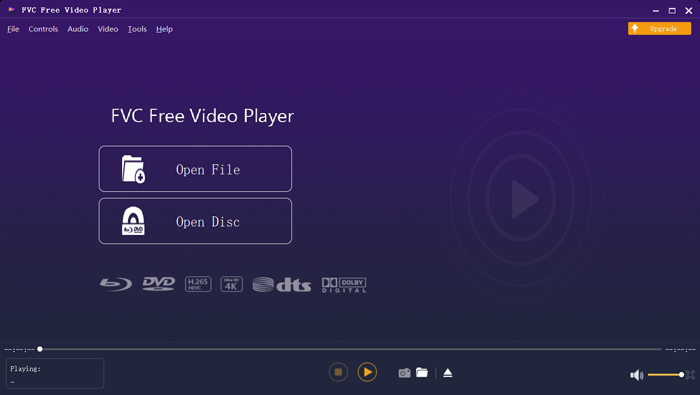
インストール後、メインの WAV プレーヤー画面が表示されます。Open File をクリックして、再生したい WAV ファイルを読み込みます。
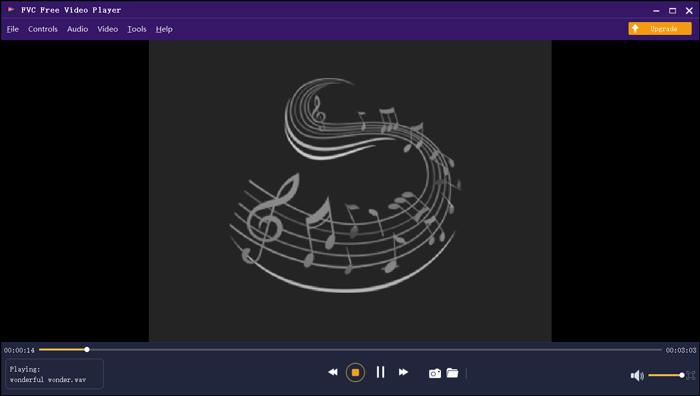
ロードされたWAV音楽が自動的に再生されます。ドルビー、DTS、AAC、TrueHDなどの高度なオーディオデコード技術を採用することで、優れた音質で音楽を楽しむことができます。
パート3。WAVファイルプレーヤーのFAQ
iPhoneにはWAVプレーヤーアプリが組み込まれていますか?
いいえ。iPhone、iPad、iPod を含むすべての Apple デバイスと、QuickTime Player などの関連プレーヤーソフトは、WAV ファイルを直接再生することはできません。
WAV は Apple デバイスの標準オーディオ形式です。iPhone のミュージック App から、WAV ファイルをそのまま開いて再生できます。
WAVをMP3に無料で変換する方法は?
WAV を MP3 に無料変換するには、人気の音声変換ソフトである Free Online Audio Converter を利用できます。このツールを使えば、WAV から MP3 への変換はもちろん、必要に応じて他の音声フォーマットへの変換も簡単に行えます。
WAVの欠点は何ですか?
WAVの大きな欠点の1つは、ファイルサイズです。圧縮されていないオーディオファイルとして、WAVファイルのファイルサイズは非常に大きくなります。そのため、WAVはポータブルデバイスやストリーミングには実用的ではありません。さらに、MP3と比較して、WAV形式はまだ多くのデバイスやプレーヤーでサポートされていません。
結論
Android、iPhone、またはパソコン用のWAV プレーヤーをお探しですか?この記事では、おすすめの WAV プレーヤーアプリ 5 本を厳選して紹介しています。各アプリの機能を比較して、自分に合ったものを選んでください。
-
 MP4をWAVオンラインに無料で変換するにはどうすればよいですか?
 MP4をWAVに変換しようとしていますか?どのコンバーターが1セントも払わずにそれを完璧に助けることができるかわかりませんか?この投稿を読むと、すべての質問に答えられます。
-
 10ベスト無料MP3音楽プレーヤーのレビュー
 最高のMP3音楽プレーヤーは何ですか? MP3プレーヤーに音楽を入れるにはどうすればよいですか? MP3音楽プレーヤーをダウンロードさせる方法は?この投稿では、WindowsPCおよびMac用の10の最高の無料MP3プレーヤーの詳細なレビューを提供します。
-
 QuickTimeMOVビデオファイルを再生するためのPCおよびMac用の8つの最高のMOVプレーヤー
 WindowsとMacの両方で利用できる8つの最高のMOVプレーヤーの詳細をご覧ください。元の品質でMOVファイルを再生するために必要な適切なものを選択できます。
