


 ビデオコンバーター究極
 スクリーンレコーダー
 ビデオ修復
ビデオ修復ボイスメモはiOSデバイスで使用するのに最適なオーディオレコーダーですか
メモを取ったり、思いついたアイデアを書き留めたりすることは、大切なことを覚えておくための一つの方法です。特に、すぐに忘れてしまう人にとっては有効です。ノートやアイデアを書き出すのは良いことですが、実は、もっと速く、もっと簡単にすべてを記録できる方法があるのをご存じでしょうか。それは、iOS などスマートフォンに入っている録音アプリを使う方法です。iOS ユーザーであれば、あらかじめインストールされている録音アプリが端末にあり、音声を録音するのに使えることに気づいているはずです。では、その録音アプリは iOS で一番優れた音声レコーダーと言えるのでしょうか。もしそうだとして、Android やデスクトップで使える代替アプリはあるのでしょうか。こうしたよくある疑問への答えは、この記事の後半で紹介します。ぜひ読み進めて、ボイスメモと、あわせて利用できるその他の代替ツールについて、さらに詳しく知ってください。

パート1。ボイスメモとは
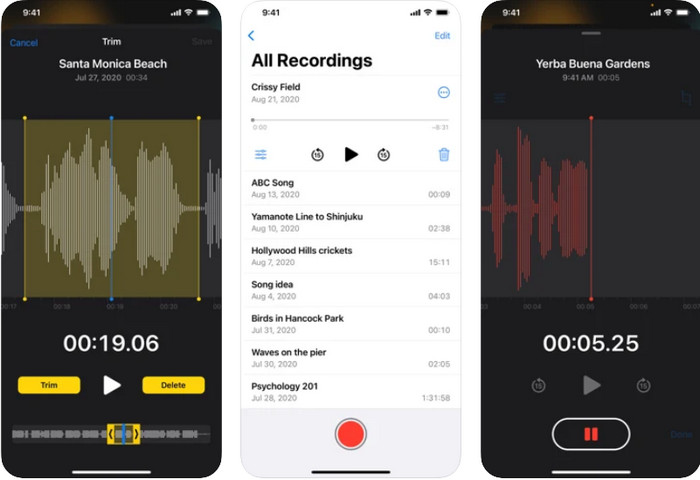
ボイスメモは、AppleがすべてのiOS製品で開発したポータブルオーディオレコーダーです。このアプリは、数回クリックするだけですばやく効果的な録音を実行できるため、信頼性が高くなりました。すぐに会議を録音したり、メモを取ったり、音声日記を書いたり、曲を作ったりする必要があるとします。これは、iOSユーザーの場合に機能します。他のレコーダーとは異なり、このツールには、実行した録音を見つけるための録音の整理されたライブラリがあります。また、録音に必要なオーディオをカットするためのトリミングなどの基本的な編集機能もあります。さらに、それはすべてのiOS電話とAppleWatchで標準化されたオーディオレコーダーです。
パート2。ボイスメモにある主な機能は何ですか
ボイスメモアプリの最高の機能を以下に示します。それらを注意深く読んで、あなたが知らないかもしれないあなたのレコーダーに他に何ができるかを知ってください。
◆誤って録音を削除した場合は、最近削除したものに復元できます。
◆録音の一部をすばやくトリミングまたは削除します。
◆録音の強化と無音スキップ機能がサポートされています。
◆録音の再生速度を遅く、速く調整します。
◆録音をすばやく複製します。
これらは、このiOSレコーダーで試してみて、iOSで最高のオーディオレコーダーと呼ばれる価値があるかどうかを確認するためにいくつかの録音を行ったときに見た最高の機能です。これらの機能は一部のユーザーにとっては十分ではありませんが、まもなくアップグレードされたバージョンが表示されます。オーディオレコーダーについて詳細な調査を行ったところ、以下を読み続けると、iPhone、iPad、およびAppleWatchでのこのボイスメモに関する賛否両論が見つかりました。
パート3。音声メモを使用することの長所と短所は何ですか
この記事を読み続けると、デバイスにプリインストールされているオーディオレコーダーが最適かどうかが明らかになりました。しかし、それでもどちらがどれかわからない場合は、ボイスメモレコーダーの長所と短所が、iOSで最高のオーディオレコーダーであるかどうかを判断します。
長所
- これは、iOS上の簡単なオーディオレコーダーです。
- iOSのネイティブオーディオレコーダーなのでダウンロードする必要はありません。
- 安全で確実にマルウェアはありません。
- 録音中に迷惑をかける可能性のあるインターフェース上の広告はありません。
短所
- ほとんどのユーザーは、私たちでさえ、録音の再生中にいくつかのバグや不具合を経験します。
- 音声をテキストに翻訳するための文字起こし機能はサポートされていません。
- マイクのみでの録音システムサウンドには対応していません。
パート4。Android/Windows/Mac/オンラインのための最高のボイスメモの選択肢
Voice MemosはAppleでのみ利用できるので、Androidとデスクトップで使用できる他の選択肢についての次の質問に答えましょう。以下のリストでは、iOSレコーダーと同じまたはそれ以上の機能を実行する4つのオプションについて説明します。
1.FVCスクリーンレコーダー
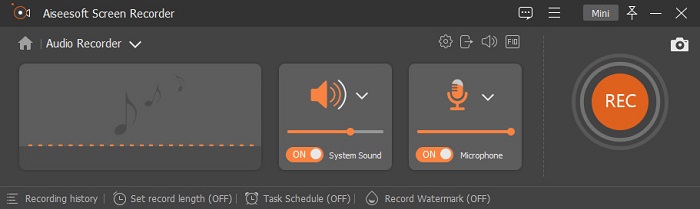
FVC Screen Recorder は、iOS 標準の録音アプリよりも高機能な、動画・音声・ゲームプレイまで録画できるオールインワンレコーダーです。このツールには録音に必要な機能が一通りそろっており、デスクトップに接続したマイクの音質を向上させるマイクブースト機能も備えています。それだけでなく、録音中のバックグラウンドノイズを除去する高度なノイズキャンセル機能も搭載されています。こうした機能がすべて、この音声レコーダーで利用可能です。ただし、このツールは Android や iOS では利用できず、デスクトップ専用となっています。そのため、Mac や Windows で最高のボイスメモ環境を求めているなら、ユーザーに優れた体験を提供する唯一の解決策と言えるでしょう。
無料ダウンロードWindows 7 以降に対応安全なダウンロード
無料ダウンロードMacOS 10.7 以降に対応安全なダウンロード
長所
- それは彼らの記録でユーザーを助けるために複数のユニークな機能をサポートします。
- フローティングツールバーを使用しているため、ビデオ、オーディオ、またはゲームを気にせずに記録できます。
- システムサウンドとマイクを簡単に調整できます。
- MP3だけでなく、AAC、M4A、WMAなどにも対応しています。
短所
- WindowsとMacに限定されます。
- すべての主要な機能を利用するには、ツールを購入する必要があります。
関連記事:
2.FVC無料オンラインオーディオレコーダー
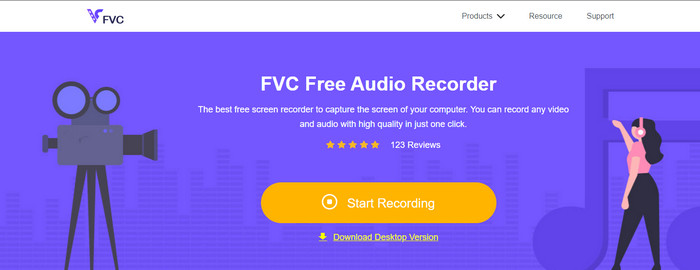
アプリをダウンロードせずに Apple のボイスメモのようなものをオンラインで使いたいけれど、何を選べばよいかわからない場合は、代わりにFVC Free Audio Recorder Onlineを試してみるとよいでしょう。この音声レコーダーは他の録音アプリと同じように使えますが、お気に入りのブラウザからオンラインでアクセスできるのが特徴です。Windows や Mac で、あらゆる音声やサウンドを録音する際に制限はありません。システム音と自分の声を同時に録音したい場合でも、このオンラインツールを使えば可能です。ただし、標準の出力形式は MP3 のみで、録音後に不要な部分をカットしたりトリミングしたりする編集機能は搭載されていません。
長所
- アクセス可能であり、使用するためにダウンロードする必要はありません。
- マルウェアがなく、誰でも使いやすい。
- システム内のオーディオとマイクを同時にまたは個別に録音します。
短所
- これはネットワークに依存しているため、インターネットがない場合は使用できません。
- 出力として1つのオーディオ形式のみをサポートします。
3.ボイスレコーダー
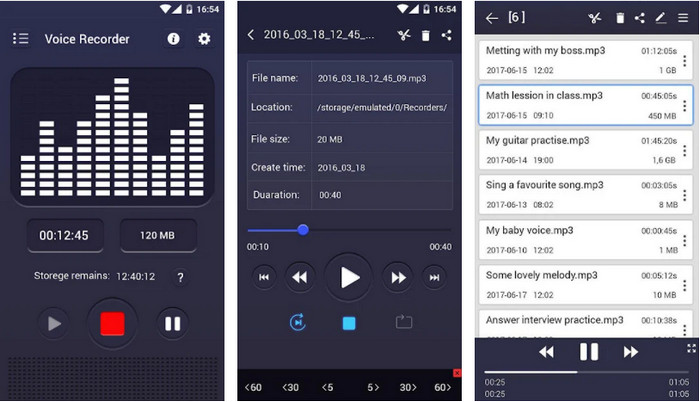
Androidで最も簡単なボイスメモの1つは、ボイスレコーダーです。このツールは、マイクがキャッチするオーディオを録音するのに役立ちます。このアプリには特別な機能はありませんが、Androidスマートフォンで必要な場合は、間違いなく優れたオーディオレコーダーアプリです。アプリのインターフェースは、古いカセットレコーダーの雰囲気を与えてくれます。これは、古いスタイリッシュなスタイルが必要な場合に適しています。ただし、ツールにはかなりの問題があります。それは広告です。また、録音をキャンセルしても、録音が携帯電話に保存される場合があります。これは少しイライラし、ストレージに適していません。しかし、全体的なパフォーマンスは非常に優れており、誰でも使用できます。
長所
- 無料でダウンロードできます。
- 内蔵カードまたはSDカードへの保存をサポートしています。
- 基本的な編集機能を利用できます。
短所
- 電話をかけている間は録音できません。
- バグや不具合が発生しています。
4.ASRボイスレコーダー
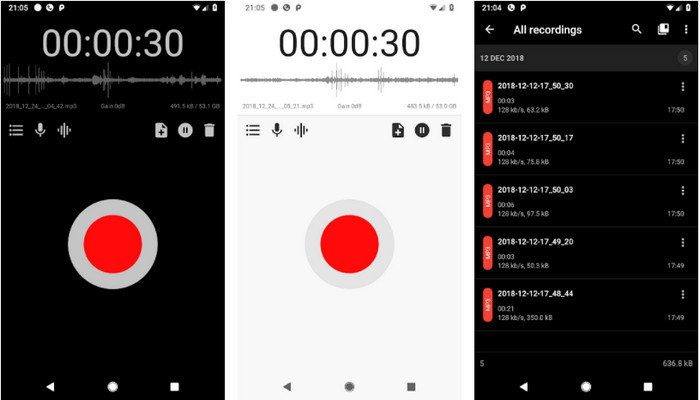
どこにいても、いつでも録音したい人におすすめの、Android 向けボイスメモ代替アプリがASR Voice Recorderです。前述の一部レコーダーとは異なり、このツールは MP3 だけでなく、WAV、OGG、FLAC、M4A、AMR といった形式にも対応しています。iOS の標準レコーダーと同様に、このアプリにも画面中央に赤い丸いボタンがあり、それをタップするだけで録音が開始されます。録音をサポートするさまざまな機能も搭載されています。ただし、最初に紹介した Android 向けレコーダーと同じく、このツールにも広告が表示されます。大きな広告ではありませんが、煩わしく感じることもありますよね。それでも、Apple 純正のレコーダーに近い使い勝手の音声レコーダーを求めているなら、インターフェースの観点から見て有力な選択肢になります。
長所
- 再生コントローラーとスキップサイレンスモードが利用可能です。
- サポートはすぐにあなたを助けます。
- Bluetoothヘッドセットマイクに録音できます。
短所
- Bluetoothヘッドセットマイクでバグが発生しています。
- 時々それは誤動作し、あなたの録音を再生することができません。
パート5。ボイスメモアプリに関するFAQ
ボイスメモはiPhoneのどこに保存されますか?
iOSには外部カードがないため、オーディオ録音はiOS内部ドライブ内にあります。録音後、ボイスメモのインターフェイスに組み込みのライブラリがあり、作成した録音を見つけることができます。それらはすべて、あなたがそれらをとった日付に基づいて配置されます。
iPhoneでボイスメモを使用できる期間はどれくらいですか?
必要なすべてのオーディオを録音するために携帯電話に保存している限り、録音することができます。また、約1.2GBを使用しながら100分を記録するのが標準です。しかし現在、さまざまな世代のiOSデバイスが表示されており、これは他のiOSデバイスでは異なる場合があります。
iPhoneでボイスメモを送るには?
最初にVoiceMemoを起動し、ユーティリティに移動します。これが右上隅に表示されたら、それを押します。その後、共有を探し、必要な共有オプションを選択します。
ボイスメモを着信音にする方法は?
ボイスメモの録音はサポートされていないため、着信音として直接使用することはできません。ただし、保存してデスクトップに転送し、FVC VideoConverterUltimateを使用してM4Rに変換することができます。最初にデスクトップにソフトウェアをダウンロードし、インストールプロセスに従って、開きます。 +ボタンをクリックして着信音ファイルを挿入します。インターフェイスの右上にある[すべて変換]をクリックし、[オーディオ]に移動して、M4Rを探します。その後、[すべて変換]ボタンをクリックして変換を開始できます。 iOSデバイスに転送して戻すと、着信音として簡単に使用できるようになります。
結論
ここまででボイスメモについて十分な情報を得られたところで、iOS におけるベストな音声録音アプリかどうかを判断する段階にきました。もし、ボイスメモが一番ではないと思っても心配はいりません。ほかにも録音に使える選択肢を用意しているからです。一方で、ボイスメモが最適だと感じるのであれば、どの iOS デバイスでも標準の録音アプリをそのまま利用できます。パフォーマンス面で言えば、FVC Screen Recorder は音声・動画・ゲームプレイを一括して記録できる多目的レコーダーであることは間違いありません。必要だと感じたら、ダウンロードボタンをクリックして Windows や Mac にインストールしてみてください。
無料ダウンロードWindows 7 以降に対応安全なダウンロード
無料ダウンロードMacOS 10.7 以降に対応安全なダウンロード
-
 PCおよびMac用のトップ5ベストM4Bレコーダーソフトウェア[無料&有料]
 M4B録音は、MPEG-4オーディオブックファイル用に不可逆圧縮されています。いくつかの側面では、M4AとM4Bはほとんど一般的ですが、違いがあります。それが何であるかを知るために記事を読んでください。
-
 すべてのプラットフォームでアクセス可能な7つの壮大なボイスレコーダー
 オーディオ録音の方法を学びたいですか?次に、この記事にアクセスして、ニーズに合う最高のオーディオレコーダーについて説明します。
-
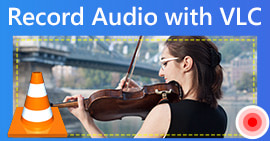 VLCプレーヤーでオーディオを録音する方法の実現可能な方法
 記事を読んで、VLCプレーヤーやその他の実用的なツールでオーディオを録音するための最良の方法を学びましょう。
