


 ビデオコンバーター究極
 スクリーンレコーダー
 ビデオ修復
ビデオ修復AVIの意味とデスクトップおよびモバイルデバイスでの再生方法
既知の非圧縮形式のひとつが AVI です。これは主に、映像と音声を同期させて再生する際に最もよく使われる形式です。もし AVI についてもっと知りたいなら、このまま読み進めてください。本記事の目的は、AVI とは何か、そしてこの種類のファイルをサポートしているメディアプレーヤーについて知ることです。以下を読み進めて、この形式や利用できるメディアプレーヤーについて、より多くの情報を得ましょう。

パート1。AVIファイルとは何ですか
AVI は 1992 年末に Microsoft によって市場に導入されました。AVI の名称の意味は Audio Video Interleave(オーディオ・ビデオ・インターリーブ)です。そのシンプルさと、さまざまなプラットフォームでの高い互換性から、最も人気のあるコンテナ形式の一つとなっています。そのため、動画や音声を AVI 形式で録画・ダウンロードする場合、非圧縮であるぶんファイルサイズが大きくなると考えておきましょう。より理解を深めるために、以下にこの形式の長所と短所をいくつか挙げます。
長所
- これは、任意のファイルを含めることができる多機能ファイルコンテナです。
- 短編映画、プロモーション、広告に広く使用されているフォーマット。それが提供する品質のため。
- 高品質のAVIストアは並外れたものです。
- 制限がないため、AVIファイルを再生するためだけに特定のハードウェアやソフトウェアは必要ありません。
- AVIファイルはDivX、XviD、MPEG-1、MPEG-4などのさまざまなコーデックをサポートしているため、簡単に圧縮できます。
短所
- 制限を超えてAVIファイルを圧縮すると、4k、HD、または1080ファイルの品質が低下する可能性があります。
- AVIは圧縮されていないため、このタイプの形式を使用する場合はファイルサイズが大きくなることが予想されます。
- オンライン経由でコーデックを使用してAVIを圧縮する場合は、同じコーデックをドライブにインストールする必要があることに注意してください。コーデックのインストールは非常に簡単ですが、信頼性が低く安全でないコーデックもあるため、コーデックを選択するのは少し怖いです。したがって、ダウンロードする場合は注意してください。
ここまでで、この形式がどのようなものかは理解できたはずです。次は、デスクトップでAVI ファイルを再生する方法を知る番です。以下で紹介するツールは、あなたがウェブ上で探す中で、既に見かけたことがあるかもしれない、あるいは初めて出会うであろう優れたメディアプレーヤーです。各 AVI プレーヤーには説明と手順が記載されていますので、どれが自分にとって最適かを知るために、よく読んでください。
パート2。MacおよびWindowsMediaPlayerでAVIファイルを再生する方法
1.FVC無料ビデオプレーヤー
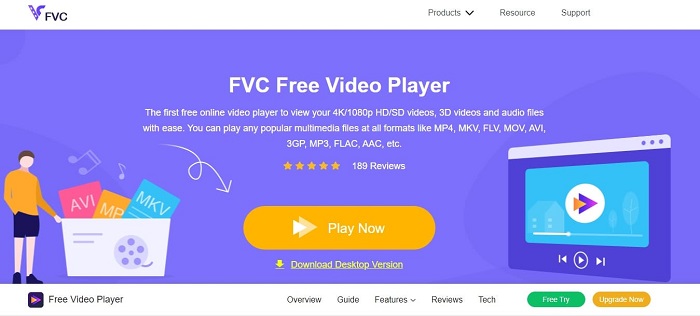
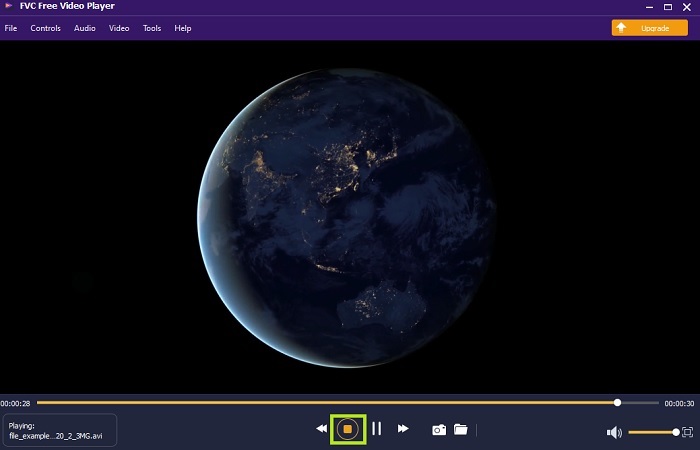
インターネットを利用してあらゆる動画形式を視聴するには、このFVC Free Video Player を使用してください。以下で紹介する他のメディアプレーヤーと異なり、このツールは動作にあたって追加ファイルを必要としません。つまり、インターネット接続さえあれば、いつでもどこでも視聴できます。また、高画質で AVI を再生しても不具合が起こらない点も特長です。ただし、インターネット接続が中断されると、このツールは読み込みや一時停止が発生することがあります。これはインターネット依存型サービスとしてはごく一般的なことです。さらに、必要であれば DVD の再生も可能です。もはや「AVI ファイルをどうやって開くのか」と自分に問いかける必要はありません。以下の手順に従うだけで再生できます。
手順 1. このハイパーリンクをクリックして、AVI ビデオプレーヤーのメインページに進みます。
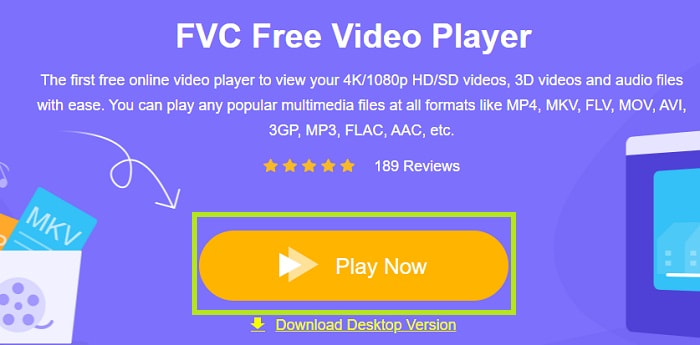
手順 2. Play Now をクリックして、オンライン AVI プレーヤーを起動します。
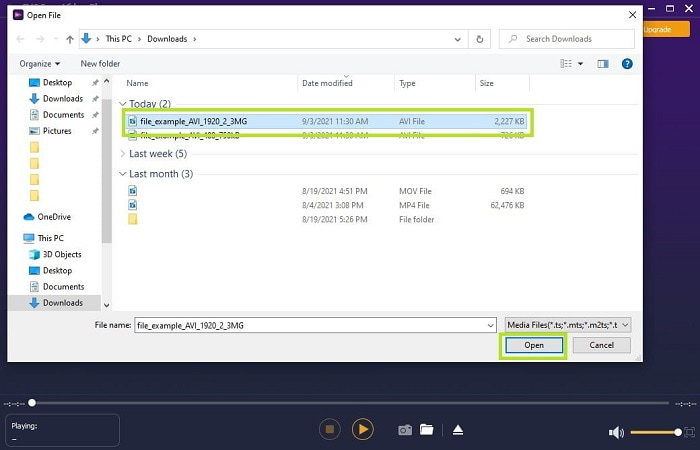
手順 3. 次に Open File をクリックし、視聴したい AVI 動画を選択します。選択し終えたら、Open をクリックします。
手順 4. 数秒待つと AVI 動画の再生が始まり、あっという間に再生完了です。インターフェース上では、視聴中に無料でスクリーンショットを撮ることもできます。
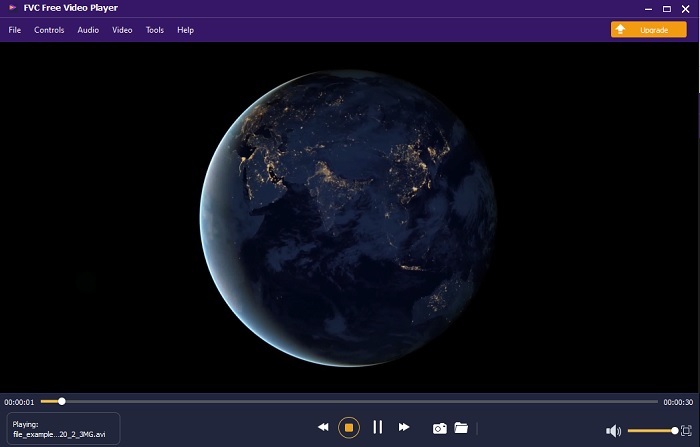
手順 5. 動画を終了したい場合は、四角ボタンをクリックして停止します。別の AVI 動画や他形式の動画を再生したい場合は、同じ手順を繰り返してください。
長所
- ツールを起動するために追加のファイルは必要ありません。
- 以下の他のツールよりも効率的です。
- 4Kビデオを見ている場合は、3Dの雰囲気を提供します。
短所
- インターネットに依存しているので、インターネットがないとアクセスできません。
- プレミアムのいくつかの主要な機能はここには表示されません。
2. Windows MediaPlayer
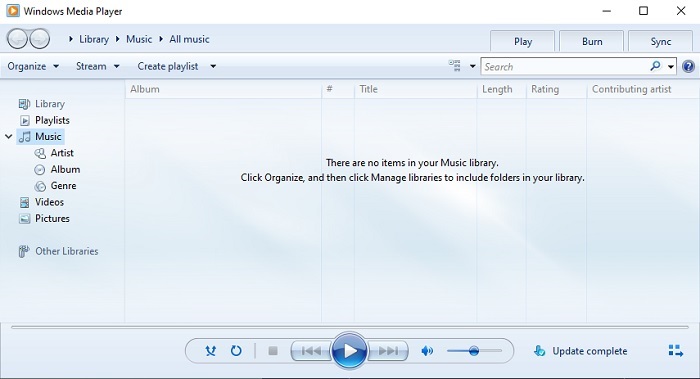
Windows 10 で AVI ファイルを再生する方法を知りたい場合は、Windows ユーザー向けに Microsoft が開発した標準のメディアプレーヤーを使用できます。ただし、このメディアプレーヤーで AVI を再生するために、追加のコーデックをダウンロードしなければならない場合があります。これはやや面倒で、ときには適切なコーデックを探すのに苦労するため、煩わしく感じることもあるでしょう。その際には試行錯誤が必要になり、ときには誤ったコーデックをダウンロードしてしまうこともあります。しかし、デスクトップにコーデックをダウンロードする作業自体は非常に簡単なので、心配はいりません。
長所
- Windows用の内蔵メディアプレーヤー。
- ほとんどすべてのフォーマットをサポートします。
- 使いやすい。
短所
- 場合によっては、このツールがサポートしていない追加のコーデックをダウンロードする必要があります。
- 低速のDSL接続でのストリーミングは提供しません。
3.VLCメディアプレーヤー
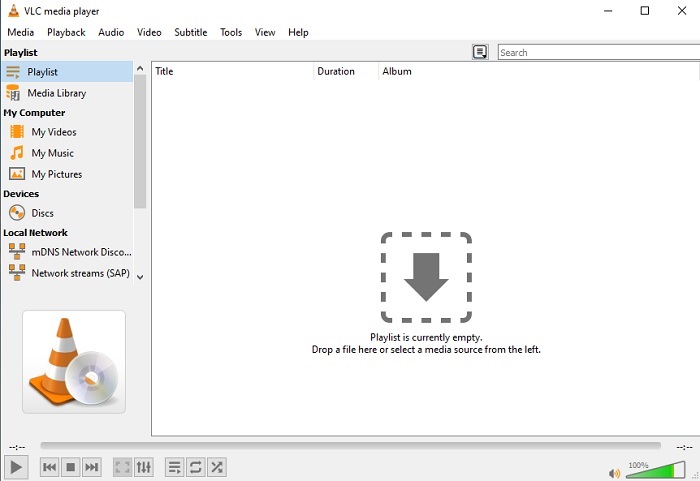
このメディアプレーヤーは、AVI を再生するために追加のコーデックをダウンロードする必要がありません。「どうすればAVI ファイルを簡単に再生できるのだろう」と思っているなら、VLC Media Player がその答えになるかもしれません。このメディアプレーヤーは、ファイルを開いてここで再生するだけでメディアファイルを視聴できるようにし、世界中の何百万ものユーザーを助けてきました。多くのユーザーから信頼されているとはいえ、このツールにもいくつかのバグがあり、ソフトウェアによっては対応していないファイルも存在します。エラーが発生する可能性はありますが、それはごくまれなケースに過ぎないので、過度に心配する必要はありません。
長所
- すべてのプラットフォームに最適なメディアプレーヤーの1つ。
- ダウンロードが完了していなくても動画を再生できます。しかし、ビデオ全体ではありません。
- すべてのフォーマットに柔軟に対応します。
短所
- ほとんどの場合、VLCの使用中に発生する可能性のあるいくつかのマイナーなバグがあります。
- また、コーデックが原因で、一部のビデオ形式を再生するのに苦労しています。
パート3。iPhoneでAVIファイルを視聴する方法
上記のメディアプレーヤーは、モバイル端末からは直接利用できません。しかし、iPhone や iPod でAVI を再生する方法は存在します。それだけでなく、AVI ファイルはサイズが大きいことも周知の事実です。そのため、スマートフォンに転送すると、端末のストレージの大半を占有してしまうでしょう。生の AVI ファイルをそのまま転送する代わりに、再生可能であり、なおかつ画質を損なわない新しい形式に変換する必要があります。Video Converter Ultimate を使えば、AVI を適切な形式に変換できます。変換方法の詳細については、このリンクにアクセスしてください。
パート4。AVIに関するFAQ
AVIとMP4のどちらが良いですか?
AVI は高画質である一方で非圧縮であり、MP4 ファイルは画質も良好ですが、必要とする容量は少なくて済みます。違いをさらに詳しく知り、どちらが優れているのかを知りたい場合は、AVI vs MP4 をクリックしてください。
AVIをMP4に変換する方法は?
ファイルサイズを小さくし、別の形式に変更するには、変換が最も効果的な方法です。このページでは、AVI を MP4 に変換する最適な方法を紹介しています。変換の手順や、変換に利用できるさまざまなツールについて学ぶことができます。
QuickTimeはAVIを再生できますか?
QuickTimeメディアプレーヤーはさまざまな形式をサポートしていますが、MacのデフォルトプレーヤーでAVIを再生する際に問題が発生します。マイクロソフトが所有権を持っているため。したがって、QuickTimeの最良の代替手段を知るには、この記事を読んで、どれが最良の代替手段であるかを選択する必要があります。
AVIファイルが開いていない場合はどうなりますか?
AVIファイルが開かない理由はいくつかあります。 1つ目は、ファイルが不完全であるためです。ただし、圧縮されていないため、一部のファイルが失われる可能性があります。次に、AVI形式はローカルまたはサードパーティのメディアプレーヤーではサポートされていません。第三に、特に圧縮しすぎて再生できないものになる可能性がある場合は、死んでいると考えてください。最後に、コーデックが間違っているため、異なるコーデックでAVIを同時に圧縮すると、この問題は一般的です。
結論
まとめると、AVI はウェブ上で多くのユーザーに利用されている形式です。しかし、このファイル形式自体は非圧縮であるため、AVI ファイルを録画・ダウンロード・転送する場合は、ドライブに十分な空き容量を用意しておく必要があります。ここまでの説明で、もはやAVI 形式とは何か、そしてどこで再生できるのかについて疑問に思うことはないはずです。FVC Free Video Player はオープンソースであり、インターネット接続さえあれば誰でもアクセスできますので、ぜひ活用してください。また、無料版より多くの形式に対応し、より多くの機能を備えたプレミアム版のツールを利用することもできます。試してみたい場合は、ダウンロードボタンをクリックしてデスクトップにインストールしてください。
-
 Androidモバイル向けのトップ5のベストWindowsMediaPlayerの選択肢
 Android用のWindowsMedia Playerをダウンロードすることはできないため、この記事を読んで、Windows MediaPlayerの5つの最良の代替案について学ぶ必要があります。
-
 2025年に見逃せないiPhone向けベストビデオプレーヤートップ5
 すべての形式のビデオを再生し、iPhoneでより良い視聴体験を得るには、この記事を読んで、iPhone 12/11 / X / 8/7/6に最適な5つのビデオプレーヤーについて学ぶ必要があります。
-
 AndroidモバイルデバイスでMOVファイルを再生する方法に関する例外的なガイド
 MOVファイルがAndroidメディアプレーヤーで再生されない理由に問題がありますか?次に、この記事を読んでください。MOVファイルを修正して再生可能にする2つの異なる方法が提供されます。
