


 ビデオコンバーター究極
 スクリーンレコーダー
 ビデオ修復
ビデオ修復VLCメタデータエディタとメタデータを簡単に編集するための最良の代替手段
VLC Media Player は、Windows、Mac、Android、iOS などあらゆるデバイスにダウンロードできる有名な動画プレーヤーのひとつです。対応している豊富な形式やコーデックにより、ここで動画を再生するのは非常にスムーズです。複数形式を再生できるだけでなく、このツールには便利な機能が数多く搭載されており、きっと活用したくなるはずです。そのひとつがメタデータの編集機能です。この記事を読み進めて、VLC メタデータエディターと、その競合となる他のツールについて詳しく確認してみましょう。

パート1。VLCメタデータエディターのレビュー/長所と短所/VLCメタデータエディターの最良の代替案
VLCMediaPlayerのメタデータ編集機能の紹介
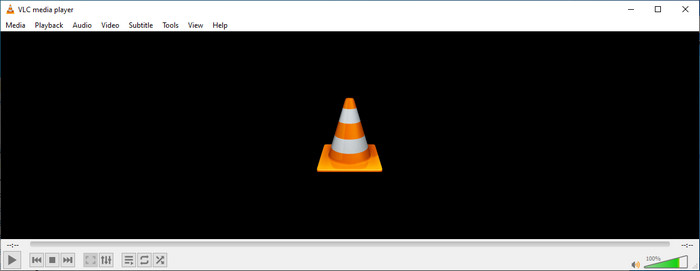
VLCメタデータエディターの主な目的は、エディターとしてではなく、プレーヤーとしてです。このツールは、ネイティブメディアプレーヤーでサポートされていない幅広い形式を再生します。このツールを使用すると、ファイルにコーデックをダウンロードする代わりに、ファイルを追加して視聴することで、作業を簡単に行うことができます。 2001年の最初のリリース後、その開発者は他のソフトウェアと競合するように全体的なメディアプレーヤーの機能と機能を改善しました。ツールには多くの機能が追加されていますが、他の専用メタデータエディタと競合するにはまだ十分ではありません。
長所短所
VLCのメタデータエディタ機能についてのアイデアが得られたので、それが使用すべき理想的なタグエディタであるかどうかを見てみましょう。 Android、iOS、Windows、およびmacOSのVLCメタデータエディターについて詳しく知りたい場合は、その長所と短所を読み続けるのが最善です。
長所
- これはフリーウェアであるため、ダウンロードするためにツールを購入する必要はありません。
- メタデータを簡単に編集するための幅広いフォーマットをサポートしています。
- ピックデバイスのビデオとオーディオの再生を最適化できます。
- 可能であれば、プラグインで拡張可能。
短所
- VLCビデオメタデータエディタは、ファイルのメタデータを編集するのに最適ではありません。
- このツールは編集用に作成されていないため、プロのビデオエディタとは特に見なすことができません。
- ソフトウェアの使用中にクラッシュやフリーズが頻繁に発生します。
- GUIの更新が不十分です。
メタデータの編集には最適ではありませんが、これは無料でダウンロードできる最高のメディアプレーヤーであり、デバイス上の他の組み込みメディアプレーヤーよりも優れていると考えています。以降の詳細は、VLCよりもタグを編集するための最良の代替案を決定するのに役立ちます。
パート2。VLCメタデータエディタの競争力のある最良の代替案の3
ビデオコンバーター究極
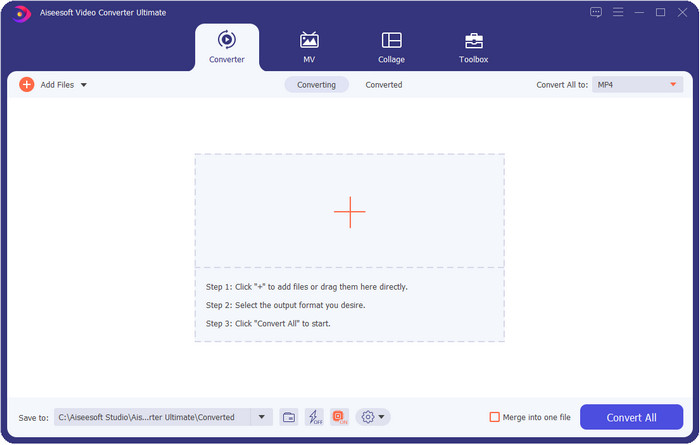
Video Converter Ultimate はタグ編集において最も優れた競合ツールであり、VLC メタデータエディターが提供できる機能以上のものを備えています。このツールを使えば、MP4、MOV、M4V、AVI、WMV など、1000 以上のあらゆる対応形式でタグを自在に編集できます。多くの人にとってタグの追加は簡単とは言えませんが、このツールを使えば、タイトル、アーティスト名、アルバム、コメント、その他の情報に加え、メタデータの一部として画像までファイルに追加できます。VLC でもタグの基本的な編集は可能ですが、それだけでは十分とは言えません。もっと高度な編集を行いたいなら、究極のツールを選ぶべきです。市場にある VLC や他のメタデータエディターでは対応しきれない必要なタグを、手間をかけずに追加できるよう、このツールが役立ちます。究極のツールをダウンロードすると何が得られるのか知りたい方のために、このツールで利用できる機能の一部をご紹介します。

ビデオコンバーター究極
5,689,200以上のダウンロード- MP4、AVI、FLV、RMVBなどのメディアファイルのタグを編集できます。
- 超高速の変換プロセスとハードウェアアクセラレーションを備えています。
- 追加の高度な機能はToolboxにあります。
- バッチ変換をサポートして、タスクを同時に完了させます
- WindowsとmacOSの両方でダウンロードできます。
無料ダウンロードWindows 7 以降に対応安全なダウンロード
無料ダウンロードMacOS 10.7 以降に対応安全なダウンロード
MetaZ
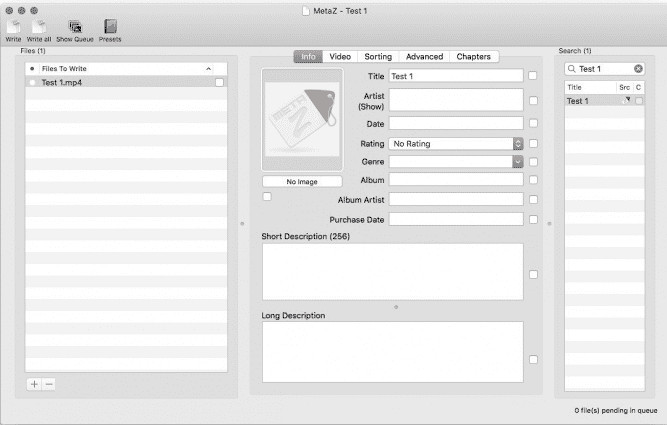
Mac で使える無料の VLC 動画メタデータエディターをお探しなら、MetaZ はぜひ利用したいツールです。このツールは Mac 向けに配布されている専用のメタタグ編集ソフトで、主な目的はメディアファイルへのタグの追加や編集です。また、このツールを使う場合、インターネット接続があればタグを自動検索して追加することもできます。さらに、MetaZ 独自のアーカイブ書き出し機能を使用して、タグを他へ転送することも可能です。有望なツールではありますが、Windows など他の OS との互換性に難があるのが問題点です。加えて、対応形式も平均的な範囲にとどまっているため、使用前にファイル追加には制限があることを理解しておく必要があります。それ以外に、大きな問題はありません。
タグスキャナー
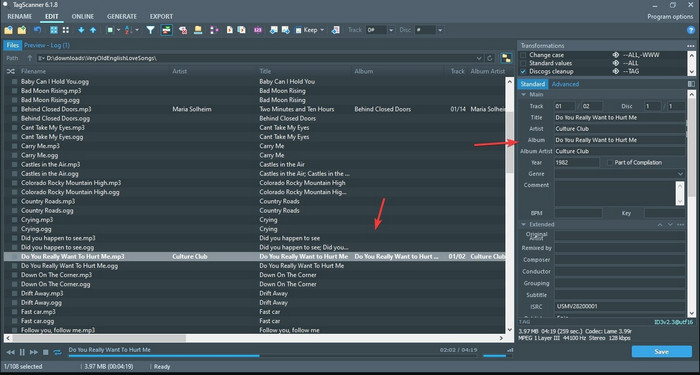
Tag Scanner は、MKV メタデータ編集における VLC の上位版とも言えるツールです。このツールを使えば、メディアファイルのタグを簡単に編集・整理できます。使用してみると、タグ編集に関して VLC よりも詳細な GUI を備えていることに気づくはずで、ファイルのデータにより多くの情報を追加できることを意味します。MetaZ と同様に、このツールも別のデータベースを検索して、ファイルに必要なタグを探し出すことができます。ただし、インターフェースが重厚な分、一般的なメタデータエディターとは操作感が少し異なり、使いこなすにはある程度の時間が必要です。それでも、このツールが VLC や他の競合よりもはるかに優れていることは明らかですが、市場にある他のツールほどユーザーフレンドリーではありません。
パート3。VLCメタデータエディタに関するFAQ
VLCはどこでダウンロードできますか?
公式VLCはvideolan.orgからダウンロードできます。デスクトップ上のウイルスなどの状況を回避するために、必ず公式Webサイトからダウンロードしてください。
VLCを使用してビデオを編集できますか?
VLC を使って編集することは可能です。しかし、複雑な動画編集を行うために必要となるプロ仕様のエディターではありません。これから動画配信者やコンテンツクリエイターを目指していて、Windows で使える最高の動画編集ソフトを探しているなら、このリンクをクリックしてください。Mac ユーザーの方は、Mac 向けトップ動画編集ソフトを知るためにこちらのリンクをクリックしてください。
VLCのオーディオ遅延を修正するにはどうすればよいですか?
VLC の音声の遅延を修正するための最適な解決策と、その詳しい手順を確認するには、このリンクをクリックしてください。
結論
VLC は、無料で入手できる素晴らしいツールです。このツールを使えば、あらゆる種類の動画や音声を再生できるだけでなく、タグを編集することもできます。しかし、VLC でのタグ編集に関して言えば、市場に出回っている専用のタグエディターほど高機能ではないものの、一応は対応可能といったレベルです。もし作業内容がメディアファイルのタグ編集や修正であれば、VLC も選択肢にはなりますが、最良の選択とは言えません。では、どうすればよいのでしょうか。そこで、VLC よりも優れたタグ編集が行える代替ツールを厳選してご紹介します。そのひとつがVideo Converter Ultimateです。他の代替ツールや VLC メタデータエディターと異なり、このツールには高度な機能が数多く搭載されています。すべてを手に入れたいなら、今すぐダウンロードしてお試しください。
-
 非常に巧妙な方法でMP4メタデータを編集および修正する方法
 MP4メタデータを修正する方法を知りたいですか?その場合は、この記事の内容全体を読んで、MP4タグを簡単に修正する方法のコツを知ってください。
-
 WindowsとMacでMP3メタデータを修正および編集するための4つの最良の方法
 MP3メタデータを簡単に編集する秘訣を知りたいですか?このブログでは、簡単にアクセスできるさまざまなツールを使用したさまざまなテクニックを紹介します。
-
 あなたが無料で試すべきOGGメタデータを編集する2つの最良の方法
 OGGメタデータを編集する必要がありますか?そうですね、正しいソフトウェアを使用することで、タグの編集を簡単に処理できます。読んでいない人はこの記事を読む必要があります。
