


 Video Converter Ultimate
 Skjermopptaker
 Videoreparasjon
Få fart på videoer på Android med nyttige applikasjoner på Android [2025]
I dag er mobiltelefoner den mest allsidige teknologien vi bruker hver dag. Denne enheten hjelper oss med å kommunisere, ta opp, redigere ting som å beskjære, klippe, øke hastigheten og mer – selv om vi ikke har mye utstyr å sette opp. Så i dag skal vi lære hvordan du kan spole opp video på Android ved hjelp av en tredjepartsapp du kan laste ned. Tilleggsinformasjon: Android-telefonen din har ingen innebygd funksjon for å øke videohastigheten som du kan bruke for å se en video raskere. Hvis du vil ha en slik funksjon, bør du derfor fortsette å lese denne artikkelen, der vi samler ulike apper du kan stole på.

Del 1. Hvordan øke hastigheten på video på Android
1. FilmoraGo
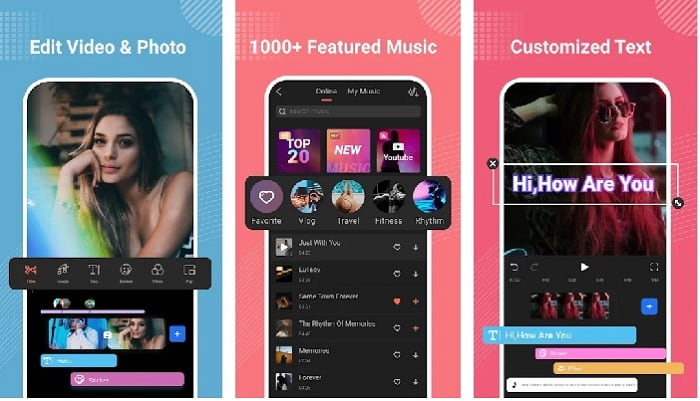
Filmora har utviklet en app du kan laste ned til Android-enheten din for å få nesten de samme funksjonene som verktøyet på skrivebordet tilbyr. Filmora Go er en av de beste gratis videoredigererne du kan bruke til å lage en flott video. Dessuten har dette verktøyet et komplett sett med funksjoner du sannsynligvis vil bruke selv om du ikke har erfaring med videoredigering. Den gratis versjonen støtter imidlertid bare et utvalg funksjoner du kan bruke. Som med funksjonen for å spole opp video på Android er denne funksjonen gratis, men den har begrensninger. Selv om verktøyet virker perfekt, er det noen problemer brukerne gjerne vil ha løst, ifølge anmeldelsene av appen.
Fordeler
- Det er en gratis, men kraftig videoredigerer som du kan bruke på Android-enhetene dine.
- Verktøyet mottar en av de beste anmeldelsene vi noen gang har sett, og det mottar 4,6 stjerner.
- Verktøyet bygger allerede et rykte som en av de beste redaktørene på skrivebordet.
Ulemper
- Noen ganger skjer det å miste filer her.
- Noen ganger blir det rotet å eksportere filene selv om du redigerer det.
- Mesteparten av tiden er ikke lyd og video synkronisert.
2. Hyper Timelapse
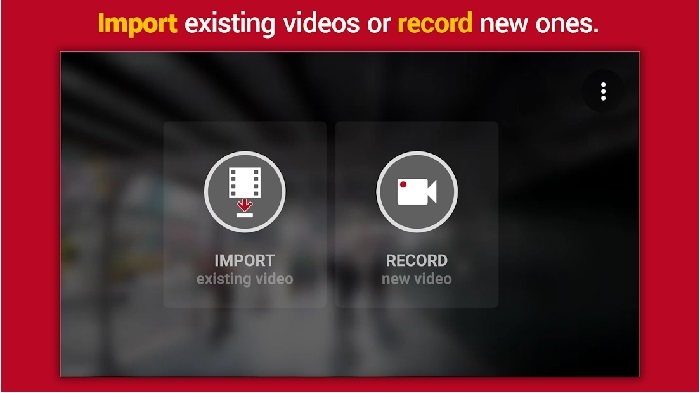
Hyper Timelapse er en av appene for å øke avspillingshastigheten på video på Android som du kan laste ned gratis. Denne appen har allerede fått en vurdering på 4,1 stjerner, noe som er bra. Anmeldelsene er imidlertid lite hyggelige å lese fordi de inneholder mange klager. Da vi prøvde appen, var grensesnittet ikke så verst, hastighetsøkningen er god, men når vi eksporterer, krasjer appen. Vi prøvde deretter å bruke timelapse, men filstørrelsen på videoen blir større for hvert minutt som går. I praksis kan du ikke ta opp en lang timelapse-video her.
Fordeler
- Appen er veldig enkel å bruke selv om du er nybegynner.
- Den har en innebygd timelapse.
- Grensesnittet til verktøyet er ikke greit.
Ulemper
- Krasj og feil skjer fortsatt i dette verktøyet.
- Den lagrer ikke den endelige utgangen fordi den krasjer hver gang du gjør det.
3. Bortfall det
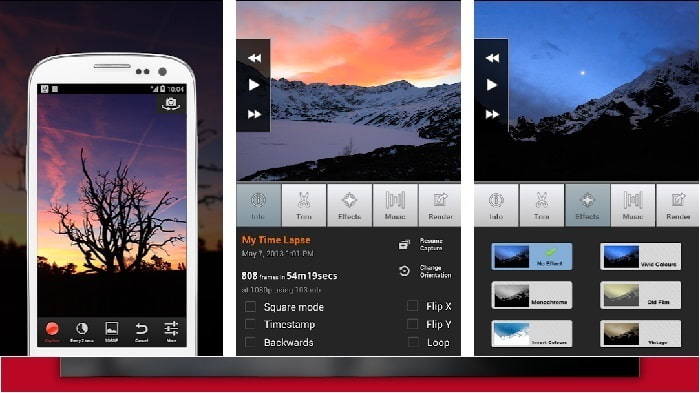
Hvis du ser etter en app for å spole opp video på Android, kan du prøve Lapse It. Dette verktøyet er en kombinasjon av de to verktøyene ovenfor, fordi du kan lage timelapse, stop motion og bruke redigeringsfunksjoner. Selv om verktøyet høres flott ut å bruke på Android, har det likevel fått den laveste vurderingen i denne artikkelen. Appen har bare 3,5 stjerner, og mange av kommentarene i anmeldelsene mener at denne appen ikke er verdt noe. Noen kommentarer sier at dette tidligere var deres foretrukne app for å lage flotte videoer, men at det nå finnes mange apper som er bedre enn dette verktøyet.
Fordeler
- Den har en unik og kraftig funksjon som mange brukere liker å bruke.
- Denne appen kan ha den beste gjengivelsen på Android.
- Tilpassing av videoen kan enkelt gjøres ved hjelp av denne appen på Android.
Ulemper
- Verktøyet endret seg fra S-klassen til D fordi krasj og feil fortsatt skjer selv etter at oppdateringen er gjort.
- Instruksjonene er ikke klare for hvordan den skal utføres.
- I hver videoslutt er det alltid en popup-annonse som kommer.
Del 2. Vil du ha en mer profesjonell hastighetskontroller? Prøv Video Converter Ultimate!
Video Converter Ultimate er det mest unike verktøyet du sannsynligvis vil bruke hvis du vil ha et fantastisk resultat. Å øke hastigheten på en video her kan enkelt gjøres ved hjelp av dette verktøyet. Dessuten er de samlede funksjonene i dette verktøyet overlegne disse Android-verktøyene. Denne programvaren kan imidlertid ikke brukes på Android-enheter fordi den ikke støttes. Selv om den kan brukes med telefonen din, vil du likevel aldri oppleve frysinger, krasj eller feil mens du bruker dette verktøyet. Så hvis du vil lære hvordan du øker hastigheten på en video på Android, følger du trinnene nedenfor.
Trinn 1. Det første du bør gjøre er å laste ned verktøyet. Installer det når nedlastingen er fullført, gjør deretter et raskt oppsett og klikk Fullfør for å fortsette.
Gratis nedlastingFor Windows 7 eller nyereSikker nedlasting
Gratis nedlastingFor MacOS 10.7 eller nyereSikker nedlasting
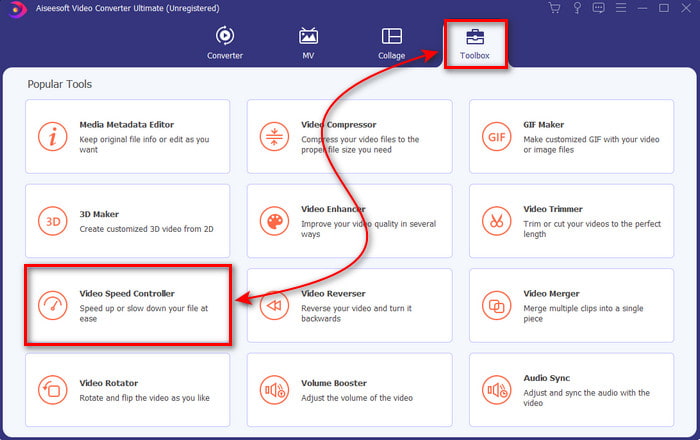
Trinn 2. Gå deretter til Verktøykasse og finn Video Speed Controller, klikk på den for å åpne den.
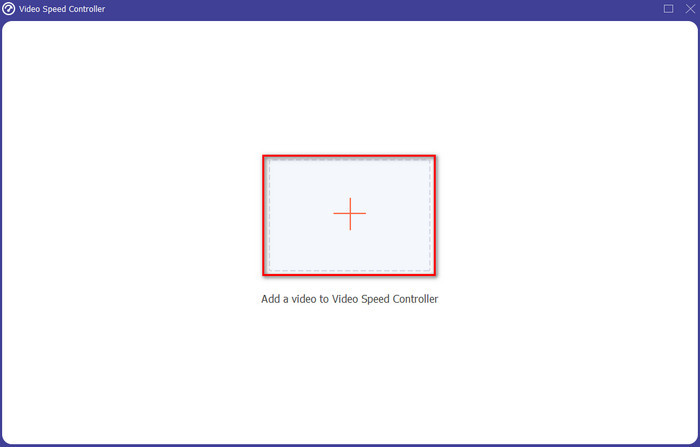
Trinn 3. Et grensesnitt vil deretter vises, klikk på +-knappen for å sette inn filen. Etter at du har klikket, vises en mappe; velg filen du vil spole opp, og klikk Åpne.
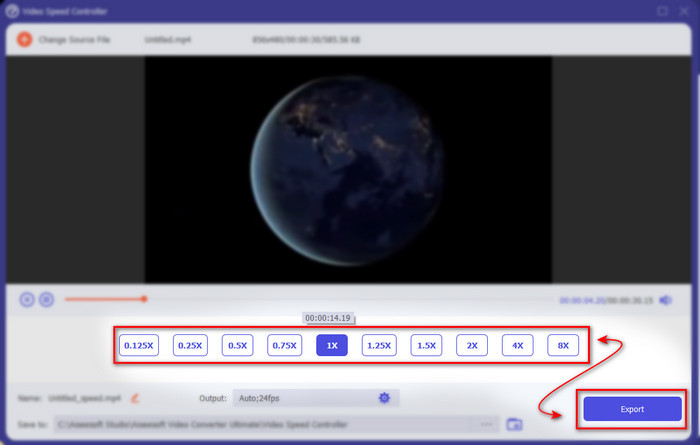
Trinn 4. Et nytt grensesnitt vil igjen dukke opp, velg deretter hastigheten du ønsker i disse små boksene. Hvis du er klar til å eksportere den oppspeedede filen, klikker du på Eksporter.
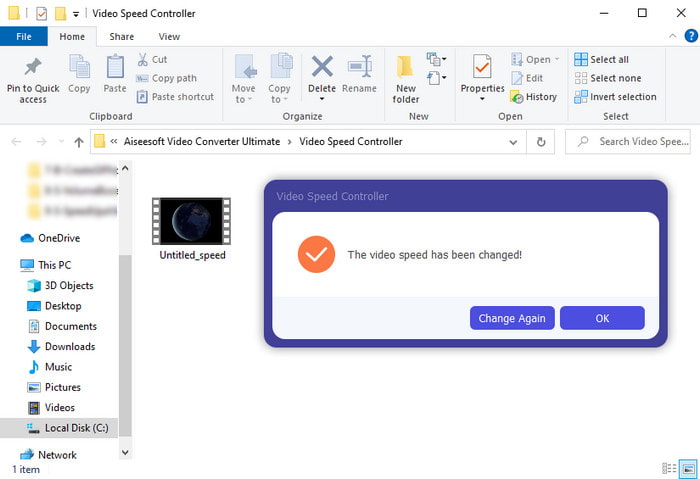
Trinn 5. Vent en kort stund, og når videoen er ferdig, vises en mappe som inneholder den oppspeedede filen du nettopp har laget. Klikk på videofilen for å se den raskere versjonen.
Del 3. Vanlige spørsmål om å øke hastigheten på en video på Android
Ødelegger kvaliteten på videoen min raskere?
Hvis du er i ferd med å øke hastigheten på en video, forvent ingen endring i kvaliteten på videoen. Men hvis appen du bruker ikke støtter videoutgang av høy kvalitet, kan du forvente at videoutgangen automatisk blir redusert.
Kan jeg se en video om sakte film?
Definitivt ja! Med hjelp av 5 Best Slow Motion Video Players kan du klikke på denne lenken for å gå videre til en ny artikkel.
Hvorfor må jeg øke hastigheten på videoen min?
Det finnes mange grunner til at du trenger å spille av en video i 2x hastighet eller mer. Hvis du vil finne ut hvorfor, kan du lese denne artikkelen som handler om hva 2x-video er.
Konklusjon
Avslutningsvis er alle verktøyene som er presentert her, gode å bruke hvis du har en Android-telefon, men det er ett verktøy som skiller seg mest ut. Og det fenomenale verktøyet er Video Converter Ultimate, for hvis du bruker dette verktøyet, vil du aldri oppleve feil og problemer. Men dette verktøyet er ikke tilgjengelig på Android-telefoner, så hvis du vil prøve det, må du laste det ned til datamaskinen din for å nyte alle funksjonene i denne flotte programvaren.
-
 Hvordan spille MKV-filer på iPad 2025
 Hvordan spiller jeg MKV-filer på iPad 2? Kan jeg konvertere MKV til MP4 for å spille på iPad Pro / Air / 2? Dette innlegget deler to enkle måter å spille MKV på iPad på.
-
 [Løst] VLC spiller ikke DVD, hvordan fikser du det
 Kan VLC spille en DVD? Hvorfor vil ikke VLC spille DVDen min? Hvordan får jeg VLC til å spille DVD på Windows 10? Dette innlegget deler 3 tips for å fikse VLC som ikke spiller DVD-problem.
-
 [Løst] Spill MP4-filer på Chromebook 2025
 Kan du spille av videoer på Chromebook? Hvordan spiller jeg MP4-filer fra USB på Chromebook? Dette innlegget deler 3 måter å spille MP4 på Chromebook på.
