


 Video Converter Ultimate
 Skjermopptaker
 Videoreparasjon
M4V Tag Editor på Mac og Windows for å redigere M4V-metadata [problemfri]
M4V-filer er beskyttet med Apple FairPlay DRM for å hindre brukere i å distribuere filen ulovlig på nettet. Så, hvis .m4v-filen din er sikret, hva bør du gjøre da? Kan du fortsatt redigere taggene på beskyttede M4V-filer? Heldigvis kan du det. Vil du vite hvilke verktøy du kan bruke? I denne artikkelen lærer du om ulike M4V-taggredigerere på Mac eller Windows som du kan bruke til enkelt å endre metadataene til M4V-filene dine.

Del 1. Topp 2 valg M4V Tag Editors for Mac OS
Mens vi surfer på nettet, så vi de mulige verktøyene du kan bruke til å endre taggene til M4V-en din som er tilgjengelig på Mac-systemet. Hvis du vil vite de to beste verktøyene du kan bruke, les følgende detaljer nedenfor hvis du er en Mac-bruker.
iFlicks
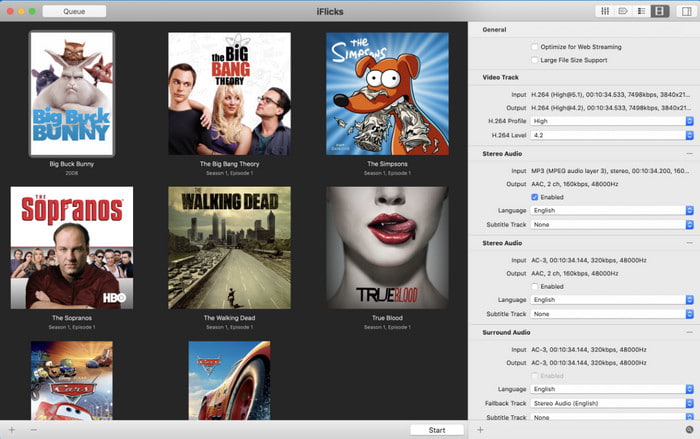
Tilgjengelig operativsystem: macOS 10.13.2 eller nyere
Pris: $9,49–$18,49 per år
iFlicks er en komplett konverter og M4V-taggeditor på Mac. Dette verktøyet lar iTunes-brukere få et penere bibliotek ved å ordne TV-serier og filmer i henhold til metadataene dine. Det kan også automatisk hente taggene til M4V-filene dine som er tilgjengelige i iTunes, slik at du ikke trenger å legge dem inn manuelt, men du kan også overstyre dataene selv. Selv om verktøyet er praktisk, kan det noen ganger være komplisert å venne seg til. Å rette eller finne de riktige taggene kan være vanskelig på grunn av det lille søkevinduet som vises. I tillegg må du abonnere på programvaren etter at prøveperioden er over.
Subler
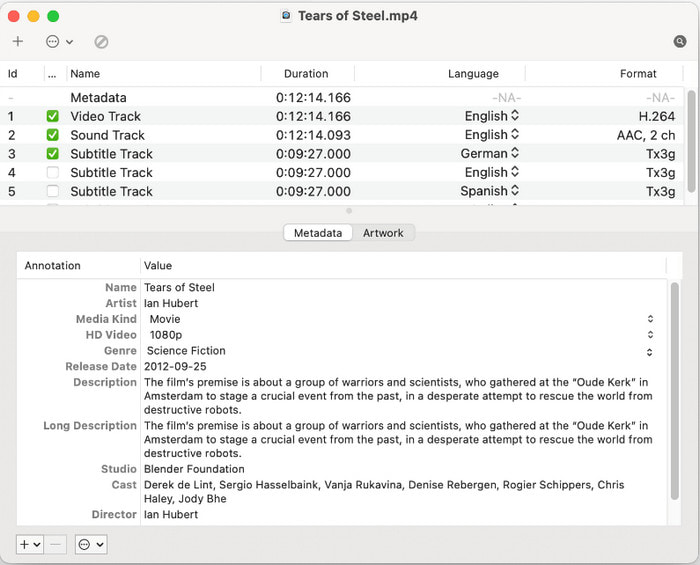
Tilgjengelig operativsystem: macOS 10.11 eller nyere
Pris: Gratis
Subler er enda en M4V-taggeditor på Mac som brukes til å fjerne eller redigere metadataene til M4V-filene dine og deretter lagre dem på nytt. Dette verktøyet er en demuxer og transcoder; det kan raskt hjelpe deg med alle Apple-relaterte formater, avhengig av hvordan du bruker det. Tidligere var dette verktøyet kun en tekstingslegger, men utvikleren bestemte seg for å legge til nye funksjoner på grunn av den høye etterspørselen etter å løse det vanlige problemet. Selv om utviklerne la til nye funksjoner, forbedret de likevel ikke GUI-opplevelsen i verktøyet. Det er som det er – et ikke-tilpassbart GUI – men det er likevel enkelt og greit å bruke.
Del 2. Topp 3 valg M4V Tag Editor for Windows OS
Hvis du er en Windows-bruker, er denne oppgaven fortsatt mulig for noen metadataredigerere på Windows. Men hva er verktøyene som støtter M4V-formatet? Fortsett å lese listen nedenfor for å forstå alle detaljene vi samler opp mens vi søker, velger dem nøye og vurderer hver enkelt av dem.
FVC Video Converter Ultimate
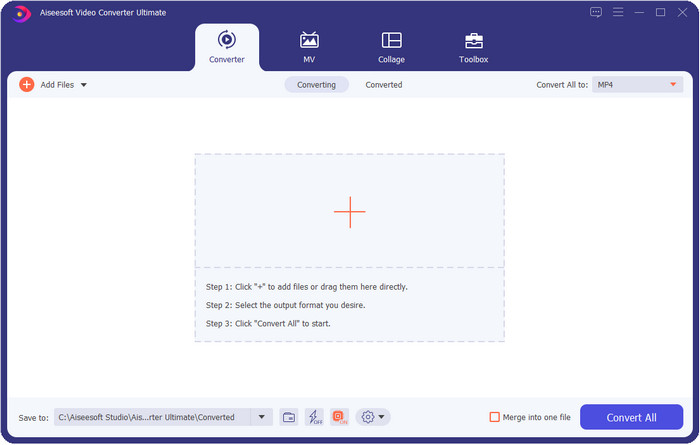
Tilgjengelig operativsystem: Windows Vista/7/8/8.5/10/11 og nyere; macOS 10.7 og opp til den nyeste
Pris: $25,00 per år; $55,00 for livstid
FVC Video Converter Ultimate er en prisvinnende M4V-metadataeditor på Windows og Mac som gjør at du kan håndtere metadataene uten anstrengelse. Selv om verktøyet er litt kostbart sammenlignet med annen programvare, er det fortsatt et kraftig verktøy du vil ha bruk for, med en komplett og flerbruks verktøykasse som er enkel å bruke. I tillegg støtter det et svært bredt spekter av formater, så du trenger ikke å bekymre deg – formatet ditt er støttet her, enten det er video eller lyd. Det er ikke nødvendig å laste ned forskjellige verktøy for å redigere metadata, konvertere filer og gjøre annen redigering, for alle video-relaterte problemer har én løsning: det ultimate verktøyet.

FVC Video Converter Ultimate funksjoner:
5 689 200+ nedlastinger- Fyll eller fjern taggene raskt på M4V-, MOV-, MKV-, AVI-, MP4- og 1000+-formatene dine.
- Den støtter en pålitelig verktøykasse for å hjelpe deg med å trimme, kutte, forbedre, lage GIF-er, etc.
- Den har den beste og mest tilpassbare GUI for å hjelpe brukerens opplevelse.
- Den støtter alle operativsystemer som Windows og Mac.
Gratis nedlastingFor Windows 7 eller nyereSikker nedlasting
Gratis nedlastingFor MacOS 10.7 eller nyereSikker nedlasting
Tag-skanner
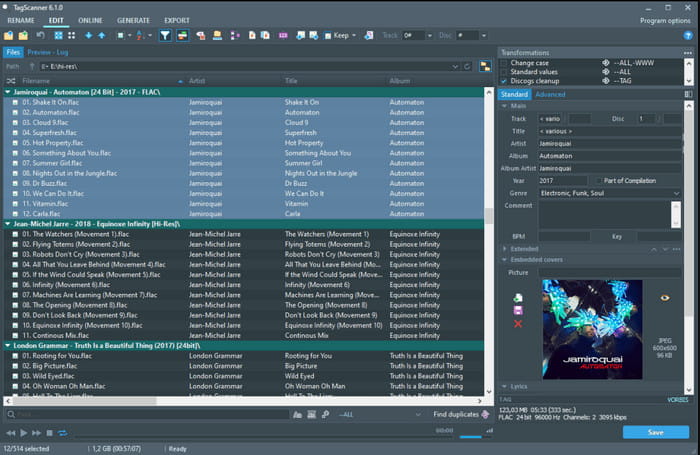
Tilgjengelig operativsystem: Windows Vista og nyere
Pris: Gratis
Tag Scanner er en annen populær M4V-metadataeditor på Windows som du kan laste ned og bruke gratis. Dette verktøyet lar deg enkelt redigere taggene til filene dine enkeltvis eller i batch. Det er en ideell app for å ta kontroll over metadata som navn, album, sjanger, tid, dato og annet på den støttede mediefilen. Før du blir fortrolig med funksjonene i verktøyet eller hvordan du bruker det, må du imidlertid bruke en del tid, siden det har ganske avanserte funksjoner.
Avidemux
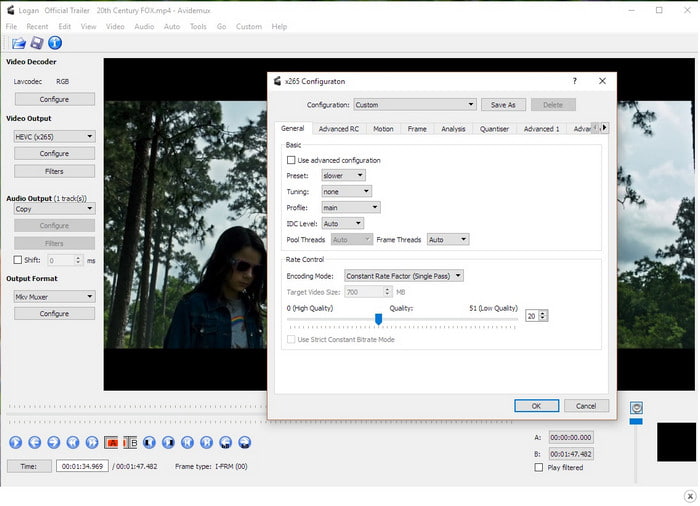
Tilgjengelig operativsystem: Windows XP/7/8/8.5/10, macOS, Linux
Pris: Gratis
Avidemux er en av de kjente M4V-taggeditorene for å redigere M4V-metadata, tilgjengelig på ulike plattformer. Det er en åpen kildekode-programvare utviklet av SourceForge for å hjelpe sine faste brukere med daglige redigeringsoppgaver som metadata. Selv om det har omfattende funksjoner og muligheter, støtter det fortsatt de mest grunnleggende redigeringene du trenger på mediefilen din. Formatene det støtter er også begrensede, og enkelte nyere formater støttes ikke. Likevel er det fortsatt under utvikling, noe som betyr at verktøyet vil fortsette å bli bedre og bedre over tid.
Når du har åpnet verktøyet på hovednettstedet, husk at tilkoblingen din ikke er sikret, slik at noen kan få tilgang til den personlige informasjonen du har lagt inn på nettstedet.
Del 3. Vanlige spørsmål om M4V Tag Editor
Hva er informasjonen jeg kan se på metadata?
Metadata er informasjonen du finner i dataene, slik som forfatternavn, tittel, sted, tid, dato, sjanger, kapitler og mye mer. Hvis du vil vite mer om metadata, kan du klikke deg videre og lære mer om hva metadata er.
Kan jeg se metadata?
Ja, det kan du, enten du vil bruke den innebygde metadataviseren på Windows eller Mac, eller heller vil bruke et eget verktøy. Hvis du ikke vet hva du bør bruke for å vise metadataene til mediefilen din, kan du lese disse topp 4 metadataviserne som er tilgjengelige på nett og uten nett.
Kan metadata hjelpe meg med å organisere filene?
Ja, du kan ordne mediefilene i henhold til metadataene. Så hvis du vil ha mer organiserte filer i biblioteket eller mappen, anbefaler vi at du endrer eller legger til metadata for å unngå rotete filer i mappen eller biblioteket og forvirring.
Konklusjon
Er det ikke imponerende at det finnes forskjellige M4V-metadataeditorer på markedet? Du kan laste ned alle disse verktøyene hvis du vil og justere metadataene til M4V-filene dine. Men hvilken er best? Uten tvil i våre hjerter er FVC Video Converter Ultimate den beste og kraftigste editoren du vil trenge til denne oppgaven. Er du fortsatt ikke overbevist av informasjonen vi har gitt i denne artikkelen? Da bør du laste ned verktøyet og få praktisk erfaring med det selv.
-
 6 favorittvalg Snapchat-animerte Snapchat-filtre på Snapchat
 Vil du vite de beste måtene å legge til filtre på Snapchat-videoer? Vel, du kan klikke på dette og lære de forskjellige filtrene du kan bruke til å bruke på Snapchat-videoer.
-
 4 ledende videooppløsningsomformere til lavere videooppløsning
 Hvordan senke videooppløsningen? Ikke alle videooppløsningsomformere er de beste i sin oppgave. Så i dag velger vi de 4 av de beste oppløsningsomformerne du kan bruke.
-
 Hva er videooppløsning: dyptgående innsikt i oppløsning og mer
 Hva er videooppløsningen? Er dette viktig i hver video? Vel, det er viktig. Hvis du vil ha flere ideer om videooppløsning, klikker du på den med en gang.
