


 Video Converter Ultimate
 Skjermopptaker
 Videoreparasjon
 Sikker nedlasting
Beste Photo Color Enhancer-appen du må laste ned på dine mobile enheter [gratis]
Når du bearbeider et bilde, er farger avgjørende for å gjøre det tiltalende for publikum og for dem som ser motivet. I hver piksel finnes det tilhørende fargedata. Uansett hvor bra bildet du tok er, vil det være ganger du må bearbeide det videre for å vise frem imponerende visuelle effekter til publikum. Heldigvis kan du til og med gjøre justeringene på Android og iOS, og denne artikkelen presenterer de beste appene i ulike butikker du kan laste ned fra. For å få mer raffinerte detaljer i bildene du tok, bør du lese dette og laste ned en app for forbedring av bildefarger med én gang!

Del 1. Topp 4 fotofargeforsterkere du kan laste ned på Playstore og Appstore
EnhanceFox - AI Photo Enhancer 12+
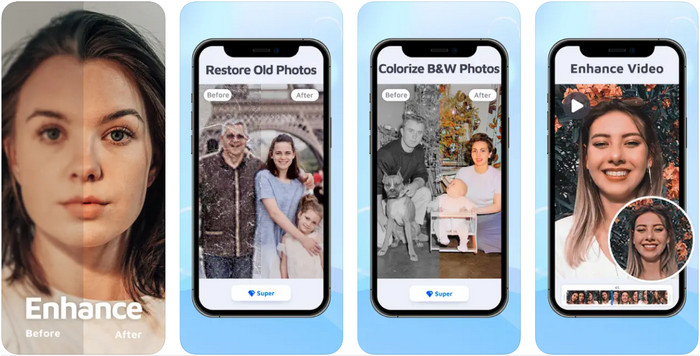
Du kan laste ned denne fargeforbedringsappen på iOS for å finjustere grafisk design. EnhanceFox gir brukerne muligheten til å gjøre bildene de har tatt mer raffinert sammenlignet med det opprinnelige resultatet. Selv om du er nybegynner i bildebehandling, kan du lett lære deg å bruke denne appen for å gjøre bildene dine vakrere enn noen gang. I tillegg kan den gjøre uskarpe bilder om til høyoppløselige ved hjelp av verktøyets KI. Selv om du kan bruke gratisversjonen av appen, må du kjøpe pro-versjonen for å få full tilgang til alle funksjonene.
Fordeler
- Du kan laste ned appen på iOS-en din gratis.
- Den reparerer og forvandler bilder til å se bedre ut.
- Denne appen er AI-støttet.
Ulemper
- Noen funksjoner er ikke tilgjengelige på gratisversjonen av den.
- Du trenger en internettforbindelse for å behandle bildet ditt.
Remini - AI Photo Enhancer 4+
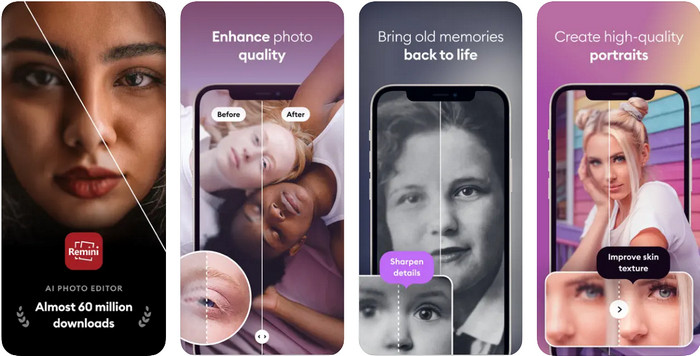
Remini er en av de mest populære appene for fargeforbedring av bilder som du kan laste ned på både iOS og Android. Evnen til å forbedre bildene dine har fanget oppmerksomheten til mange brukere på begge plattformene. Med sitt sett av redigeringsfunksjoner kan du pusse opp gamle, vintagebilder på under ett sekund ved hjelp av KI-teknologi. I tillegg kan du også forskjønne selfiene dine før du bruker dem. Selv om du må kjøpe appen, kan du selv velge hvilken type abonnement du vil ha, for eksempel ukentlig, månedlig eller årlig.
Fordeler
- Gjør ansiktsbildet ditt til et jevnt og silkeaktig bilde.
- Reparer den tapte fargen på bildene du har med AI-teknologi.
- Forskjønn bildet ditt ved å endre innstillingene i denne appen.
Ulemper
- Prisen på hver funksjon i denne appen har tilleggsbetalinger.
- Den fornyer automatisk abonnementsavgiften etter slutten av et abonnement.
Fargelagt - farge til gamle bilder
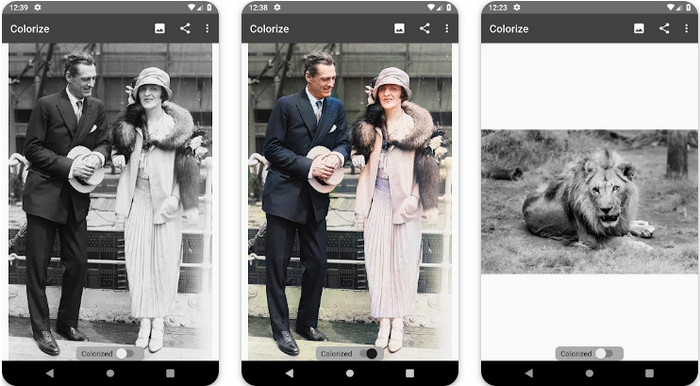
Colorize er en intelligent skannerapp du kan laste ned på Android-enheter for å gjenopprette tapt farge i bildene dine og utføre restaurering av gamle bilder. Du kan lære hvordan du forsterker øyenfargen på bilder med denne appens redigeringsfunksjoner som andre apper ikke støtter. Denne appen kan gjøre svart-hvitt-bildene dine om til fargebilder takket være Photomyne-teknologien. Appen er godt gjennomført og utrolig enkel å bruke, selv om det er første gang du redigerer et bilde. Som de andre appene vi nevner, krever den kjøp i appen før du kan bruke funksjonene fullt ut.
Fordeler
- Den legger automatisk til farger til svart-hvitt-bildene med Photomyne.
- Profesjonelle eller ikke kan enkelt bruke denne programvaren på grunn av dens bygget.
- Denne appens fargeinnstillinger er langt bedre enn andre apper for bildefarging.
Ulemper
- Den savner noen flekker når du legger til farge på bildet.
- Den beskjærer automatisk bildet når det behandles.
- Du må kjøpe appen for å forhindre begrensninger.
Photoshop Express Photo Editor
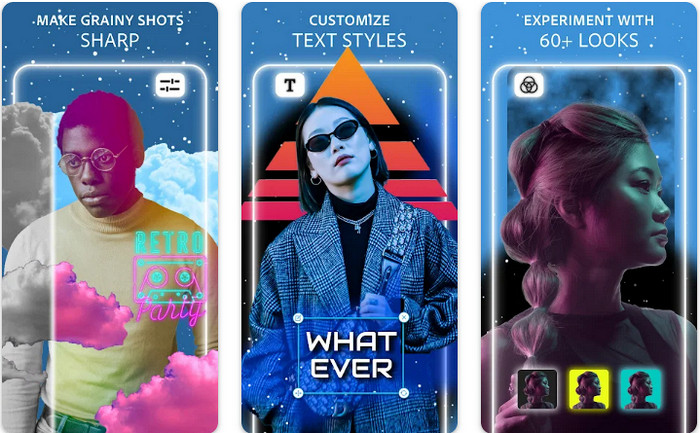
Photoshop Express Photo Editor er en miniversjon av det profesjonelle programmet som millioner av eksperter og redaktører allerede bruker for å gjøre bildene sine til HD. Du kan få denne forbedrede bildefarge-Photoshop-appen på både Android og iOS. Løser den problemet? Ja, og den gjør det uten anstrengelse. Som vi nevnte tidligere, ligner denne appen på Photoshop, ikke når det gjelder grensesnitt, men når det gjelder redigering. Den gir brukerne et svært detaljert resultat ved å legge til eller justere PPI-en på hvert bilde du har tatt. Likevel er appen vanskelig å bruke, og du må kanskje sette av tid til å lese hvordan du bruker den. Til gjengjeld er dette en komplett programvarepakke du vil ha alt du trenger i.
Fordeler
- Du kan laste ned programvaren ikke bare på et skrivebord, men også på mobile enheter.
- Den støtter profesjonelle redigeringsfunksjoner du kan bruke på bildene dine.
- Det har likheter med Photoshop, for begge gir en profesjonell utgang.
- Du kan gjøre mange typer redigering her som den andre appen ikke kan tilby deg.
Ulemper
- Appen kan være kostbar sammenlignet med andre kjøp i appen.
- Det må forbedre andre mindre problemer.
Del 2. Topp anbefalt bildekvalitetsforbedrer du ikke trenger å laste ned [netttjeneste]
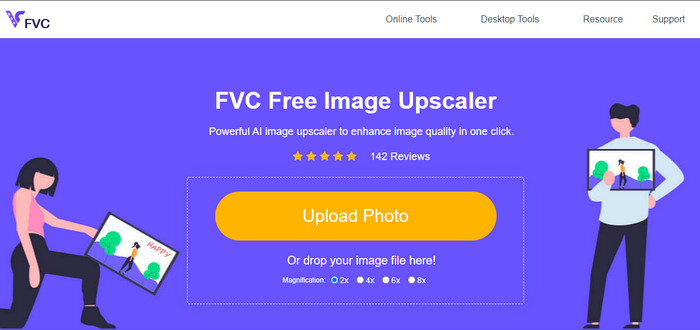
FVC Free Image Upscaler kan hjelpe deg å løse problemet uten å kjøpe noe som helst. Denne bildekvalitetsforbedreren er tilgjengelig på nett, så du trenger ikke laste den ned før du bruker den. I tillegg kan du dra nytte av den kraftige, kunstig intelligente redigeringsfunksjonen som kan skanne hva som er galt med bildet ditt og rette det umiddelbart. Sammenlignet med de andre appene vi nevnte, er dette den hittil mest lettvinte enhanceren – bare ett klikk unna. Last opp bildet, endre forstørrelsen, og du får en forbedret versjon av bildet ditt. Hvis du bruker denne, er det ikke nødvendig å finjustere eller gjøre spesielle innstillinger. Har du lyst til å prøve? Klikk på lenken, så blir du sendt direkte til nettsiden til enhanceren.
Del 3. Vanlige spørsmål om Photo Color Enhancer
Må jeg bli profesjonell for å bruke en fotofargeforsterker?
Hvis du bruker en velutviklet programvare, må du ha en idé, ikke en profesjonell, om funksjonene og funksjonen til bildet. Det finnes imidlertid forenklet programvare, noe som betyr at AI støttes; noen ganger trenger du ikke å gjøre justeringene, eller noen ganger gjør du det. For nybegynnere må du bruke lett-å-bruke programvare før du øker spillet til profesjonell forbedring.
Hva skjer med bildet Jeg forbedrer fargen?
Bilder med en velutviklet farge vil være mer detaljerte og skarpe sammenlignet med bildene som støtter mindre farger. Pikselen deres kan ikke sees sammenlignet med bildene som har lav kvalitet som støttes.
Hvilket bildeformat støtter den beste bildefargekombinasjonen?
JPEG og PNG støtter 16 millioner farger og er et av de beste bildeformatene du kan bruke til forskjellige formål. Men HEIC støtter avanserte biter sammenlignet med de to bildeformatene.
Konklusjon
Hvilken fotofargeforsterker ville du valgt blant appen vi vurderer? Vel, med all informasjonen vi legger til, kan du raskt finne ut hvilken app du bør laste ned på enheten din. Selv om de har forskjellige fordeler og ulemper, kan de fortsatt forbedre bildenes farger raskt.
-
 Topp 7 Pixels Enhancer for alle nettlesere du må bruke
 Hvis du vil vite de beste pikselforsterkerne du kan bruke, bør du sjekke dette innlegget. Denne artikkelen viser de syv beste bildepikselforsterkerne for alle nettlesere.
-
 Beste Photo Resizer-app online, offline, Android og iPhone
 Hva er de beste appene for bilderesizer? Klikk på siden for å lære de fem mest kraftfulle appene for bildeforbedring du kan bruke til å forbedre eller endre størrelse på filen.
-
 Topp 7 beste online og offline fotoforstørrelser
 Vil du lære de beste bildeforstørrelsene for Windows- eller Mac-enheten din? Les dette innlegget for å finne de beste bildeforstørrelsene som er verdt å prøve.
