


 Video Converter Ultimate
 Skjermopptaker
 Videoreparasjon
 Sikker nedlasting
Få de ultimate prosedyrene for hvordan du konverterer NEF til JPG
Når vi tar bilder, ønsker vi alltid å bevare de minneverdige øyeblikkene i livet vårt i best mulig bildekvalitet. Det er grunnen til at folk kjøper gode kameraer som gir flotte resultater. Du kan imidlertid oppnå best mulig kvalitet ved å lagre råfilen. Men det kan også føre til en del problemer. NEF står for Nikon Electronic Format. Nikon, en av de mest populære kamer produsentene, bruker råbildeformater. Det hender at du ikke kan vise filene på en datamaskin. Da trenger du et profesjonelt program, som ofte er dyrt og vanskelig å bruke. I en slik situasjon er den beste løsningen å konvertere NEF-filene til et universelt bildeformat, som JPG. Fleksibiliteten til dette formatet gjør at du kan se bildene på nesten alle enheter. Samtidig sparer du lagringsplass. Hvis du vil konvertere filene dine til JPG, kan du lese denne veiledningen og lære om de beste NEF til JPG-konvertererne du kan bruke.

Del 1. NEF vs. JPG
| Filformat | NEF | JPG / JPEG |
| Filnavnutvidelse | .nef | .jpg / .jpeg |
| Fullt navn | Nikon elektronisk format | Fellesgruppe for Foto-eksperter |
| Utviklet av | Nikon | Fellesgruppe for Foto-eksperter |
| Beskrivelse | Nikon Raw Image-filer er kjent som NEF filer. I likhet med andre RAW-bildefiler, lagrer NEF-filer all informasjon kameraet tok opp før behandling. Den inkluderer metadata som kamera- og linsemodeller. NEF-bilder gir utrolig høy bildekvalitet. | Joint Photographic Experts Group opprettet JPG format på slutten av 1980. Det inkluderer også lagring av bilder på digitale kameraer og andre reproduksjonsverktøy. Den tapsbaserte komprimeringsmetoden JPEG-filer bruker for opptil 24-bits farger og mer bildelagring. |
| Kompresjon | Tapende | Tapende |
| Tilknyttede programmer / nettlesere | Adobe Lightroom IrfanView Graphic Viewer Adobe Photoshop ViewNX 2 Pics.io | IrfanView Graphic Viewer Photos Program Paint Adobe Photoshop Google Chrome Internet Explorer Microsoft Edge Mozilla Firefox |
Del 2. Hvordan konvertere NEF til JPG på nettet
Hvordan konvertere NEF til JPG på Safeimageconverter
Bruk Safeimageconverter til raskt å konvertere online fra JPF til NEF-bildeformat. Med dette enkle nettbaserte verktøyet kan du lett endre filformat. Bildekonvertereren er gratis, nettbasert og krever ingen installasjon, så du kan bruke den så ofte du vil uten kostnader. Du trenger bare å laste opp originalfilen til dette verktøyet for å få en konvertert bildefil i NEF-format. Verktøyet er også svært nyttig og gjør at vi sparer viktig tid. Vi kan raskt og enkelt konvertere fra JPG til NEF-format. Du kan konvertere filene direkte i nettleseren. Når du konverterer bildefiler, vises imidlertid mange forstyrrende annonser på skjermen. Dessuten hender det at det nettbaserte verktøyet viser feil etter at konverteringen er fullført. Det anbefales også å ha internettilkobling når du bruker dette nettverktøyet.
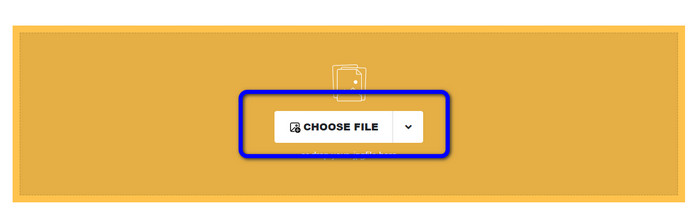
Trinn 1. Gå til nettstedet til Safeimageconverter. Klikk deretter på knappen Choose File for å laste opp NEF-filen du vil konvertere.
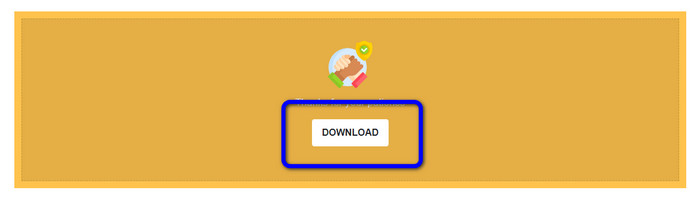
Trinn 2. Etter opplasting vil bildekonvertereren automatisk konvertere bildefilen. Når konverteringen er ferdig, klikker du på knappen Download. På denne måten kan du lagre det konverterte bildet på datamaskinen din.
Del 3. Praktisk metode for å konvertere NEF til JPG på Mac og Windows
Hvis du foretrekker å bruke Windows eller Mac for å konvertere NEF til JPG, kan du bruke Photoshop. Adobe Photoshop er ikke bare bra til å redigere bilder. Det er også pålitelig når det gjelder å konvertere ulike filer, inkludert NEF. I tillegg kan du batchkonvertere NEF til JPG i Photoshop. Programmet har også en rask konverteringsprosess, noe som gjør det godt egnet for alle brukere. Dessuten kan dette offline-programmet bevare kvaliteten på bildene dine. Slik sikrer du at bildet fortsatt har tilfredsstillende kvalitet etter konvertering. Adobe Photoshop er imidlertid ikke gratis. Du må kjøpe et abonnement for å bruke programmet. Det tilbyr bare en gratis prøveversjon på 7 dager. I tillegg er installasjonsprosessen ganske komplisert.
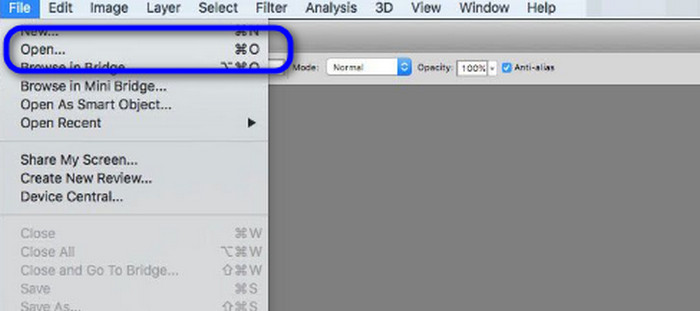
Trinn 1. Last ned Adobe Photoshop på datamaskinen din. Etter at du har installert programmet, starter du det for å se grensesnittet. Gå deretter til menyen File og velg Open for å sette inn NEF-bildefilen.
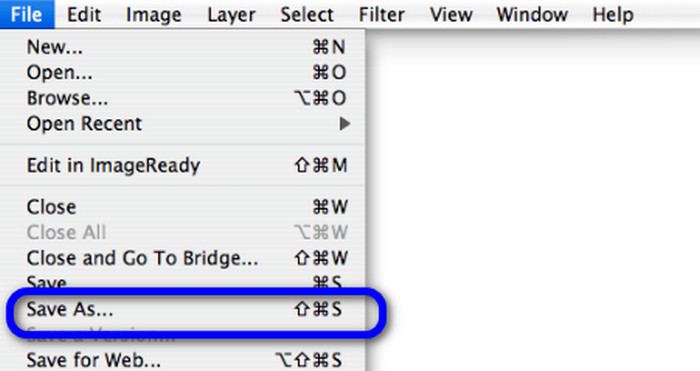
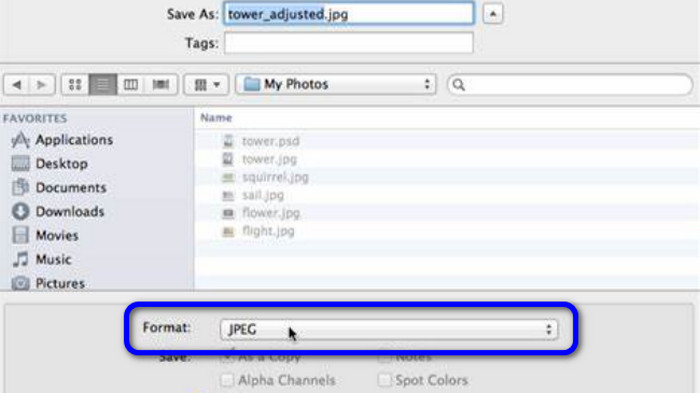
Trinn 2. Etter at du har satt inn NEF-bildet i grensesnittet, går du igjen til menyen File og velger alternativet Save as.
Trinn 3. Velg deretter JPG i formatalternativet og klikk på Save.
Del 4. Anbefalt bildekonvertering
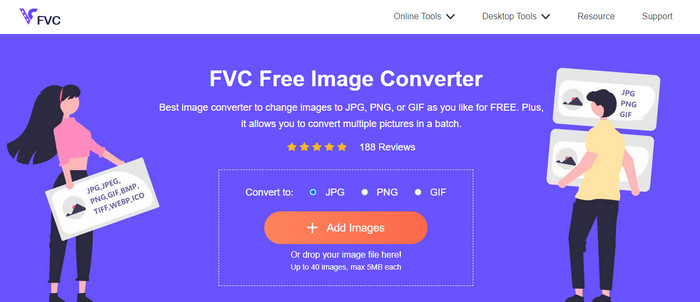
I denne delen, hvis du ser etter en annen bildekonverterer for å konvertere andre bildeformater online, er FVC Free Image Converter den beste løsningen for deg. Denne nettbaserte bildekonvertereren kan enkelt konvertere ulike formater. FVC Free Image Converter støtter JPG, PNG, GIF, BMP, TIFF og mer. Du kan dessuten åpne bildekonvertereren i ulike nettlesere, som Google, Explorer, Edge, Firefox og flere. I tillegg kan du fullføre konverteringsprosessen på bare noen sekunder, noe som gjør den praktisk for alle brukere. Du kan også laste opp flere bilder i dette nettverktøyet. Med funksjonen for batchkonvertering kan du laste opp opptil 40 bilder samtidig. Når du laster ned de konverterte bildene, kan du dessuten laste dem ned med ett enkelt klikk.
Del 5. Vanlige spørsmål om konvertering av NEF til JPG
1. Er det mulig å konvertere JPG til NEF?
Dessverre kan du ikke konvertere en JPG-fil til NEF. Dette er fordi NEF er et faktisk bilde tatt med et Nikon-kamera. NEF-formatet brukes når en fotograf bruker et Nikon-kamera og laster opp digitale filer.
2. Hvordan åpne en NEF-fil?
Du kan enkelt åpne NEF-filen hvis du har riktig kodek på Windows. Men hvis du ikke kan åpne NEF-filen, trenger du hjelp av nedlastbare programmer. Du kan bruke Microsoft Camera Codec Pack, Adobe Photoshop, Irfan View, GIMP og mer.
3. Hvorfor bør du konvertere fra NEF til JPG?
Det er viktig å konvertere NEF til JPG fordi noen programmer og bilderedigerere ikke støtter NEF-filer. NEF har også en stor filstørrelse som bruker for mye lagringsplass på enheten. Så det beste valget er å snu NEF-filen til JPG.
Konklusjon
NEF-filer kan gi deg bilder av høy kvalitet. Men noen nettlesere og programmer støtter ikke filtypen, noe som er frustrerende. Heldigvis ga denne artikkelen en utmerket løsning for å konvertere NEF til JPG. I tillegg presenterte den en annen nettbasert bildekonverterer du kan bruke til å konvertere andre bildeformater, nemlig FVC Free Image Converter. Du kan bruke denne nettbaserte konvertereren til å konvertere ulike bildeformater.
-
 4 pålitelige tilnærminger for å enkelt konvertere JFIF til JPG
 Denne guideposten vil fortelle deg alt om å konvertere JFIF til JPG online og offline. Hvis du vil lære de mest effektive metodene, les dette innlegget umiddelbart!
-
 Hvordan konvertere GIF til JPG uten å miste kvalitet
 Les og få de mest effektive metodene for å konvertere GIF til JPG profesjonelt. Du vil lære å konvertere bildefiler med guiden til perfekte bildekonverterere
-
 Enkelt å følge prosedyrer for å konvertere bilder til vektor
 Her er noen av de bemerkelsesverdige måtene å vektorisere et bilde på. I tillegg vil du få nok kunnskap om bildekonverteren du kan bruke.
