


 Video Converter Ultimate
 Skjermopptaker
 Videoreparasjon
 Sikker nedlasting
Førsteklasses JPG-konverterere offline og online perfekt for alle brukere
Siden JPG/JPEG-bildefiler er et av de mest populære formatene nå om dagen, kan vi ikke se bort fra at nesten alle brukere benytter denne filtypen. I tillegg støttes JPG-formatet av alle nettlesere og programmer, noe som gjør det mer praktisk for fotografer og redigerere å bruke. Hvis du er på jakt etter en utmerket JPG‑konverter du kan bruke til å konvertere bildene dine, har du en god grunn til å lese denne artikkelen. Vi vil introdusere ulike JPG‑konvertere du kan bruke både på nett og uten nettilgang. Du får også se både funksjonene deres og begrensningene. Les videre for å lære mer om disse konverterne.

Del 1. Enestående JPG/JPEG-konverterere
FVC Free Image Converter
En av de beste bildekonverterne på nett er FVC Free Image Converter. Denne JPG‑konverteren på nett lar deg lagre bildefilene dine i JPG-format. En av fordelene når du bruker verktøyet, er dessuten batch‑konverteringsfunksjonen. Denne bildekonverteren gjør det mulig å laste opp og konvertere flere bildefiler samtidig. Du kan legge til opptil 40 bilder om gangen og laste dem ned med ett enkelt klikk. I tillegg tilbyr verktøyet en enkel konverteringsprosess med et intuitivt grensesnitt. Brukere, også nybegynnere, kan betjene verktøyet enkelt og umiddelbart takket være den lett forståelige fremgangsmåten. Dessuten kan du åpne FVC Free Image Converter i alle nettlesere, blant annet Google, Edge, Mozilla, Safari og flere. I motsetning til mange andre nett‑konvertere har dette verktøyet heller ikke forstyrrende annonser på skjermen. Dermed slipper du å bli irritert mens du konverterer bildefiler.
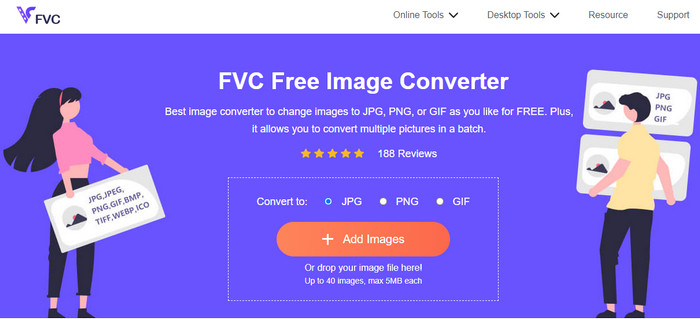
Fordeler
- Egnet for avanserte og ikke-profesjonelle brukere.
- Den tilbyr et intuitivt grensesnitt med en enkel konverteringsprosess.
- Tilgjengelig for alle nettlesere.
- 100% gratis.
- Ingen annonser vises på skjermen.
- Batchkonverteringsfunksjonen er tilgjengelig.
Ulemper
- En internettforbindelse anbefales på det sterkeste.
Media.io
En annen JPG‑konverter du kan stole på når du skal konvertere bildefilene dine, er Media.io. Denne nettbaserte konverteren tilbyr en rask konverteringsprosess. På den måten kan du konvertere bildefiler på kort tid. Du kan også konvertere filer i bare tre enkle trinn. Den har et brukervennlig og lettfattelig grensesnitt, noe som gjør den godt egnet for nybegynnere. Media.io er dessuten tilgjengelig i alle nettlesere, noe som gjør den praktisk for alle brukere. I tillegg kan du utføre batch‑konvertering. Du kan laste opp fem bildefiler i en batch‑konvertering. Foruten JPG støtter Media.io andre formater som BMP, PNG, TIFF, TGA og flere. Du kan også laste opp bilder fra ulike plattformer som datamaskin, Google Drive, Dropbox og via lenke. Bruker du gratisversjonen, kan du imidlertid bare konvertere 10 bilder per dag. Maksimalt fem bildefiler om gangen er tillatt ved batch‑konvertering. Hvis du vil ha flere funksjoner i denne nettbaserte bildekonverteren, må du derfor oppgradere til en betalt versjon. Det dukker også opp plagsomme annonser på skjermen, noe som kan virke forstyrrende for brukerne.
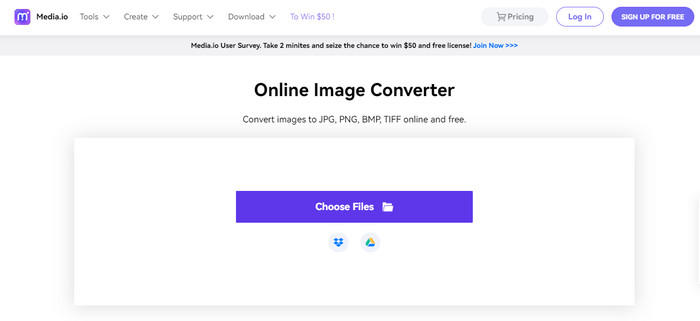
Fordeler
- Perfekt for ikke-profesjonelle brukere.
- Tilgjengelig i alle nettlesere som Chrome, Edge, Firefox og mer.
- Den tilbyr en batchkonverteringsprosess.
- Den støtter ulike formater, som PNG, BMP, TIFF, TGA og mer.
Ulemper
- Irriterende annonser vises alltid på skjermen.
- Batchkonverteringsprosessen er begrenset til fem bilder.
- Det lar brukere konvertere 10 bilder hver dag.
- Det krever en internettforbindelse for å betjene bildekonverteren.
Convertio
Hvis du ser etter en JPG‑oppretter for å gjøre bilder om til JPG, kan du bruke Convertio. Dette nettverktøyet kan enkelt konvertere bildene dine til JPG-format. Det har også en svært enkel prosess for å konvertere bildefiler. Derfor kan vi si at Convertio passer både for erfarne og uerfarne brukere. I tillegg tilbyr denne nett‑konverteren batch‑konvertering, slik at du kan konvertere flere filer i én omgang. Convertio støtter dessuten flere bildeformater enn du kanskje tror, blant annet PNG, GIF, BMP, SVG, ICO, TIFF og mer. Likevel har Convertio en del begrensninger i gratisversjonen. Du kan bare laste opp maksimalt to bildefiler ved batch‑konvertering. I tillegg er maksimal filstørrelse 100 MB. Til slutt må du ha internettilgang for å bruke verktøyet til å konvertere bildefiler. For å få tilgang til mer avanserte funksjoner, må du kjøpe et abonnement.
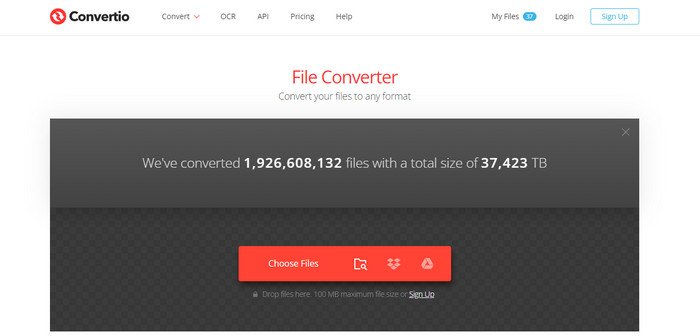
Fordeler
- Den tilbyr en enkel prosess, noe som gjør den egnet for nybegynnere.
- Verktøyet er tilgjengelig for alle nettlesere.
- Den støtter ulike bildefilformater.
Ulemper
- Det maksimale bildet du kan laste opp for batchkonverteringsprosessen er to.
- En internettforbindelse er foreslått når du bruker verktøyet.
- Kjøp en abonnementsplan for å nyte mer avanserte funksjoner.
Gratis Konverter
En av de mest pålitelige bildekonverterne du kan bruke, er Free Convert. Den kan enkelt konvertere bildefilen din til JPG uten vanskeligheter. Free Convert tilbyr brukerne en problemfri metode for å konvertere bildefiler. I tillegg har denne bildekonverteren oversiktlige og lett forståelige oppsett. Dessuten kan du bruke Free Convert på ulike plattformer, blant annet Firefox, Google, Edge og flere. Nettverktøyet har også flere funksjoner å by på. Foruten å konvertere bilder kan du også konvertere video, lyd, dokumenter, e‑bøker med mer. Selv om det tilbyr mye, kan du likevel møte noen ulemper når du bruker nettverktøyet. Du kan bare laste opp bilder på opptil 1 GB filstørrelse. Det vises også noen irriterende annonser på skjermen under konverteringsprosessen. Siden Free Convert er et nettbasert verktøy, må du dessuten ha internettilkobling når du konverterer filer. Hvis du vil laste opp flere bilder uten å bekymre deg for begrensningene, må du tegne et abonnement.
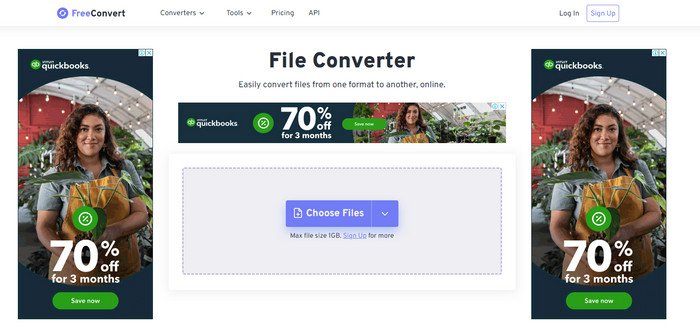
Fordeler
- Den tilbyr en lettfattelig layout som er perfekt for alle brukere.
- Tilgjengelig i alle nettlesere.
- Det gir flere funksjoner i tillegg til å konvertere bilder.
Ulemper
- Foruroligende annonser vises på skjermen.
- Når du laster opp filer, er 1 GB maksimal filstørrelse.
- Kjøp et abonnement for å oppleve flere funksjoner.
- En internettforbindelse er nødvendig.
Video Converter Ultimate
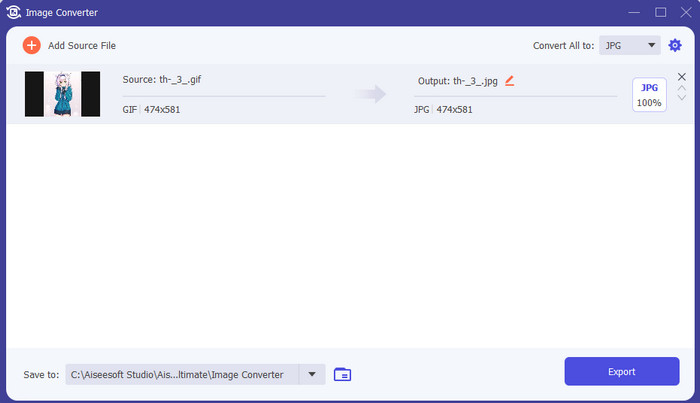
En av de beste bildekonverterne uten nettilgang er Video Converter Ultimate. Med denne gratis JPG‑konverteren kan du konvertere mange filer. Du kan raskt konvertere flere filer takket være høy konverteringshastighet. Den tilbyr også batch‑konvertering slik at du kan konvertere mange filer samtidig. Video Converter Ultimate støtter dessuten flere bildeformater, blant annet PNG, BMP, WEBP og TIF. Denne bildekonverteren for bruk uten nettilgang har et brukervennlig grensesnitt og en enkel konverteringsprosedyre. Slik kan brukere på alle nivåer, spesielt nybegynnere, konvertere bilder uten problemer. Konverteren er også tilgjengelig for både Mac‑ og Windows‑operativsystemer. I tillegg til konvertering har Video Converter Ultimate flere andre funksjoner. Du kan blant annet redigere videoer, legge til filtre, konvertere videoer og mer.
Gratis nedlastingFor Windows 7 eller nyereSikker nedlasting
Gratis nedlastingFor MacOS 10.7 eller nyereSikker nedlasting
Fordeler
- Den tilbyr et enkelt grensesnitt, som er perfekt for alle brukere.
- Gratis å laste ned.
- Tilgjengelig på både Windows og Mac.
- Den har flere funksjoner å tilby i tillegg til konvertering.
- Den tilbyr en batchkonverteringsfunksjon.
Ulemper
- For å oppleve mer avanserte funksjoner, skaff deg pro-versjonen.
Microsoft Paint
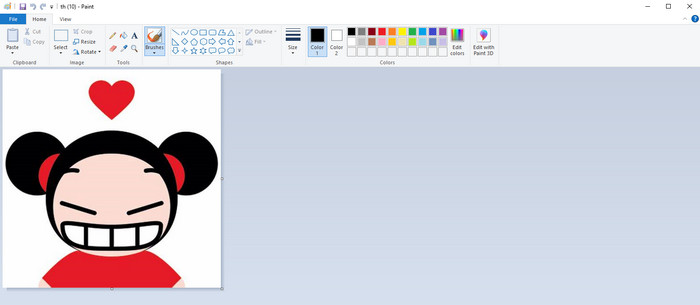
Etter å ha sett på JPG‑konvertere på nett og programmer du kan bruke uten nettilgang, går vi videre til standardmetoden for å konvertere bilder til JPG, nemlig Microsoft Paint. Dette forhåndsinstallerte JPG‑verktøyet kan også konvertere bilder til JPG-format. En av de største fordelene her er at du ikke trenger å installere noe program. Det eneste du trenger å gjøre, er å åpne datamaskinen og starte Paint‑programmet. Grensesnittet er også enkelt, noe som passer godt for nye brukere. Paint støtter imidlertid bare et begrenset antall bildefilformater. I tillegg har verktøyet ikke støtte for batch‑konvertering. Når du bruker verktøyet, må du derfor konvertere bildefiler manuelt, én etter én.
Fordeler
- Den tilbyr et lettfattelig grensesnitt med enkle metoder.
- Passer for nybegynnere.
- Det krever ingen installasjonsprosess.
Ulemper
- Den støtter bare begrensede utdataformater.
- Den godtar ikke store filer.
- Batchkonverteringsprosessen er ikke tilgjengelig.
Del 2. Vanlige spørsmål om Best JPG/JPEG Converter
Hva er fordelene med JPEG-filer?
JPG-filformatene kan tilby høyoppløselige bilder. Dette er grunnen til at fotografer og redaktører bruker JPG-filer. I tillegg er JPG mindre i størrelse. På denne måten kan du lagre flere bilder uten å bekymre deg for datamaskinlagring.
Når bør du bruke en JPEG?
JPEG-filformatet er best brukt for bilder eller bilder med mange detaljer fordi det hjelper til med å dekke over alle komprimeringsrelaterte feil. JPEG-bildet vil ikke virke pent hvis det har mange kanter eller kurver.
Er JPEG det samme som et bilde?
Et bilde er et bilde, men en JPEG er et bildefilformat. JPEG-er er én digital bildefilformattype, men det finnes andre. JPEG, PNG, TIFF og andre filtyper kan alle brukes til å lagre bilder. Et kameras standard filtype for lagring av et bilde er JPEG.
Konklusjon
Etter å ha presentert ulike JPG‑konvertere, har du nå et godt bilde av hvilke konvertere du kan bruke for å gjøre bildefilene dine om til JPG-format. Noen krever abonnement, og noen har ikke batch‑konverteringsfunksjon. Hvis du vil ha en gratis bildekonverter med batch‑konvertering, bør du bruke FVC Free Image Converter.
-
 Hvordan konvertere GIF til JPG uten å miste kvalitet
 Les og få de mest effektive metodene for å konvertere GIF til JPG profesjonelt. Du vil lære å konvertere bildefiler med guiden til perfekte bildekonverterere
-
 4 pålitelige tilnærminger for å enkelt konvertere JFIF til JPG
 Denne guideposten vil fortelle deg alt om å konvertere JFIF til JPG online og offline. Hvis du vil lære de mest effektive metodene, les dette innlegget umiddelbart!
-
 Matchløse trinn for å konvertere NEF til JPG-format effektivt
 Matchløse trinn for å konvertere NEF til JPG-format effektivt
