


 Video Converter Ultimate
 Skjermopptaker
 Videoreparasjon
 Sikker nedlasting
Bli kjent med det grunnleggende om AMR -formatopptakerprogrammer
AMR or also known as Adaptive Multi-Rate is a lossy format. This type of file contains voice recording, MMS messages and such. It was made specifically for 3G phones only but now you can open it with the other media player that supports this format. Moreover, users encounter trouble choosing what is the best AMR recorder that fits their demands. So, this article talks about the tools that are all based on your specification, steps, information and many more. Read this write-up to know what is the best for you as their future customer. Without any more delay let’s now proceed.
Del 1. Beste AMR -opptaker for Windows og Mac
FVC Free Audio Recorder

An online tool that allows you to record any calls, jamming sessions, voice over, and many more. FVC Free Audio Recorder is a tool developed by the FVC which allows the user to experience a better recording online. This tool does the task as an audio recorder. If you have a doubt about this tool, why don’t you try it first. So, without any more explanation, let’s explore this incredible tool and learn from it by following this simple step provided to you.
Step 1. Press the link to go to the main website. Don’t worry, it is malware free.
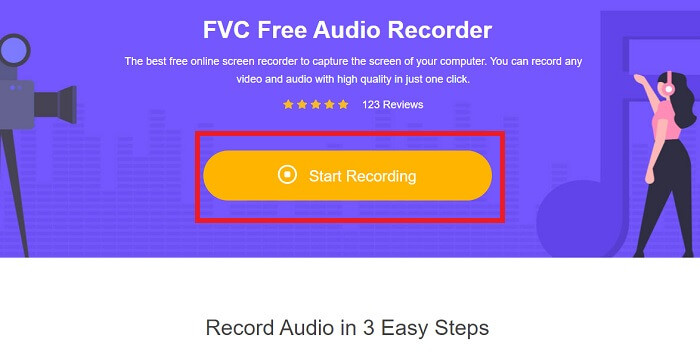
Step 2. launch the tool by clicking Start Recording.
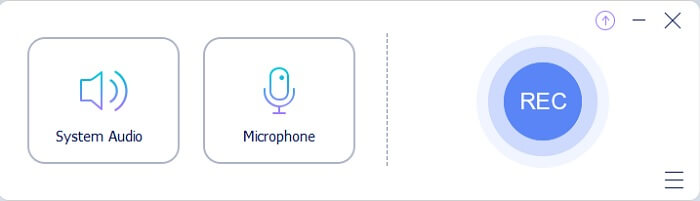
Step 3. A toolbar like this will show to your screen. It only means that the tool is already running.
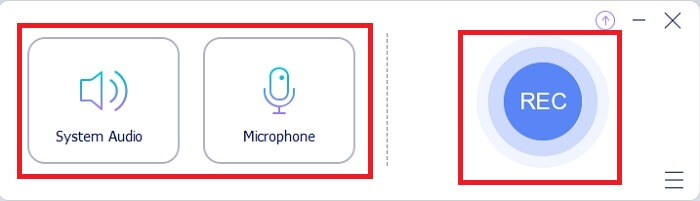
Step 4. The tool bar has a Speaker to add the sound in the system and Mic for your voice. If you’re ready click the round button to Start.
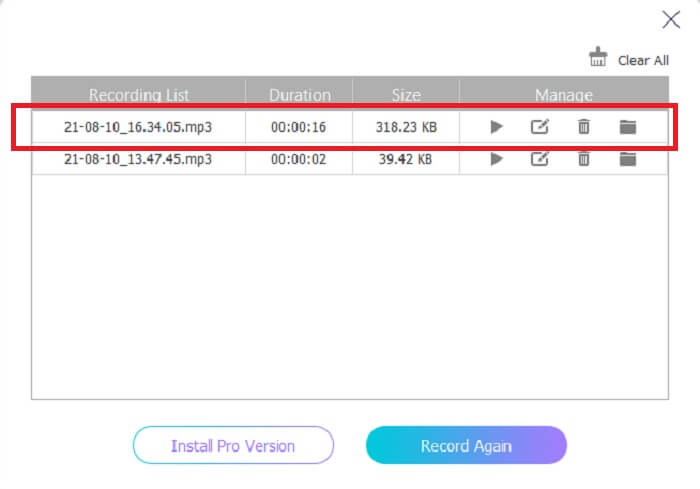
Step 5. If recording is already finished, click the cube shape button to stop the recording. It will be automatically saved in your storage. If you want to re-listen again the recording click the three-lined below and the recording list will show the first one that is the latest.
Del 2. 4 Beste alternativer for AMR -opptaker for Windows og Mac
1. FVC -skjermopptaker
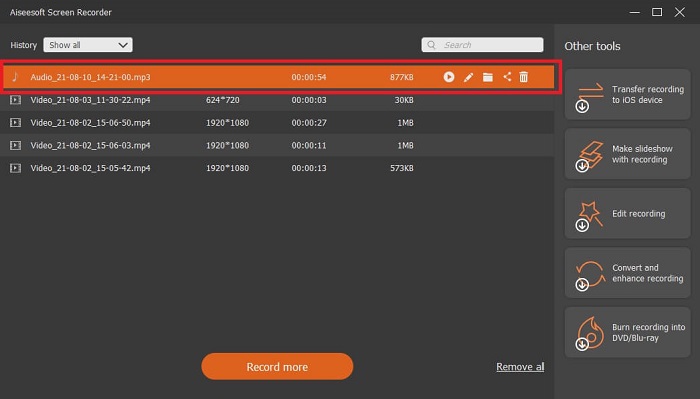
If you are looking for the best mp3, amr, wav, ac3 audio recorder then this is for you. No need to look for the other tools, instead focus on what this tool can provide. Because this tool is the one-and-only FVC Screen Recorder. This is the finest premium video-audio recorder that most people use as their first-choice recorder. Not only that, maybe you’re wondering why you should use this tool as your personal recorder. Then it is an honor to introduce this tool and provide these easy steps for you. Without further ado let’s proceed to the steps. Follow it thoroughly to become a pro in recording.
Step 1. Choose between the platform that you’re currently using. Download it then install. Change the Preferences according to your wants and click the Finish to save.
Gratis nedlastingFor Windows 7 eller nyereSikker nedlasting
Gratis nedlastingFor MacOS 10.7 eller nyereSikker nedlasting
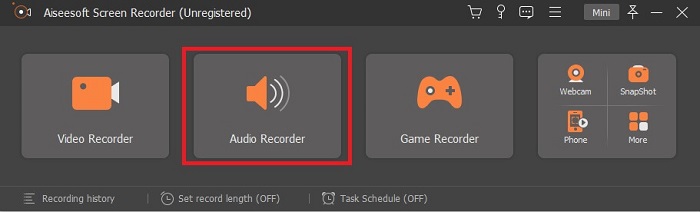
Step 2. After launching the tool, A floating toolbar like this will show in your display. Then click the Audio Recorder to proceed.
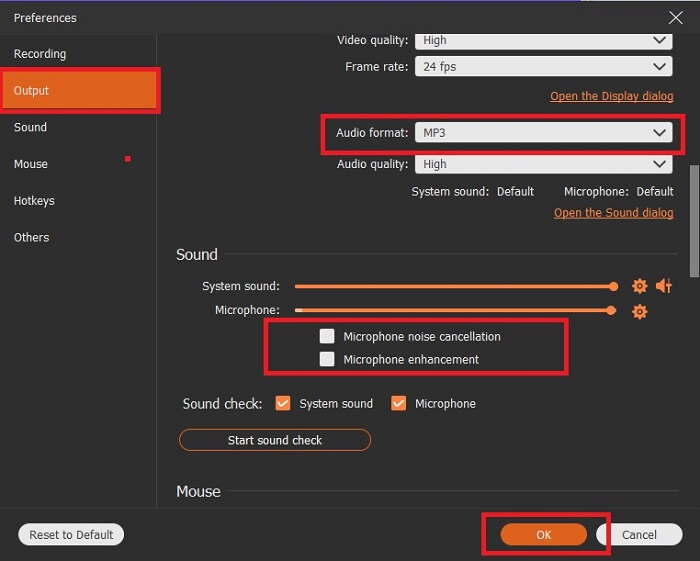
Step 3. Find the gear icon to go to the settings. Change the Audio output to the format you want and adjust other options then click OK to save.
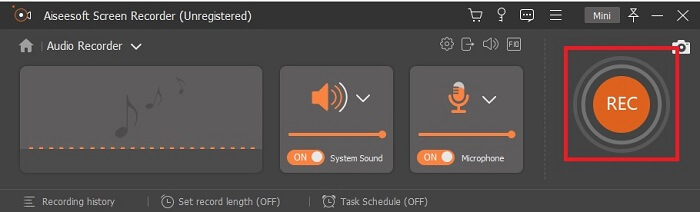
Step 4. In the toolbar, click the System Sound and Microphone to add the audio system and your voice. If everything is done, now you’re ready to go. Click the round REC button to start recording.
Step 5. If everything is settled and done, click the box button to stop the recording. Click the Save and Next to save the final output. If you want to recap your recording then click the parallel line and a history of your recording will show.
2. Frimodighet
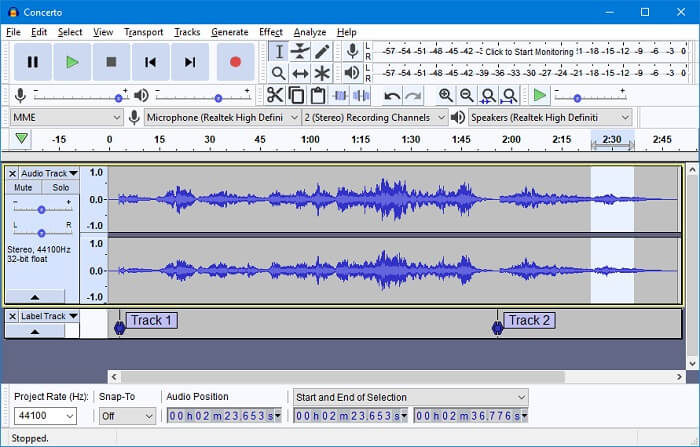
Another audio recording tool. Audacity is a bit complicated if you're new to the interface but in later days you’ll get onto this. You may as well record and edit it, like merging audio tracks. But the program has a limited mixing ability and the files for installation of the tool are separated for the plug-ins and encoders.
3. Wavosaur
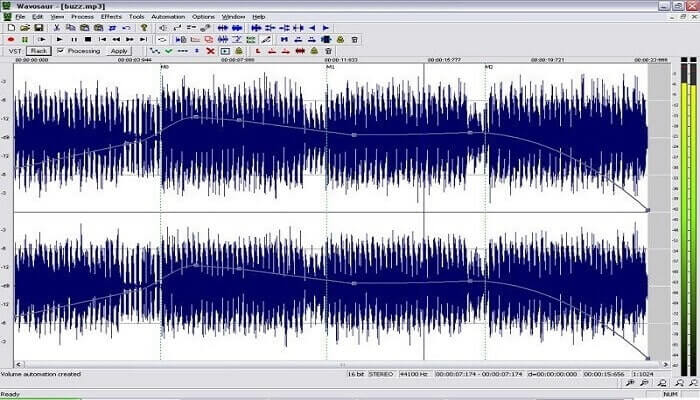
Wavosaur has tools to record and edit, such as copy, trimming, splitting etc. This tool can do the most complicated things like music arrangement, complex beat, and many more. If you’ve been troubled on how to use the tool because you’re not familiar with it, it also provides a video tutorial for you to understand.
4. Adobe Audition
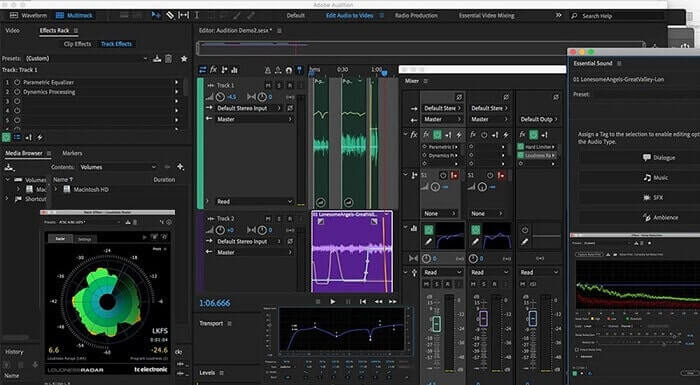
This tool is most commonly used in industrial recording. If money is no issue to you then Adobe Audition is a good tool for music producing. It provides precise editing of the music, cleaning it up, sound design and others. But the tool can’t provide you a one-time payment and it has an overwhelming User Interface. So, you must be prepared if you want to try using the tool.
Del 3. Sammenligningskart
| Funksjoner | FVC Free Audio Recorder | FVC -skjermopptaker | Frimodighet | Wavosaur | Adobe Audition |
| Lydopptak |  | | | | |
| Støydemping |  | | | | |
| Redigeringsverktøy | | | | | |
| Forbedring av mikrofon | | | | | |
| Spesialitet | Enkelt, men effektivt opptak | Flere alternativer tilbys brukerne i stedet for gratisversjonen med profesjonell utgang. Likevel er den enkel å bruke med profesjonell utgang. | Grunnleggende effekter, redigering og tillegg. | Redigeringsverktøy for å spille, stoppe, spille inn, spole tilbake og mer. | omfattende verktøysett. |
| Tilgjengelig format/s | MP3 og AMR | MP3, WMA, AAC, M4A, FLAC, OGG, AMR, Opus og mange flere. | WAV, AIFF og MP3 | WAV og MP3 | AC-3, M4A, MAT, VOX, W64, WAV og mange flere |
| Prisklasse | Det er et gratis online verktøy | I 1 måned: $25.00 I et år: $31.20 For livstidslisens: $55.20 | Gratis nedlastbar programvare | Gratis nedlastbar programvare | $27.62/øyeblikk, for årlig $315.61/år, for årlig $41.43/månedlig plan |
Del 4. Vanlige spørsmål om AMR -opptaker
Hva er de forskjellige typene AMR -filer?
Amr has two types of format standards the AMR-NB and the AMR-WB.
AMR-NB is a narrowband version or known as the basic version. It includes a low bitrate that you may have on MP3 that ranges from 300 to 3400 that are most commonly used for traditional telephones. Examples of its bitrate are:06.70 kbps, 07.40 kbps, 07.95 kbps, 10.20 kbps, 12.20 kbps.
While the AMR-WB occupies a much broader bandwidth. It stores more quality audio than the NB, the range of it is from 50 to 7000 Hz. Because of its wide range frequency GSM and UMTS use this to optimize. Here are some lists of the bitrates it used:15.85 kbps, 18.25 kbps, 19.85 kbps, 23.05 kbps, 23.85 kbps.
Hvorfor kan ikke AMR -en min være åpen i mediespilleren min?
Like any other file formats, some of the media players don't support this type of format. So, if you want to play your AMR recordings, FVC Free Video Player might help you to play it.
Er AMR et komprimert filformat?
Ja, det er et komprimert lydkodekformat for talekoding.
Konklusjon
For å avslutte skrivingen har disse verktøyene sine egne forskjellige evner og særegenhet. Men ikke alle er det beste valget for nybegynnere. Så hvis du vil vite den beste opptakeren som er valgt av nybegynner og ekspert også. FVC Screen Recorder er et multifunksjonelt verktøy som lar deg gjøre det du vil gjøre. Det begrenser ikke brukeren til grensen din. Men det hjelper deg å gå mer og gå ut i din trygge sone. Så hva venter du på, dette spesielle verktøyet vil ikke være en belastning for deg, men vil være din store hjelp.
-
 Topp 5 beste WebM-skjermopptakere for Windows/Mac: En grundig gjennomgang
 Lær mer om WebM -utvidelsesfiler ved å lese gjennom artikkelen og finne WebM -skjermopptaker -apper som du kan bruke til å ta opp WebM -videoer.
-
 4 beste SWF -videoopptakere tilgjengelig online gratis
 Har du hørt om SWF -fil? Lær mer om dette filformatet og finn måter å spille inn SWF -filer på med gratis online verktøy.
-
 Uforlignelige MTV -videoopptakere som er kompatible på en Mac/Windows -datamaskin
 Denne artikkelen vil hjelpe deg med å lære om MTV -filformat og en liste over MTV -videoopptakere som du enkelt kan bruke til å ta opp dataskjermer.
