


 Video Converter Ultimate
 Skjermopptaker
 Videoreparasjon
2 av de beste M4V til FLV-konvertererne for Windows/Mac/Online
A video and audio container made primarily to use on every Apple iTunes, M4V. This format is protected to avoid copyright issues by DRM copyright protection. In this case, the file is hard to play if you don't have your account on iTunes with the credentials. So if you want to watch the videos on your PC or Android phone, it is a must to convert them into playable FLV. To know how to convert M4V to FLV, read this article and have a brief idea about M4V and FLV.

Del 1. Førstevalg om å konvertere M4V til FLV på Mac og PC
It is the most efficient converter you would love to use, especially if you convert M4V to FLV on Mac or PC. FVC Video Converter Ultimate is the most pick converter a lot of users already depend on. Furthermore, if you want to have a multi-purpose tool that provides phenomenal output, this is a must. Also, you can convert any media file in here and set the quality to SD, HD, 1080 even 4k videos. Expect nothing less if you download this tool on your drive because it is said in its name that it is ultimate. Moreover, follow the tutorial written below if you want to experience this tool's maximum conversion capacity.
How to Convert M4V to FLV with the Help of the FVC Video Converter Ultimate:
Step 1. Click the download button below, choose what OS you are currently using. After downloading, click Install, and a welcome interface will show, then press Start Now.
Gratis nedlastingFor Windows 7 eller nyereSikker nedlasting
Gratis nedlastingFor MacOS 10.7 eller nyereSikker nedlasting
Step 2. Start the tool, click + sign in the middle of the interface and select the .m4 file on the folder that will show, click it and press Open.
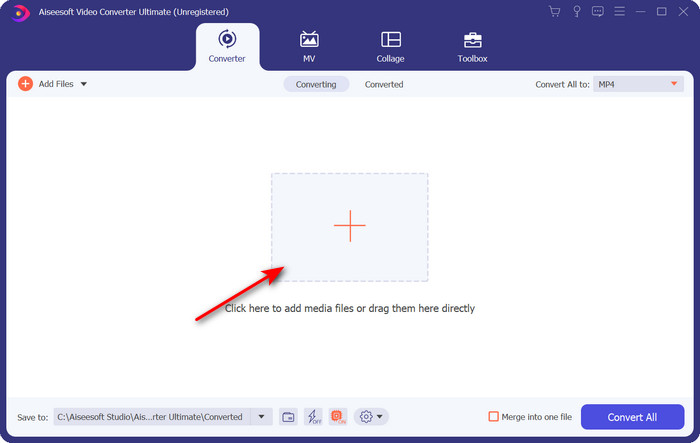
Step 3. Once the .m4v file is on the interface, click Convert All to and find the FLV format.
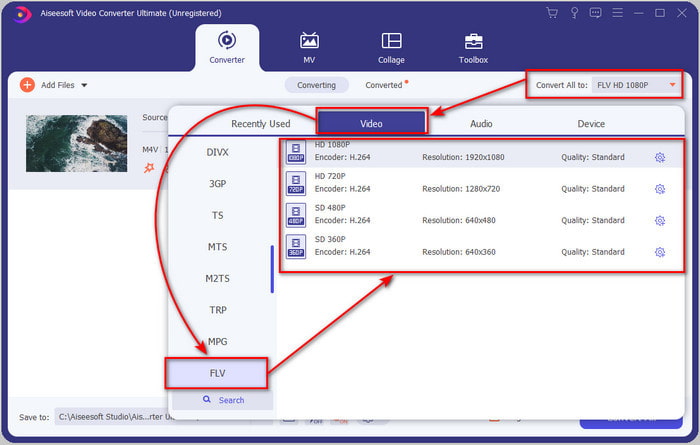
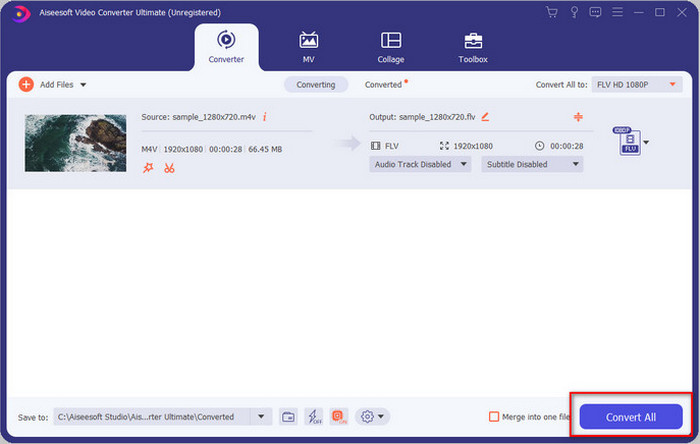
Step 4. Go ahead and click Convert All to start the changing of M4V to FLV.
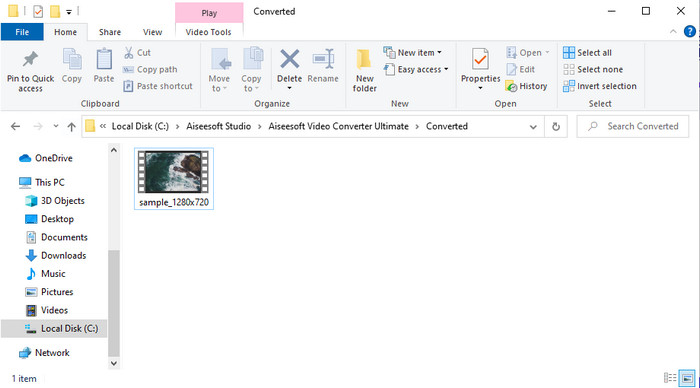
Step 5. Converting the file will take less than a minute because of the fast conversion this tool provides. A folder will show your converted file; click the file to watch or share it online.
Fordeler
- Rask konvertering og maskinvareakselerasjon er tilgjengelig for den beste opplevelsen.
- Tilgjengelig på alle plattformer som PC eller Mac.
- Å utføre redigering av videoer for å gjøre dem enestående kan overgås her.
Ulemper
- Betaling før bruk, men prisen på den er overkommelig.
- Last ned programvaren før bruk.
Del 2. Andre valg om å konvertere M4V til FLV gratis via online
Converting your files online can be efficiently executed if you use a proper convert M4V to FLV online with the help of FVC Free Video Converter Online. This online tool is the best converter you can access on all web browsers if you have an internet connection. Also, you can convert here without a limit in size, but you can't perform the batch conversion here. Even though the online software is excellent still internet connectivity is needed, so if you don't have then this is not a choice like the other web converters available. But, if you have an internet connection and want to experience a well-done free converting online, you must follow the steps below.
How to Convert M4V to FLV with the Help of the FVC Free Video Converter Online:
Step 1. Hit this link to go to the free online converter the FVC provides for you.
Step 2. On the web interface, click Add Files to Convert to download the installer. Once downloading the installer is done, hit the Add Files to Convert again and a folder, then select the M4V file.
Last ned skrivebordsversjonen for å konvertere filer i batch.
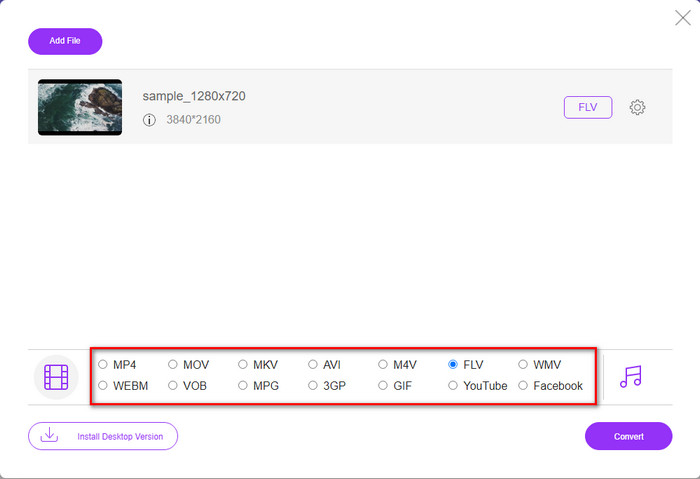
Step 3. A new web interface will show the below choose the FLV format by clicking it.
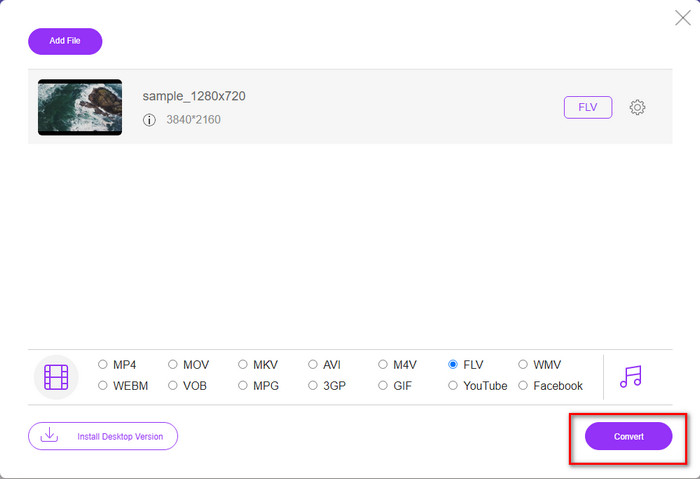
Step 4. So, to begin to convert M4V to FLV for free, click Convert.
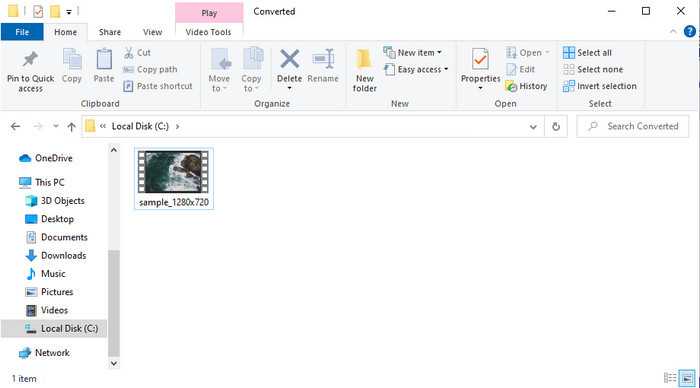
Step 5. After the conversion, a folder will show on the interface; click the file to play it on your local media player.
Fordeler
- Gratis og kompatibel i alle nettlesere.
- Ubegrenset filstørrelse og konvertering.
- Trygg og ingen annonser i det primære nettverktøyet.
Ulemper
- Den trenger Internett-tilkobling for å bruke verktøyet.
- Mindre støttet format å laste opp og konvertere til.
Del 3. Forskjeller mellom M4V- og FLV-formater
M4V lagrer den høyeste videokvaliteten som er lastet ned på Apple iTunes Store. Dette formatet ligner på MP4 fordi de bruker MPEG-4-kodeken som en kompressor. Men M4V-videoene er beskyttet under opphavsrettsbeskyttelsen Apple FairPlay DRM. Så det er vanskelig å spille av videoer under dette formatet fordi det ikke spilles av med en gang hvis du setter dem inn i en annen mediespiller enn iTunes eller Quicktime Player. Ubeskyttede M4V-filer kan nås på mediespilleren din ved å endre filtypen til .mp4.
Derimot brukes FLV til å overføre video- og lyddata over nettet så raskt som mulig. Flash Video er det mest gunstige formatet som finnes på alle HTML 5-nettsteder. Dette formatet ble imidlertid avviklet fordi Adobe Flash allerede hadde trukket seg tilbake. Likevel kan du fortsatt spille den på mediespillerens plugin-moduler når du har lastet ned eller konvertert.
M4V kontra FLV
M4V er utviklet av Apple, som også bruker MPEG 4. M4V-filer brukes ofte til å lagre videoer som er lastet ned fra Apple iTunes Store, som musikkvideoer, TV-episoder osv. Du kan finne noen M4V-filer kopibeskyttet siden den bruker Apples FairPlay DRM-opphavsrettsbeskyttelse.
Adobe Flash Player brukte FLV til å levere videoinnhold som filmer og TV-serier. Nå for tiden utvikler ikke Adobe spilleren lenger og anbefaler brukere å avinstallere den av sikkerhetsgrunner. Du kan imidlertid fortsatt bruke FLV-formatet på mange ikke-Adobe/Macromedia-programmer.
Del 4. Vanlige spørsmål om M4V til FLV-konvertering
Som er bedre; MP4 eller M4V?
Hvis du vil beskytte filen din, så er M4V formatet du må bruke fordi dette er kun tilgjengelig på Apples, og det er beskyttet. Men anta at du vil ha et format som er kompatibelt med alle mediespillere, redaktøren og mer. I så fall er MP4 det universelle medieformatet du gjerne vil bruke.
Kan jeg spille M4V på VLC?
VLC is free to use and compatible with all platforms; also, it can play almost all of the media formats. But the protected M4V can't be played here because it is protected. So now, if you want to watch .m4v on VLC, it is a must to convert the M4V file into MP4 or AVI.
Mister jeg kvaliteten etter konvertering av M4V?
Etter konvertering av M4V, bør kvaliteten på den beholde standardhastigheten til den originale M4V-kvaliteten. Noen omformere støtter imidlertid ikke konvertering av videoen til HD, 1080 eller 4k. Så det er best å velge det perfekte verktøyet og ikke det oke verktøyet som vil dekke dine behov for konvertering uten å miste kvaliteten.
Konklusjon
All in all, the two online and offline tools presented here are destined for greatness, especially if you want to convert M4V to FLV. Also, we gain insights into the two formats, the M4V and FLV. Although altering the M4V is necessary to watch the protected file, choosing the right tool for the right job is tricky. So, we present two tools you can use to convert the format for free by using FVC Free Video Converter Online. Or rather experience new heights of converting by using the FVC Video Converter Ultimate. And now, what are you waiting for if you want to watch your M4V for free? Choose the tool above, follow the quick and easy steps presented above, and voila, enjoy the video.
-
 [Veiledning] Hvordan konvertere M4V-videoer til animerte GIF-er på Windows/Mac
 Hvis du vil lage animerte GIF -filer fra dine favoritt M4V -videoer, kan du lære om to enkle og effektive måter å konvertere M4V -videoer til GIF -er med tilpassede innstillinger.
-
 3 Video Converter Program Brukes til å konvertere iTunes M4V til AVI på Mac
 Har du ingen anelse om hvordan du konverterer MKV til et AVI-format? Når vi fortsetter å lese denne artikkelen, vil vi kjenne til de 3 verktøyene som kan hjelpe deg med å konvertere dette filformatet.
-
 Gratis M4V til MOV-omformer – Hvordan konvertere M4V til MOV
 Hvis mediespilleren din ikke støtter M4V, har du noen gang slitt med å se en film på iPhone? Hovedtemaet i denne artikkelen er å konvertere den til en MOV-videofil.

