


 Video Converter Ultimate
 Skjermopptaker
 Videoreparasjon
Finn ut de 4 beste frakoblede og online SWF til FLV-konvertererne på Windows og Mac
Jeg ser for øyeblikket etter en løsning for å laste opp SWF-filene mine på videodelingssider som Youtube, Facebook, MySpace og mer. Kan du hjelpe meg med å finne den raskeste måten å løse dette problemet på?
Dette problemet er vanlig, spesielt hvis videoen din har filendelsen .swf. Dette formatet brukes ofte på nettet, men det fungerer ikke når du skal dele filen på videodelingsplattformer. Hvis du vil dele SWF-filene dine, må du derfor konvertere dem til et format som støttes bedre, for eksempel FLV. Med det i tankene, la oss se på fire skjulte perler blant frakoblede og nettbaserte SWF‑til‑FLV‑omformere du kan bruke ved å lese denne artikkelen.

Del 1. Konverter SWF til FLV Online gratis med FVC Free Video Converter Online
FVC Free Video Converter Online er den suverene videokonverteren du kan bruke til å konvertere SWF til FLV gratis på nett. Dette nettverktøyet er spesialisert på å konvertere filer til et nytt format uten at du trenger å laste ned verktøyet til datamaskinen. I tillegg til konverteringsfunksjonen kan du også endre video- og lydspesifikasjoner etter behov. Vil du vite hvordan du bruker denne lette nettomformeren? Kopier da trinnene som står nedenfor.
Trinn 1. Klikk på denne lenken for å åpne en ny fane som tar deg til den offisielle nettsiden til FVC Free Video Converter Online.
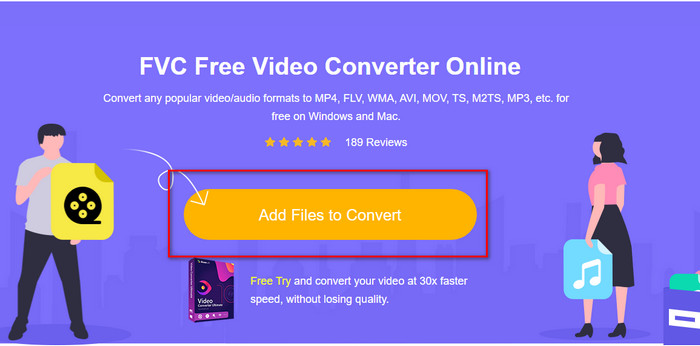
Trinn 2. På nettstedet klikker du på Add Files to Convert, deretter åpnes en datamappe; velg .swf-filen og trykk Open.
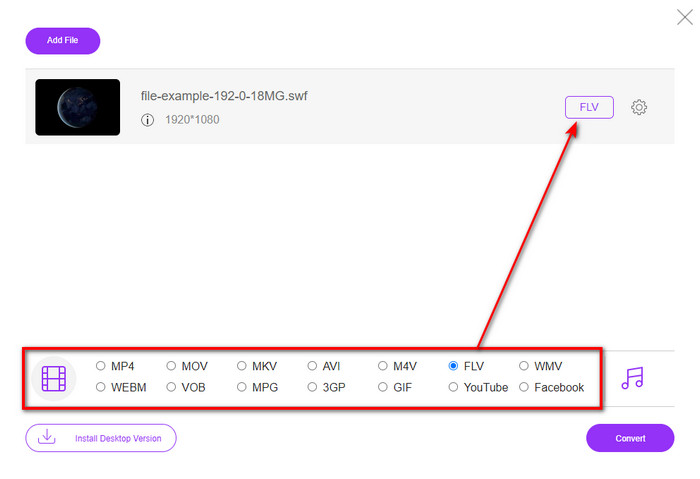
Trinn 3. Etter at du har lagt inn filen, velger du FLV-formatet i rullegardinlisten.
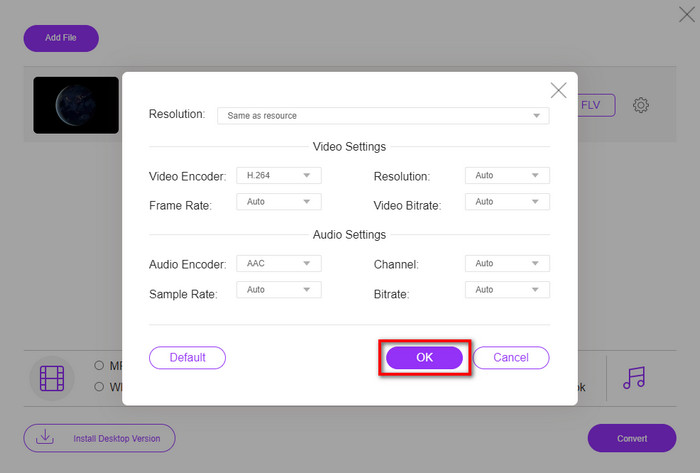
For å endre video- og lydspesifikasjonene klikker du på tannhjul-knappen.
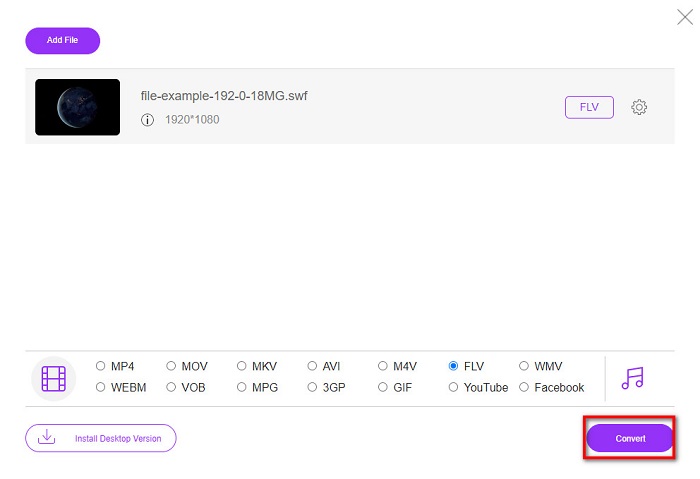
Trinn 4. For å starte konverteringsprosessen klikker du på Convert-knappen.
Del 2. Konverter SWF til FLV med FFmpeg
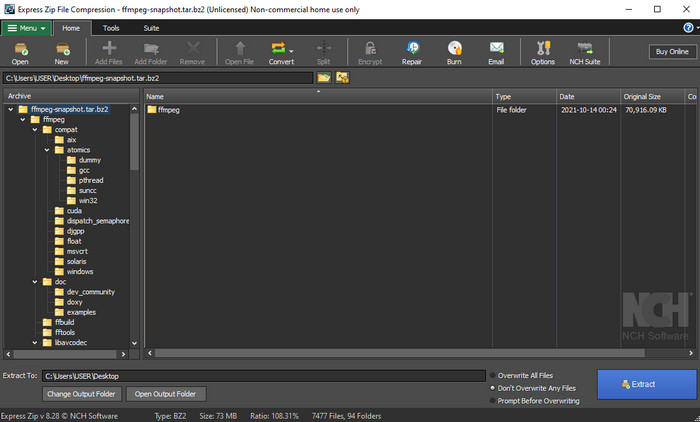
FFmpeg har et unikt grensesnitt og kommandooppsett for å konvertere SWF til FLV gratis. Hvis du allerede kjenner denne omformeren, vet du hvordan du bruker den, men det er langt fra alle som gjør det. Kort forklart er dette ikke en typisk videokonverterer som du bare bruker via et vanlig programvindu eller i nettleseren. I stedet for å styre verktøyet med knapper, må du bruke kommandolinjen for å kontrollere denne omformeren.
Trinn 1. Last ned FFmpeg-omformeren til disken din, og åpne den.
Trinn 2. Åpne ledeteksten/kommandolinjen på datamaskinen din.
Trinn 3. Gå til mappen der SWF-filen din ligger via CMD, og sett den inn. Kopier denne kommandoen og lim den inn i kommandolinjen: ffmpeg -i input.swf -vn -ar 44100 -ac 2 -b:a 192k output.flv og trykk Enter for å starte prosessen.
Del 3. Konverter SWF til FLV i Flash
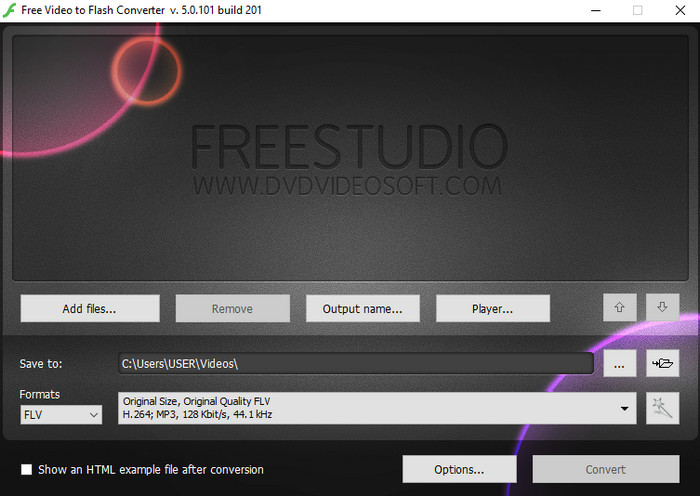
Free Video to Flash Converter er en gratis nedlastbar omformer for Windows. Denne omformeren har to formater du kan velge mellom. Den er laget spesielt for å konvertere filer til kun FLV- eller SWF-format. Så hvis du vil konvertere SWF-filene dine til AVI, MP4, MOV, MKV og lignende, kan du ikke gjøre det her. La oss uten videre lære hvordan konvertere SWF til FLV i Flash.
Trinn 1. Last ned den offisielle programvaren til Flash Converter på Windows-PC-en din, og start programmet.
Trinn 2. Klikk på Add Files for å laste opp filen til omformeren. Trykk deretter på Formats, se etter FLV, og du kan også velge kvalitet.
Trinn 3. Start konverteringen ved å klikke på Convert-knappen nederst til høyre i grensesnittet.
Del 4. Hvordan konvertere SWF til FLV ved hjelp av den beste SWF-konvertereren på Windows og Mac
Er du fortsatt ikke fornøyd med de tre første SWF‑til‑FLV‑omformerne på nett og frakoblet som ble presentert ovenfor? Prøv i så fall FVC Video Converter Ultimate. Denne omformeren overgår de fleste brukeres forventninger, særlig når det gjelder hvor rask konverteringsprosessen er. I tillegg til den fenomenale konverteringen har den også avanserte redigeringsfunksjoner for å forbedre videoen din, samt en Verktøykasse for andre formål. Dessuten lover veiledningen nedenfor deg 101% suksess i å konvertere filen din.
Trinn 1. Før du bruker verktøyet, må du laste det ned til Windows- eller Mac-disken din, følge installasjonsprosessen og starte det.
Gratis nedlastingFor Windows 7 eller nyereSikker nedlasting
Gratis nedlastingFor MacOS 10.7 eller nyereSikker nedlasting
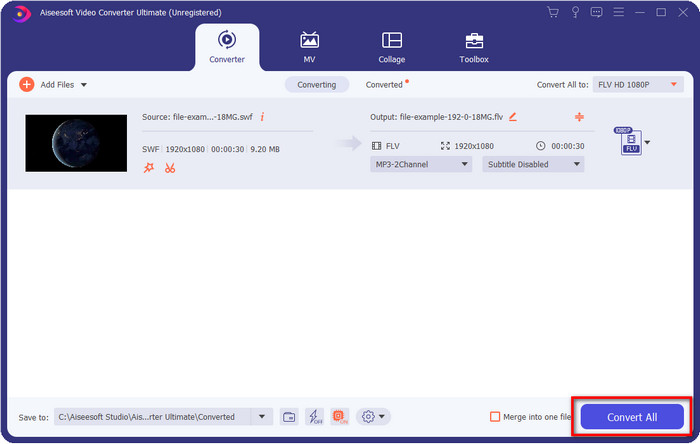
Trinn 2. Når det kjører på systemet ditt, klikker du på Add Files for å laste opp SWF-filene du vil konvertere.
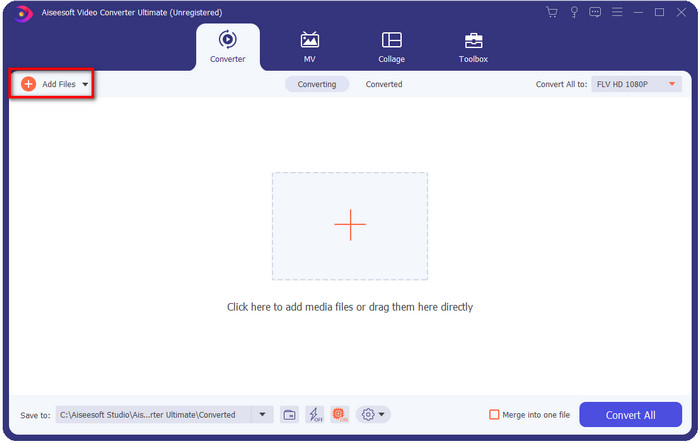
Trinn 3. Klikk på Convert All to-alternativet og velg FLV-formatet. Du kan også velge kvalitet, enten for høy oppløsning eller for å beholde originalversjonen.

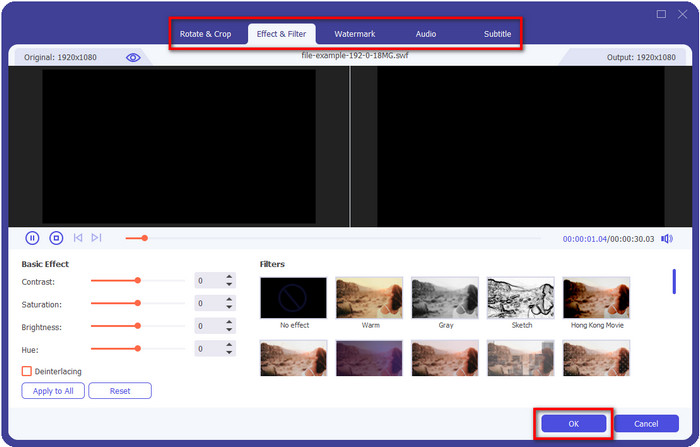
Hvis du vil gjøre videoresultatet enda bedre, klikker du på tryllestav-knappen. Den tar deg til ulike redigeringsmuligheter som Crop, Rotate, Add Effects, Subtitle, Audio og Watermark. For å lagre endringene du har gjort, klikker du på OK.
Trinn 4. Klikk på Convert All, så starter prosessen. Det tar bare kort tid å konvertere SWF til FLV; etter konverteringen vises en mappe på skjermen med FLV-filen.
Del 5. Utvidet kunnskap om SWF og FLV
ShockWave File eller SWF er et Adobe-format, men Macromedia har laget det. Det er kjent for å holde vektorbaserte animasjoner og lyder brukt på nettet. Dessuten, fordi det er en vektorbase, kan du enkelt justere den grafiske skaleringen for å passe eller zoome inn. Bortsett fra vektoranimasjonen er filstørrelsen så liten at videoen lastes raskere selv om du har en treg internettforbindelse. Men formatet støttes ikke hvis du ønsker å dele dem på videodelingsplattformene.
Selv om FLV også er under Adobe, er dette formatet bedre enn SWF. FLV eller FlashVideo Format er standard videoformat på de fleste nettsteder. Dette formatet kan inneholde to forskjellige kodeker beregnet for video og lyd. Og akkurat som SWF-filen, er dette formatet lite for å laste filen raskere på nettet; Når du har lastet ned FLV-filen på stasjonen, kan du spille den av på mediespilleren selv om den ikke er fullført ennå.
Det ville hjelpe hvis du konverterte SWF til FLV fordi SWF har mange ufullkommenheter som du kan finne på FLV-formatet. Spesielt hvis videofilen er lang, siden .swf bare kan inneholde et begrenset bilde per sekund, vil det være en sjanse for at du ikke kan bruke den. Men FLV kan enkelt holde lange videoer. Dessuten, hvis du ønsker å fokusere på kvalitetsmessig, har FLV bedre kvalitet enn SWF.
Del 6. Vanlige spørsmål om SWF til FLV-konvertering
Støtter SWF-filen åpenhet?
Som PNG og GIF, støtter dette formatet også gråtoner med ekte farger eller tilordne én farge for å gjøre den gjennomsiktig.
Hvor kan jeg se SWF-videoer?
Foreløpig kan du ikke se SWF-filer i standard mediespiller fordi formatet ikke støttes. Du kan imidlertid klikke på denne lenken og lære mer om Topp 4 SWF-mediespillere på Windows og Mac.
Kan jeg lagre .swf-en på telefonen min?
Det er mulig å lagre SWF-filer på telefonen, men det er ikke mulig å spille dem på din lokale mediespiller. Fordi dette formatet ikke er for telefonkompatibilitet, men nettet. Så hvis du laster ned en fil under denne utvidelsen, så forvent at du ikke kan bruke den; Du kan imidlertid konvertere den til et spillbart format som MP4 på telefonen.
Konklusjon
Denne artikkelen avdekker omformerperlene du kan bruke til å konvertere SWF til FLV uten å forringe kvaliteten på SWF-filen. Da vi samlet alle disse omformerne, fant vi ut at FVC Video Converter Ultimate er den skjulte perlen du leter etter til dette problemet. Den gir det mest imponerende resultatet og den raskeste konverteringsprosessen sammenlignet med alle verktøyene som er nevnt. Nå gjenstår det bare at du velger skatten du vil bruke til konverteringsbehovet ditt, ved å laste ned programmet eller bruke det på nett.
-
 Nyttige DV til FLV-konverterere for å konvertere DV til FLV [2022]
 Hvis du leter etter de beste og enkle verktøyene du kan bruke til å konvertere DV til FLV, her er den beste artikkelen du kan lese. Ha en utmerket innsikt, graver gjennom all informasjonen i denne artikkelen.
-
 Hvordan konvertere MPG til FLV uten å miste kvalitet [Bevist]
 Du må se favorittfilmen din på denne mediespilleren, men den støtter ikke MPG. Prøv å konvertere MPG-filen din til FLV ved å bruke disse omformerne som denne artikkelen introduserer.
-
 Konverter TRP til FLV med enkleste offline og online metoder
 Vil du konvertere TRP-videofilen til FLV raskt og uten problemer? Les denne artikkelen for å gi deg den beste programvaren og nettjenesten som passer best for situasjonen.
