


 Video Converter Ultimate
 Skjermopptaker
 Videoreparasjon
Hvordan konvertere GIF til WebM med detaljerte trinn og verktøy [Gratis & Costly]
GIF-er ble populære på grunn av det morsomme innholdet de gir oss. I stedet for å bruke stillbilder for å gjøre tekstmeldingene våre mer spennende, bruker vi GIF-er som gir bevegelse og overdrevne følelser. Men ikke alle plattformer støtter GIF, fordi dette formatet er mer enn 30 år gammelt. I noen tilfeller, når du legger til en GIF-fil på nettsiden din, blir ikke kvaliteten støttet. Den beste måten å dele GIF-er på er derfor å konvertere dem til WebM-format. WebM-formatet er mye mindre når det gjelder komprimering og filstørrelse, og gir høy kvalitet som passer for alle. Denne typen format er den beste langsiktige erstatteren for GIF, fordi den, på samme måte som GIF, kan lagre både statiske bilder og animasjoner. For å finne ut hvilke som er de beste GIF til WebM-omformerene, les videre nedenfor og velg det som passer deg best.

Del 1. Hvordan konvertere GIF til WebM for gratis web og skrivebord
1. FVC gratis video til GIF Maker
For å gjøre jobben effektivt må du velge riktig verktøy. Og hvis jobben er å konvertere GIF til WebM, kan du prøve FVC Free Video to GIF Maker. Det blir enkelt å lage GIF-er når du bruker denne programvaren, og det samme gjelder konvertering av GIF-er. Dermed er læreprosessen for hvordan du bruker dette verktøyet enkel. Det er takket være den presise veiledningen som følger med FVC. Både nye brukere og proffer kan lett bruke det og samtidig få best mulig resultat. For å lære hvordan du bruker verktøyet må du følge trinnene nedenfor som er laget spesielt for deg.
Trinn 1. Installer dette gratis verktøyet på harddisken din. Velg riktig operativsystem for programmet ditt.
Gratis nedlastingFor Windows 7 eller nyereSikker nedlasting
Gratis nedlastingFor MacOS 10.7 eller nyereSikker nedlasting
Trinn 2. Klikk på ikonet til verktøyet du har lastet ned for å starte det. Hvis verktøyet allerede kjører i bakgrunnen, skal grensesnittet se akkurat slik ut.
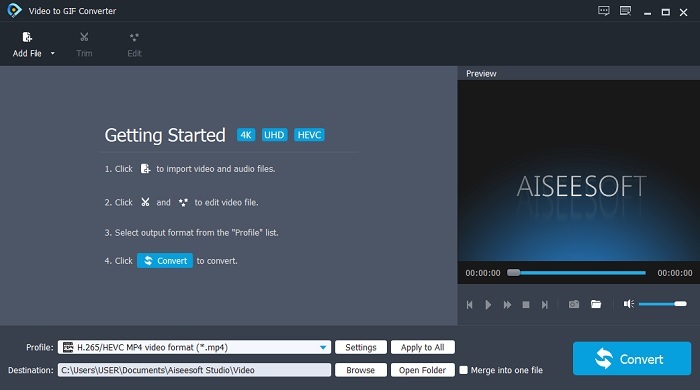
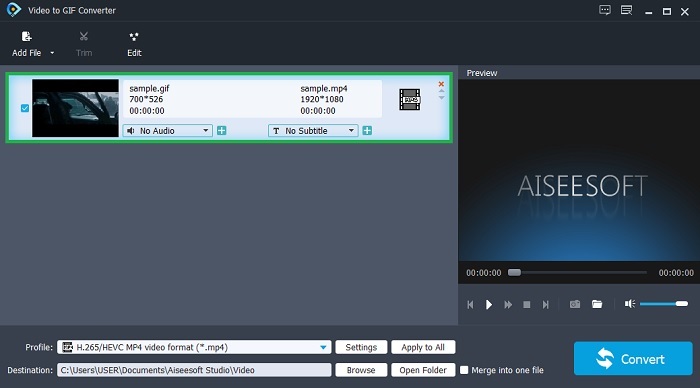
Trinn 3. Klikk på Add File og velg GIF-en du vil konvertere. I grensesnittet kan du redigere eller trimme videoen.
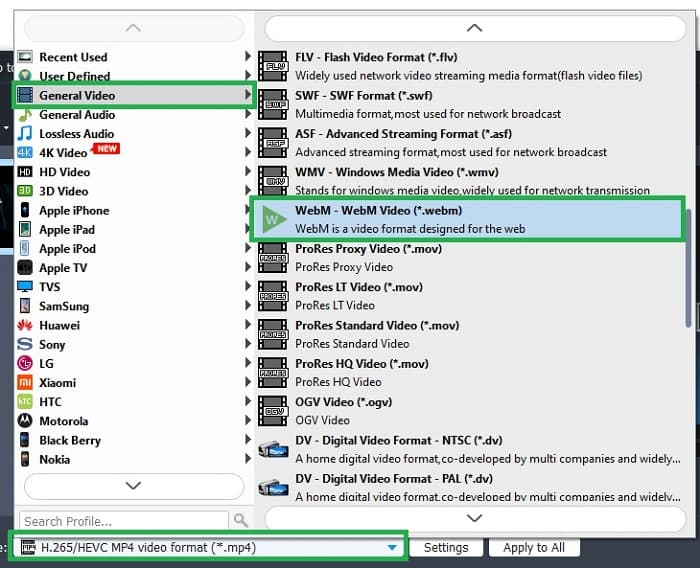
Trinn 4. Velg WebM-fil eller et annet format du vil konvertere til i nedtrekksmenyen. Når du er klar til å starte konverteringen, trykker du på Convert.
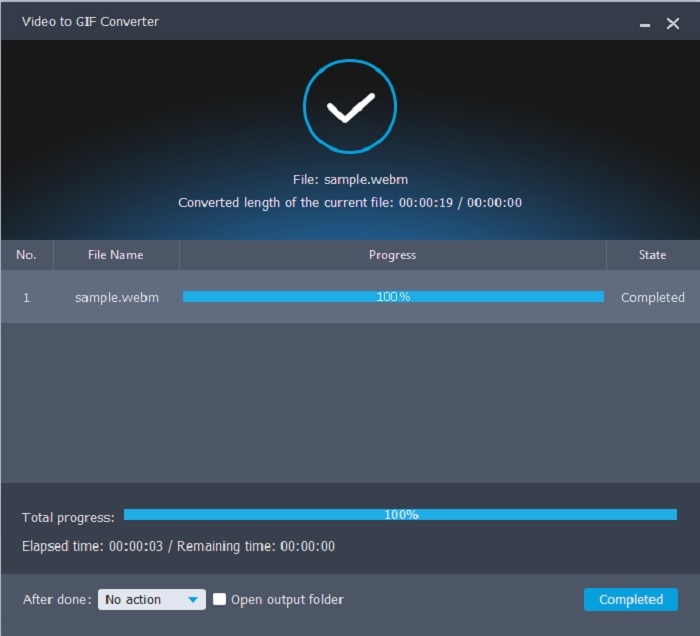
Trinn 5. Konverteringsprosessen tar mindre enn ett minutt. Når konverteringen er ferdig, kan du sjekke det endelige resultatet i filutforskeren.
Fordeler
- Den er flott til å lage og konvertere GIF-er.
- On-point verktøy slik at læreprosessen hvordan du bruker dette verktøyet er veldig enkelt i alle aldre.
- Ingen internett nødvendig for å bruke verktøyet.
Ulemper
- De fleste av hovedfunksjonene i det ultimate verktøyet er ikke tilgjengelige her.
- Den må installeres på skrivebordet ditt.
2. OnlineConverter.com
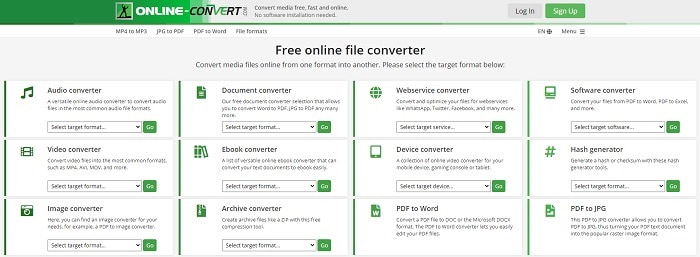
Gjør om .webm til .gif ved hjelp av OnlineConverter.com. Hvis du vil ha et verktøy som er laget spesifikt for konvertering, bør du prøve dette. Dette verktøyet støtter ulike typer konverteringer som dokument, e-bok og arkiv. Ulempen er at det ikke støtter redigeringsfunksjoner, ikke engang de mest grunnleggende. Hvis du vil vite hvordan du bruker dette verktøyet, følger du trinnene nedenfor.
Trinn 1. Søk etter hovednettsiden til verktøyet i favorittsøkeren din.
Trinn 2. Klikk på videokonvertereren og last opp filen.
Trinn 3. For å starte konverteringen klikker du på start conversion og venter til konverteringen er ferdig.
Fordeler
- Enkel tilgang som kan brukes av alle på nettet.
- Ingen ekstra filer er nødvendig å bruke.
- Den støtter også forskjellige konverteringer.
Ulemper
- Prosessen med å konvertere via online tar mer tid enn de skrivebordsbaserte verktøyene.
- Den har noen få annonser og et kjedelig nettgrensesnitt.
3. Convertio
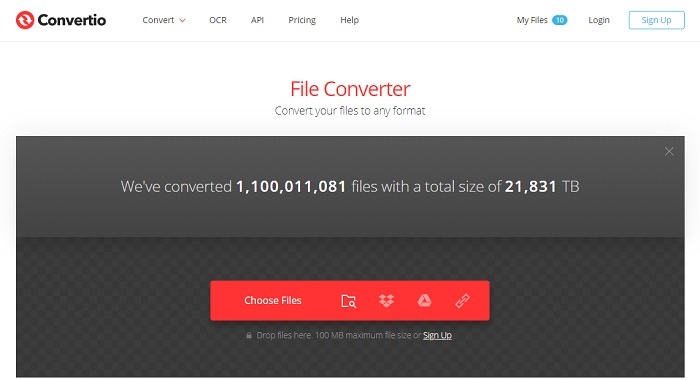
Hvis du vil vite hvordan du gjør WebM om til GIF eller omvendt, kan du bruke Convertio på nett til å konvertere hva som helst. Hvis konvertering er et problem for deg, kan dette være løsningen. Selv om nettverktøyet har reklame og ikke tilbyr redigeringsfunksjoner, er det fortsatt en av de beste nettomformerene du kan finne. Hvis du vil prøve dette verktøyet, følger du trinnene nedenfor.
Trinn 1. Finn hovednettsiden til Convertio på nett og klikk på lenken.
Trinn 2. Når du er i hovedgrensesnittet, velger du GIF-en du vil konvertere.
Trinn 3. Klikk på convert for å starte prosessen.
Fordeler
- Enkel å bruke på grunn av den nøyaktige måten å bruke den på.
- Den støtter også forskjellige plattformer.
- Kan enkelt nås over internett.
Ulemper
- Har stor sjanse for å miste data under konvertering hvis internett har blitt avbrutt.
- Annonser på selve nettsiden som kan være litt irriterende.
Del 2. Beste måten å gjøre GIF til WebM ved hjelp av Ultimate Tool
Video Converter Ultimate
Men du kan vurdere å bruke denne Video Converter Ultimate utviklet av FVC. Hvis gratisversjonen av dette verktøyet gir deg det beste resultatet, er dette verktøyet mye mer enn det. Det kan forbedre videokvaliteten og også legge til effekter i den. Hvis du liker å forbedre lydkvaliteten, kan du også bruke dette verktøyet til å forbedre det. Så hvis du ønsker å ta konverteringen til neste nivå, må du bruke dette verktøyet som ditt personlige valg. Fordi det er det riktige verktøyet som gir den ultimate sluttresultatet for å imponere venner, familie eller hvem som helst. Les de detaljerte trinnene nedenfor for å vite hvordan du bruker dette ultimate verktøyet til å lage en ultimat utgang.
Trinn 1. For å starte verktøyet må du laste ned riktig program til datamaskinen din. Klikk på nedlastingsknappen og følg installasjonsveiledningen, og endre innstillingene hvis det er nødvendig. Klikk på finish for å starte verktøyet.
Gratis nedlastingFor Windows 7 eller nyereSikker nedlasting
Gratis nedlastingFor MacOS 10.7 eller nyereSikker nedlasting
Trinn 2. Et lite grensesnitt som dette vil vises på skjermen.
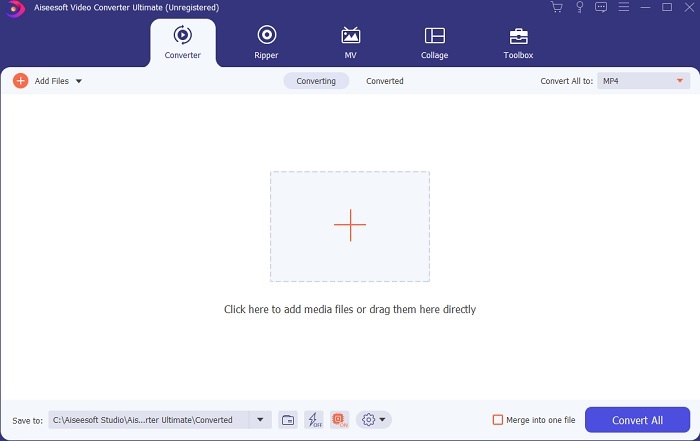
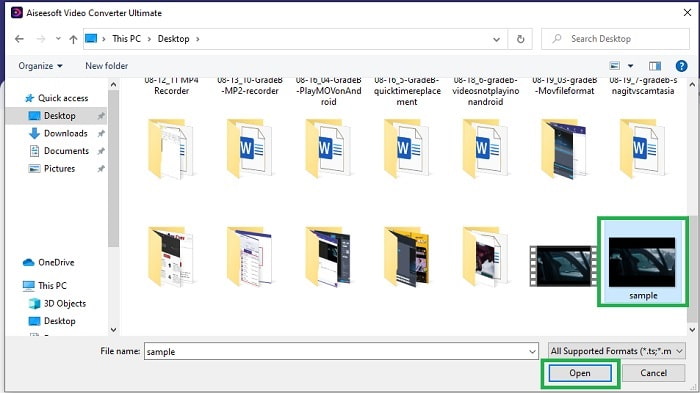
Trinn 3. Klikk på pluss-tegnet midt i grensesnittet for å legge til filen. Hvis du vil konvertere mange GIF-filer, er det bedre å dra og slippe filene inn i grensesnittet.
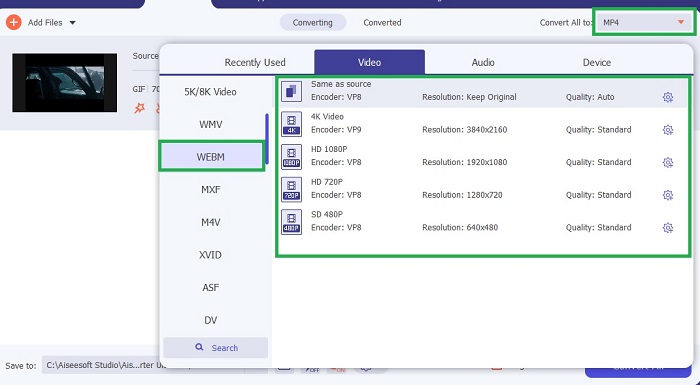
Trinn 4. Velg formatet du ønsker etter at du har åpnet menyen Convert All to. Når du er klar, klikker du på Convert All for å starte konverteringsprosessen.
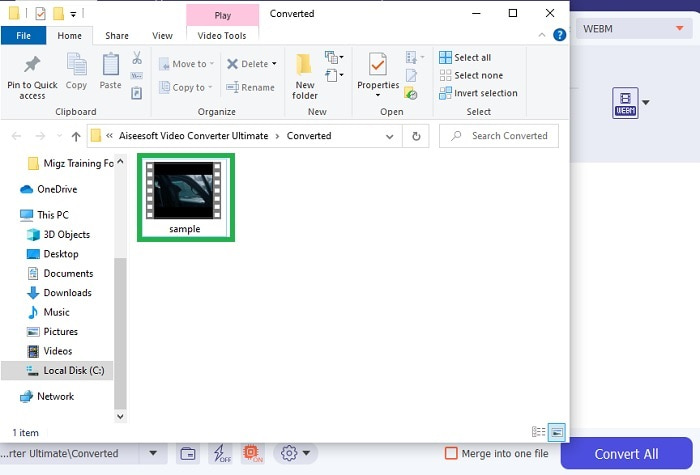
Trinn 5. Konverteringsprosessen vil ikke ta mye av tiden din, fordi den er 30 ganger raskere enn gratisverktøyet og 100 ganger raskere enn andre verktøy. Når prosessen er ferdig, vil et filvindu dukke opp på skjermen, og du kan klikke på videoen for å se den. Du kan også forbedre resultatet senere i verktøylinjen hvis du vil.
Fordeler
- Gir flere funksjoner for å forbedre den konverterte videoen.
- Den inneholder alle formatene som er kjent eller ikke av deg.
- Konverteringsprosessen er superrask i stedet for noen konverteringsverktøy som er tilgjengelig her.
Ulemper
- Du må laste ned flere filer før du starter verktøyet, ellers vil det ikke starte.
- Det er betal før bruk verktøyet.
Del 3. Vanlige spørsmål om GIF til WebM
Hvorfor kan ikke WebM-en min spilles av over nettet?
Det er veldig enkelt: søkemotoren din er utdatert. Ingen WebM-filer kan spilles av i gamle nettlesere, for eksempel Internet Explorer. Klikk her for å få vite mer om tilgjengelige WebM-spillere.
Hva er bedre, GIF eller WebM?
Hvis du vil inneholde videoer med lyd, er WebM et mye bedre format. Men hvis statiske bilder er GIF-formatet du bør velge.
Hvem utviklet WebM-formatet?
De første er On2, Xiph og Matroska, og senere utvikler Google den.
Konklusjon
Det er nå klart for oss at det å konvertere GIF til WebM er nødvendig, særlig hvis du vil ha en liten filstørrelse og samtidig høy videokvalitet. Og det beste verktøyet for konvertering er Video Converter Ultimate. Enda viktigere er det at det også støtter konvertering av WebM til GIF enkelt og raskt. Hvis du er i tvil om gratisverktøyet, er det bedre å bruke dette premiumverktøyet. I tillegg til å være trygt, gir det 100 ganger høyere suksessrate både for konvertering og redigering. Dette verktøyet er din løsning, så enkelt er det. Bruk den beste omformeren som gir et flott resultat.
-
 Velg den beste GIF-beskjæreren online og offline for å beskjære GIF-er [2021]
 Å velge det beste beskjæringsverktøyet er et must, og noen av GIF-produsentene ga ikke denne funksjonen. Men hva er det beste GIF-beskjæringsverktøyet å bruke og hvordan bruker det?
-
 5 beste alternativene for å ta opp GIF -format med GIF -opptakere for PC og Mac
 Hva er den beste GIF-opptakeren du bør bruke for å ta opp GIF-er? Listen nedenfor gir bevis på hvilken som er den beste skjermopptakeren.
-
 Hvordan konvertere MPG til GIF-format [Online & Offline]
 Vil du uttrykke en mye bedre følelser? Da må du bruke GIF i stedet. Denne oppskriften vil lære deg hvordan du konverterer en MPG-fil til GIF for å uttrykke følelsen din mye bedre.
