


 Video Converter Ultimate
 Skjermopptaker
 Videoreparasjon
Topp 3 ideelle konverterere for å konvertere VOB-fil til GIF-format
VOB-filer er filer som oftest sees på DVD-er, som kan inneholde nesten alle data som navigasjon, meny, undertekst, video, lyd osv. Dette formatet kan også enkelt lagre avspillingsprogrammer, og likevel er det vanskelig å lagre dem på skrivebordet ditt. For å dele noen av videohøydepunktene på formatet til VOB til andre sosiale medieplattformer enkelt og effektivt. Det fineste formatet du kan bruke er GIF-formatet, selv om dette formatet ikke støtter en lydfil, er det likevel det beste formatet å dele over hele verden. Så for å ha mer ide om hva vi snakker om, la oss fortsette med verktøyet du kan bruke til å konvertere en VOB-fil til GIF slik at du kan se den og dele den med verden.

Del 1. 3 forskjellige metoder for hvordan du gjør VOB-fil til GIF
Metode 1. Bruk skrivebordsprogramvare – FVC Free Video Converter
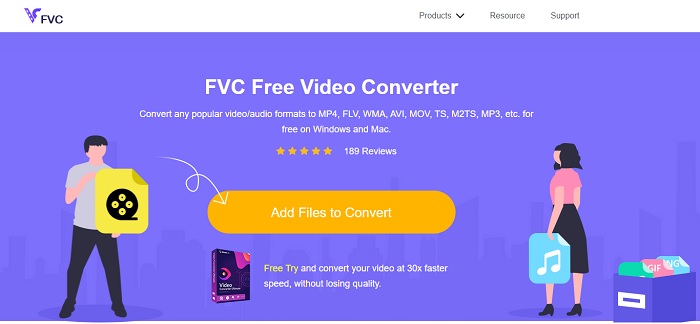
Den beste nettbaserte konverteren utviklet for å konvertere VOB-fil til GIF av FVC, FVC Free Video Converter. Selv om dette verktøyet er gratis, mangler det fortsatt noen få formater, men de grunnleggende formatene er tilgjengelige her. I tillegg kan du endre bithastighet, bilder per sekund og oppløsning på videofilen i dette nettverktøyet. Men avanserte redigeringsfunksjoner som å forbedre video og lyd, lage GIF-er eller forsterke lyden finnes ikke her. Til gjengjeld er konverteringen mye raskere enn med fConvert, og nettsiden til dette verktøyet har ingen plagsomme annonser. For å vite hvordan dette verktøyet fungerer, må du følge trinnene nedenfor og lære av det beste nettverktøyet du kan bruke gratis.
Trinn for hvordan du bruker FVC Free Video Converter til å konvertere på nett
Trinn 1. Klikk på hyperkoblingen ovenfor som fører til hovednettstedet til FVC Free Video Converter
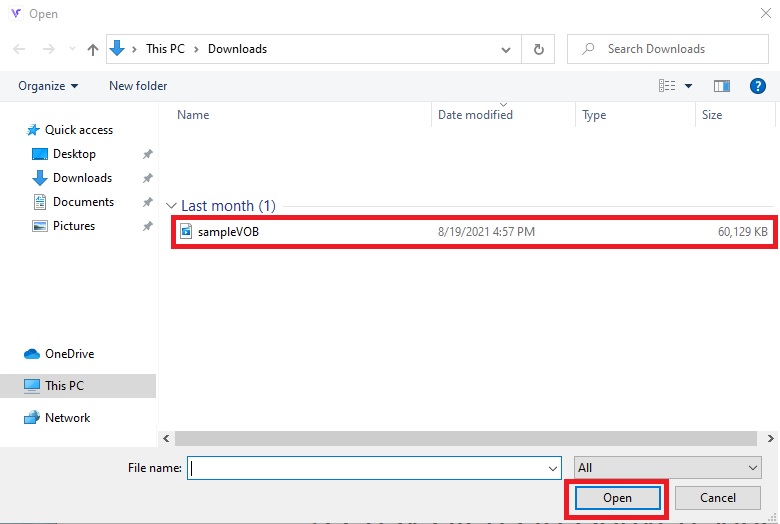
Trinn 2. Klikk på Add Files to Convert og finn VOB-filen og klikk på open.
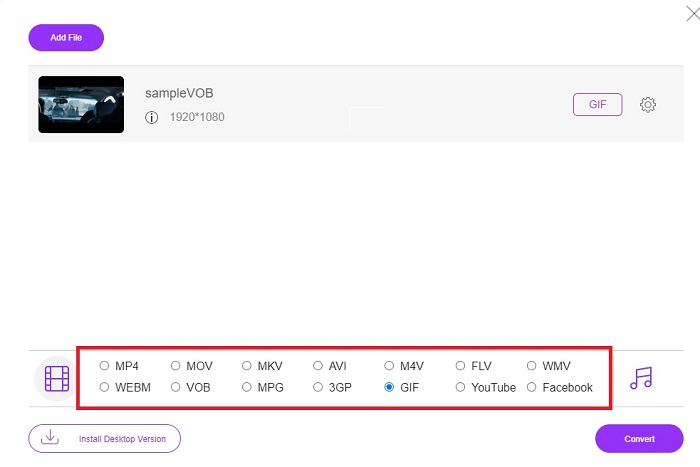
Trinn 3. Velg formatet du vil at det endelige resultatet skal ha nederst på nedre del og klikk på det.
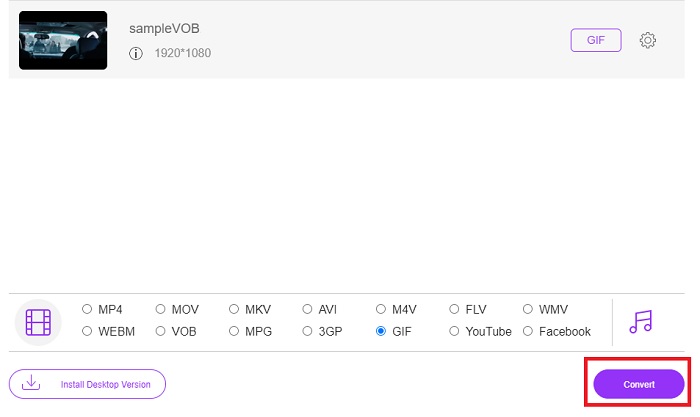
Trinn 4. For å starte konverteringen, klikker du på Convert.
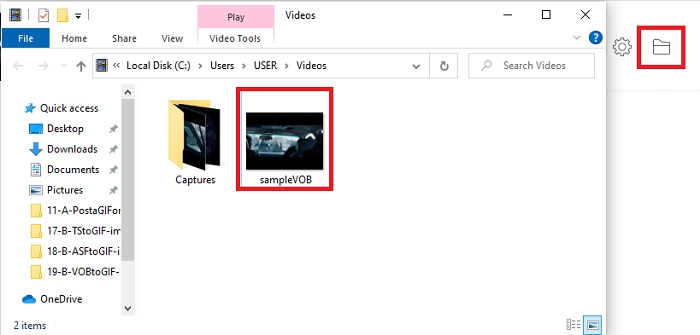
Trinn 5. For å finne den konverterte VOB-filen du nettopp laget, klikker du på knappen som ser ut som en mappe for å åpne filmappen der den konverterte filen ligger.
Metode 2. Bruk Freeware – FVC Free Video to GIF Maker
Hvis nettverktøyet er imponerende, kan du lære hvordan du konverterer en .vob-fil til GIF ved hjelp av FVC Free Video to GIF Maker. Hvis konvertering er problemet ditt, kan vi løse det med hjelp av dette gratis nedlastbare verktøyet. Det støtter flere formater enn det gratis nettverktøyet, samt grunnleggende redigeringsfunksjoner. Men dette verktøyet har ikke avanserte redigeringsmuligheter slik som den ultimate konverteren som FVC kan tilby deg. Ved siden av den ultimate konverteren kan du fortsatt bruke dette, siden det er et av de beste verktøyene for sikker og effektiv konvertering. Det er dessuten mye raskere enn noe nettbasert verktøy du kan bruke på nettet. Så hvis du ønsker en raskere og mer effektiv konvertering, følger du trinnene nedenfor.
Trinn for hvordan du bruker FVC Free Video to GIF Maker for å konvertere frakoblet
Trinn 1. Last ned FVC Free Video to GIF Maker på PC- eller Mac-disken din. Endre deretter oppsettet og klikk Fullfør etter installasjonen for å lagre endringene.
Gratis nedlastingFor Windows 7 eller nyereSikker nedlasting
Gratis nedlastingFor MacOS 10.7 eller nyereSikker nedlasting
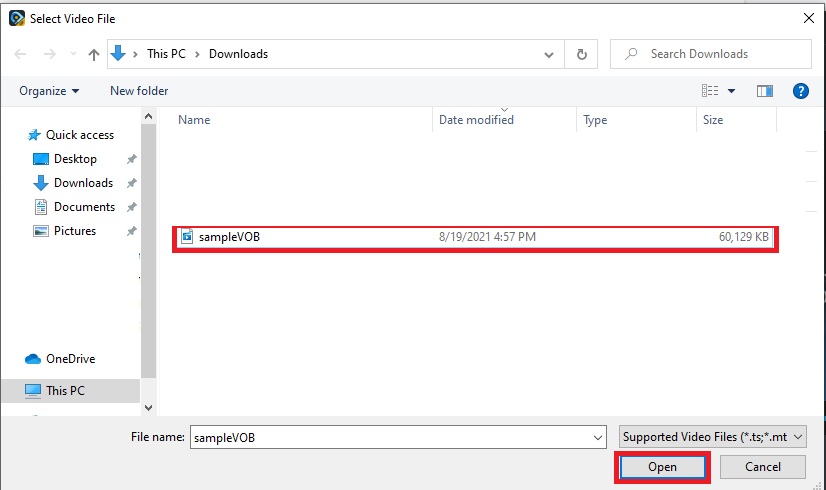
Trinn 2. For å legge til filer i grensesnittet, klikk på knappen Add File øverst til venstre i grensesnittet. Klikk deretter på open for å legge VOB-filen inn i hovedgrensesnittet.
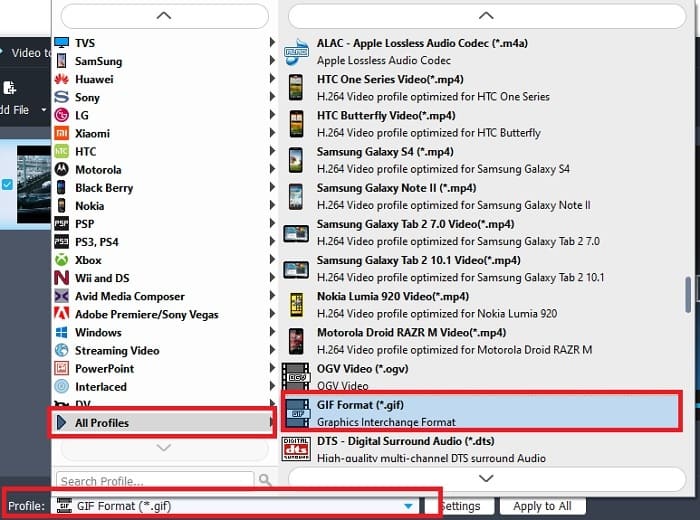
Trinn 3. Endre format ved å klikke på Profile og bestem deg for hva du vil at det endelige resultatet skal være.
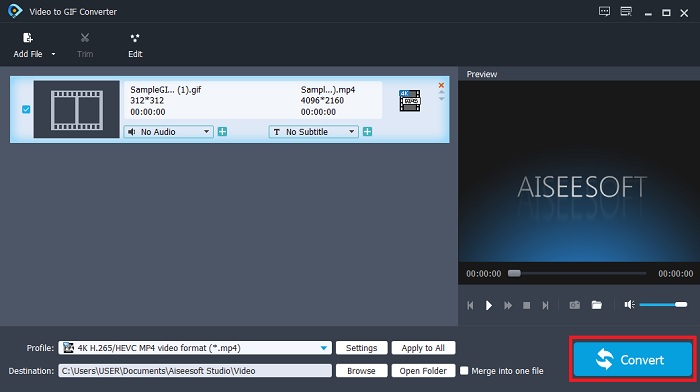
Trinn 4. Start konverteringen av VOB-filer ved å trykke på knappen Convert.
Trinn 5. Finn filen i filbehandleren din og se på den konverterte VOB-filen du laget tidligere.
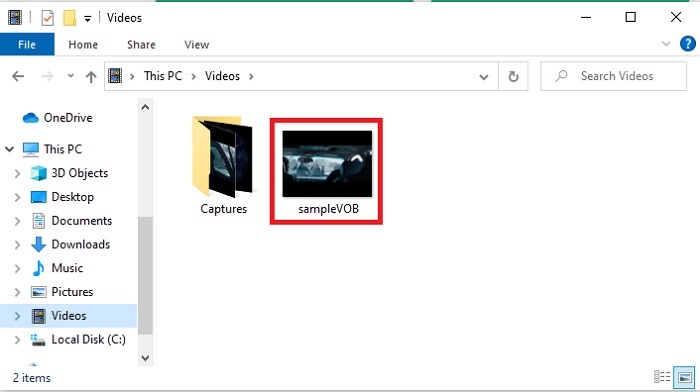
Metode 3. Bruk et onlineverktøy – fConvert
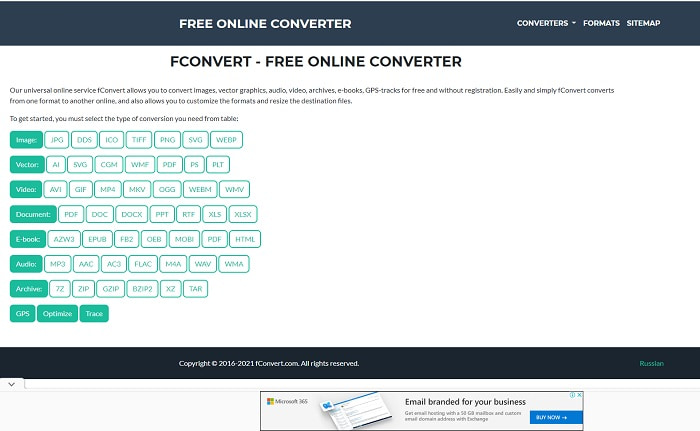
Et annet nettbasert verktøy du kan bruke til å konvertere VOB-filer er fConvert. Dette nettverktøyet lar brukeren konvertere alle typer mediefilformater til en nyere versjon som kan brukes. Men nettstedet har noen plagsomme annonser rundt omkring. Selv om annonsene fortsatt er håndterbare, er annonsene på hovedsiden irriterende. Selv om fConvert støtter nesten alle typer konverteringer du kan gjøre, er det likevel færre formater enn med FVC Free Video Converter. I tillegg, når du starter konverteringen, er det enda flere annonser enn på nettsiden, så vær forsiktig så du ikke blir sendt videre til et annet nettsted.
Trinn 1. Åpne søkemotoren din og let etter hovednettstedet til verktøyet.
Trinn 2. Velg konverteringsprosessen du vil at skal utføres.
Trinn 3. Legg deretter til filen som skal konverteres og vent til det er ferdig.
Del 2. Vanlige spørsmål om VOB til GIF-konvertering
Hva er en VOB-fil?
VOB kan inneholde multipleks strømdataform til DVD-er og mesteparten av tiden er dette formatet også kryptert. Når det er sagt, kan ikke VOB-filer enkelt rippes til DVD-ene på grunn av begrensningen dette formatet gir. Hvis du tvinger til å rippe .vob-filen er det en sjanse for at resultatet har mye tapt data, eller hvis du er heldig nok er sjansen for å bli rippet på riktig måte svært liten. Men du kan laste ned VOB-filer over internett, men du kan ikke spille dem på telefonene eller stasjonære datamaskiner hvis du ikke har den riktige filen. Det er en sjanse for at et varsel som denne filen ikke støttes, eller at denne filen er kryptert, vises på skjermen din.
Hvor kan jeg spille av VOB-filen min uten å konvertere den?
Å konvertere den er en ideell løsning for å løse dette problemet. Men hvis du ikke vil bry deg med å konvertere den, kan du likevel spille den av her. Denne mediespilleren er også utviklet av FVC for å spille alle de uspillbare formatene du allerede har støtt på. Blu-ray Player er en av løsningene for å spille av en uspillbar VOB-fil uten å bruke annen programvare. For å laste ned dette verktøyet klikker du på lenken nedenfor. Last ned Blu-ray Player på PC Last ned Blu-ray Player på Mac
Hva er bedre: VOB eller MP4?
Hvis vi skulle lagre filen på DVDer eller CDer, er det mer ideelt å bruke VOB-filer enn MP4. Fordi denne filen er mye mindre, noe som betyr at du kan lagre mer uten å miste kvaliteten. Men hvis du vil lagre den på telefonen eller skrivebordet, er MP4 mye bedre enn VOB-fil. For å konvertere MP4 til VOB, eller omvendt, kan du dra nytte av videokonverteringsverktøyet, som FVC Free Video Converter for å oppnå formatkonverteringen.
Etter konvertering av VOB, vil kvaliteten på den gå tapt?
Dette er bare mulig hvis du bruker feil konverter. Selv om konvertering kan virke enkelt å gjøre, er det vanskeligere enn du tror å velge riktig konverter. Hvis du vil oppleve en fenomenal konvertering, må du laste ned FVC Video Converter Ultimate og teste den selv. Last ned FVC Video Converter Ultimate på PC Last ned FVC Video Converter Ultimate på Mac
Konklusjon
For å avslutte diskusjonen, hvis du opplever de uspillbare VOB-filene igjen, må du vurdere å konvertere dem til et spillbart format. Selv om FVC Video Converter Ultimate ikke er nevnt her, er konverteringsprosessen dette verktøyet gir rask, enkel, effektiv og effektiv i motsetning til andre. For å utforske verktøyet må du laste det ned til din PC eller Mac akkurat nå.
-
 [2 løsninger] Hvordan enkelt konvertere SWF til GIF -filer gratis
 Når du ikke eksporterer GIF-format via Flash-programvare, kan du prøve å lagre filene i SWF-format først. Deretter kan du lære to enkle måter å konvertere SWF til GIF-filer fra denne artikkelen.
-
 [2 løsninger] Hvordan konvertere WMV-videoer til GIF-filer gratis
 Hvis du vil klippe de fantastiske delene av WMV-videoene og lage GIF-er fra dem, kan du lære om 2 enkle metoder for å overføre WMV-videoer til GIF-er i denne artikkelen
-
 MOV til GIF - Hvordan konvertere MOV til Animert GIF på Mac, PC og gratis online
 Hva er en GIF? Hvordan konvertere video til GIF? Hvordan endre MOV til animert GIF online? Dette innlegget forteller 3 måter å konvertere MOV til GIF online, på Mac/PC.
