


 Video Converter Ultimate
 Skjermopptaker
 Videoreparasjon
 Sikker nedlasting
Topp 5 fantastiske Photo Resizer-apper som du må prøve
Andre synes det er vanskelig å endre størrelsen på et bilde fordi de ikke finner et verktøy som kan komprimere uten kvalitetstap. Og mange endrer størrelsen på bildene sine for å forbedre bildekvaliteten. Selv om det å endre størrelsen på et bilde vil påvirke kvaliteten, er det det beste valget hvis du ikke har nok lagringsplass på enheten din. I tillegg er det også et godt valg å endre størrelsen på et bilde for å forbedre et uskarpt bilde. Den gode nyheten er at det finnes apper på nett, uten nett, på Android og på iPhone som kan endre størrelsen på bildet ditt uten å miste kvalitet. Les derfor ferdig denne artikkelen for å lære om de fem beste appene for å endre bildestørrelse.

Del 1. Photo Resizer-app gratis på nett
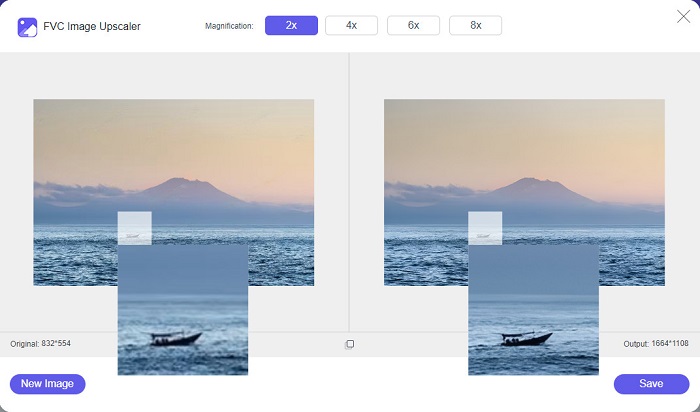
Mange mennesker ønsker å bruke en online bilderesizer fordi det ikke vil kreve at du laster ned noe på enheten din. Et nettbasert verktøy er det beste valget hvis du vil spare lagringsplass for enheten din. Dessuten er nettapplikasjoner ofte gratis å bruke, akkurat som verktøyet som mange brukere anbefaler, som er FVC Free Image Upscaler.
FVC Free Image Upscaler er en nettbasert app for endring av bildestørrelse som er tilgjengelig i alle nettlesere, inkludert Google, Firefox og Safari. Denne fantastiske appen kan dessuten skalere opp bildet ditt med 2x, 4x, 6x og 8x forstørrelse. I tillegg støtter den nesten alle bildeformater, som PNG, JPG, JPEG og BMP. Det som er ekstra bra med dette verktøyet, er det intuitive brukergrensesnittet, som gjør det nybegynnervennlig. Videre bruker FVC Free Image Upscaler AI-teknologi (kunstig intelligens) som automatisk identifiserer de uskarpe delene av bildet og forbedrer dem umiddelbart. I tillegg til å forstørre bildet ved at du velger ønsket forstørrelse, er dette verktøyet kjent for sine AI-baserte forbedringsmuligheter. Og siden det er en nettapplikasjon, trenger du ikke laste ned noe på enheten din, noe som sparer lagringsplass. Så, hva venter du på? Gå til denne beste gratisappen for å endre bildestørrelse nå.
Fordeler
- Den har en rask oppskaleringsprosess.
- Det krever ikke at du logger på for en konto.
- Den har et brukervennlig programvaregrensesnitt.
- Du kan få tilgang til den på din Windows- eller Mac-enhet.
Ulemper
- Det er et internettavhengig verktøy.
Del 2. Beste Photo Resizer-app for datamaskinen din
Du kan bruke mange apper på datamaskinen din hvis du er på utkikk etter en image resizer eller upscaler. Imidlertid er ikke alle nedlastbare applikasjoner gratis å bruke. Ofte er ikke programvare for PC-en din gratis. Heldigvis fant vi en app for datamaskinen din som er gratis å laste ned. Les denne delen for å lære mer om denne beste gratis bildestørrelsesappen for Windows-PCen din.
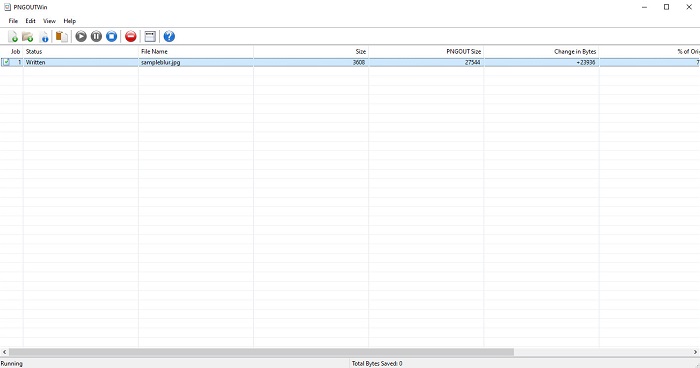
PNGOUTWin er et offline-verktøy for å endre bildestørrelse som du kan laste ned gratis på Windows-PC-en din. Denne appen for å endre bildestørrelse støtter vanlige bildeformater som PNG og JPG. Dessuten endrer den automatisk størrelsen på bildet ditt etter at du har lastet opp bildet du vil komprimere. Selv om den er enkel å bruke, kan funksjonene være vanskelige å navigere i. Men etter en del bruk vil du garantert bli fortrolig med verktøyet. Den har en batch-prosess for endring av størrelse, som gjør at du kan endre størrelsen på flere bilder samtidig og lagre dem i én mappe.
Fordeler
- Det er gratis å laste ned.
- Det er trygt og enkelt å bruke.
- Tilbyr batch-oppskaleringsprosess.
Ulemper
- Kun tilgjengelig på Windows-enheter.
- Du kan ikke forhåndsvise det oppskalerte bildet ditt.
Del 3. Beste app for å endre størrelse på bilder på Android
I dag bruker mange Android-telefoner. Og hvis du har et bilde av lav kvalitet i galleriet ditt, kan det være lurt å forbedre det med en app for bildeforstørrelse. Heldigvis finnes det mange gratis apper for bildeforbedring som du kan laste ned på PlayStore for å hjelpe deg med å forbedre bildet av lav kvalitet.
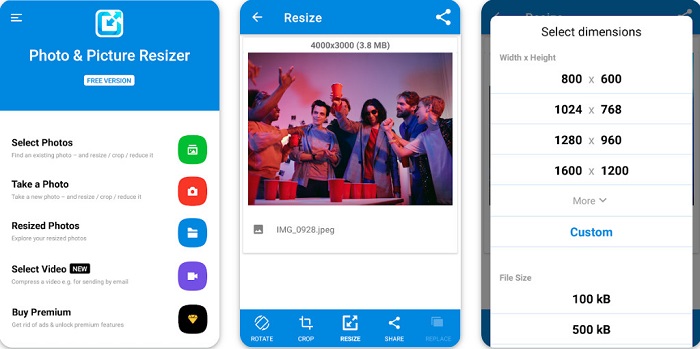
Photo & Picture Resizer er den første på listen hvis du søker etter apper for å endre bildestørrelse i PlayStore. Det er en av de beste appene for å endre bildestørrelse du kan laste ned på Android-enheten din. Videre tilbyr den en batch-oppskaleringsprosess, der du kan komprimere to eller flere bilder samtidig. I tillegg kan du velge fra forhåndsinnstilte dimensjoner hvilken størrelse du vil ha på bildet ditt. Du kan også endre filstørrelsen og oppløsningen på bildet ditt. Appen Photo & Picture Resizer kan dessuten komprimere videoene dine. Ulempen med Photo & Picture Resizer er at du må kjøpe premiumversjonen før du får tilgang til de spesielle redigeringsfunksjonene.
Fordeler
- Det er gratis og trygt å laste ned.
- Den har en rask prosess for endring av størrelse.
- Du kan eksportere utdataene dine til andre sosiale medieplattformer.
Ulemper
- Kjøp premiumversjonen for å bruke spesialfunksjoner.
- Den inneholder irriterende annonser.
Del 4. Beste Photo Resizer-apper for iPhone
Mange bruker iPhone i disse dager, og visste du det? Du kan laste ned mange gratis apper for bildeforstørrelse på iPhone for å endre størrelse på eller forbedre bildet ditt. Og hvis du vil vite hva som er best å bruke, les denne delen alt inkludert.
Remini
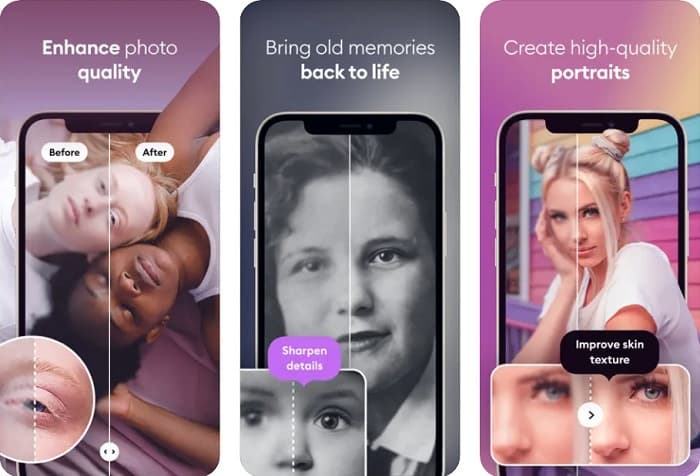
Remini er den beste appen for å endre bildestørrelse på iPhone. Remini kan lastes ned gratis fra AppStore og er trygg å bruke. Den bruker også AI-teknologi (kunstig intelligens) som automatisk endrer størrelsen på og forbedrer bildet ditt. I tillegg lar denne appen deg se endringene som er gjort på bildet ditt før du lagrer det på enheten. Den gjør det også mulig å eksportere resultatet til populære sosiale medieplattformer som Facebook, Instagram og TikTok. I Pro-versjonen finnes det flere redigeringsfunksjoner du kan bruke for å forbedre bildet ditt. Hvis du vil at bildet ditt skal se skarpt og klart ut, kan denne appen være akkurat det du leter etter.
Fordeler
- Den støtter bildeformatene for iPhone.
- Den har et enkelt brukergrensesnitt.
- Kan fikse bilder med lav oppløsning.
Ulemper
- Du må kjøpe appen for å forbedre bildene.
Endre størrelse på bilde
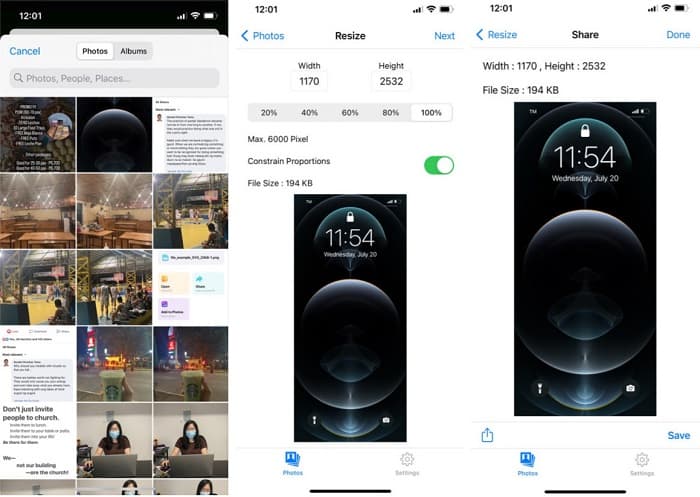
En annen av de beste appene for å endre størrelsen på et bilde er Image Resize. Image Resize er også gratis å laste ned på iPhone-enheten din. Denne appen lar deg endre størrelsen på bildet ved å velge prosentsatsen du vil bruke. I tillegg kan du justere bredden og høyden på bildet ditt med denne appen. Det som er ekstra flott med denne appen, er den raske prosessen for endring av størrelse, som mange brukere synes er veldig praktisk.
Fordeler
- Den støtter HEIC-, Exif- og PNG-bilder.
- Det er en brukervennlig app.
Ulemper
- Det kan bare endre størrelsen på rammene til bildet ditt, men forbedrer det ikke.
Relatert til:
How to Easily Improve Image Quality on Windows and Mac
How to Increase the Resolution of the Image [5 Ways to Improve]
Del 5. Vanlige spørsmål om Best Photo Resizer-appen
Kan jeg endre størrelsen på et bilde uten å miste kvalitet?
Endre størrelse på et bilde betyr ikke nødvendigvis at det vil ødelegge bildets kvalitet. Selv om det påvirker størrelsen på bildet ditt, kan apper som oftest endre størrelsen på et bilde uten å miste kvalitet.
Kan jeg endre størrelsen på et bilde ved hjelp av Adobe Photoshop?
Ja. Adobe Photoshop er det mest imponerende bildebehandlingsprogrammet og har en funksjon der du kan endre størrelsen på bildet ditt. For å gjøre dette åpner du Adobe Photoshop, velger bildet du vil endre størrelsen på, og går deretter til hovedmenylinjen > Velg Image > Image Size for å åpne dialogboksen Image Size for å justere størrelsen på bildet.
Hvilke bildeformater støtter Adobe Photoshop?
Adobe Photoshop støtter nesten alle kjente bildeformater, som JPG, JPEG, PNG, GIF, TIFF og mer.
Konklusjon
Nå som du kjenner til den beste appen for å endre bildestørrelse, kan du velge hvilken du foretrekker. Det finnes ulike apper for nett, uten nett, Android og iPhone, og det avhenger av hvilken enhet du bruker. Men hvis du ikke vil laste ned noe på enheten din, bruk FVC Free Image Upscaler nå.
-
 Gjør iPhone-bildeoppløsningen bedre med toppforsterkerne
 Ønsker du å forbedre iPhone-bildeoppløsningen? Vel, i denne artikkelen dekker vi de beste verktøyene du kan bruke og andre triks du må vite!
-
 Restaurering av gamle bilder online og offline [Enkle trinn]
 Vil du gjenopprette et gammelt bilde? Med disse verktøyene vil du kjenne den gamle fotorestaureringsprosessen. Les dette innlegget for å lære de mest enkle metodene.
-
 Topp 7 Pixels Enhancer for alle nettlesere du må bruke
 Hvis du vil vite de beste pikselforsterkerne du kan bruke, bør du sjekke dette innlegget. Denne artikkelen viser de syv beste bildepikselforsterkerne for alle nettlesere.
