


 Video Converter Ultimate
 Skjermopptaker
 Videoreparasjon
Praktiske verktøy du trenger å vite som konverterer SWF til MOV [Løst]
Video- og vektorbaserte animasjoner finnes i SWF-filer, som opprettes med Adobe Flash-programvare. ShockWave Format er et annet navn for Small Web Format, som er den fulle forkortelsen. SWF-filer brukes ofte til å distribuere multimediemateriale over internett på en effektiv måte. Små webapplikasjoner drar nytte av ActionScripts, som kan lagres i dette formatet. Hvis du lurer på om det finnes en gratis SWF til MOV-konverter fordi du ikke kan spille av en fil med dette formatet, er denne artikkelen perfekt for deg, for den presenterer de beste og mest effektive verktøyene du kan bruke til å konvertere videofiler. La oss komme i gang!
Del 1. Forord: SWF & MOV
SWF er en filtype som brukes til å overføre tekst, video, vektorgrafikk og ActionScript over internett. Adobe Flash Player er nødvendig for å bruke SWF-filer. SWF-filformatet er ment å være et ressurseffektivt overføringsformat som kan brukes ikke bare til å sende grafikk, men også til kantutjevning (anti-aliasing) og visning på skjerm, blant annet. Kantutjevning er avgjørende for rask gjengivelse av bitmap-bilder og deres tilhørende egenskaper, som interaktive knapper, skyggelegging og animasjon.
MOV-filer er derimot kodet med Apples QuickTime Movie-kodingsretningslinjer og datakomprimeringsstandarder, og videofiler som produseres i dette formatet får filendelsen .mov. Standarder og komprimeringskriterier for digitale filmer og andre videoklipp ble utviklet utelukkende av Apple. Fordi disse MOV-filene er kodet med støtte for krysskompatibilitet, kan de også spilles av på digitale videospillere basert på både Mac og Windows. Windows Media Player har også innebygd avspillingsfunksjonalitet for disse MOV-filene, som kan åpnes og vises med Apple QuickTime Player eller VLC Media Player på både Mac- og Windows-plattformer.
| Filutvidelse | SWF | MOV |
| Filtype | ShockWave Flash Movie | Apple QuickTime-film |
| Utviklet av | Adobe Systems | eple |
| Fordeler | Webanimasjon er muliggjort ved bruk av et fritt skriptbart visuelt format. Fordi grafikken er vektorbasert, kan størrelsen endres uten problemer. lastet på kort tid; | Hver fil har høykvalitets lyd- og videokomponenter som er lagret på uavhengige spor og kan redigeres for både tid og innhold. Filene kan sees av mange forskjellige gratis videospillere. |
| Ulemper | Intensiv CPU-bruk; en SWF-video kan ikke spilles av før Flash-plugin-modulen er installert på datamaskinen; det krever dyr programvare å lage blant annet; | QuickTime-miljø gir mer jevn ytelse; Ikke desto mindre kan det være nødvendig med en bestemt kodek for å åpne a.mov-filen. |
Del 2. 3 effektive verktøy for å konvertere SWF til MOV
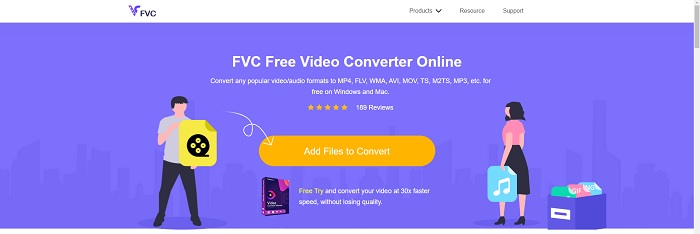
Alternativ 1. Gratis Video Converter Online
Det er mulig å konvertere et bredt spekter av video- og lydformater med FVC Free Video Converter Online. HD-video kan enkelt konverteres til kodeker som MP4, FLV og WMV uten tap av kvalitet. Du trenger ikke å bekymre deg for kvalitetsforringelse når du konverterer mange video- eller lydfiler. Dette gratis videokonverteringsverktøyet er kjent for sine konverterings- og redigeringsfunksjoner, som lar brukerne tilpasse videoene sine akkurat slik de vil.
Fordeler
- Den støtter en rekke videofilformater.
- Konverterte utganger er av høy kvalitet.
Ulemper
- Siden det er et nettbasert verktøy, trenger det en raskere tilkobling for å konvertere video med stor filstørrelse.
Alternativ 2. Online Free Convert
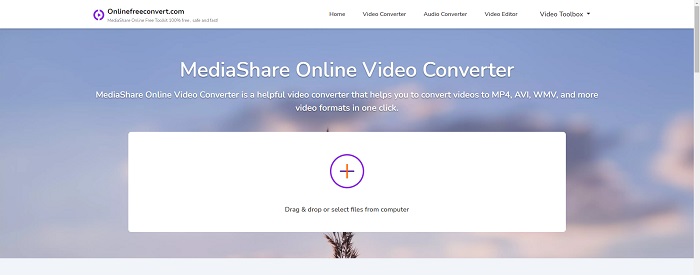
Når du omkoder videoen din, er denne gratis nettapplikasjonen det beste alternativet. Denne applikasjonen tilbyr to alternativer for å holde ting enkelt og lett å bruke: filtype og oppløsning. Følg instruksjonene på skjermen for å bruke denne online-konverteren.
Fordeler
- Den har et tilgjengelig og brukervennlig grensesnitt.
- Den tilbyr andre verktøy som kan forbedre videokvaliteten.
Ulemper
- Den har ikke mange videoformater den støtter.
Alternativ 3. Eventuelle konv
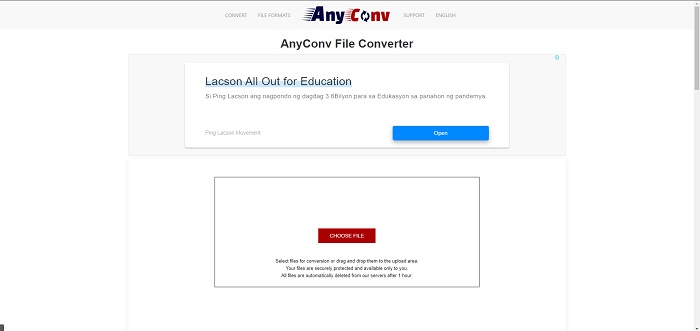
AnyConv er en online omformer med et nederlandsk brukergrensesnitt. Selv den kommersielle utgaven av denne applikasjonen er gratis. AnyConv inkluderer også en konverteringsbegrensning på 60 filer per time. Ved å bruke den elektroniske konverteren kan du konvertere filer på opptil 50 MB og velge mellom over 300 forskjellige utdataformater.
Fordeler
- Den har et bredt spekter av formater; den støtter til og med ikke-video- og lydformater som dokumenter.
- Den gir instruksjoner for bruk av denne omformeren.
Ulemper
- Den viser annonser som ikke hjelper eller passer til konverteringsprosessen eller selve innholdet.
Del 3. Hvordan konvertere SWF til MOV på Mac
Dette innlegget foreslår Video Converter Ultimate for Mac-brukere som ønsker å konvertere SWF til MOV. Både Windows- og Mac-versjoner av denne programvaren er tilgjengelige for gratis nedlasting. Et bredt spekter av brukere kan ta den i bruk, siden den har et brukervennlig verktøy og et enkelt grensesnitt. Med dette programmet kan du konvertere filer fra ett videoformat til et annet på rundt ett minutt, noe som skiller det fra andre konverteringsapplikasjoner og nettløsninger. I tillegg har denne programvaren en rekke ekstra funksjoner som kan hjelpe deg med å forbedre videoen din ytterligere. Forutsatt at du har lest gjennom beskrivelsen av programvaren, la oss sette i gang:
Trinn 1. For å starte nedlastingsprosessen, høyreklikker du ganske enkelt på ikonet Free Download som er gitt nedenfor. Denne programvaren er kompatibel med maskiner som kjører både Windows- og Mac-operativsystemer. Når du har fullført nedlastingen av programvaren, kan du installere den og begynne å bruke den ved å velge knappen Start Now på programmets hovedskjerm.
Gratis nedlastingFor Windows 7 eller nyereSikker nedlasting
Gratis nedlastingFor MacOS 10.7 eller nyereSikker nedlasting
Trinn 2. Etter at du har lastet ned programvaren, bør du starte den. Denne informasjonen vil bli vist i et vindu når programvaren åpnes for aller første gang.
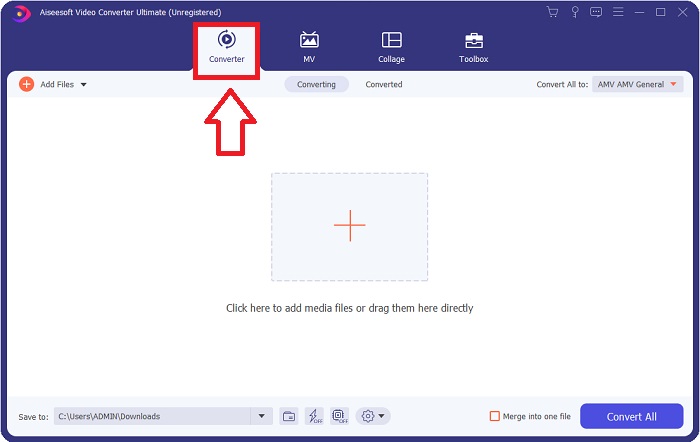
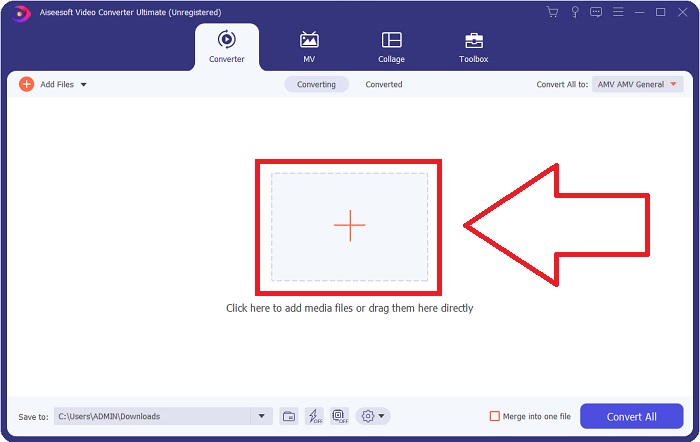
Trinn 3. Konverteringsprosessen begynner med at du laster inn filene du ønsker å konvertere i konverteringsprogrammet. Dra og slipp videoen du vil konvertere på +-tegnet for å starte konverteringen.
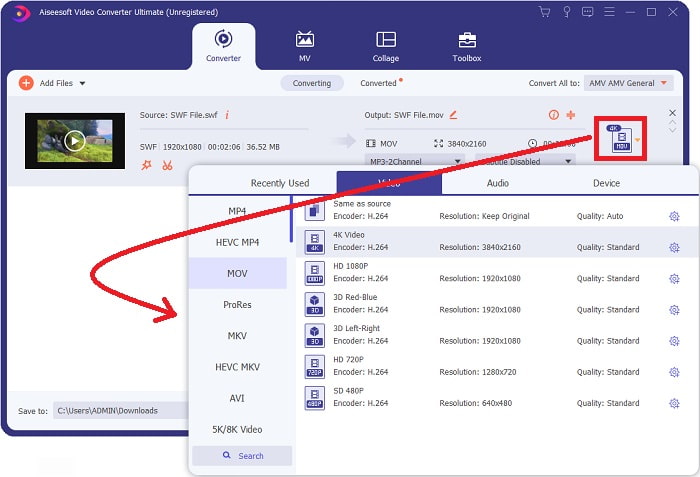
Trinn 4. En meny med valg vises øverst til høyre på skjermen, der du kan velge videoformat. Velg MOV som videoformat fra rullegardinmenyen som dukker opp. Avhengig av hvilken MOV-fil du har valgt, kan du velge mellom ulike videokvalitetsalternativer. Hvis den ønskede videoutdataen ikke er tilgjengelig, kan du justere kvalitetsinnstillingene i Windows. Du kan justere skjermens bildefrekvens og lydkvalitet ved å klikke på tannhjulikonet øverst til høyre. Bruk knappen Create New for å lagre endringene etter at du har gjort dem.
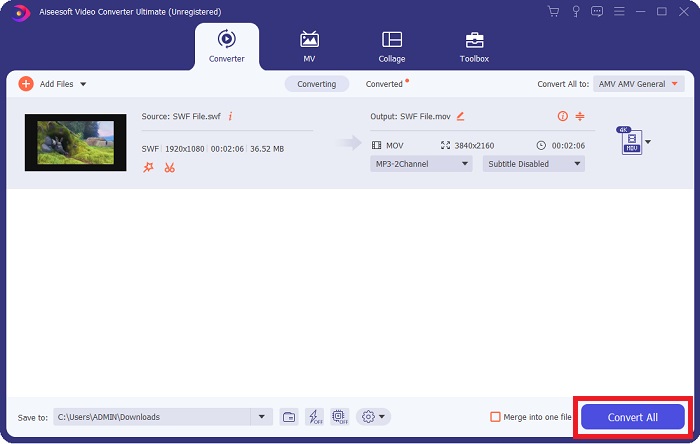
Trinn 5. Når du er ferdig med å redigere videoen og den er klar til å bli konvertert, klikker du på Convert All for å starte konverteringsprosessen.
Relatert:
Del 4. Vanlige spørsmål om SWF til MOV-konvertering
Er SWF et videoformat?
Video- og vektorbaserte animasjoner finnes i SWF-filer, som er laget med Adobe Flash-programvare. Imidlertid er det også kjent som Shockwave Format, som er den fullstendige forkortelsen av SWF. Opprinnelig utviklet av Macromedia, eies dette filformatet nå av Adobe.
Er SWF-filer trygge?
Spesifikt er Flash utsatt for en lang rekke forskjellige typer sårbarheter. På grunn av det faktum at SWF-filen lastes ned til klienter og kjøres på deres datamaskiner, er ikke serveren din en fare. Men selv om du prøver å sjekke SWF-filene for skadelig programvare, vil du bare motta minimal beskyttelse.
Hvilken nettleser støtter fortsatt Flash 2021?
Adobe Flash vil bli avviklet i Firefox 84, den neste store utgivelsen av nettleseren. For å forbedre hastigheten og sikkerheten vil Firefox 85 (planlagt utgivelse 26. januar 2021) fjerne støtte for Adobe Flash.
Konklusjon
Avslutningsvis må alt som er blitt diskutert i denne artikkelen oppsummeres i bruken av programvaren som er nevnt ovenfor. Video Converter Ultimate gjør det enkelt å konvertere videofiler og kan gi deg arbeid av høy kvalitet totalt sett. I motsetning til andre verktøy eller programmer som er tilgjengelige på internett, gir denne programvaren deg en brukervennlig opplevelse kombinert med førsteklasses resultater.
-
 SWF til MP4: Gratis konverter SWF til MP4 online og PC
 Hvordan åpne SWF-fil uten Adobe Flash Player? Ta gratis topp 3 SWF til MP4-konverter for å gratis bytte SWF til MP4 online og på PC / Mac innen 3 trinn.
-
 [2 løsninger] Hvordan enkelt konvertere SWF til GIF -filer gratis
 Når du ikke eksporterer GIF-format via Flash-programvare, kan du prøve å lagre filene i SWF-format først. Deretter kan du lære to enkle måter å konvertere SWF til GIF-filer fra denne artikkelen.
-
 Beste GIF-konverterer for å konvertere animert GIF til MOV-format [2021]
 Konverter GIF til MOV-format på en enkel måte uten å påvirke kvaliteten på videofilen. Med trinn og forskjellige verktøy også.
