


 Video Converter Ultimate
 Skjermopptaker
 Videoreparasjon
Hvordan konvertere VOB til MOV ved å bruke de mest dyktige verktøyene [Gratis og enkelt]
Når det gjelder en DVD, er en VOB‑fil en filmdatafil som vanligvis ligger i VIDEO_TS‑mappen i roten av DVD‑en. Den inneholder en stor del av materialet som er lagret på platen, inkludert video‑ og lydfiler og undertekster, DVD‑menyer og annet navigasjonsinnhold. QuickTime File Format (QTFF) er derimot et multimediebeholderformat som kan brukes til å lagre en MOV‑fil. Mediedata, inkludert video, lyd og tekst, kan lagres på ett eller flere spor (undertekster). MOV‑filer brukes ofte til å lagre videofiler. Har du ombestemt deg når det gjelder dette videoformatet og trenger å vite alle detaljene om det eller hvordan du konverterer det til andre videoformater ved hjelp av ulike konvertere? Da er dette den rette artikkelen for deg, som presenterer de beste og enkleste måtene å konvertere VOB til MOV på.

Del 1. Hva er VOB og MOV?
Majoriteten av dataene på en DVD er inneholdt i dette filformatet, som inkluderer digital video, lyd, navigasjonsinnhold, DVD-menyer og undertekster. VOB-filer lagres i VIDEO TS-mappen og er kjernen i enhver DVD-video. Dette er dataene for en film. MP2, DTS, AC3 og MPEG-2 videostrømmer er alle avledet fra denne plasseringen. Filer lagret i VOB-format kan ha blitt kryptert. VOB er en type videofil som er mye for WMV. VOB-filtypen brukes for VOB-filer. For eksempel er VOB-formatet basert på MPEG-programstrømformatet, men det inkluderer ytterligere restriksjoner og kriterier i privat sektor.
Likevel, i QuickTime‑rammeverket på Mac indikerer filtypen MOV QuickTime‑videoformatet, som er utviklet av Apple. Windows‑plattformen støtter også denne multimediebeholderens evne til å lagre flere spor, der hvert spor inneholder en bestemt type data (lyd, video, undertekster). Videoredigeringsprogrammer kan ha stor nytte av å skille mediedata fra mediaposjoner, abstrakte datareferanser og sporredigeringslister. For deling av filmer og videoer på internett er MOV‑videobeholderen et populært valg.
| Filutvidelse | VOB | MOV |
| Filtype | DVD-videoobjektfil | Apple QuickTime-film |
| Utviklet av | N/A | eple |
| Fordeler | Høy kvalitet; DVDer kan lages av den. | Utmerket videokvalitet; egnet for nettsending; distinkt separasjon av hovedelementer |
| Ulemper | 4,7 GB for 2 timer med film, som er mye plass | Dette formatet har en større filstørrelse enn andre populære streamingformater. |
Del 2. Hvordan konvertere VOB til MOV [Mac og Windows]
Når vi begynner med å konvertere VOB til MOV offline, er dette beste verktøyet det mest pålitelige for å gjenopprette og håndtere et bredt spekter av formater. Video Converter Ultimate kan konvertere VOB til MOV på den raskeste måten mulig. I tillegg kan du endre videokvaliteten før du laster opp filen. Denne konverteren har også ulike verktøy som kan hjelpe deg å forbedre videofilen din til neste nivå. Siden den støtter et stort antall videoformater, trenger du ikke bekymre deg for å konvertere ukjente videoformater til ønsket format. Nå som du har lært om denne beste konverteren, kan du gå videre til fremgangsmåtene nedenfor:
Trinn 1. Klikk på knappen Free Download nedenfor for å starte nedlastingsprosessen. Du kan velge å laste ned programvaren for Windows eller Mac, alt etter hva du foretrekker, når nedlastingen er ferdig. Før du kjører programmet, må du installere det på datamaskinens skrivebord og klikke på Start Now for å komme i gang.
Gratis nedlastingFor Windows 7 eller nyereSikker nedlasting
Gratis nedlastingFor MacOS 10.7 eller nyereSikker nedlasting
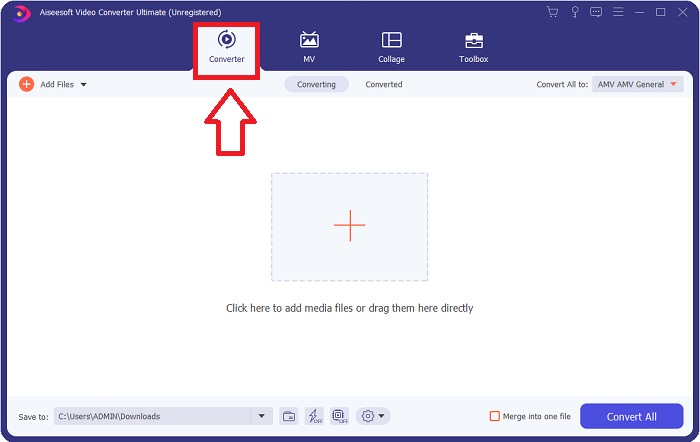
Trinn 2. Start det nedlastede programmet. Når du starter programmet for første gang, vil et vindu med Converter-grensesnittet vises. Det er her du legger inn videofilen din og begynner konverteringen.
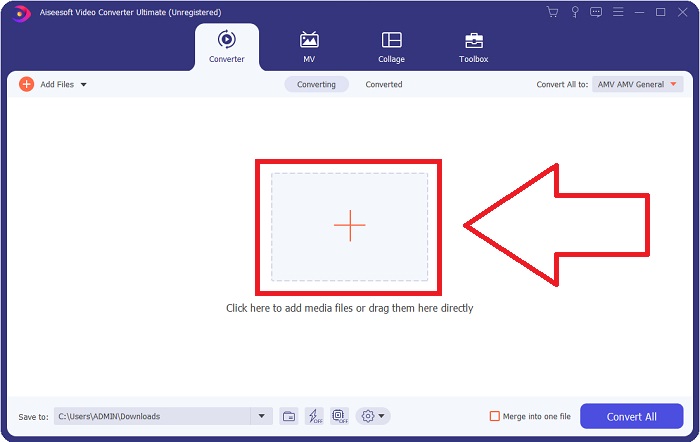
Trinn 3. Importer filene dine til konverteren for å starte konverteringsprosessen. Dra og slipp videofilen du vil konvertere, på +-ikonet.
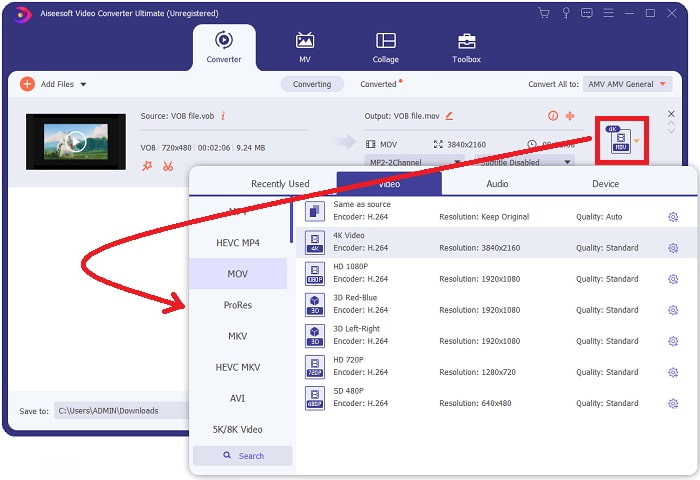
Trinn 4. Velg et videoformat fra listen øverst til høyre på skjermen. Finn og velg filtypen MOV fra rullegardinmenyen. Det finnes flere alternativer for videokvalitet når du har valgt et MOV‑format. Men hvis den foretrukne videoutdataen din ikke er oppført, kan du endre kvalitetsinnstillingene slik at de passer dine behov. Du kan endre visningens oppløsning, bildefrekvens og til og med lydkvalitet ved å klikke på tannhjulikonet. Klikk på knappen Create New for å lagre endringene dine.
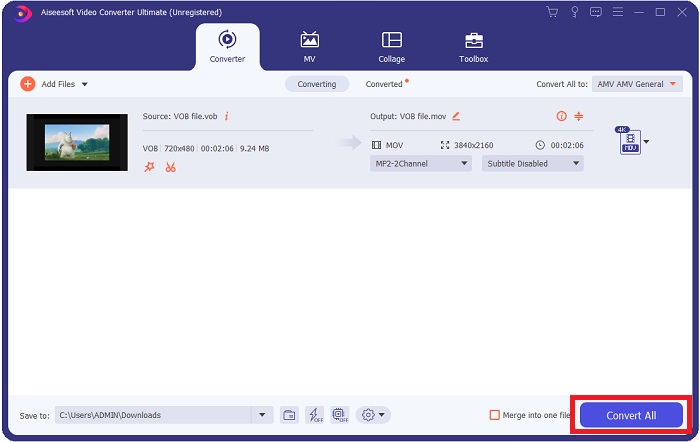
Trinn 5. Når du er ferdig med å redigere videoen og den er klar til å konverteres, klikker du på Convert All for å starte prosessen med å lagre den på datamaskinen.
Del 3. Hvordan konvertere VOB til MOV [Online]
Hvis du ikke har tid til å laste ned Video Converter Ultimate, kan du også bruke denne nettversjonen av programmet. Free Video Converter Online er det beste nettbaserte verktøyet du kan få tilgang til på internett som kan konvertere mange ulike formater på en rask måte. I motsetning til andre nettbaserte konvertere begrenser ikke denne konverteren hvilke formater den kan støtte. Derfor anbefales den for nye brukere. For å vite mer om dette nettbaserte verktøyet, følger du trinnene nedenfor.
Trinn 1. Gå til hovednettstedet til denne nettbaserte konverteren ved å klikke på lenken her.
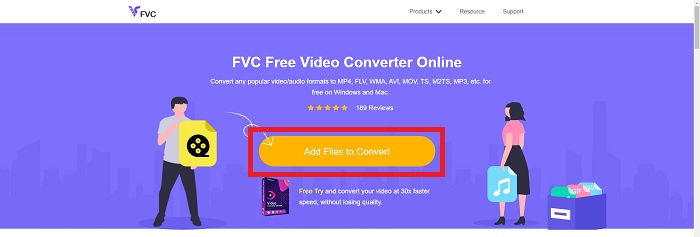
Trinn 2. Hvis dette er første gang du bruker den, klikker du på knappen Add Files to Convert for å laste ned startprogrammet til datamaskinen din. Det starter automatisk når det er lastet ned. Velg filen fra mappen din og klikk Open etter at den har blitt lastet ned nok en gang.
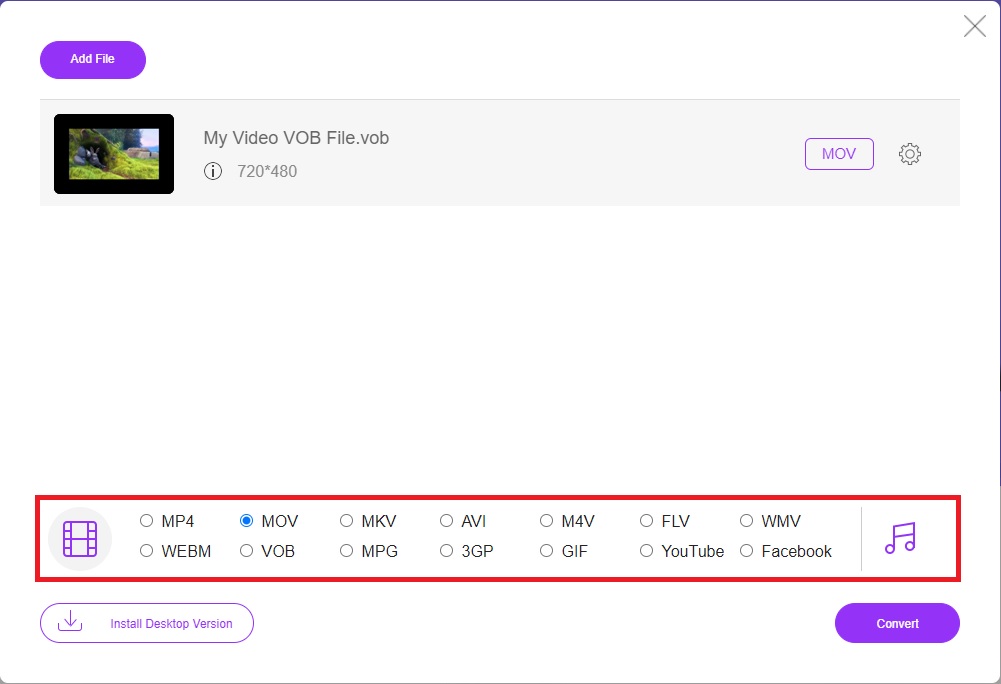
Trinn 3. Før konverteringsprosessen begynner, velger du MOV‑formatet fra kategorilisten Video nedenfor ved å klikke på det.
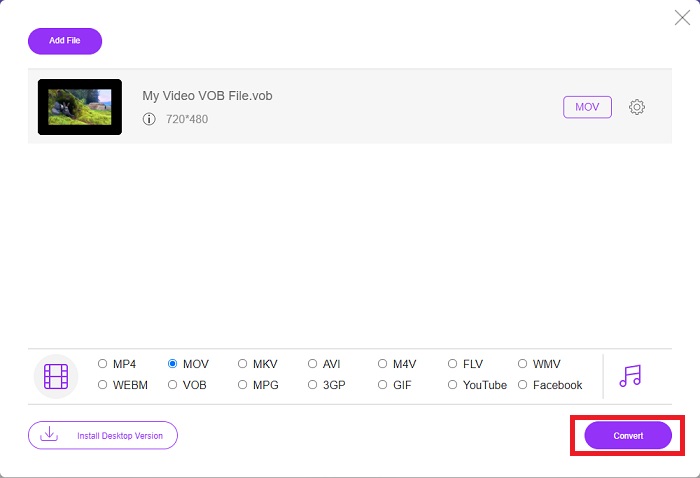
Trinn 4. Etter at du har valgt et format, klikker du på Convert for å starte prosessen med å konvertere filen til et annet format.
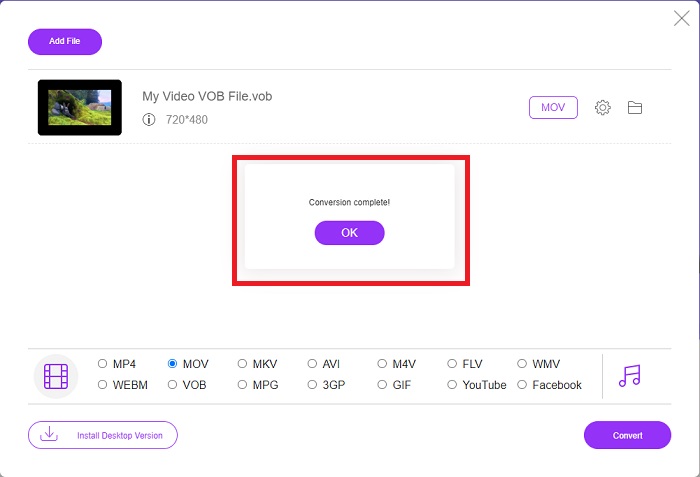
Trinn 5. Etter noen minutter vil en filmappen som inneholder den konverterte filen dukke opp; klikk bare på den for å begynne å se den.
Del 4. Vanlige spørsmål om konvertering av VOB til MOV
Hvorfor er VOB-filer så store?
Det er ingen grunn til store nedlastinger annet enn selve videoene (inkludert lyd). Fordi videokodekene bruker variabel bitlengdekoding, får de ulik lengde. Det er derfor mulig å kode det samme antallet bilder i en rekke forskjellige filstørrelser. Klikk her for å lære hvordan du kan komprimere store VOB‑filer.
Er VOB det samme som DVD?
For videoobjekter bruker DVD-Video-medier VOB (forkortelse for videoobjekt). Undertekster, DVD-menyer og navigasjonsinformasjon kan alle inkluderes i en VOB-fil, som er en fil med flere formater. Kryptering er mulig for VOB-filer.
Hva inneholder MOV-filen?
Det er mulig å bruke MOV-filer til å lagre og synkronisere flere former for medier, inkludert video, lyd, tidskode og tekst. Det finnes en rekke kodeker som kan brukes til å kode et gitt innhold. Når det gjelder komprimering, bruker MOV-filer vanligvis MPEG-4-kodeken.
Konklusjon
Alt i alt er det lett å fastslå forskjellene mellom programvaren eller den nettbaserte konverteren som er nevnt ovenfor, og de har alle både svakheter og sterke sider i bruk. Men hvis du velger å bruke en svært profesjonell og brukervennlig konverter, er programvaren Video Converter Ultimate den mest anbefalte å bruke. Som artikkelen sier om denne videokonverteren, er de andre konkurrentene ingenting i forhold når det gjelder å oppnå standarden denne programvaren har satt. De kommer ikke opp på nivået av hvor utmerket dette programmet er.
-
 De 8 beste MOV-spillerne for å spille QuickTime MOV-filer med original kvalitet
 Bare lær mer om de 8 beste MOV-spillerne som er tilgjengelige for både Windows og Mac. Du kan velge ønsket og passende for å spille MOV-filer med original kvalitet.
-
 MKV til MOV - Hvordan konvertere MKV til MOV
 Hvordan konverterer jeg MKV til MOV på Mac? Kan iMovie lese MKV? Hva betyr MOV-format? Dette innlegget forteller to enkle måter å hjelpe deg med å konvertere MKV til MOV med gratis online og profesjonelle videokonverterere.
-
 FLV til MOV - Hvordan konvertere FLV til MOV på Mac / PC / gratis online
 Hvordan konvertere FLV til MOV? Hvordan konverterer jeg FLV til MOV på Mac? Er det noen gratis måte å konvertere YouTube FLV til MOV online? Dette innlegget deler 3 FLV til MOV-omformere for å endre FLV-filer til MOV.
