


 Video Converter Ultimate
 Skjermopptaker
 Videoreparasjon
Lær hva er de forskjellige AVI-spillerne du kan bruke til å spille av .AVI-filer
Vi elsker alle å se på filmer, k‑dramaer, serier og mer. I stedet for å strømme videoen på nettstedet har vi derfor en tendens til å laste ned filen for å unngå bufring på skjermen. I tillegg er det vanskelig å spille av AVI‑filer i mediespilleren din, fordi dette formatet må komprimeres. Etter at du har komprimert filen, må du laste ned encoder‑en du brukte, noe som er litt tungvint. For å løse dette problemet presenterer vi derfor en egen AVI‑mediespiller du kan bruke til å spille .avi‑filer. Velg verktøyet som passer deg blant alternativene nedenfor for å løse problemet. La oss fortsette å utforske de tilgjengelige løsningene på nettet eller som programvare.

Del 1. Beste online AVI-filspiller
FVC gratis videospiller
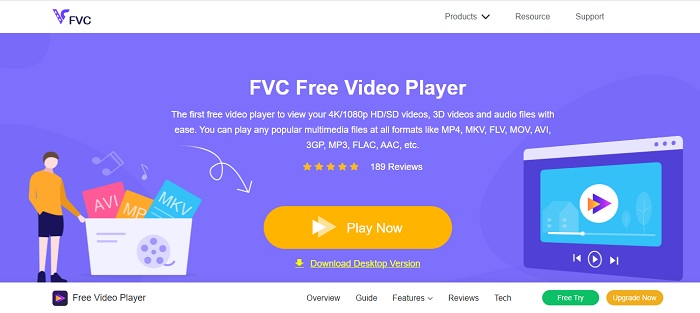
Hvis det ikke frister å laste ned en egen AVI‑filspiller, bør du vurdere å bruke FVC Free Video Player. Dette verktøyet er reklamefritt, så hvis du åpner det via søkemotoren din, kan du forvente å ikke se noen annonser. Verktøyet er gratis og lett tilgjengelig. De fleste brukere bruker det til å spille av AVI‑filer på datamaskinen sin. Men verktøyet støtter ikke de fleste formater og kodeker. Likevel er det et av de beste verktøyene som finnes. Hvis du vil bruke dette gratisverktøyet fra FVC, følger du trinnene nedenfor for å lære hvordan du spiller .avi‑filer på nettet.
Trinn 1. For å gå til hovedsiden for AVI‑spiller på nett må du klikke på denne lenken.
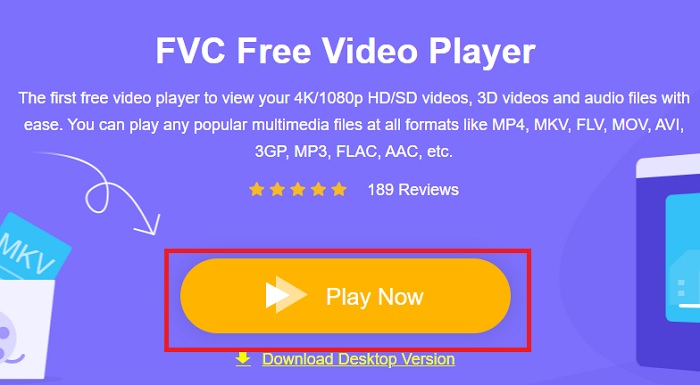
Trinn 2. Klikk på Play Now for å starte og åpne mediespilleren på nett.
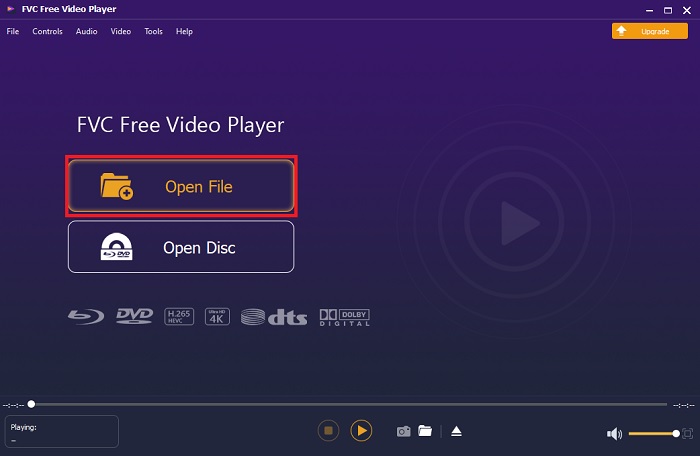
Trinn 3. Trykk på Open File og finn AVI‑filen du vil spille av. Klikk deretter på open for å begynne å se filen.
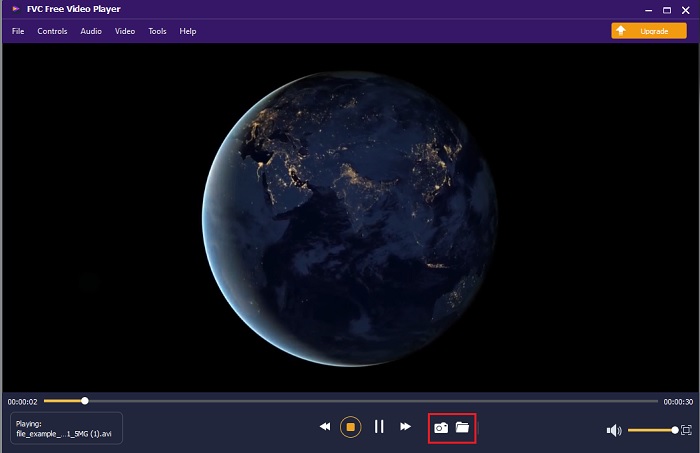
Trinn 4. Mens AVI‑filen spilles av på skjermen, kan du også ta skjermbilder hvis du vil. Klikk på mappen for å se skjermbildene du nettopp tok.
Trinn 5. For å spille av en annen AVI‑fil eller en annen videofil gjentar du bare trinnene som er presentert her, og koser deg videre.
Del 2. 4 av de beste offline AVI-filspillerne
1. FVC Blu-ray-spiller
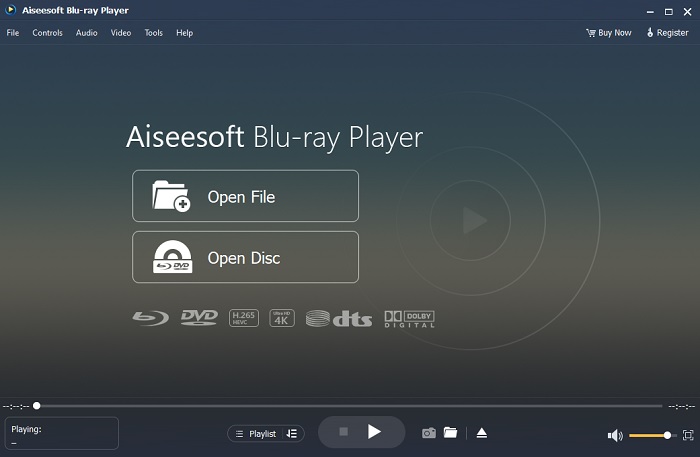
Hvis du vil ha en mer kinolignende opplevelse når du ser på videoene dine, bør du bruke Blu-ray Player. I motsetning til en hvilken som helst vanlig AVI‑spiller har dette verktøyet blitt svært populært blant brukere over hele verden. Det har også lignende funksjoner som andre mediespillere. Men hva er hovedforskjellene fra de andre? For det første støtter dette verktøyet mange flere formater. For det andre kan mediespilleren begynne avspilling selv om nedlastingen ikke er fullført. Til slutt kan CD‑er, DVD‑er eller Blu‑ray‑plater du setter i den optiske stasjonen også spilles av her. Oppnå altså en kinolignende opplevelse på datamaskinen uten å betale mye ved å laste ned dette verktøyet.
Gratis nedlastingFor Windows 7 eller nyereSikker nedlasting
Gratis nedlastingFor macOS 10.7 eller nyereSikker nedlasting
Fordeler
- Den støtter flere formater enn de andre mediespillerne som er oppført her.
- Se eller lytt til de få detaljene om filen selv om dataene går tapt eller sprekker. Hvis du spiller av video her, vil du også føle at du er på kino.
- Kan justere videoeffekten av fargetone, metning, lysstyrke, kontrast og gammastråler til.
Ulemper
- Dette verktøyet er betalt, men det er ikke dyrt.
- Nedlastbar mediespiller til stasjonen.
2. FileHorse
File Horse er en samling av ulike verktøy på ett nettsted. Selv om denne AVI‑spilleren for Mac og Windows er lett tilgjengelig, har nettsiden mange annonser. Vær derfor forsiktig så du ikke klikker på dem, for å unngå at det åpnes nye faner med unødvendige sider. Disse plagsomme annonsene kan også gjøre hele systemet ditt litt tregere.
Fordeler
- Den inneholder ulike løsninger på problemene.
- Det er som søkemotoren for verktøy.
- Last ned verktøyene her gratis.
Ulemper
- Pesky annonser er overalt på nettstedet.
- Nedlastingsmønsteret for verktøyet er litt stivt. Selv om den har en nedlastingsknapp, må du velge en versjon av verktøyet du vil laste ned.
3. VLC Media Player
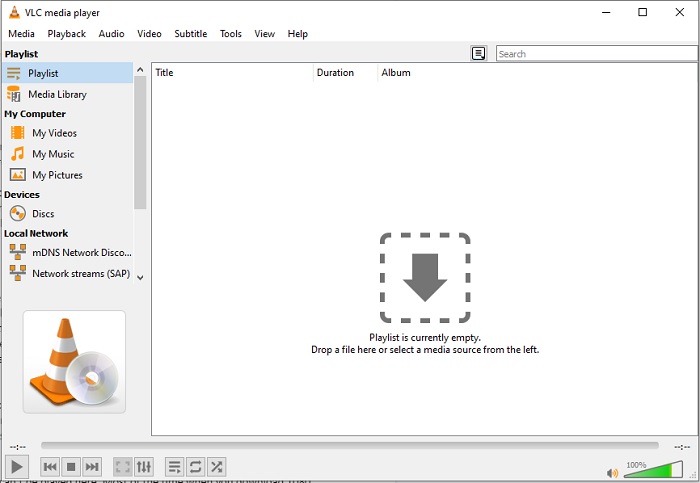
Hvis du ser etter den mest kjente AVI‑videospilleren, er VLC Media Player navnet. De fleste av oss bruker allerede VLC til å spille av og se videoer på enhetene våre. Selv om dette er den mest brukte mediespilleren på denne listen, støter verktøyet fortsatt på en del feil og formater som ikke kan spilles, på grunn av kodefeil. Vi testet også avspilling av AVI‑filer her. Videoen spilte fint i begynnelsen, men etter en stund begynte vi å støte på noen problemer.
Fordeler
- Mest brukte verktøy for å se og spille av videoer.
- Støtt de fleste formater og kodeker for å spille på denne programvaren.
- Du kan også gjøre konvertering her med begrenset støttefilformat.
Ulemper
- Noen videoavspillinger kan ikke spilles av her. Mesteparten av tiden når du laster ned 1080 px med videoer over internett og spiller det av her. Kvaliteten på videoene vil bli redusert til 720 px.
- De fleste av de kjente formatene som spilles her støter på funksjonsfeil som AVI og MOV.
4. Windows Media Player
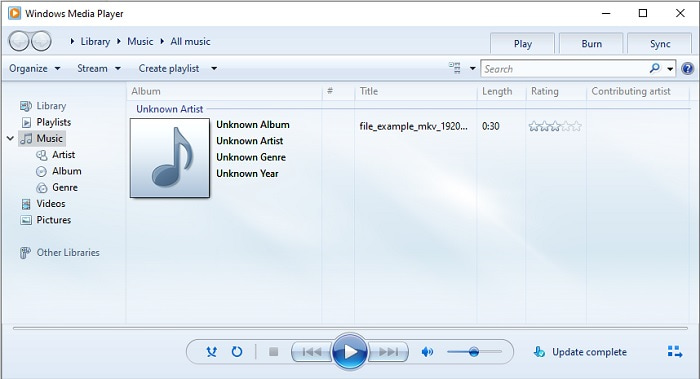
Standard AVI‑spiller for Windows 10 er Windows Media Player. De fleste formater som er utviklet av Microsoft fungerer bra her, som AVI. Men dette verktøyet har problemer med å spille av andre formater som er laget av andre, som MOV. Hvis du spiller av et format som bruker en bestemt codec, må du dessuten regne med å måtte laste ned ekstra programvare bare for å få spilt av videoen. Det støtter nemlig færre kodeker og dermed også færre formater.
Fordeler
- Ingen nedlasting nødvendig fordi den allerede er installert på skrivebordet ditt.
- Det er mye enklere å bruke enn VLC.
- Kompleksiteten til verktøyet er ikke så vanskelig sammenlignet med VLC.
Ulemper
- Den er kun tilgjengelig på Windows. Så hvis du er en Mac-bruker kan du ikke bruke hovedverktøyet.
- Mangel på kodek og formatstøtte kommer fra verktøyet.
Del 3. Vanlige spørsmål om AVI Player
Hvordan spiller jeg av .avi-filer på Android?
Last først ned en AVI‑spiller på Android. Når du søker etter en mediespillerapp i Play Store, vil du få mange alternativer du kan bruke til å spille .avi‑filer på Android‑enheten din.
Er AVI-formatet det mest ideelle formatet?
AVI er et av de beste formatene du kan bruke til å lagre rå, men høykvalitets mediefiler på den. Men formatet er ukomprimert, så det er ideelt å konvertere AVI til et nytt format med kodek. Så, for å vite mer om AVI-konverteren, klikk på denne lenken for å gå til en ny artikkel som fokuserer på å snakke om de beste omformerne.
Hvorfor kan ikke AVI-videoene mine spilles av på Android-telefonene mine?
Det finnes flere vanlige misforståelser om hvorfor AVI‑filer ikke kan spilles av på telefonen din. For å finne ut hva som er problemet på Android‑telefonen din, må du kjenne årsaken og lære hvordan du kan fikse den. La oss derfor finne ut hvorfor videoer ikke spilles av på Android‑telefonene dine.
Konklusjon
Avslutningsvis har vi i denne artikkelen gått gjennom en rekke løsninger for å fikse problemer med AVI‑filer. Men det er ett verktøy som gir den beste bildekvaliteten som mediespiller. FVC Blu-ray Player gir mer kino- eller IMAX‑følelse enn andre mediespillere. Så hvorfor nøye seg med et verktøy i klasse A når du kan få et S‑klasse‑produkt fra FVC Blu-ray Player?.
-
 op 4 beste VOB-spillere for Android-mobiler for forskjellig bruk
 Når du laster ned VOB -videoer og vil se dem på Android, kan du velge den mest passende blant de fire beste VOB -spillerne i denne artikkelen.
-
 Eksepsjonell guide for hvordan du spiller MOV -filer på Android -mobilenheter
 Har du et problem hvorfor MOV -filene dine ikke spilles på din Android mediespiller? Les deretter denne artikkelen, den vil gi deg 2 forskjellige metoder for å fikse MOV -filer og gjøre dem spillbare.
-
 Beste 1080p HD-videospiller for Windows / Mac / iOS / Android i 2021
 Hvis du leter etter en videospiller for å se 1080p HD-videoer på datamaskinen din, sjekk våre utvalg av beste 1080p HD-videospillere for Mac, Windows PC, iOS og Android.
