


 Video Converter Ultimate
 Skjermopptaker
 Videoreparasjon
Beste av de beste konvertererne du kan bruke til å konvertere 3GP til AVI online og offline
3GP-formatet er et fleksibelt format som overfører lyd- og videostrømmer til 3. generasjons mobiltelefoner via GSM. Det passer til 3G-tilkobling for raskere overføring av filer. Dette formatet ble oftest brukt på eldre telefonmodeller fordi det er allsidig og kan overføres raskt. Nå om dagen kan imidlertid ikke 3GP-filer spilles av på vanlige mediespillere, fordi dette formatet ikke lar nyere mediespillere forstå strukturen. Den beste måten å se alle 3GP-filene på telefonen eller datamaskinen på, er derfor å konvertere dem. I stedet for å lete på nettet etter hvilken konverter du bør bruke, har vi samlet fire konvertere du kan velge mellom. Verktøyene nedenfor er svært gode og kan konvertere 3GP til AVI-format uten kvalitetstap.

Del 1. Konverter 3GP til AVI offline med Ultimate Converter
FVC Video Converter Ultimate
Hvis du ikke vil anstrenge deg i det hele tatt for å konvertere 3GP-filene dine, anbefaler vi på det sterkeste at du bruker FVC Video Converter Ultimate. Denne programvaren er et av de beste valgene til filkonvertering, og den er svært rask – filene blir konvertert i løpet av få sekunder. Dessuten deler mange brukere av programmet den samme opplevelsen. For å oppsummere sier de klart at dette verktøyet hjalp dem med å løse konverteringsproblemet på et øyeblikk.
Ytterligere forklaring, dette verktøyet er ikke bare det beste i å konvertere filen; den har også de mest avanserte funksjonene du ønsker å prøve. Eksempler er editor, GIF-maker, volumforsterker, synkronisering av lyd og video, reversering og mer. Hvis du kjøper dette verktøyet, vil du få alle de nevnte verktøyene tidligere, og det er mye mer på gang. Så nå, la oss prøve å følge trinn-for-trinn for å konvertere 3GP til AVI på Mac og PC uten å miste kvaliteten.
Trinn 1. Klikk på nedlastingsknappen og velg om du er PC- eller Mac-bruker, og installer deretter programmet.
Gratis nedlastingFor Windows 7 eller nyereSikker nedlasting
Gratis nedlastingFor MacOS 10.7 eller nyereSikker nedlasting
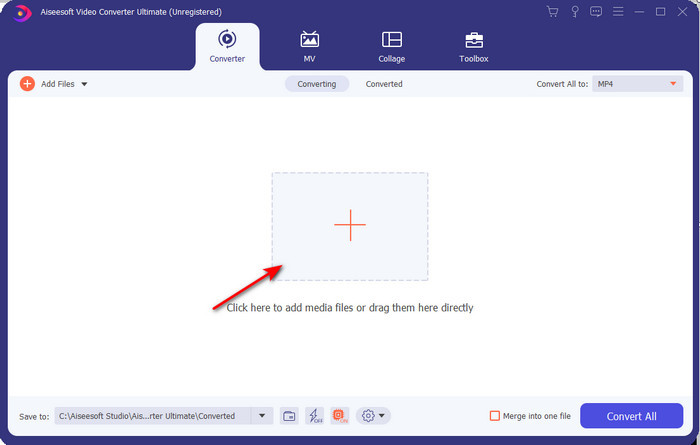
Trinn 2. Start verktøyet, klikk på +-tegnet midt på grensesnittet, velg .3gp-filen i mappen din og klikk Open. Du kan også gjøre batchkonvertering her hvis du vil; klikk Add Files for å legge til flere filer.
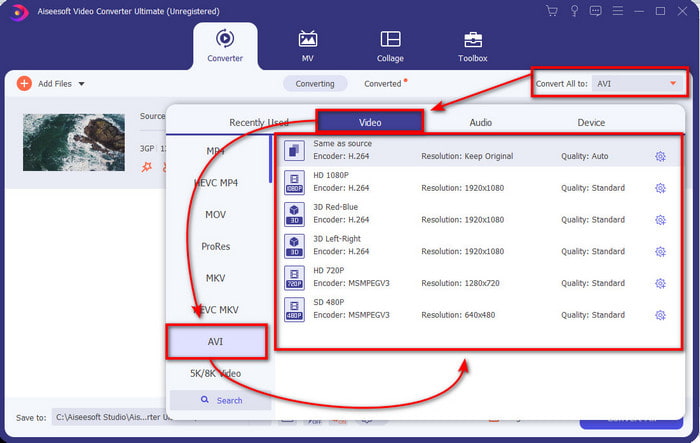
Trinn 3. For å endre 3GP-filen, klikk på Convert All-valget og velg AVI-formatet under kategorien Video.
Trinn 4. For å starte konverteringsprosessen klikker du på Convert All, og konverteringen av 3GP-filene dine begynner.

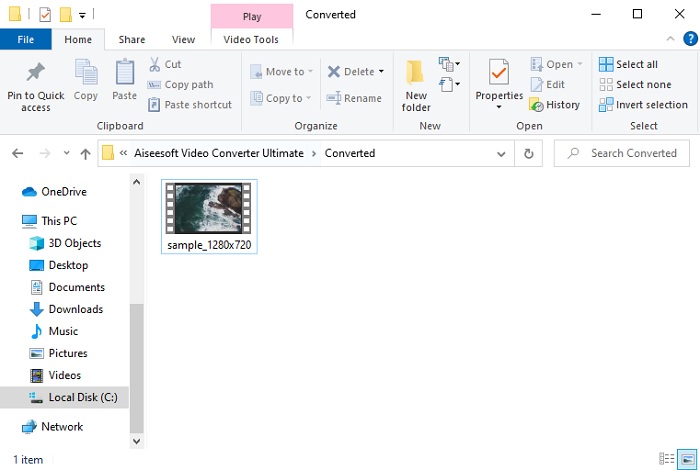
Trinn 5. Etter konverteringen vises en mappe på skjermen med den konverterte 3GP-filen. Klikk på den nye AVI-filen du har laget for å se den og eventuelt redigere den senere.
Del 2. 3 tilgjengelige online omformere for å konvertere 3GP til AVI
1. FVC Free Video Converter Online

Vi forsikrer deg om at verktøyet på denne listen er den beste 3GP til AVI-konverteren på nett, nemlig FVC Free Video Converter Online. Alle funksjonene du ønsker å se i en nettbasert konverter, finnes her. Dette er den beste nettkonverteren vi nevner på alle ulike måter. Hvis du for eksempel vil ha en effektiv nettkonverter, en trygg konverteringsprosess og helt uten annonser, er dette nettverktøyet for deg. Selv om nettverktøyet ser bra ut og fungerer utmerket, støtter det bare et mellomstort utvalg av formater. Avanserte funksjoner som du kan møte i FVC Video Converter Ultimate er ikke tilgjengelige her. Men fordelen sammenlignet med programvareversjonen er at dette er helt gratis. Uten flere forsinkelser går vi videre til trinnene for å konvertere filen din til en ny versjon.
Trinn 1. Klikk på denne lenken for å gå til nettstedet.
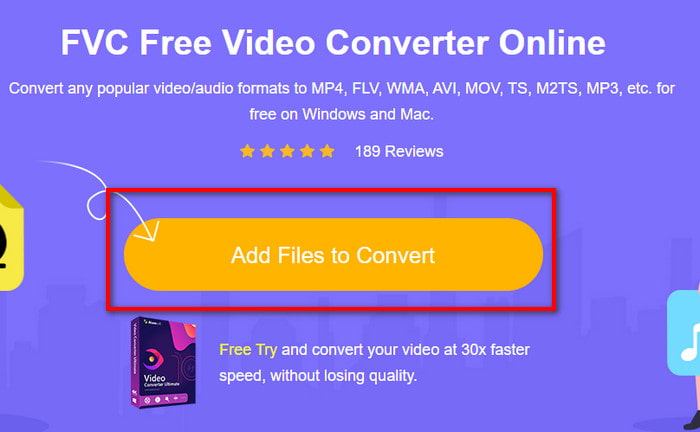
Trinn 2. Trykk på Add Files to Convert for å starte nettverktøyet; en mappe vises, og du kan finne .3gp-filen. Hvis dette er første gang du bruker verktøyet, må du laste ned startprogrammet ved å klikke på Add Files to Convert og deretter klikke igjen for å starte det.
Trinn 3. Når du har valgt filen, velger du AVI-formatet i seksjonen nedenfor.
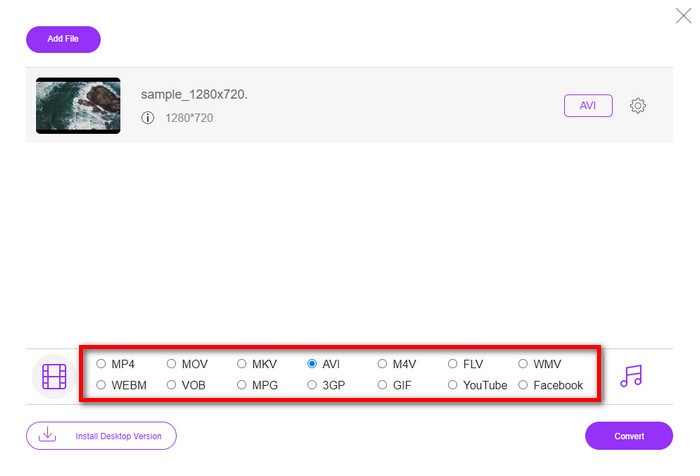
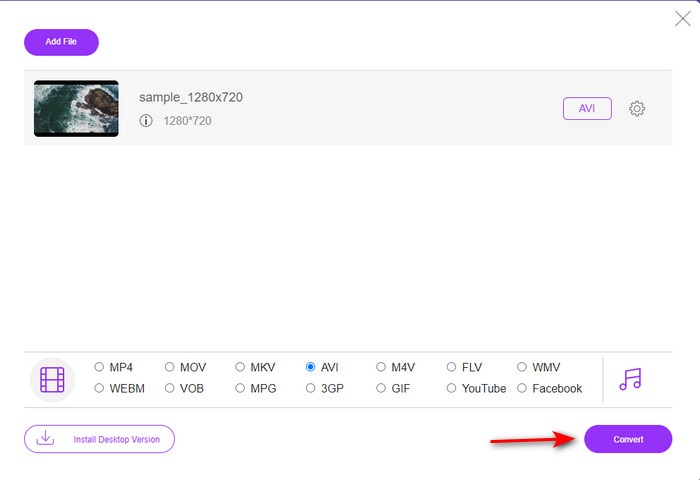
Trinn 4. Når du er klar til å konvertere filen, klikker du på Convert.
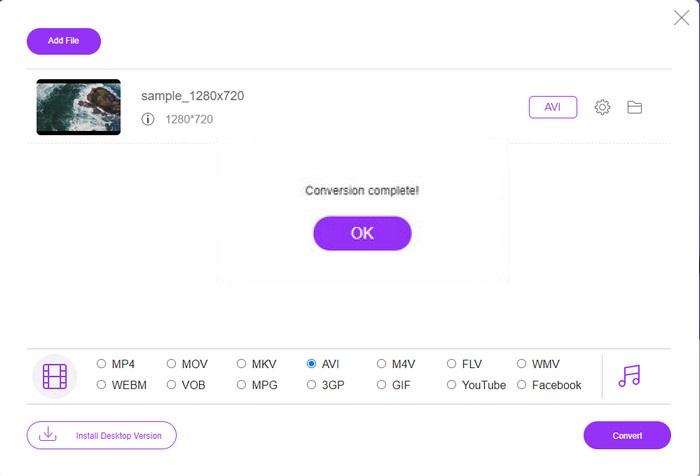
Trinn 5. Etter konverteringen vil en mappe dukke opp igjen, men nå med filen du nettopp konverterte.
2. Fconvert.com
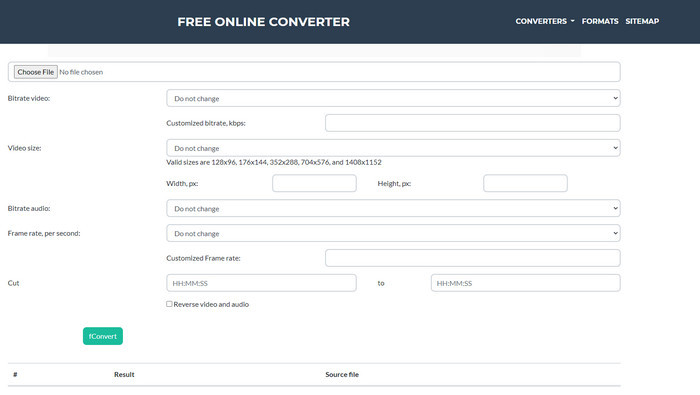
Når det gjelder filkonvertering, må Fconvert.com være med på listen, fordi dette nettverktøyet er en av de flotte konverterne du kan bruke gratis. Denne konverteren kan konvertere nesten alle formater du kjenner til – og kanskje også et av dine. Det er imidlertid et problem med dette verktøyet, og det er annonsene. Hver gang du klikker på noe på nettstedet, kommer det først en annonse før du kommer videre til det du klikket på. Selv om annonsene er irriterende, ser verktøyet fortsatt ryddig ut og gjør en god jobb med å konvertere formater. Hvis du vil oppleve hvor bra dette verktøyet er, følger du trinnene nedenfor og lærer hvordan du konverterer 3GP til AVI gratis.
Trinn 1. Søk etter hovednettstedet til dette verktøyet i nettleseren din.
Trinn 2. Klikk på AVI under video, klikk deretter Choose File, finn .3gp-filen, rull ned og klikk fConvert.
Trinn 3. Rull ned, så ser du Result; klikk på filen for å laste den ned.
3. Enhver konv
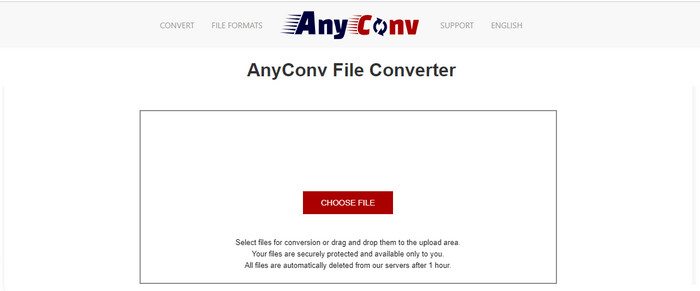
Et annet verktøy som spesialiserer seg på formatkonvertering, er Anyconv. Dette nettverktøyet er ganske annerledes enn Fconvert.com, fordi dette verktøyet er mye bedre og raskere. Det har også færre annonser enn forrige verktøy. Selv om det er færre annonser, er de større enn på Fconvert.com, men når det gjelder ytelse, gjør dette verktøyet det svært bra. La oss teste dette verktøyet for å se om det fungerer til å konvertere 3GP til AVI gratis, uten ytterligere forsinkelse.
Trinn 1. Åpne søkemotoren din og finn Anyconv-nettstedet.
Trinn 2. Trykk på Choose File; en mappe vises, og du legger .3gp-filen inn i nettverktøyet og fortsetter. For å endre format må du klikke på drop-down-knappen og finne AVI. For å starte konverteringsprosessen klikker du på Convert.
Trinn 3. Vent til prosessen er ferdig, og klikk deretter Download AVI for å laste ned den konverterte filen.
Del 3. Hvilket format er best; 3GP eller AVI
Hvis du bruker en 3. generasjons telefon og ønsker å lagre video av høy kvalitet, overføre den raskere i 3. generasjons telefon, da er 3GP formatet for jobben. Men hvis du prøver å sende AVI-format til 3. generasjons telefoner, åpnes ikke filen fordi dette formatet ikke støttes. Men i dagens tilfelle er AVI mye bedre. Den har allerede fått mye støtte fra alle mediespillere og redaktører sammenlignet med 3GP. Selv om AVI-format er det beste valget i dag, er filstørrelsen enorm sammenlignet med 3GP, og hvis du var i ferd med å lagre den på telefonen, ville den spist opp mye plass. Dessuten er begge formatene flotte, men de har forskjellige formål og bruksområder.
Del 4. Vanlige spørsmål om 3GP og AVI
Kan jeg bruke FFmpeg til å konvertere 3GP til AVI?
Du kan bruke FFmpeg til å konvertere 3GP-filen din; det er riktignok vanskelig, men håndterbart hvis du tar deg tid. Første trinn er å laste ned zip-filen med FFmpeg til datamaskinen og pakke den ut. Andre trinn er å åpne CMD for å kommunisere med verktøyet. Deretter finner du filen via kommandolinjen, ffmpeg -i input.3gp -vn -ar 44100 -ac 2 -b:a 192k output.avi – kopier denne koden, lim den inn i CMD og trykk Enter for å starte konverteringsprosessen.
Kan 3GP spilles på 4. generasjons telefoner?
Dette formatet brukes på telefoner av tredje generasjon, og du kan fortsatt spille av videoer i 3GP-format på noen telefoner av fjerde generasjon, men ikke alle. Som nevnt tidligere er 3GP laget for tredje generasjon og ikke for enkelte telefoner av fjerde generasjon. Eller du kan gå over til profesjonelle 3GP-spillere for å nyte videoene dine.
Hvilket format er bedre: 3GP eller MP4?
Når det gjelder kvalitet og hvor godt formatet er støttet, er MP4 langt bedre på dette området. Men 3GP er mye mindre og fungerer bedre i 3G-nettverk for raskere overføring av dette filformatet. Vil du konvertere MP4 til 3GP eller omvendt, klikk her for å lære mer.
Konklusjon
Hver reise må ta slutt, og nå kan du enkelt konvertere 3GP til AVI ved hjelp av verktøyene nevnt ovenfor. Dessuten fungerer alle verktøyene som er presentert ovenfor, la oss inkludere FFmpeg, utmerket. Likevel faller det beste valget alltid til FVC Video Converter Ultimate. Dette verktøyet overgår alle online-konverterere kan gjøre i konvertering og mange flere aspekter. Så nå, hvis du vil ha programvaren, klikker du på nedlastingsknappen og gjør konverteringen raskt.
-
 [Online og gratis] 3 metoder for å konvertere MP4 til 3GP problemfri
 Vil du konvertere MP4 til 3GP på en rask og enkel måte? Her skal vi dele 3 MP4 til 3GP-omformere for å endre MP4 til 3GP for å spille på forskjellige mobiltelefoner.
-
 Topp 3 gratis måter å konvertere FLV til 3GP på Windows / Mac
 Kan ikke åpne FLV-filer på smarttelefon eller nettbrett? Ikke bekymre deg! Her deler vi tre metoder for å konvertere FLV til 3GP uten å miste kvalitet for å spille på mobil.
-
 Utmerket valg for å konvertere MKV til et AVI -format
 Mestre hvordan du konverterer MKV-videoer med enkle trinn gitt eksklusivt for deg. Vil du vite hvordan? Klikk deretter på denne linken for å lære mer.
