


 Video Converter Ultimate
 Skjermopptaker
 Videoreparasjon
2 raske og enkle måter å konvertere M2TS til AVI med trinnene som følger med
Etter hvert som vi går videre inn i fremtiden, er det mange formater som ikke lenger får særlig støtte, som M2TS. Dette formatet bruker fortsatt den gamle Blu-ray Audio Video-beholderen, som bruker MPEG‑2-strøm til å transportere data. Du kan ikke åpne dette formatet på enkelte enheter som iPhone, iPod og til og med Android, fordi de ikke kan lese strukturen til formatet. Hvis du likevel har en fil med denne filtypen og vil se den, anbefaler vi å konvertere formatet til AVI. La oss derfor se nærmere på hvilken måte som er best for å hjelpe deg med å konvertere en M2TS-fil. Hvis du fortsetter å lese denne artikkelen, vil du dessuten lære å konvertere M2TS til AVI-format både på nett og uten nett.

Del 1. M2TS vs. AVI
Som vi forklarte tidligere, pleide M2TS-filer å være en beholder på Blu-ray som støtter forskjellige videoer, lyd og en annen strøm i en enkelt beholder. Også, hvis filtypen på Blu-ray eller AVCHD er i dette formatet, så forvent at kvaliteten på den er utmerket. Selv om dette filformatet fungerer bra, er støtten det får på noen mediespillere fortsatt magert. En annen er at når du vil spille av denne typen filtype, trenger du plug-in-play, en kodek og noen komponenter for å se videoen i dette formatet. I motsetning til hvis filtypen din er .avi. Dette formatet får fans på hele nettet på grunn av hvor god videokvalitet dette formatet kan inneholde. Filstørrelsen er imidlertid et stort problem fordi den ikke har noen riktig kodek for å redusere filstørrelsen. Men hvis vi sammenligner M2TS og AVI, er de begge utmerket. Likevel er støttene forskjellige, og fleksibiliteten til AVI-formatet kan gi deg.
Del 2. Den første måten er å konvertere M2TS til AVI Online med det enkleste webverktøyet
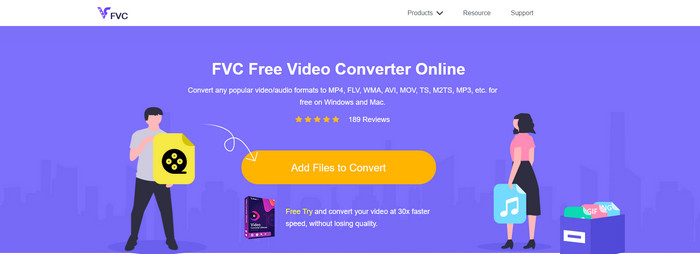
Hvis du lurer på om du kan konvertere M2TS til AVI gratis, er dette for deg: her presenteres FVC Free Video Converter. Dette nettverktøyet er en av de beste nettbaserte konverterne du kan finne på internett. I tillegg, hvis du har problemer med å konvertere formatet ditt, tilbyr dette også en løsning: du kan endre bitrate, oppløsning og bildefrekvens. Selv om verktøyet støtter et middels utvalg av ulike formater, har det fortsatt ikke avanserte funksjoner for å gjøre sluttresultatet like imponerende som FVC Video Converter Ultimate kan gjøre for deg. Men hvis du ikke ønsker å betale og har internettilgang, bør dette være ditt valg for å konvertere formatet til en nyere versjon.
Fordeler
- Ingen programvare er nødvendig for å laste ned fordi den er tilgjengelig på nettet.
- Den støtter mellomstore varianter av formatet du kan velge.
- Gratis og ingen annonser på grensesnittet til nettstedet.
Ulemper
- Den trenger en internettforbindelse for å få tilgang til den.
- Noen formater støttes ikke her, og den har begrenset formatstøtte.
Fremgangsmåte for hvordan du bruker den nettbaserte konverteren
Trinn 1. Klikk på denne lenken for å åpne hovedsiden til den nettbaserte konverteren. Du trenger ikke å bekymre deg – lenken er trygg å åpne, vi har testet den selv.
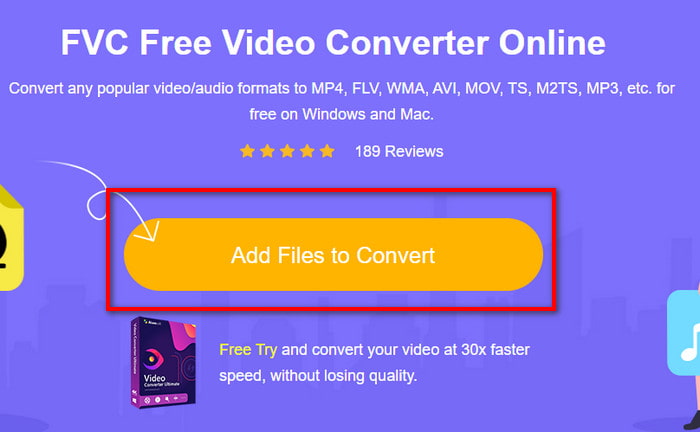
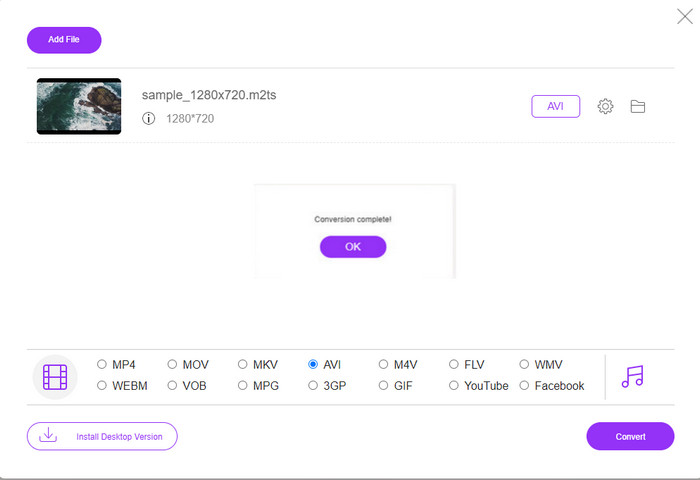
Trinn 2. Klikk deretter på Add Files to Convert, og en mappe vises på skjermen. Velg filen med filtypen .m2ts og klikk Open.
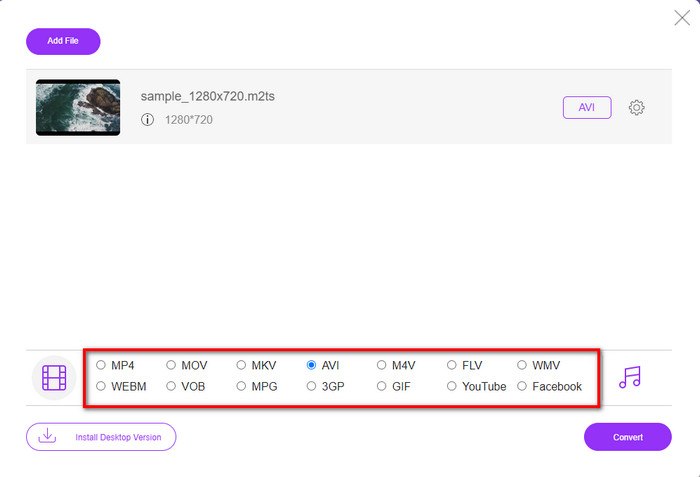
Trinn 3. Etter at du har lagt inn filen, vil et grensesnitt vises på skjermen med tilgjengelige alternativ for format nederst. Velg AVI-formatet fra listen.
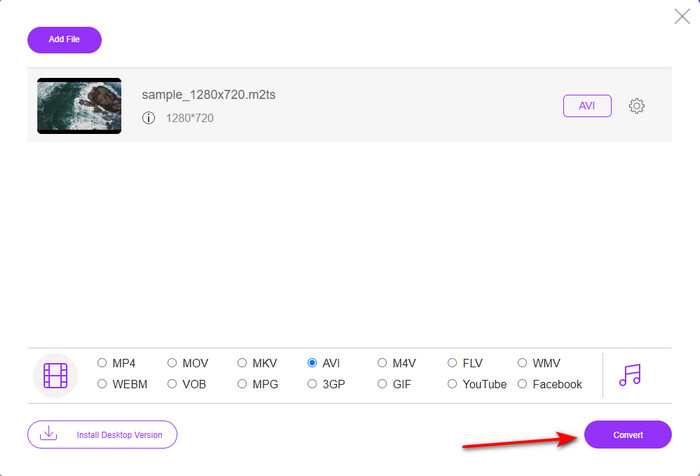
Trinn 4. Når du har valgt format, klikker du på Convert for å starte konverteringen til AVI.
Trinn 5. Konverteringen vil ta omtrent ett minutt; deretter vil det dukke opp en mappe som inneholder den konverterte filen du nettopp har laget.
Del 3. Den andre måten er å bruke det ultimate verktøyet til å konvertere M2TS til AVI offline
Hvis du vil ha et verktøy som fungerer vesentlig bedre enn de vanlige nett- og skrivebordskonverterne, er FVC Video Converter Ultimate det perfekte verktøyet for deg. Dette programmet gjør en svært god jobb med mange ulike oppgaver, enten det er redigering, laging av GIF, endring av format, volumforsterkning og mye mer. Mange avanserte, men brukervennlige funksjoner er allerede lagt til i denne programvaren for å gi best mulig resultat til brukerne. Ja, det stemmer: du må være kunde før du får tilgang til dette ultimate verktøyet. Men det er ingen grunn til å bli skuffet – det er ikke dyrt og presterer bedre enn mange andre konvertere. I tillegg støtter dette verktøyet alle kjente formater, inkludert filformatene som støttes av enhetene og datamaskinen din. Hvis du vil oppleve den beste konverteringsprosessen, følger du de trinnvise instruksjonene nedenfor for hvordan du bruker denne M2TS til AVI‑konverteren.
Fordeler
- Den støtter mye mer avanserte funksjoner du gjerne vil bruke.
- Kan konvertere en fil i løpet av få sekunder på grunn av maskinvareakselerasjonen og den raske konverteringen dette verktøyet gir.
- Tilgjengelig på alle plattformer, og den støtter alle formatene.
Ulemper
- For å få tilgang til verktøyet må du betale.
- Den må først lastes ned på datamaskinens stasjon.
Fremgangsmåte for hvordan du konverterer M2TS‑videoformat til AVI‑format uten nett
Trinn 1. Last ned programvaren til plattformen din ved å klikke på nedlastingsknappen nedenfor. Installer den, fullfør oppsettet og åpne verktøyet.
Gratis nedlastingFor Windows 7 eller nyereSikker nedlasting
Gratis nedlastingFor MacOS 10.7 eller nyereSikker nedlasting
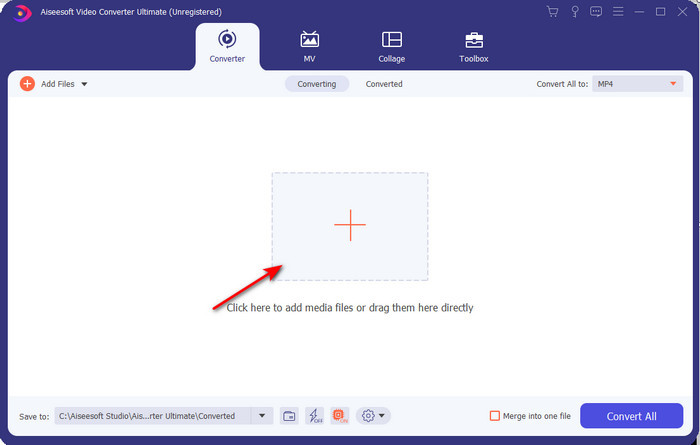
Trinn 2. Start programvaren, klikk på +-knappen for å legge .m2ts-filen inn fra mappen, og klikk deretter Open.
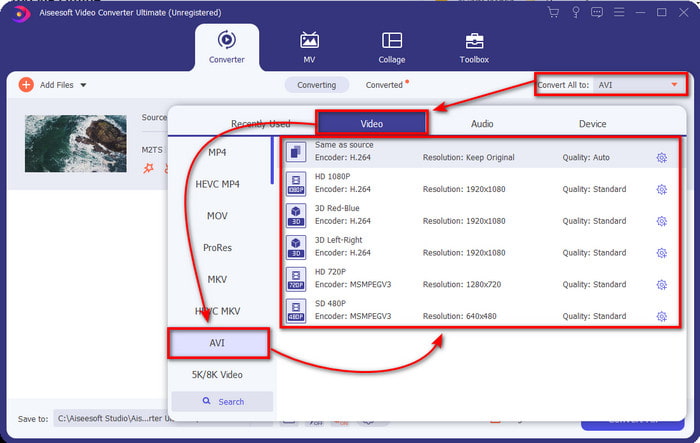
Trinn 3. Øverst til høyre i grensesnittet vil du se menyen Convert All to – klikk på den. En undermeny vil vises etter at du har klikket; finn AVI-formatet i listen.
Trinn 4. Når du har valgt format, kan du starte konverteringen ved å klikke på Convert All.
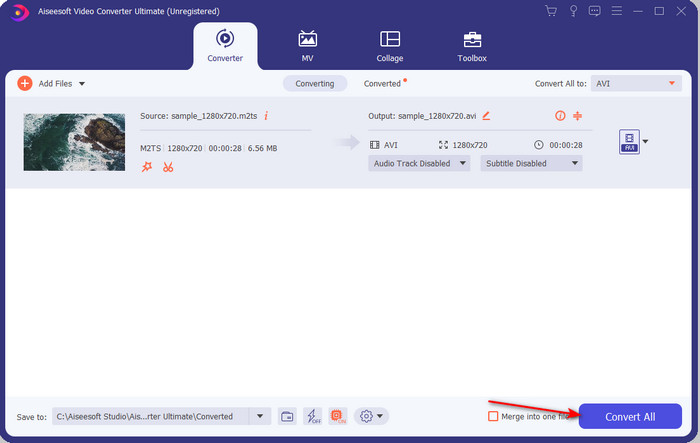
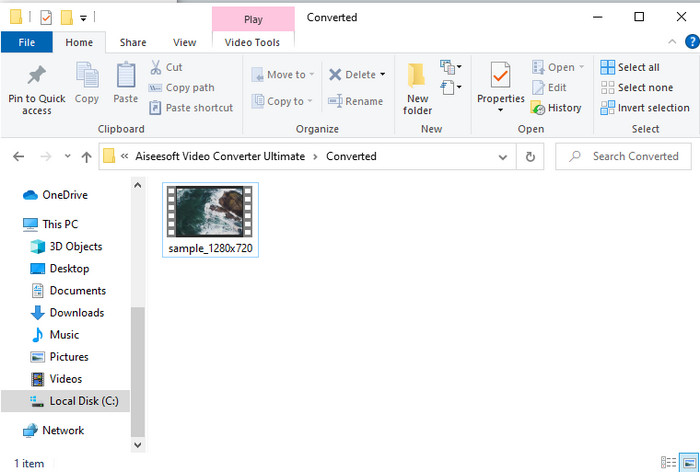
Trinn 5. Når konverteringen er ferdig, vil en mappe dukke opp på skjermen; klikk på filen for å se den konverterte .m2ts-filen.
Del 4. Vanlige spørsmål om M2TS og AVI
Etter å ha konvertert M2TS til AVI, forblir kvaliteten på den?
Etter konvertering av M2TS til AVI bør kvaliteten på videoen beholdes. Det er imidlertid en sjanse for at kvaliteten endres hvis du setter kvalitetsutskriften til middels eller lav. Dette kan unngås hvis du setter den til 1080 eller 4k, men filstørrelsen på den vil være større sammenlignet med lavkvalitets.
Hvorfor kan jeg ikke spille M2TS på min Windows Media Player?
Det finnes én hovedgrunn til at du ikke kan spille av filer med filtypen .m2ts: De støttes rett og slett ikke. Hvis du likevel vil se .m2ts-filen din, må du konvertere den eller finne en annen tredjeparts mediespiller som kan spille av M2TS-filer.
Er MTS og M2TS forskjellige?
Hvis vi skulle sammenligne disse to formatene, kan du regne med at det ikke er noen stor forskjell. Begge bruker AVCHD‑videoformatet, som lagrer videokvaliteten så høy som mulig. For å få mer informasjon om MTS‑ og M2TS‑filer kan du lese artikkelen What Is Difference Between MTS and M2TS.
Konklusjon
Sammen fant vi nå de forskjellige teknikkene for hvordan du konverterer M2TS-filen din til AVI. Da vi undersøkte hvert verktøy individuelt, fant vi ut at FVC Video Converter Ultimate fungerer godt når det gjelder å konvertere filer. Så til slutt foreslår vi at du laster ned den fenomenale omformeren for enklere konvertering og opplever den raskeste konverteringsprosessen noensinne.
-
 Hvordan konvertere M2TS til MKV gratis og online
 Vil du konvertere M2TS til MKV mens du holder den originale kvaliteten? Dette innlegget viser deg gratis og online metoder for å endre M2TS til MKV tapsfritt.
-
 [2021] Topp 6 gratis og online måter å konvertere M2TS til MP3
 Kan en M2TS fil konverteres til MP3? I dette innlegget har vi listet topp 6 gratis og online måter å hjelpe deg med å konvertere M2TS til MP3, AAC, AIFF og mer lydformat.
-
 Hvordan konvertere M2TS til MOV gratis [Online & Offline]
 Trenger du å konvertere M2TS til MOV for å spille av videofiler på en rekke spillere og plattformer? Denne artikkelen vil hjelpe deg med å finne den beste online / frakoblede metoden for å konvertere M2TS til MOV på Windows / Mac.
