


 Video Converter Ultimate
 Skjermopptaker
 Videoreparasjon
 Sikker nedlasting
En rask guide for å enkelt konvertere MKV til DivX online og offline gratis
MKV file format is a file container that stores audio, video, and subtitle tracks. It is a multi-purpose file format because it can also store HD videos. However, since it can keep a lot of data into one file, it takes too much space in a device. So, if you want to make your MKV file smaller in file size, you must convert it to a DivX file format. Keep on track because we will tackle the best ways to convert MKV to DivX Online and Offline for Free.

Del 1. Informasjon om MKV og DivX
Før vi takler online og offline MKV- og DivX-omformere, må vi først kjenne likhetene og forskjellene mellom MKV- og DivX-filformatene. I denne delen vil du vite fakta og informasjon om disse to filformatene.
MKV- eller Matroska-filer er et filformat kjent for filmentusiaster fordi det er en filbeholder som kan håndtere flere undertekststrømmer og lydspor på forskjellige språk. I tillegg er denne filen fremtidssikker, noe som betyr at den ikke vil bli utdatert i fremtiden.
I motsetning til MKV-filen, er DivX et filformat som lar deg komprimere massive filstørrelser opptil en tolvtedel av den opprinnelige filstørrelsen. Når det er sagt, er det det beste valget for folk hvis de vil komprimere MKV-filene sine.
Siden vi nå vet hva som er MKV- og DivX-filer, vil vi nå lære hvordan du konverterer MKV-filer til DivX-filformat.
Del 2. 5 Verktøy for å konvertere MKV til DivX-format uten problemer
Det er vanskelig å finne en MKV til DivX-konvertering fordi få omformere kan støtte DivX-filformater. Men vi presenterer de beste MKV til DivX-konvertererne for enkelt å konvertere MKV til DivX-filen din.
FVC Video Converter Ultimate
FVC Video Converter Ultimate is a suitable tool if you are looking for the ultimate converter to convert MKV to DivX. This offline converter supports 1000+ file-formats, including MKV, DivX, XviD, MOV, AVI, MP4, M4V, FLV, and more. It also has the best features like adding effects to your video file and enhancing it. Moreover, it supports batch conversion, where you can merge multiple file formats into one. And if you want to know the edge of this tool against other converters, read the advantages below.

Fordeler med FVC Video Converter Ultimate:
5 689 200+ nedlastinger- Den støtter mange filformater, inkludert MKV, DivX, MP4, MPG, AVI, FLV, WMV og 1000+ filformater.
- Den har avanserte funksjoner som GIF-maker, 3D-maker og mange flere.
- Den har en ultrarask konverteringsprosess.
- Tilgjengelig på alle tverrmedieplattformer som Windows og Mac.
Gratis nedlastingFor Windows 7 eller nyereSikker nedlasting
Gratis nedlastingFor MacOS 10.7 eller nyereSikker nedlasting
Here are the steps on how to convert MKV to DivX format using FVC Video Converter Ultimate:
Step 1. Download FVC Video Converter Ultimate by clicking the Download button below. And then follow the installation process, then open the app.
Gratis nedlastingFor Windows 7 eller nyereSikker nedlasting
Gratis nedlastingFor MacOS 10.7 eller nyereSikker nedlasting
Step 2. On the software’s main interface, click the Converter option.
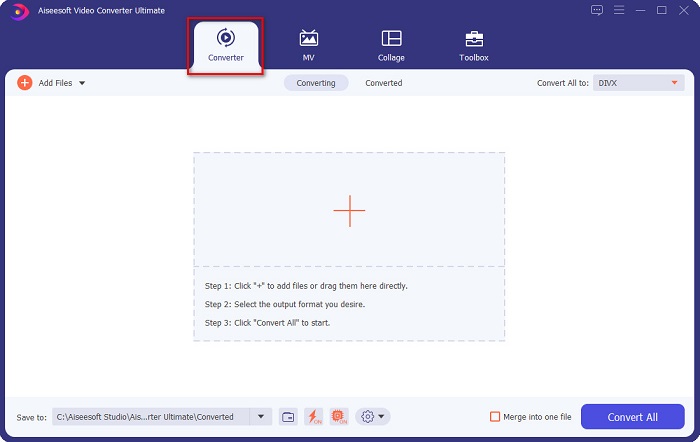
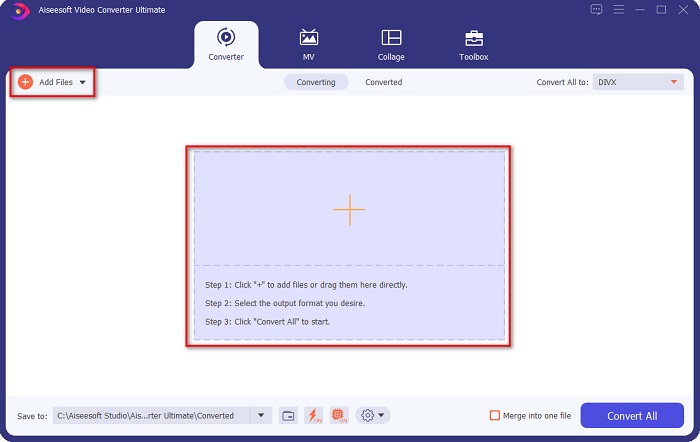
Step 3. Click the Add Files button or the + sign button on the same interface. Your computer files will appear, then select your MKV file to upload it.
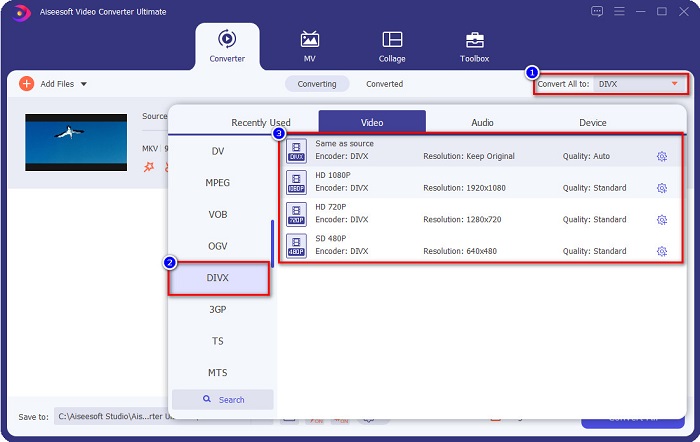
Step 4. After uploading your MKV file, click the Convert All to button to select the file output format that you want; click the DivX file format.
Step 5. Lastly, click the Convert All button to convert your MKV file to DivX file format.
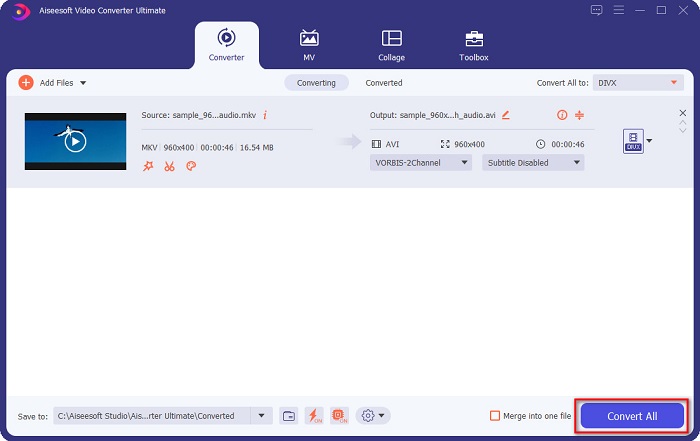
Så er det bare å vente noen sekunder, og voila! Din MKV-fil er nå et DivX-filformat!
AnyMP4 Video Converter
AnyMP4 Video Converter is a free MKV to DivX video converter that supports various file formats. It has a simple software interface, making it a user-friendly tool. You can also use a lot of features that this converter has. However, you cannot access its special features if you will not avail of the app.
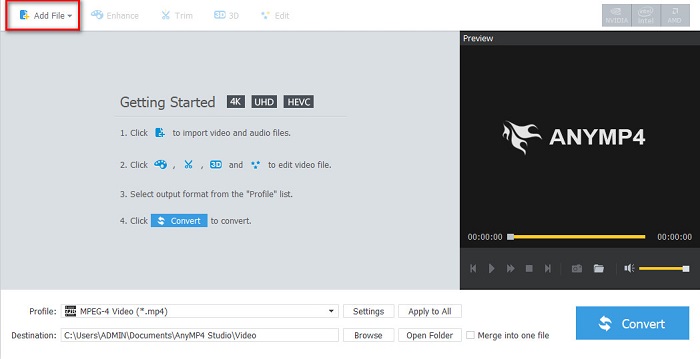
Step 1. In your browser, search AnyMP4 Video Converter, then download the app. Then on the main software interface, click the Add File button to upload your MKV file.
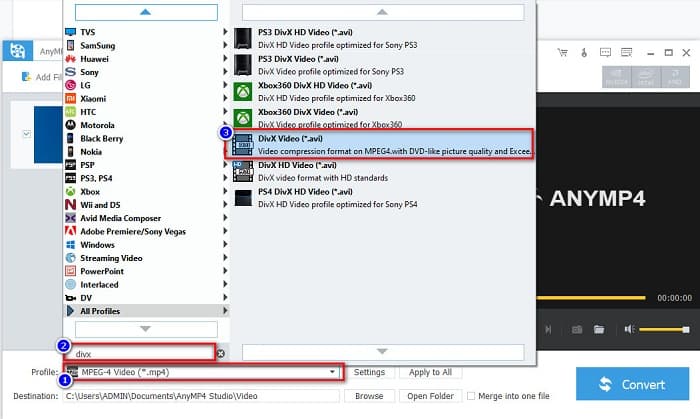
Step 2. Then on the Profile option below the software interface, search the DivX file format, then click it.
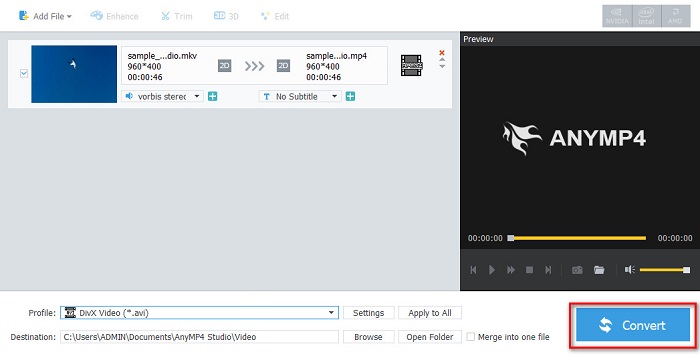
Step 3. For the last step, click the Convert button at the bottom right part corner of the interface. And then, just wait for your conversion process to finish. And it’s all done!
Media.io
Media.io is a free converter that can convert MKV to DivX online. This online converter has a simple user interface. Moreover, it does not contain any ads which other online converters have. However, you may experience having a slow conversion process because it is a web-based application.
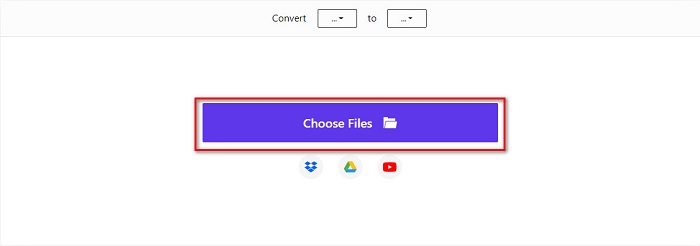
Step 1. In your trusted browser, search Media.io. Then on the software’s main interface, click the Choose Files button.
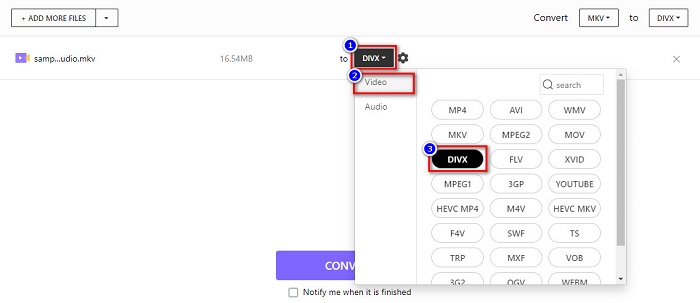
Step 2. Then, click the drop-down button to select the DivX output format.
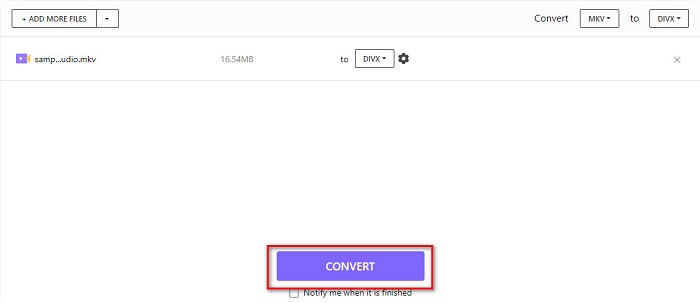
Step 3. And then, click the Convert button below to start converting your MKV file to DivX file format.
MiConv
Another way to convert MKV to DivX online for free is MiConv. This online converter is one of the know online converters you can find on the web. It is a web-based app; therefore, you do not need to download anything. Moreover, it is a beginner-friendly tool because of its easy-to-use GUI. Thus, it contains pesky ads that might be disturbing for you. Nonetheless, many people still use this online converter.
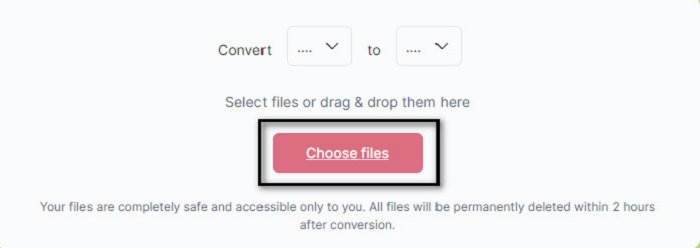
Step 1. Search MiConv on your browser to go to their webpage. And then, click the Choose files button. Your computer folders will appear, where you will select your MKV file.
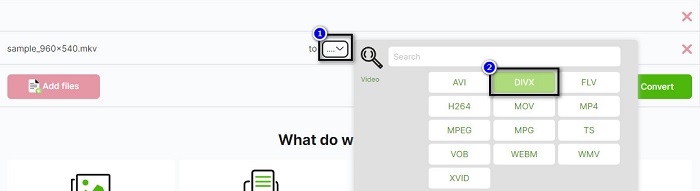
Step 2. Then, click the drop-down button on the bottom part of the software interface to select your output format.
Step 3. Finally, click the Convert button to transcode your MKV file to DivX.

AnyConv
The last converter that we will talk about is AnyConv online converter. This free MKV to DivX video converter is one of the most used online converters on the internet. Like the other online tools presented above, it also has an easy-to-use interface. Furthermore, it supports almost all standard video file formats. However, it contains disturbing ads and is internet-dependent, which means it depends on how fast your conversion process will be.
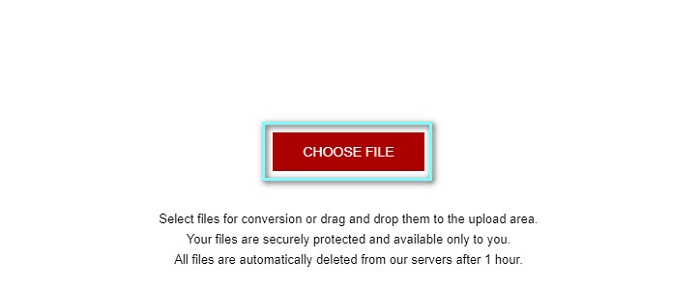
Step 1. Go to AnyConv website by searching AnyConv online converter on your browser. And then, click the Choose File button.
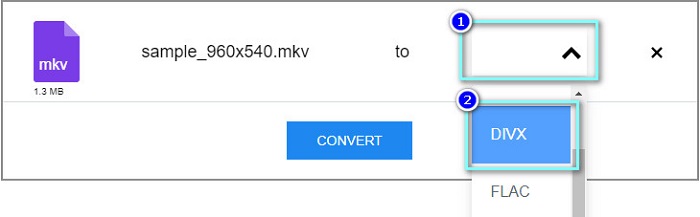
Step 2. Next, choose the DivX file format as your output format on the drop-down button.
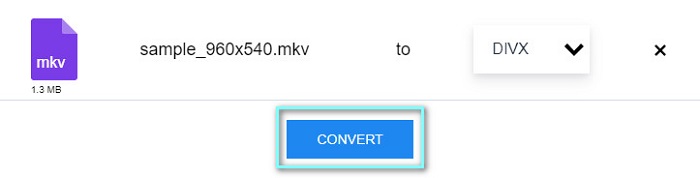
Step 3. Then, to start the conversion process, click the Convert button.
Del 3. Vanlige spørsmål om konvertering av MKV til DivX
Kan du spille av MKV-filen på Windows Media Player?
Windows Media Player does not natively support MKV file formats. Playing the MKV file on Windows Media Player may only show the audio. Therefore, if you want to play your MKV file on Windows Media Player, you can convert MKV to AVI file format.
Hvilken har bedre kvalitet, MKV eller DivX?
MKV har bedre kvalitet enn DivX-filen; MKV-filen er imidlertid ukomprimert, noe som gjør den mer fremtredende i filstørrelse. Derimot er DivX et komprimert filformat.
Kan du spille DivX-filer på macOS?
Dessverre støtter ikke den innebygde mediespilleren på Mac, som er QuickTime, DivX-filformat.
Konklusjon
Puh! Det var et flott eventyr vi hadde. All kunnskapen og informasjonen du har i dag vil hjelpe deg å velge den beste MKV til DivX-konverteren. Så hvis du vil ha en omformer med mange flotte funksjoner å bruke, bruker mange mennesker FVC Video Converter Ultimate som førstevalg.
-
 MKV til MOV - Hvordan konvertere MKV til MOV
 Hvordan konverterer jeg MKV til MOV på Mac? Kan iMovie lese MKV? Hva betyr MOV-format? Dette innlegget forteller to enkle måter å hjelpe deg med å konvertere MKV til MOV med gratis online og profesjonelle videokonverterere.
-
 Hvordan konvertere MKV -videoer til animerte GIF -er uten Photoshop/FFmpeg
 Etter at du har lastet ned og sett MKV -filmer på datamaskinen din, vil du kanskje dele noen fantastiske øyeblikk med venner eller på Internett som GIF -er. I denne artikkelen kan du lære om de 2 enkleste måtene å konvertere MKV til GIF.
-
 Tips og triks for hvordan du konverterer MKV-filer til MP3 [2021]
 Har du problemer med å velge riktig omformer for MKV til MP3? Fortsett deretter å lese dette innlegget da vi presenterte forskjellige løsninger på ett problem.
