


 Video Converter Ultimate
 Skjermopptaker
 Videoreparasjon
I detaljert gjennomgang om de 5 beste konvertererne for å konvertere OGV til WMV
Har du ingen anelse om hvordan du skal konvertere OGV til WMV og spille den av i Windows Media Player? Da har du flaks, for i dag vil vi introdusere ulike verktøy du kan bruke til å konvertere OGV-filen din. Vil du vite hvilke fem verktøy dette er? I den siste delen vil du også lære hvordan du konverterer OGV-filen din til WMV. Så det er bare å spenne seg fast, for vi vil ikke at du skal vente lenger – la oss starte oppdagelsesreisen med én gang.

Del 1. Topp 5 OGV til WMV Converter Online og Offline
Topp 1. FVC Video Converter Ultimate
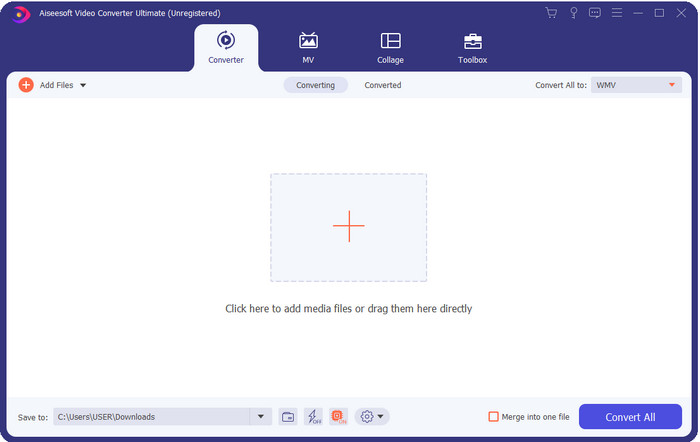
FVC Video Converter Ultimate er en av de beste OGV-til-WMV-omformerene du kan laste ned på datamaskinen din. Dette verktøyet gir en utrolig høy konverteringshastighet som allerede har imponert mange brukere. Dessuten er ikke konvertering det eneste sterke området til dette verktøyet. Du kan bruke de avanserte redigeringsfunksjonene til å gjøre videoen din mer imponerende, gjøre den mindre, eller slå sammen flere klipp. Alt i alt, hvis du er ny når det gjelder filkonvertering, er dette det beste valget, fordi du kan gjøre konverteringen uten anstrengelse og like enkelt som én-to-tre, samtidig som du får et profesjonelt resultat til slutt.
Gratis nedlastingFor Windows 7 eller nyereSikker nedlasting
Gratis nedlastingFor MacOS 10.7 eller nyereSikker nedlasting
Fordeler
- Konverter OGV til WMV, AVI, MOV, MP4 og 200+ formater tilgjengelig på mindre enn ett minutt.
- Dens sterke side er konvertering og de avanserte redigeringsfunksjonene du trenger.
- En utrolig omformer som alle kan bruke selv uten erfaring er idiotsikker og lett.
- Tilgjengelig i alle operativsystemer for nedlasting på Windows og Mac.
Ulemper
- For å anskaffe denne programvaren, må du først kjøpe den.
- Last den ned på datamaskinens stasjon.
Topp 2. VLC Media Player
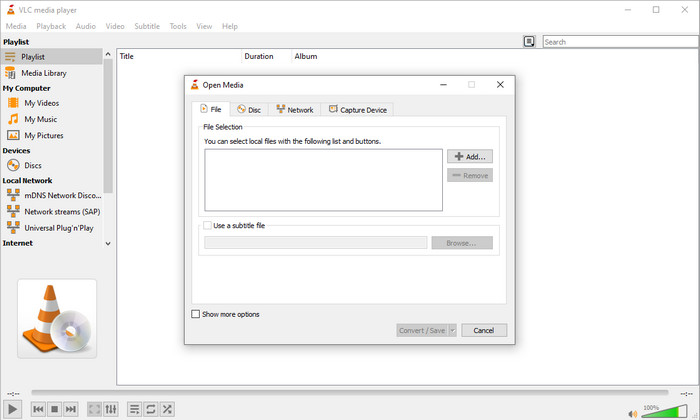
VLC Media Player er den mest nedlastede og mest tilgjengelige spilleren på alle enheter. Denne videospilleren kan også konvertere OGV til WMV eller til et annet format du ønsker. Selv om spilleren kan konvertere, mangler den fortsatt støtte for enkelte formater, spesielt når du vil konvertere filen til et veldig spesifikt format. Men hvis du allerede har VLC på datamaskinen, hvorfor ikke prøve å bruke denne videoavspilleren–og–omformeren til å endre formatet ditt?.
Fordeler
- Gratis å laste ned, og den støtter forskjellige formater for å spille og konvertere.
- Tilgjengelig i alle enhetene som skal brukes.
- Rask prosess for konvertering.
Ulemper
- Den støtter et begrenset format du kan velge mellom.
- Ikke din typiske omformer.
- Det kreves mange trinn før du kan konvertere.
Topp 3. Aconvert
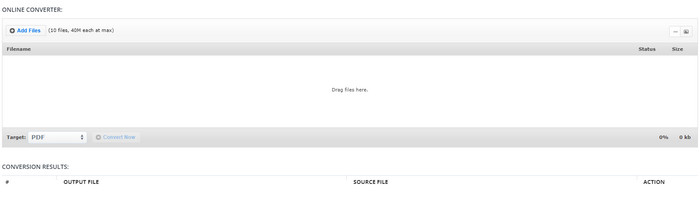
Aconvert vil hjelpe deg med oppgaven å konvertere OGV-filer. Denne nettbaserte OGV-til-WMV-omformeren gir en effektiv konverteringsprosess, slik at du opplever mindre bryderi. Denne omformeren har imidlertid mange annonser i webgrensesnittet, noe som kan være svært irriterende på mange måter. I tillegg begrenser verktøyet konverteringsopplevelsen din til kun ti konverteringer og en filstørrelse på opptil 40 MB per fil. Men det er ingen grunn til bekymring, for dette verktøyet er gratis for alle internettbrukere som vil konvertere filer på nett.
Fordeler
- Tilgjengelig på nettet for bruk.
- Den støtter et kjent format du kan sette inn.
- Brukervennlig.
Ulemper
- Alternativformatet for den endelige utgangen hadde mange mangler.
- Det er mange irriterende annonser på nettsiden.
Topp 4. Video2Edit.com
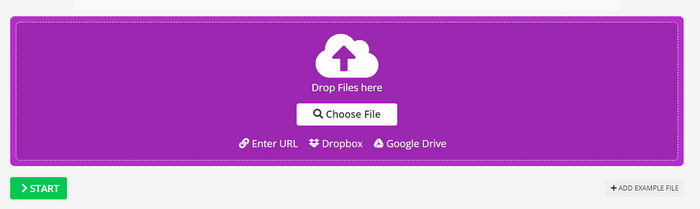
Video2Edit.com ligner på Aconvert, men dette verktøyet er enda bedre fordi du kan redigere videoen før du konverterer OGV til WMV. Du kan også endre lydkodeken med tre ulike alternativer. Dessuten er det mye annet du kan gjøre med denne omformeren. Ulempen med dette nettverktøyet er imidlertid at utvalget av tilgjengelige formater er begrenset. Det har også annonser, og selve konverteringsprosessen er treg.
Fordeler
- Multifunksjonell omformer.
- Tilgjengelig på hele nettet for tilgang til alle.
- Den kan endre video- og lydkodeker.
Ulemper
- Annonser i grensesnittet.
- Prosessen med å konvertere tar lang tid.
Topp 5. FVC Free Video Converter Online
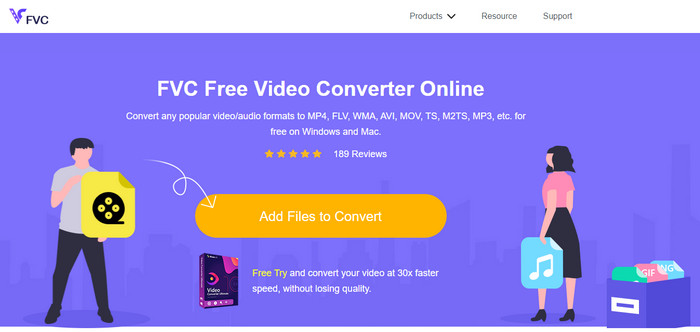
FVC Free Video Converter Online gir en bedre konverteringsprosess for OGV til WMV enn VLC, Aconvert og Video2Edit.com. Dette nettverktøyet gir et profesjonelt resultat, omtrent som FVC Video Converter Ultimate, men ikke alle formatene som støttes i ultimate-versjonen er tilgjengelige her. Videre kan du justere kvaliteten og sette den til høyere oppløsning for et bedre resultat. En annen fordel er at du slipper irriterende annonser mens du konverterer. Du kan altså glede deg over konverteringen uten sprettopp-annonser, og du kan konvertere uten begrensninger – også når det gjelder filstørrelse.
Fordeler
- Den støtter flere formater enn VLC, Adconvert og Video2Edit.
- Den kan endre video- og lydspesifikasjonene dine.
- Enkel tilgang til webomformer når som helst og hvor som helst med internettforbindelse.
- Ingen annonser på grensesnittet, og det ser mer profesjonelt ut.
Ulemper
- Hvis du ikke har internett, kan du ikke bruke denne omformeren som de to andre onlinekonvertererne.
- Ingen redigeringsfunksjoner.
Del 2. Hvordan konvertere OGV til WMV med FVC Video Converter Ultimate
Hvis du nå er imponert over alt du kan gjøre med FVC Video Converter Ultimate, må du lese dette. For å få en idé om hvordan du konverterer OGV til WMV med ultimate-verktøyet, må du følge trinnene nedenfor.
Trinn for hvordan du konverterer OGV til WMV-format med FVC Video Converter Ultimate:
Trinn 1. Last ned konverteringsprogrammet på Windows eller Mac, følg instruksjonene for installasjon, og åpne programmet.
Gratis nedlastingFor Windows 7 eller nyereSikker nedlasting
Gratis nedlastingFor MacOS 10.7 eller nyereSikker nedlasting
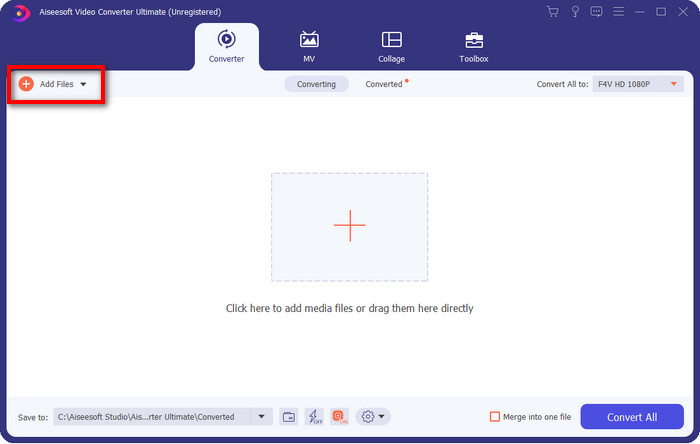
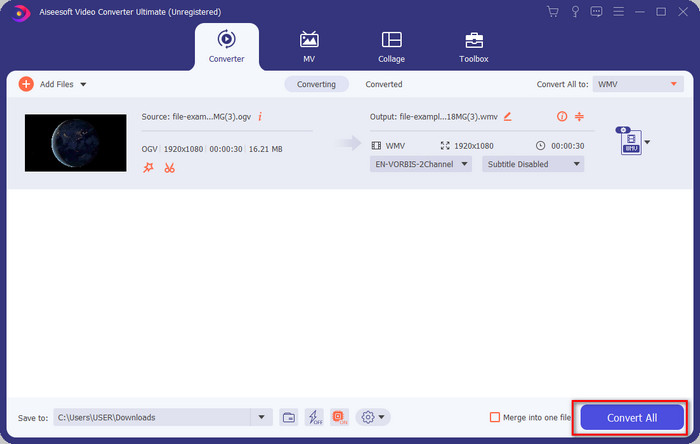
Trinn 2. Etter at du har åpnet konverteren, kan du laste opp OGV-filen ved å klikke på knappen Add Files øverst til venstre i grensesnittet og deretter klikke på Open.
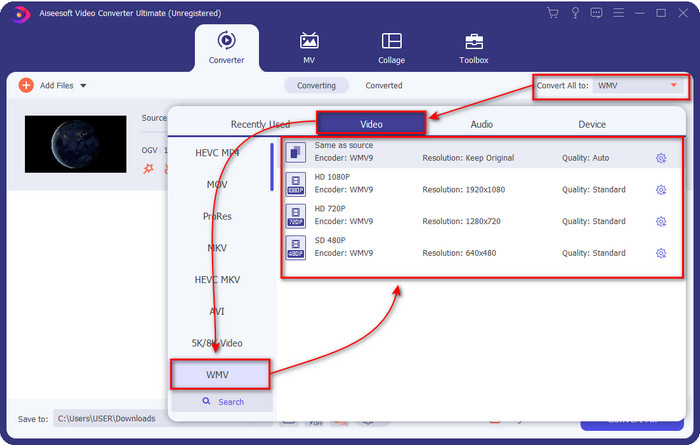
Trinn 3. Når du har lastet opp OGV-filen, velger du WMV-formatet du ønsker under alternativet Convert All to.
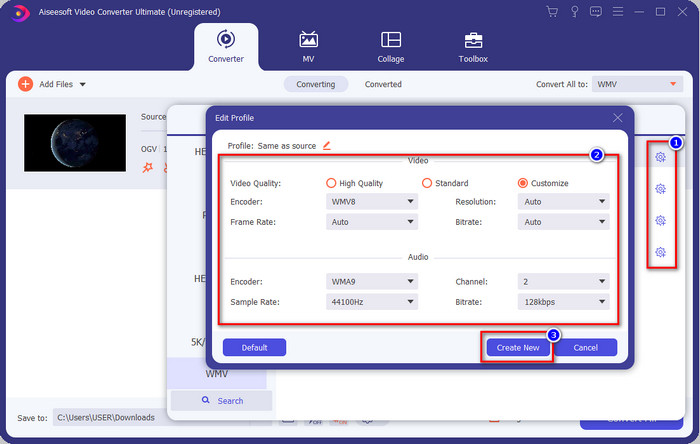
Valgfritt: Vil du endre selve videoprofilen? Klikk da på tannhjul-ikonet, og juster encoder, bildefrekvens eller samplingsfrekvens for både video og lyd. Klikk på Create New for å lagre endringene. Etter justeringen vil du se et tannhjulikon øverst på formatet du har valgt.
Trinn 4. Klikk Convert All for å starte prosessen. Etter at konverteringen er fullført, åpnes en mappe på datamaskinen med WMV-filen.
Del 3. Sammenligningskart
| Funksjoner av omformere | FVC Video Converter Ultimate | VLC Media Player | Aconvert | Video2Edit.com | FVC Free Video Converter Online |
| Konvertering av formater |  | | | | |
| Redigeringsfunksjoner | |  | | | |
| Endre video- og lydinnstillinger | | | | | |
| Internett avhengig | | | | | |
| Annonser gratis | | | | | |
Del 4. Vanlige spørsmål om OGV til WMV-konvertering
Kan jeg bruke FFmpeg OGV til WMV-omformer?
Ja, du kan bruke FFmpeg til å konvertere OGV til WMV, men denne omformeren er ikke spesielt brukervennlig sammenlignet med mange andre verktøy. Hvis du likevel vil bruke dette programmet, følger du trinnene: Start programmet og kjør stien til FFmpeg.exe på systemet ditt. Åpne Command Prompt og gå til OGV-filen du vil konvertere på C-stasjonen. Skriv deretter inn denne koden ffmpeg -i input.ogv -vn -ar 44100 -ac 2 -b:a 192k output.wmv, og trykk Enter for å starte prosessen.
Er OGV spillbart på Mac?
Du kan ikke gjøre det hvis du vil spille av OGV-filer i QuickTime, fordi formatets encoder ikke støttes. Men det finnes en måte å gjøre det kompatibelt med Mac på, og det er å konvertere filen til MOV. Vil du vite hvordan du gjør OGV-filene dine om til MOV? Klikk da på denne lenken.
Er OGV og OGG samme format?
OGV og OGG er de eksakte beholderne, men de har forskjeller i hva de inneholder. For eksempel kan OGG-filer lagre lyd av høy kvalitet, men ikke med videoer. Derimot kan OGV beholde lyd- og videoinnhold av høy kvalitet.
Konklusjon
Nå som vi kjenner til OGV-til-WMV-omformerne du kan bruke, er det på tide å velge verktøyet du vil ta i bruk. Selv om alle verktøyene som er presentert her vil hjelpe deg, har vi funnet ut at FVC Video Converter Ultimate lover høy kvalitet til brukerne. Det er nesten utrolig hva dette verktøyet er i stand til. Valget ligger nå i dine hender, men hvis du ennå ikke har bestemt deg, anbefaler vi at du går for FVC Video Converter Ultimate. Vil du vite mer om selve verktøyet? Da bør du laste det ned først og bruke det uten noen begrensninger.
-
 2 mest utvalgte konverterere som er tilgjengelige for å konvertere OGV-fil til AVI [2021]
 Vil du konvertere OGV-filer til AVI? Denne artikkelen gir to av de beste løsningene du kan bruke for å gjøre konverteringen din trygg og rask uten å miste videoens troverdighet.
-
 Fantastisk OGV til FLV-konverterer du ikke bør gå glipp av [Bevist]
 Hvis du lurer på hvordan du raskt konverterer OGV til FLV-filer, vil denne artikkelen vise deg den eneste konverteren du noen gang vil trenge.
-
 3 måter å konvertere M2TS-filer til WMV gratis på Windows / Mac / Online
 Her er 3 enkle måter å konvertere M2TS til WMV-videoer. Du kan endre videoformat fra M2TS til WMV gratis på Windows, Mac og online raskt. Batchkonverteringen støttes.
