


 Video Converter Ultimate
 Skjermopptaker
 Videoreparasjon
5 mest valgte AVI Video Tag Editors på Windows og Mac System [Enkel å bruke]
The AVI tag can help you determine what's inside that file by checking it. However, not all the tags on your AVI files are correct, so you will need a device to correct them on your own. But the market for tag editors is too broad on the web, isn't it sad? We know what it feels like to search for the perfect tool you should use. Providentially, we pick the best metadata editor you should use to edit, add, or remove the tags on your AVI. In today's discussion, we will make sure that you will see the perfect AVI Video Tag Editor you can have on your desktop.

Del 1. Topp 5 AVI Tag Editors tilgjengelig på Windows og Mac
Video Converter Ultimate [Beste AVI Metadata Editor for 2023]
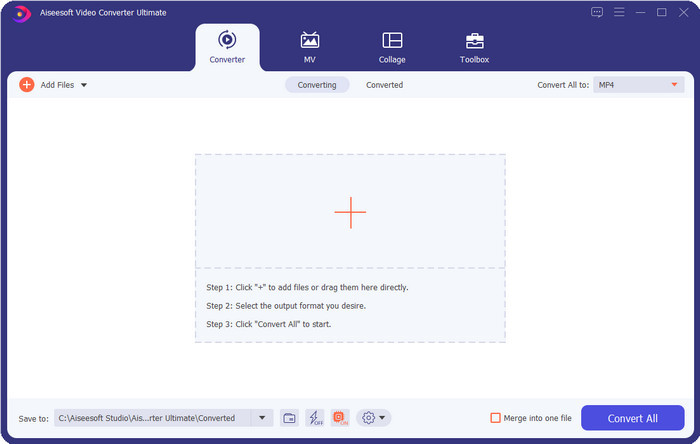
It is the best AVI video tag editor you can use to change or remove the tags on your AVI files easily. If you want the most advanced but straightforward software features that fascinate you, then the Video Converter Ultimate is the choice. In addition to that, you can use multiple metadata editing features here to arrange, correct, or update your tag correctly. Before you download and try out the other desktop editor, we would highly recommend this tool for you to use because you can have an all-in-one tool if you download it. Want to know why you need to use this tool? We list below the 5 reasons you can read to help you decide why you should download it.

FVC Video Converter Ultimate
5 689 200+ nedlastinger- Det er den beste programvaren du kan bruke som støtter en rekke formater som MP4, MOV.
- For den raske prosessen med å redigere metadata, fungerer dette verktøyet perfekt.
- Lær å legge til de essensielle kodene på filene dine eller fjerne dem med bare noen få klikk unna.
- Den støtter alle skrivebordsplattformer som Windows og Mac.
Gratis nedlastingFor Windows 7 eller nyereSikker nedlasting
Gratis nedlastingFor MacOS 10.7 eller nyereSikker nedlasting
AVI MetaEdit
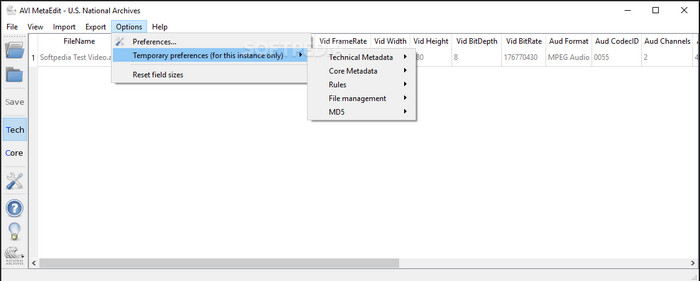
If you're looking for an AVI metadata editor on Mac and Windows, then AVI Meta Edit might be your tool. This tool offers its users to edit the tags or information inside the media file, specifically AVI. With this tool, you can edit the Technical Metadata and the Core Metadata of your files separately, which both include different pieces of information about the file. Although the tool has in-depth editing features that can be provided to you, it is still confusing to use with the short-cut terms included on the tool.
Machete Video Editor Lite
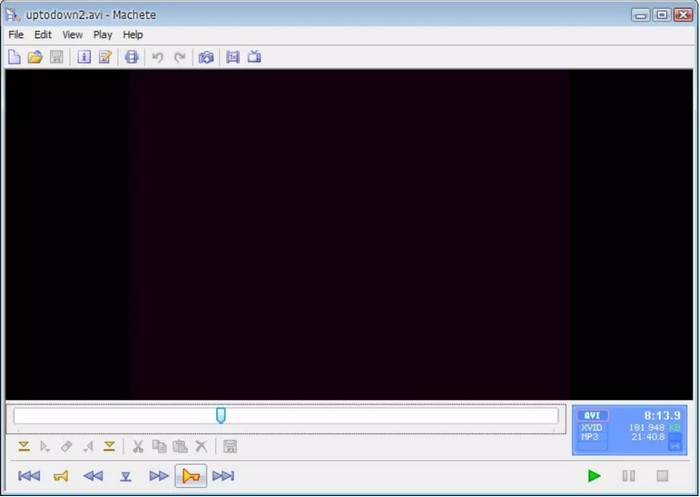
Suppose you want to edit AVI metadata on your Windows 10, then you must try to use the Machete Video Editor Lite. You can easily edit the tags on your AVI and WMV files with this tool. Also, it provides a simple generated interface to help the users know what the features that are available on this tool are. Because of its simple interface, few users see this as an option if there is no choice to edit their metadata. In addition to that, the metadata information you can fill in this tool is limited, same as the supported formats.
abcAVI Tag Editor
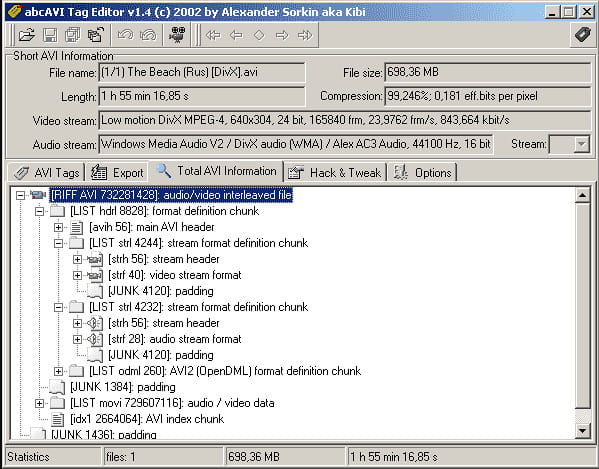
You can download another open-source AVI tag editor on Windows, the abcAVI Tag Editor. With this tool, you can easily adjust the metadata on your AVI files, and it only supports AVI format. Moreover, you can add or update the tags you will need on your AVI files with just a few clicks. Even though the tool performs well, we can see that it's GUI is really bad; its arrangement is very far from what the other tools offer. Plus, it doesn't support other upload formats, except on AVI format only.
FFmpeg
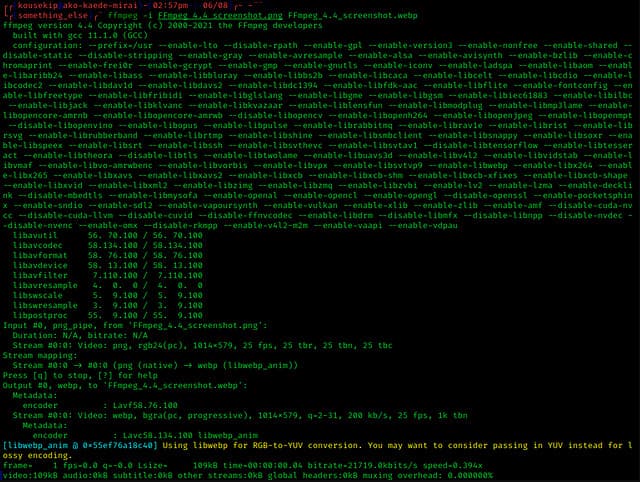
Last on the list is FFmpeg, the command-based software you can use to edit AVI file properties on Windows and Mac. This tool is for converting, editing, viewing the media files, but today you can also perform editing on the metadata of any media files. Unlike the other tool, this tool doesn't have any button to use and command it, but it uses a computer language to perform the task. And to communicate to the tool, you will need to open the command prompt and input a specific code to complete the editing you will need. It is tough to use the tool, but it is a professional tool you can download on your computer.
Relatert:
Del 2. Sammenligningsdiagram på Topp 5 AVI Metadata Editor
| Egenskaper | Video Converter Ultimate [Beste AVI Metadata Editor for 2022] | AVI MetaEdit | Machete Video Editor Lite | abcAVI Tag Editor | FFmpeg |
| Brukervennlig |  | | | |  |
| Trygt å bruke | | | | | |
| Tilgjengelig på begge OS | | | | | |
| Intuitivt grensesnitt | | | | | |
| Støttede formater | Starter fra AVI, MP4, MKV, FLV, MOV og de andre 1000+ filformatene | AVI | AVI og WMV | AVI | AVI, MOV, MP4, FLV og mer |
Del 3. Vanlige spørsmål om AVI Metadata Editor
Er det trygt å bruke en AVI Metadata Editor på nettet?
Anta at du ikke har nok plass på skrivebordet du bruker for øyeblikket; vi anbefaler å bruke et nettbasert verktøy for å utføre oppgaven. Imidlertid er ikke alle verktøyene du kan få tilgang til på internett gratis, pålitelige eller pålitelige. Men hvis du vil bruke et nettbasert verktøy, må du beholde de tre retningslinjene vi alltid ser etter på nettsiden vi besøker. Først og fremst vil vi på det sterkeste anbefale at du ser på toppen nær søkefeltet; det er et låsikon, som betyr at det er trygt å bruke, så hvis den låsen er ødelagt, betyr det at tilkoblingen din ikke er beskyttet. Sjekk annonseaktiviteten til annonsene; noen ganger kan annonser inneholde skadelig programvare på skrivebordet ditt, noe som fører til korrupsjon av filene dine på harddisken. Ikke tillat informasjonskapsler; noen ganger er informasjonskapsler en fin måte å vite hvor mange brukere som besøker nettstedet, men plasseringen din er ofte synlig med informasjonskapsler. Ha dette i tankene for å unngå å velge feil redaktør på nettet.
Hvilket verktøy fungerer best når det gjelder redigering av AVI-tagger?
I følge vår forskning kan vi se at Video Converter Ultimate fungerer veldig bra i alle aspekter uten å svette av å bruke den. Hvis du trenger mer informasjon om redaktøren, kan du lese følgende informasjon ovenfor for å vite mer og laste den ned.
Er det noen begrensning på å legge til metadata på AVI?
Så langt kan vi ikke se noen begrensninger på informasjonen du kan legge til i AVI-filene dine eller i noen mediefiler. Noen metadataredigerere kan imidlertid ikke sette inn informasjonen du trenger i filen. Å legge til metadata på AVI-en din har ingen begrensninger, men det er verktøyet som begrenser informasjonen du kan legge til en enkelt fil.
Konklusjon
Isn't it amazing that we have different options regarding editing the metadata of our AVI? Indeed, the five AVI metadata editors we list in this article can be the perfect tool that you'll need to edit your AVI files' tags or metadata. Even though we list five choices, we can easily determine which tool has the advantage of editing your AVI's metadata, which is the Video Converter Ultimate. With this editor, you can do more than edit, add, or remove metadata on your AVI. Want to know what other things you can do here? In that case, click the download button and see it for yourself.
-
 5 enkleste måter å fjerne metadata i alle mediefiler
 Hvordan fjerne metadata? Er det vanskelig å gjøre det? Må jeg kjøpe eller bruke et gratisverktøy for å fjerne tagger? Alle disse spørsmålene har svar i denne artikkelen.
-
 Topp 5 metadatauttrekkere tilgjengelig online og offline [2025]
 Du kan finne flere metadatauttrekkere på markedet, men i dag velger vi kun de fem mest valgte tagekstraktorene i henhold til publikum.
-
 Topp 5 videometadataredigerere for 2025 [Ubiased review]
 Vil du se videometadataene dine? I så fall, les detaljene nedenfor for å forstå emnet fullt ut og vite hvilket verktøy som passer deg best.
