


 Video Converter Ultimate
 Skjermopptaker
 Videoreparasjon
Hvordan redigere MP3-tagger med den beste MP3-tag-editoren [Enkelt og effektivt]
When facing a task like editing MP3 tags, you can easily edit the song information with your built-in music tag editor, but they do have limits on what they can offer. Same as when dealing with multiple MP3 or audio files, choosing your built-in might not be the best move you will make. In this type of case, we need to use an assigned audio tag editor you can download or use on the web to work our way out on this problem. To save you time searching over the web and have a more productive day, below are the top picks you can surely depend on, for these are the available MP3 tag editor choices on the market today.

Del 1. Beste MP3 Tag Editor for å redigere MP3 Tags Enkelt og uanstrengt [Svært anbefalt]
Video Converter Ultimate is a multi-functional MP3 metadata editor you can download on Windows or Mac. This tool can treat this problem without exerting too much effort on the user. Efficient right? That is what you will get if you have the best tag editor on the market. With this tool, you can upload different audio, and video formats then change their metadata according to your needs.
I motsetning til de andre tag-editorene som du kan laste ned eller bruke på nettet, kan dette verktøyet behandle forskjellige problemer med video og lyd. Har du problemer fordi lyden høres litt lav ut, synkroniseres med videoen, lyd og video av lav kvalitet eller uspillbare formater? Utrolig nok er alle problemene løst med hjelpen til dette alt-i-ett-verktøyet. Vil du vite hvordan du bruker den beste MP3-tag-editoren? I så fall følger du trinnene nedenfor for å oppnå suksess i løpet av få minutter.
- 1. Det er den mest pålitelige metadataredigereren du kan bruke som har bevist sin verdi med sine millioner + av brukere over hele verden.
- 2. Den har flere avanserte funksjoner som du kan finne på Toolbox, for eksempel videohastighet, reversering, forbedring, fargekorrigering og mange flere.
- 3. Det er et perfekt valg for nybegynnere og eksperter angående nevnte oppgave.
- 4. Det fungerer på begge operativsystemene, Windows og Mac, med samme funksjoner og avanserte funksjoner.
Step 1. You can download the software by clicking the download button hit the appropriate button. Follow the installation process, and click Start Now to edit the MP3 tags.
Gratis nedlastingFor Windows 7 eller nyereSikker nedlasting
Gratis nedlastingFor MacOS 10.7 eller nyereSikker nedlasting
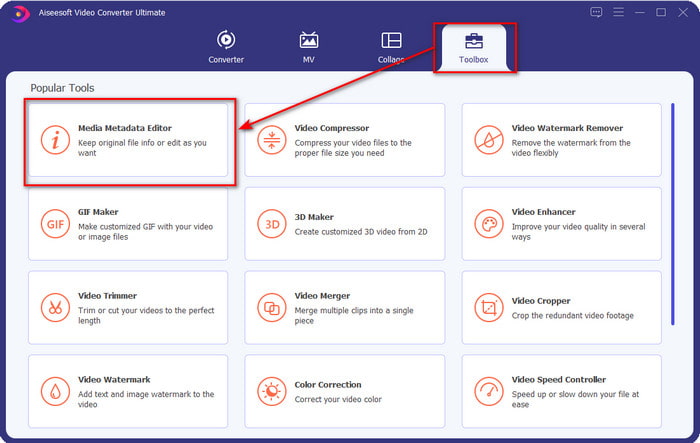
Step 2. Open the Toolbox and locate the Media Metadata Editor on the setlist of editing functions available. There is no need to worry because this function is already installed on the tool, so there is no need for additional resources.
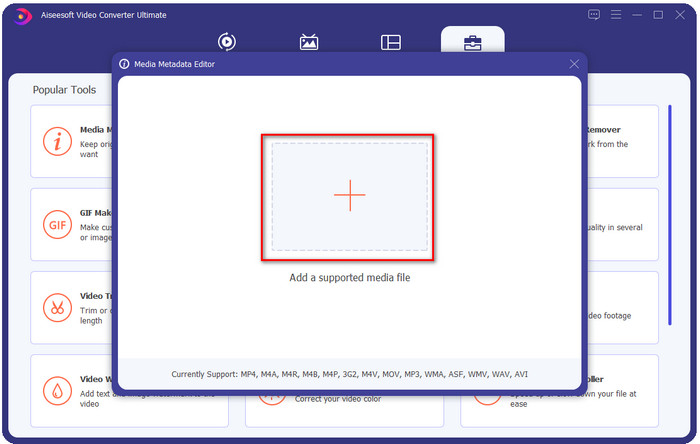
Step 3. Click + and find the MP3 audio file on the folder that will show on your display, select the file, and click Open to proceed.
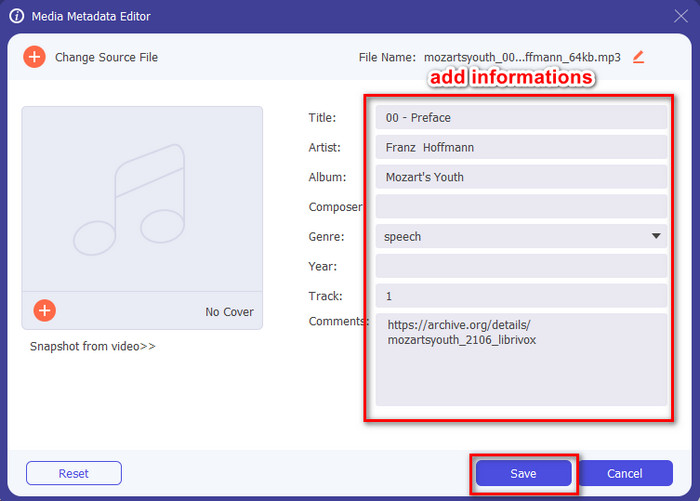
Step 4. After that, change or remove your file tags on the textboxes. If you are satisfied with the tags, finally click Save. This tool won't create a duplicate of your MP3 file with the metadata, and it will apply the metadata on the original file like that.
Relatert:
Del 2. 4 valgfrie MP3-tag-redigerere du bør vite tilgjengelig på Windows, Mac og online
TagMP3
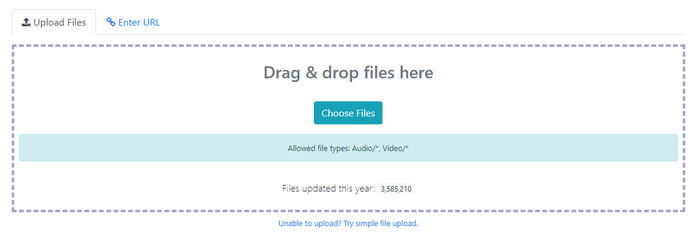
TagMP3 is a known online MP3 tag editor you can freely access on the web anytime. With this online tool, you won't need to download additional resources to use it because it is web-based. Also, it can detect the id3v1 and id3v2 of your MP3 and update it later in id3v2 even though the id3v1 is outdated. Although it has incredible functions, some users find it unreliable because it adds information unrelated to the audio file; it is still rumored. But most of the users are satisfied with what the tool is capable of, and it is safe and easy to use.
Step 1. Search the TagMP3 on your browser and open it.
Step 2. Upload the MP# file by clicking Choose Now!
Step 3. Add the information that is needed, and click Done! Generate New Files.
MetaBliss
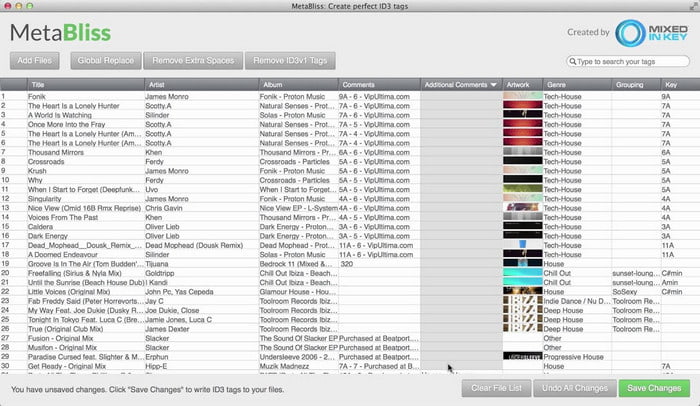
MetaBliss is a spreadsheet-like MP3 tag editor available on Mac. This tool can fulfill the task on any given day; no matter how many files you've inserted, it can handle it easily. Using this tool, you can remove or edit the tags on your MP3 files by selecting them all to save a lot of time. Although the tool can perform batch editing, its interface is a bit outdated, which means its GUI is not as good as you think. But setting this aside, it is still doable to use this if you don't mind working with a spreadsheet-like interface.
Step 1. Download the tag editor on Mac and open it.
Step 2. Click Add Files and look for the MP3 file.
Step 3. Replace the information per column, and click Save Changes to save the tags.
MetaTOGGer
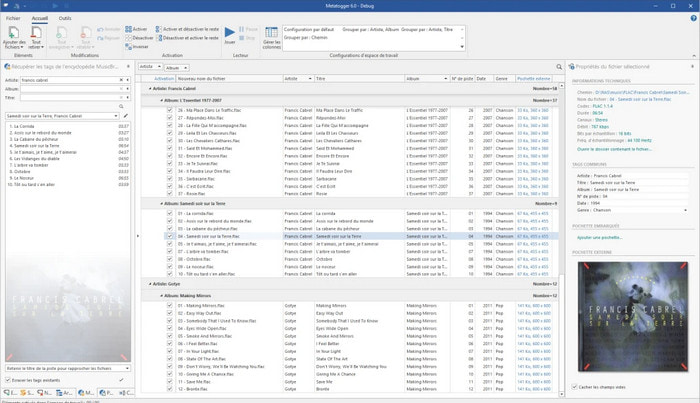
MetaTOGGer is a Speex, OGG, FLAC, and MP3 tag editor on Windows 10. With the help of this tool, you can automatically add metadata based on the online databases available, but you can also do it manually if you want. Expect a similar GUI vibe on Microsoft Office if you want to use the tool. Even though its GUI has alike, learning how to use it will take time, and you will need to download additional resources to use it, specifically, Microsoft .Net .3.5 framework.
Step 1. After you install the framework, next is to download the tool.
Step 2. Drag and drop the files on the tool, then edit the available tags on the list.
Step 3. Go to File and click Save.
Barn 3
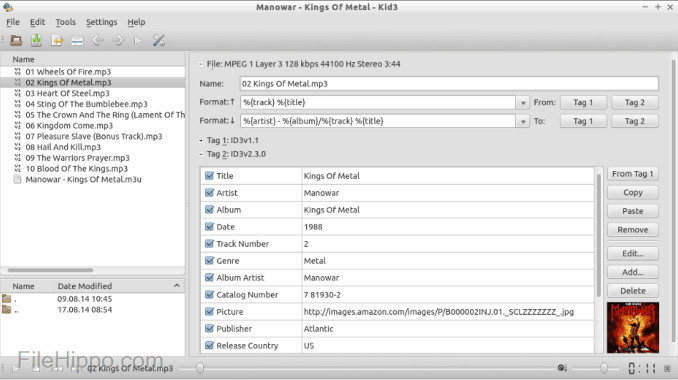
Last on our list to help you edit MP3 metadata on Linux and other devices is the Kid3. With this tool, you can easily manipulate the tags on your different media files. Same as the Metabliss, this tool supports mass tagging, which means you can insert multiple files simultaneously and edit them. Although the tool is good on this task, it still works the best on Linux compared to the other devices it supports. Also, you will need to go into many functions before you can change or manipulate the metadata of the file.
Step 1. Download the software on your desktop, and click Add Files.
Step 2. Click the MP3 file you've added and click Edit to change the audio file's metadata.
Step 3. Press Save to download the file with the metadata.
Del 3. Vanlige spørsmål om MP3 Metadata Editors
Er det trygt å laste ned et MP3-metadataredigeringsprogram?
Sørg for at nettstedet der programvaren kom fra er trygt å få tilgang til. Du kan sjekke informasjonen om det nettstedet ved å klikke på låseikonet i nettleseren. På denne måten kan du sjekke om nettverket ditt er trygt og om dataene er langt fra hackere. Hvis du er usikker på programvaren, må du avslutte umiddelbart og unngå å klikke på noe på den nettsiden for å unngå ufattelige skader på enheten din.
Hva er hensikten med å redigere tags på MP3?
Si det slik; hvis du har en riktig tag, trenger du ikke å bekymre deg for å ordne filen på biblioteket i henhold til kodene som er bundet til MP3-filene dine. Å ha et organisert bibliotek er en av grunnene til at du må redigere kodene; den andre kan være lydinformasjonen har mottatt en oppdatering, så du må oppdatere den og mange flere.
Hvorfor har ikke MP3-en min tags?
Det er mange grunner til at lydfilen din ikke har tagger. Hvis den er lastet ned på nettet, kan du forvente at forfatteren fjerner den av personvernhensyn. Med metadataene kan du utnytte informasjon om deg selv hvis du er forfatteren, så å fjerne den er et flott alternativ. Selv om det fortsatt er mange grunner, trenger vi taggene for å organisere MP3-en vår.
Konklusjon
Faktisk, med disse beste MP3-tag-editorene, kan du enkelt justere kodene på MP3-filene dine enkelt og effektivt som den andre redaktøren på markedet ikke kan tilby. Trinnene for hvert verktøy kan også sikre at du lykkes med å utføre oppgaven så raskt som mulig. Men hvis vi sammenligner hver av dem, kan vi se at det ultimate verktøyet er langt mer pålitelig og bedre enn verktøyene på listen. Det er ikke sterkt anbefalt uten grunn. Så hvis du vil bruke verktøyet, må du følge trinnene i henhold til dette, lese det med forsiktighet og fullføre oppgaven på et øyeblikk.
-
 Topp 5 metadatauttrekkere tilgjengelig online og offline [2022]
 Du kan finne flere metadatauttrekkere på markedet, men i dag velger vi kun de fem mest valgte tagekstraktorene i henhold til publikum.
-
 Topp 5 videometadataredigerere for 2022 [Ubiased review]
 Vil du se videometadataene dine? I så fall, les detaljene nedenfor for å forstå emnet fullt ut og vite hvilket verktøy som passer deg best.
-
 7 populære musikktag-redigerere på Windows, Mac og mobile enheter
 Musikkkoder er populære å bruke for å arrangere musikken i biblioteket ditt i henhold til dataene inne. Hva om du vil endre det? Les detaljene nedenfor for å vite mer.
