


 Video Converter Ultimate
 Skjermopptaker
 Videoreparasjon
Finn ut hva som er de 7 redaktørene for populære musikketiketter tilgjengelig på rekkevidde
En mediespiller har en innebygd meta‑editor for å redigere eller legge til musikk‑tagger ved å fylle inn artistnavn, tittel og sjanger. Likevel begrenser de fleste hva de kan tilby for å hjelpe brukerne med å legge til taggene eller metadataene. Er ikke det frustrerende? Heldigvis er den beste måten å håndtere redigering av metadata på å bruke en metadata‑editor på telefonen din. Men spørsmålet er: Hvilken app bør du bruke? Hvilken app passer best til dine behov når det gjelder å redigere metadata? Hvis du stiller deg det samme spørsmålet, trenger du ikke bekymre deg. For i dag går vi gjennom de seks beste appene du kan bruke til å redigere dette på enhetene dine, så les nøye for å bli kjent med flere apper for redigering av musikkmetadata du kan laste ned og bruke.

Del 1. Ultimate Music Tag Editor tilgjengelig for bruk på Windows og Mac
Hvis du har en Windows‑PC eller Mac for å redigere metadata, hvilket verktøy bør du da bruke? Da foreslår vi at du satser på FVC Video Converter Ultimate. I motsetning til vanlige tag‑editorer dekker dette verktøyet alle behovene du har for å legge til eller endre metadata med noen få klikk. Tenk deg dette: alle appene du ellers måtte bruke, er samlet i dette verktøyet, bortsett fra auto‑tagging. Viktigst av alt kan du redigere, fjerne og oppdatere alle taggene på lydfilen din ved å følge trinnene nedenfor. Så for å redigere musikk‑tagger på Windows 10/11 eller Mac, vil veiledningen nedenfor hjelpe deg.
Trinn 1. For å laste ned metadata‑editoren på Windows eller Mac, trykker du på riktig knapp nedenfor. Når nedlastingen er ferdig, klikker du på filen for å installere appen, følger installasjonsprosessen og åpner deretter verktøyet.
Gratis nedlastingFor Windows 7 eller nyereSikker nedlasting
Gratis nedlastingFor MacOS 10.7 eller nyereSikker nedlasting
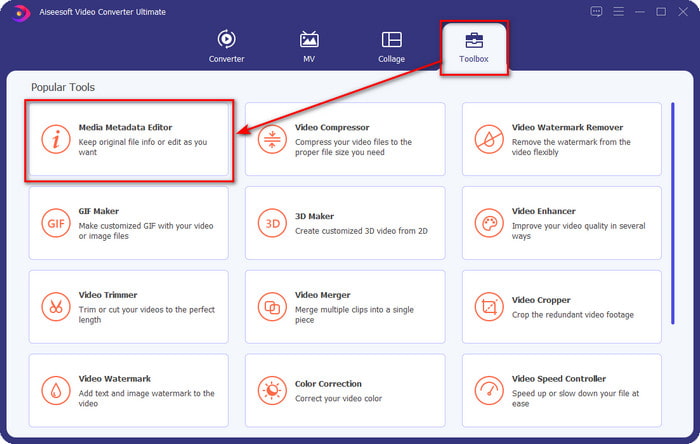
Trinn 2. Gå til delen Verktøykasse, finn og klikk på Media Metadata Editor i listen som vises.
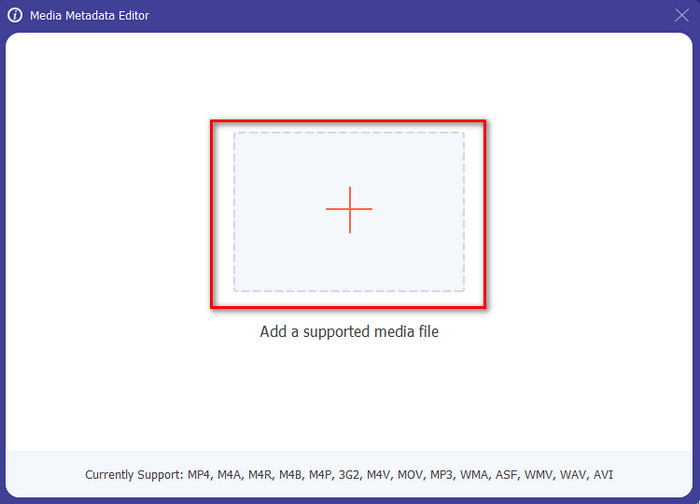
Trinn 3. Ved å trykke på +-ikonet vises en mappe på skjermen; finn lydfilen du vil redigere, og trykk Åpne for å gå videre til neste trinn.
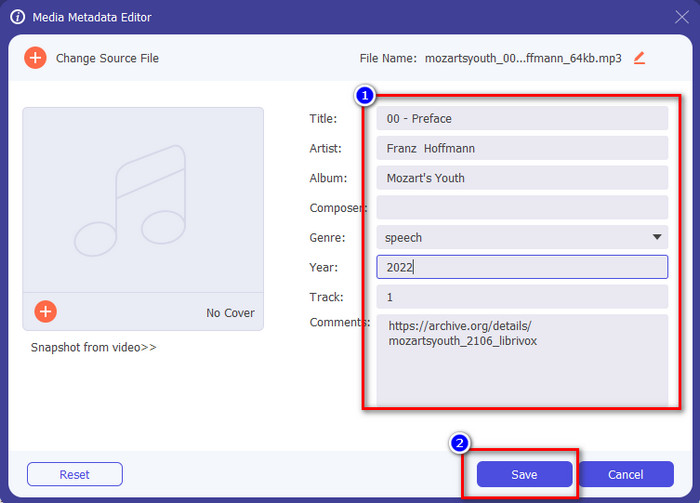
Trinn 4. Oppdater taggene til lydfilen ved å skrive dem inn i tekstboksen. Deretter må du klikke på Lagre, og alle taggene du har endret blir oppdatert. Selv om du overfører filen til mobilen din, vil taggene fortsatt være bevart i lydfilen.
Relatert:
Del 2. 6 av de beste Music Tag Editor-appene på Android- og iOS-enheter
Automatisk Tag Editor
Enhet som støttes: Android
Stjerner i Play Store: 4,4 stjerner
Anmeldelser eller vurderinger: 81 332 personer
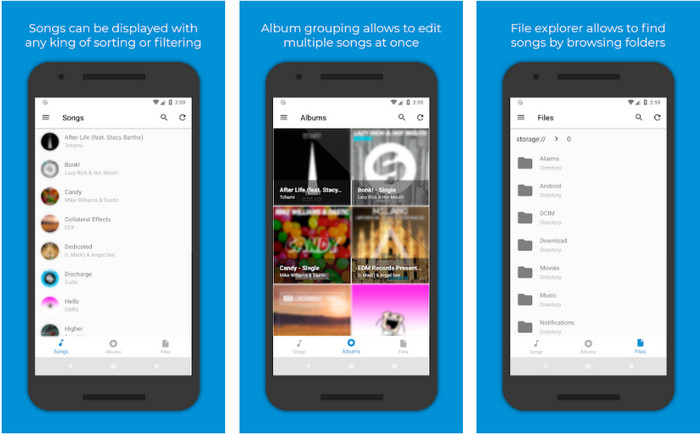
Du kan bruke Automatic Tag Editor, den beste redigeringsappen for musikkmetadata hvis du er Android‑bruker. Denne appen er perfekt for å redigere tagger på lydfilene dine på under ett minutt. En annen fordel med appen er at den har en automatisk metadata‑editor for å fylle ut eller oppdatere dataene på filene dine, spesielt hvis du har kjøpt en digital kopi. Den støtter flere typer tagger den kan fylle inn, som tittel, sjanger, år osv., for å hjelpe deg å gjenkjenne filen enda bedre. I den siste oppdateringen har mange brukere opplevd enkelte feil og bugs mens de bruker appen på Android. Den støtter også vanlige musikkformater du kan laste opp, som MP3, M4A, OGG, FLAC, WMA og WAV.
Star Music Tag Editor
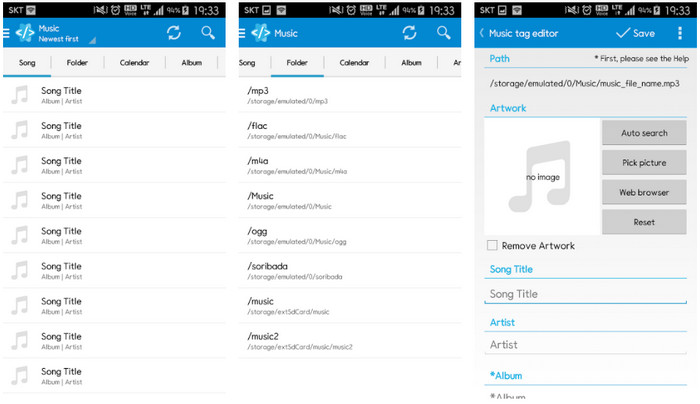
Enhet som støttes: Android
Stjerner i Play Store: 4,0 stjerner
Anmeldelser eller vurderinger: 293 598 personer
Star Music Tag Editor er en annen musikk‑tag‑editor du kan laste ned fra Play Store. Denne appen er flott fordi den har et enkelt brukergrensesnitt som er lettere å forstå enn det andre apper tilbyr. På samme måte som det første verktøyet støtter den også autosøk som fyller inn musikk‑taggene dine effektivt. Selv om appen er enkel å bruke og har mye å by på, finnes det tilfeller der den ikke er så effektiv som noen hevder. Da vi prøvde å redigere metadata i denne appen, hendte det at endringene ikke ble lagret. Dessuten, når du skal lagre metadataene, kan en popup‑melding dukke opp på skjermen med teksten “invalid audio frame exception” på grunn av en korrupt fil i den nye musikken. Men noen brukere opplever ikke slike problemer, så hvis du vil teste denne appen, kan du laste den ned fra Play Store.
Music Tag Editor - Mp3 Tagger | Gratis musikkredaktør
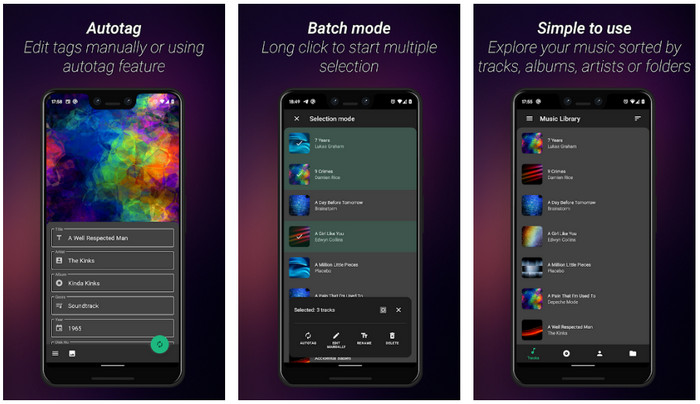
Enhet som støttes: Android
Stjerner i Play Store: 3,8 stjerner
Anmeldelser eller vurderinger: 11 378 personer
Hvis du har problemer med feil tagger, kan du bruke Music Tag Editor - Mp3 Tagger | Free Music Editor for raskt å rette musikkmetadata. Dette verktøyet kan fylle inn andre data hvis du først skriver inn sang‑ og artistnavn for å søke opp riktige tagger. Med denne appen kan du enkelt legge til tagger i flere lydfiler samtidig. Men autosøket etter tagger tar ofte lang tid for å hente informasjonen, og noen ganger inkluderer det irrelevante tagger. I tillegg vil ikke bildet du prøver å legge til på lydsporet, faktisk bli festet til sporet du har redigert.
Ever Tag: Music Tag Editor 4+
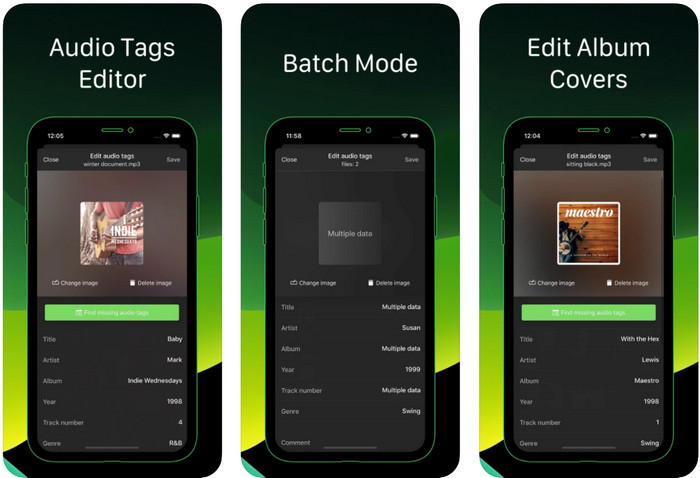
Enhet som støttes: iOS
Stjerner i Play Store: 4,7 stjerner
Anmeldelser eller vurderinger: 1,1k personer
Lær hvordan du redigerer musikk‑tagger på iPhone ved hjelp av Ever Tag: Music Tag Editor 4+. Denne appen på iOS støtter flere lydformater, så opplasting av metadata er enklere enn noen gang, og det samme gjelder redigering av dataene. Dessuten tilbyr appen deg ulike sett med metadata‑tagger du kan legge til i lydfilen ved å fylle dem ut én og én, fra tittel til vurdering. Ulempen med appen er at den ikke kan fylle inn tagger automatisk med autosøk, slik noen Android‑apper kan. Selv om appen sier at den støtter batch‑redigering av metadata, fungerer dette ikke i praksis. Men hvis du vil prøve appen, kan du laste den ned fra App Store nå.
Music Tag Generator
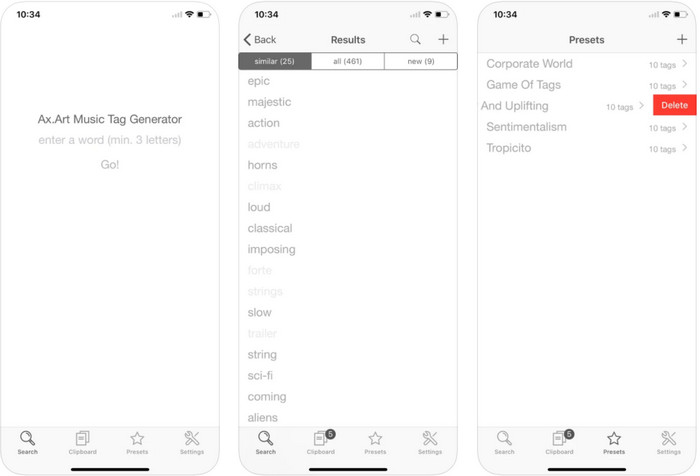
Enhet som støttes: iOS
Stjerner i Play Store: 4,5 stjerner
Anmeldelser eller vurderinger: 55 personer
Selv om Music Tag Generator ikke er like populær som de andre editorene, kan du fortsatt se og redigere hva en tagg i musikk er. Dette verktøyet er din lille hjelpeapp for å finne og sortere musikksport etter tagger. I tillegg til å sortere etter tagger kan du også bruke appen til å endre metadata etter behov og organisere dem. Selv om appen kan hjelpe deg å redigere, er den fortsatt ikke like god som de andre editorene i denne artikkelen. Den har et enkelt grensesnitt, men funksjonene er ikke så omfattende som du kanskje forventer.
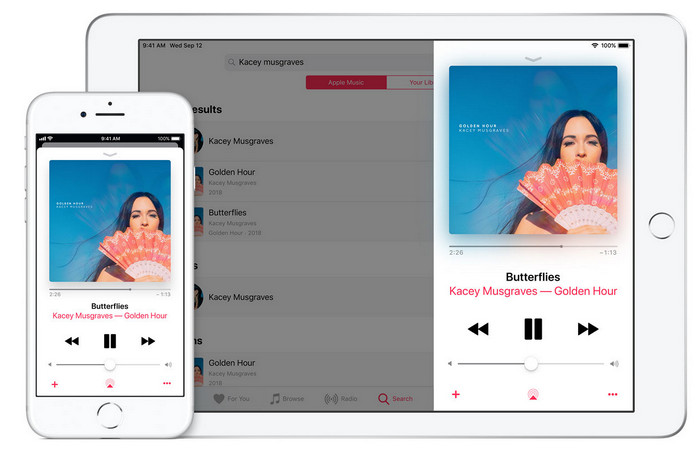
iTunes
Enhet som støttes: iOS
Stjerner i Play Store: 4,9 stjerner
Anmeldelser eller vurderinger: 1,4k personer
Denne appen har et innebygd musikkbibliotek du kan kjøpe, laste ned og bruke på. iTunes er ikke din typiske metadataredigeringsapp som du kan bruke på iOS fordi denne appen er kjent for å lagre musikk som det Spotify kan tilby. Selv om musikken du kan finne på denne appen har metadata og tagger, kan du fortsatt endre eller oppdatere taggene i henhold til dine ønsker. Du kan imidlertid ikke enkelt redigere eller oppdatere taggene med denne appen fordi det er et krav du trenger før du lærer hvordan du merker musikk i iTunes.
De fleste av de nevnte appene her har en auto-tag, som kan hjelpe deg å automatisk legge til tagger eller metadata til lydfilen du har. Denne funksjonen har imidlertid mangler, i motsetning til å manuelt legge til de urelaterte taggene på filen din. Hvis du vil unngå disse feilene, la oss gå videre til den beste musikktag-editoren på PC ved å lese del 2.
Del 3. Vanlige spørsmål om Music Tag Editor
Hva er ID3-taggen?
Du kan se disse ID3-taggene ofte på musikk fordi de inneholder dataene om mediefilen, spesielt lyd. Ved å legge til ID3-tagger til lydfilen din, kan du ordne filen basert på mediespilleren du bruker.
Har opptak av lyd på telefoner tags?
Ja, den har tagger og metadata. Taggene er imidlertid ikke omfattende slik de andre mediefilene har.
Hvorfor blir lydfilen min ødelagt etter å ha lagt til metadata?
Grunnen til at lyden din er korrupt handler ikke om metadataene du legger til eller fjerner, men det handler om verktøyet du brukte til å redigere kodene til filen din. Så hvis du vil unngå denne omstendigheten, må du velge det perfekte verktøyet som vil hjelpe deg å legge til eller fjerne metadata enkelt. Og husk, hvis prosessen starter, sørg for at du ikke avbryter prosessen med å redigere metadataene,
Konklusjon
Nå må du velge hvilken app du vil bruke til å redigere dine musikkmetadata. Pass på at du velger en app som støtter plattformen din, slik at du enkelt kan laste den ned fra Play Store eller App Store. Men hvis du føler at du trenger et verktøy som yter best mulig, bør du bruke det ultimate skrivebordsverktøyet. FVC Video Converter Ultimate gir den beste måten å legge til tagger i musikken på en enkel måte. Men før du kan bruke dette verktøyet, må du først laste det ned og følge instruksjonene vi viser i del 2. For å lære mer, les nøye.
-
 5 enkleste måter å fjerne metadata i alle mediefiler
 Hvordan fjerne metadata? Er det vanskelig å gjøre det? Må jeg kjøpe eller bruke et gratisverktøy for å fjerne tagger? Alle disse spørsmålene har svar i denne artikkelen.
-
 Topp 5 metadatauttrekkere tilgjengelig online og offline [2022]
 Du kan finne flere metadatauttrekkere på markedet, men i dag velger vi kun de fem mest valgte tagekstraktorene i henhold til publikum.
-
 Topp 5 videometadataredigerere for 2022 [Ubiased review]
 Vil du se videometadataene dine? I så fall, les detaljene nedenfor for å forstå emnet fullt ut og vite hvilket verktøy som passer deg best.
