


 Video Converter Ultimate
 Skjermopptaker
 Videoreparasjon
4 av de beste fotoanimasjonsmakerne du kan bruke til å lage animerte bilder
På denne tiden bruker de fleste sosiale medie‑nettstedene allerede en GIF i stedet for gamle stillbilder. GIF‑er er mer tiltalende for brukerne, og de formidler et mye bedre budskap enn bilder. Så hvis du vil vite hvilke tilgjengelige fotobrianimasjonsverktøy du kan bruke, kan du gå videre til listen nedenfor. Her har vi lett etter de beste verktøyene du kan bruke for å legge til animert bevegelse i bilder.

Del 1. Beste programvare for bildeanimasjon
I denne listen har vi lagt dette først fordi det er det fenomenale redigeringsprogrammet du kan bruke, nemlig Video Converter Ultimate. Så hvis du vil lage animasjon av bilder, kan du enkelt gjøre det her. Dessuten kan dette skrivebordsprogrammet gi liv til alle bilder med avanserte funksjoner du kan bruke enten du er proff eller nybegynner. Den totale opplevelsen da vi testet denne programvaren så langt, er den beste sammenlignet med andre verktøy, både på nett og uten nett. Hvis du nå vil vite hvordan du kan gi liv til de enkle bildene dine, følger du trinnene nedenfor og fortsetter.
5 enkle trinn for å gi liv til bilder med Video Converter Ultimate:
Trinn 1. Klikk først på nedlastingsknappen nedenfor og velg hvilket operativsystem du bruker. Installer deretter programvaren, fullfør hurtigoppsettet, og klikk Start Now for å fortsette.
Gratis nedlastingFor Windows 7 eller nyereSikker nedlasting
Gratis nedlastingFor MacOS 10.7 eller nyereSikker nedlasting
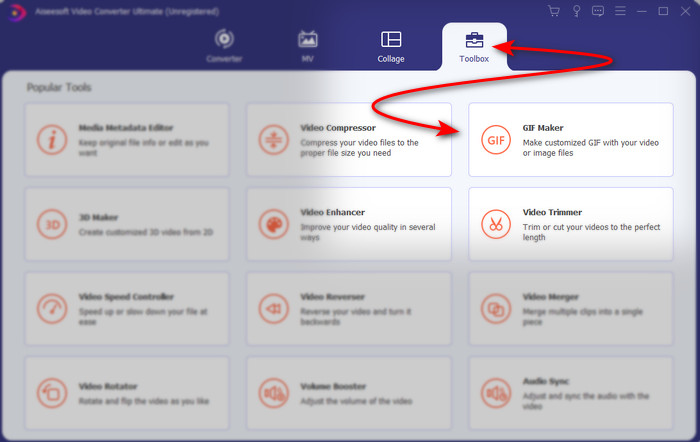
Trinn 2. Åpne programvaren og gå til Toolbox for å finne GIF Maker.
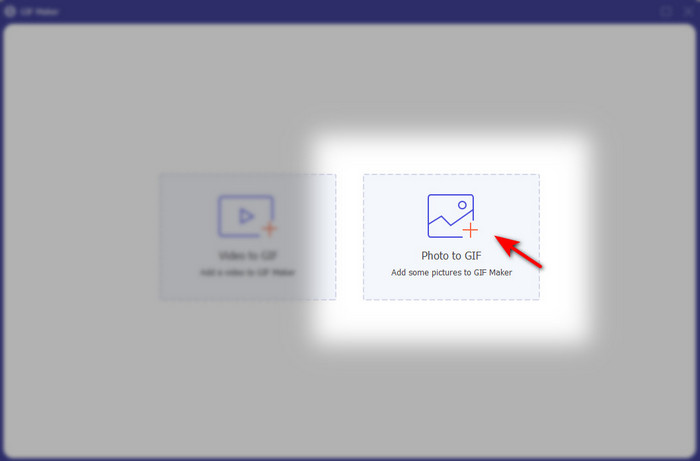
Trinn 3. Klikk på Photo to GIF-alternativet, så vises et fillager på skjermen. Velg filen og klikk Open for å sette den inn.
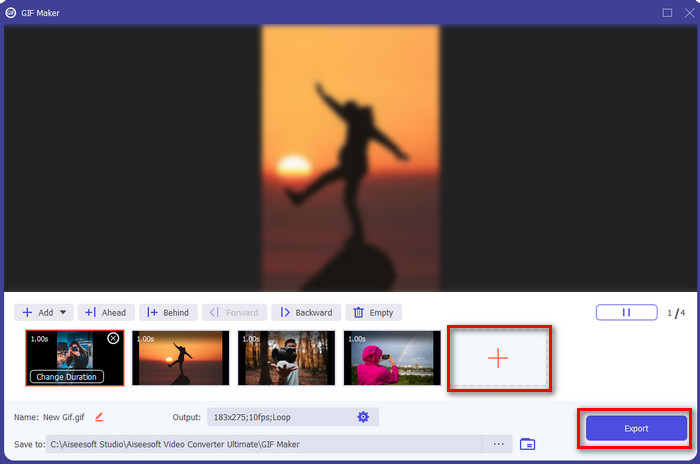
Trinn 4. Klikk på +-knappen for å sette inn flere bilder for å lage animasjon av bilder. Angi deretter varigheten ved å klikke på bildet først og deretter klikke på Change Duration button. Trykk deretter på Apply for å lagre endringene. For å laste ned animasjonen klikker du Generate GIF.
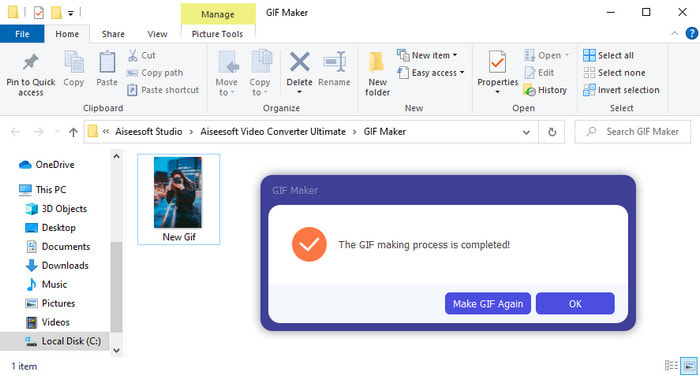
Trinn 5. Etter at GIF‑en er generert, vises en mappe med den animerte GIF‑filen på skjermen. Klikk på filen for å se på animasjonen du laget tidligere.
Del 2. Topp 3 Gratis Online Animated Photo Maker
Topp 1. Ezgif
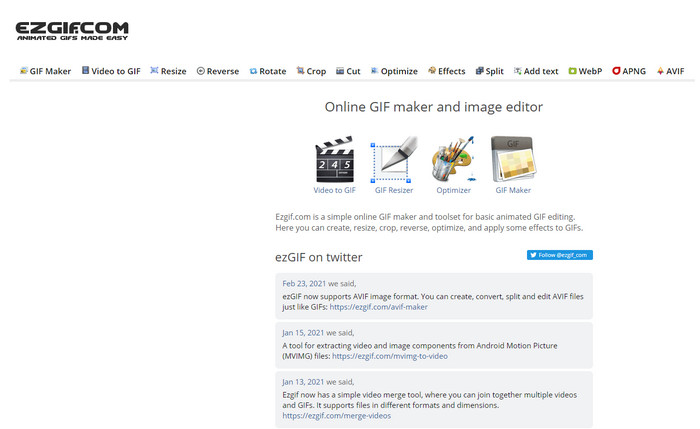
Hvis du er på jakt etter en gratis, nettbasert animert fotolager, er Ezgif et godt valg. Dette nettverktøyet er blant de beste når det gjelder å lage flotte, animerte bilder. Hvis du liker å lage slike, er det stor sjanse for at du allerede har brukt dette nettverktøyet – hvis ikke, bør du absolutt prøve det. Noen brukere mener imidlertid at verktøyet mangler enkelte mer avanserte redigeringsfunksjoner de gjerne skulle hatt. Så hvis du har et stramt budsjett, er dette et alternativ, men husk at verktøyet ikke er det beste valget for proffer, mens det er veldig bra for nybegynnere.
Fordeler
- Lett tilgjengelig og det er trygt.
- Perfekt verktøy for nybegynnere som vil prøve å lage enkle GIF-er.
- Semi pro editor online verktøy.
Ulemper
- Det begrenser brukeren til å oppleve storhet.
- Internett-avhengig verktøy. Så hvis du ikke har internett, så forvent at du ikke kan bruke dette nettbaserte verktøyet.
Topp 2. Kapwing
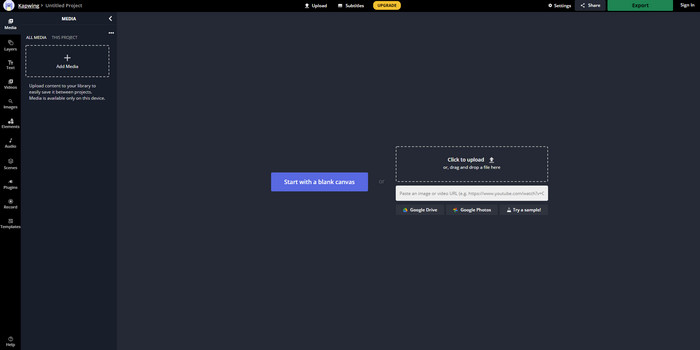
I motsetning til Ezgif er Kapwing best på å forbedre det visuelle i bildene. Så hvis du har tenkt å bruke dette nettbaserte verktøyet, vil det å lære hvordan du lager animerte GIF‑er av bilder definitivt være nyttig. Ytelsen, tilgjengeligheten og fleksibiliteten til nettverktøyet gjør at det kan brukes av alle som har litt grunnleggende redigeringskunnskap. Det tar imidlertid lenger tid å laste opp og laste ned bildefiler her enn i andre nettverktøy. I tillegg følger det med en vannmerke i slutresultatet, selv om du kan fjerne det ved å logge inn på verktøyet.
Fordeler
- Den har mange viktige redigeringsfunksjoner sammenlignet med Ezgif.
- Gratis online verktøy som kan nås av alle som har internett.
- Grensesnittet til nettverktøyet ser elegant og pent ut.
Ulemper
- Den endelige utgangen vil alltid ha et vannmerke på nedre venstre side.
- Ikke det beste valget for de som nettopp har begynt å redigere GIF-er.
Topp 3. GIFMaker.me
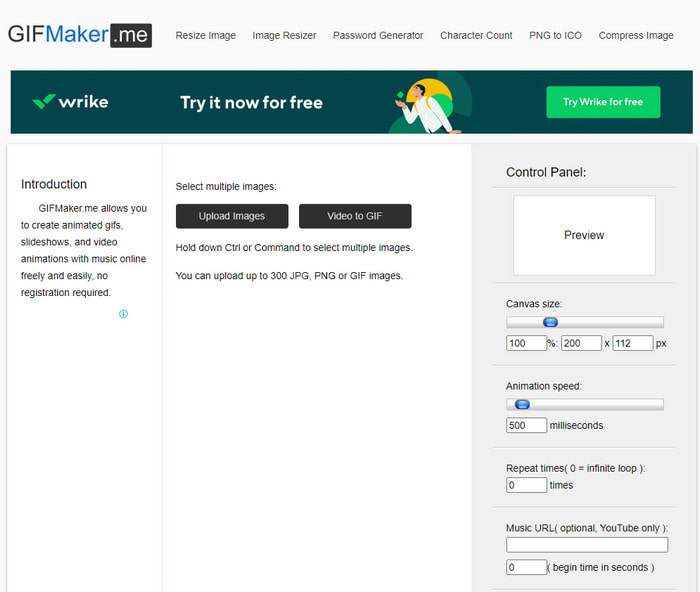
Et annet gratis, nettbasert fotobrianimasjonsverktøy du kan bruke, er GIFMaker.me. Dette nettverktøyet er svært praktisk for dem som ikke har erfaring med å lage GIF‑er. Her kan du ganske enkelt sette inn en mengde bilder, så blir de til en overgangs‑GIF. Dette verktøyet er likevel minst populært i denne artikkelen fordi det mangler redigeringsfunksjoner til å lage imponerende GIF‑er. Selv om det mangler redigeringsmuligheter, er det et godt valg hvis du bare vil lage et bildefremvisningslysbildeshow.
Fordeler
- Gratis GIF-maker du kan bruke på nettet.
- Grensesnittet til produsenten er enkelt og lett å forstå.
- Enkelt kontrollpanel er tilgjengelig på høyre side av nettverktøyet.
Ulemper
- Pesky annonser er på nettgrensesnittet.
- Den mangler de fleste redigeringsfunksjonene du gjerne vil bruke.
Del 3. Vanlige spørsmål om Photo Animation Maker
Kan jeg bruke animerte GIF-er som bakgrunn?
Du kan ikke bruke en rå animert GIF og bruke den som bakgrunn på telefonen eller datamaskinen. Du kan imidlertid bruke et tredjepartsverktøy for å få det til å fungere. Så hvis du vil vite hvordan du gjør det, klikk på denne lenken for å fortsette.
Hvorfor kan jeg ikke dele GIF-er på Instagram?
Selv om GIF‑er er det mest brukte formatet på hele nettet, er det fortsatt noen plattformer som ikke støtter GIF. Instagram støtter for eksempel bare PNG‑ og MP4‑format. Det finnes derfor to ulike måter å dele GIF‑er på Instagram: den første er å konvertere GIF til MP4. På den andre siden kan du lære ulike metoder for hvordan du legger ut GIF‑er på Instagram ved å klikke på disse lenkene.
Hva er formålet med GIF?
GIF‑er er laget for å brukes til å animere bilder, men med en mindre filstørrelse enn andre videoformater. Selv om de er animerte, regnes ikke GIF‑er, eller Graphic Interchange Format, som et videoformat. I den forbindelse kan du lære mye mer om GIF‑er hvis du klikker og leser denne artikkelen grundig.
Konklusjon
For å oppsummere alt over, er det nå enklere for oss begge å vite hvilke tilgjengelige animasjonsverktøy vi kan bruke til å lage animasjon av bilder. Selv om verktøyene ovenfor er til stor hjelp, er fortsatt Video Converter Ultimate den dominerende GIF‑redigereren du kommer til å like å bruke. Den er svært enkel i bruk, har et flott grensesnitt, alle avanserte funksjoner er tilgjengelige her og mer til. Hvis du fortsatt er i tvil om dette verktøyet, kan du teste selv ved å laste det ned først og følge trinnene som er angitt ovenfor.
Gratis nedlastingFor Windows 7 eller nyereSikker nedlasting
Gratis nedlastingFor MacOS 10.7 eller nyereSikker nedlasting
-
 Fantastisk GIF til videoapper for Android og iOS -enheter
 Visste du at du kan konvertere GIF-er til alle videoformater du vil bruke telefonen din? Velg de beste appene på Android eller iOS.
-
 En enkel guide til hvordan du gjør GIF til WMV på Windows/Mac
 Vil du vite hvordan du konverterer GIF til WMV-format? Følg deretter denne artikkelen da den viser frem ulike løsninger du kan velge på.
-
 TS til GIF: Slik gjør du TS -filen til animerte GIF -er
 Lær hvordan du endrer TS-filene til et GIF-format ved hjelp av denne oppskriften. Listen nedenfor viser forskjellige ideer om TS og GIF og hvordan du konverterer TS til GIF.
