


 Video Converter Ultimate
 Skjermopptaker
 Videoreparasjon
 Sikker nedlasting
Beste metoder for hvordan du fjerner VideoScribe-logoen fra en video
Ønsker du å lære hvordan du kan fjerne VideoScribe-logoen fra videoene dine? Det finnes tilfeller der du støter på en logo i videoene dine. Du kan ikke unngå det, spesielt når eieren av videoen vil beskytte videoene sine og promotere merkevaren sin. Du kan også møte på en logo når du bruker gratisversjonen av et bestemt program. Det beste eksemplet er VideoScribe-programmet. Hvis du bruker gratisversjonen av dette programmet, vil videoen din få en VideoScribe-logo, med mindre du kjøper en lisens. Men før det kan du bruke andre gratisprogrammer for å fjerne logoen fra videoene dine. Du bør lese denne artikkelen for å finne ut hvordan du fjerner en logo uten å kjøpe noe.

Del 1: Slik fjerner du VideScribe-logoen fra video uten nett
Hvis du vil fjerne en VideoScribe-logo fra videoene dine uten nett, kan du bruke Video Converter Ultimate. Dette programmet kan hjelpe deg med å fjerne VideoScribe-logoen fra videoene dine enkelt og raskt. Du kan også bruke denne programvaren til å redigere videoer uten kvalitetstap. Dessuten har den et enkelt grafisk brukergrensesnitt som gir utdata av høy kvalitet. Video Converter Ultimate er tilgjengelig på både Mac og Windows. Selv om den har mange funksjoner, er den fortsatt godt egnet for nybegynnere. Dette programmet støtter mange filformater, som FLV, MOV, MP4, MTS, DivX, XviD og mange flere. I tillegg har dette programmet mange redigeringsverktøy du kan bruke til å forbedre videoene dine, som forbedring, klipping, beskjæring, fargekorrigering, rotering av videoer og mye mer. Video Converter Ultimate kan også gi deg to måter å fjerne VideoScribe-logoen fra videoene dine på.
Bruke Video Watermark Remover
Trinn 1: Klikk på nedlastingsknappen nedenfor for å laste ned Video Converter Ultimate på Windows eller Mac. Installer deretter programvaren på enheten din og start programmet.
Gratis nedlastingFor Windows 7 eller nyereSikker nedlasting
Gratis nedlastingFor MacOS 10.7 eller nyereSikker nedlasting
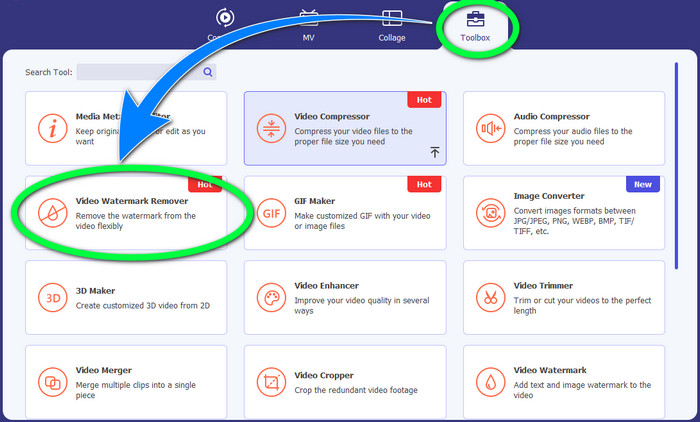
Trinn 2: Gå deretter til Verktøykasse-panelet og klikk på knappen Video Watermark Remover. Et nytt grensesnitt vil dukke opp på skjermen din.
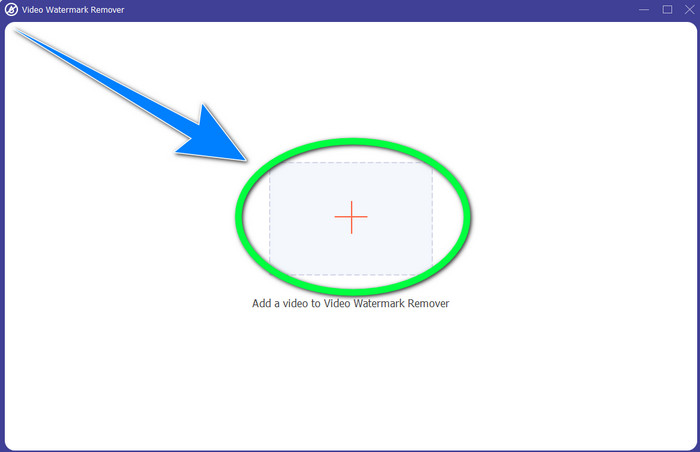
Trinn 3: Klikk på +-knappen for å importere videofilen med VideoScribe-logoen du vil fjerne.
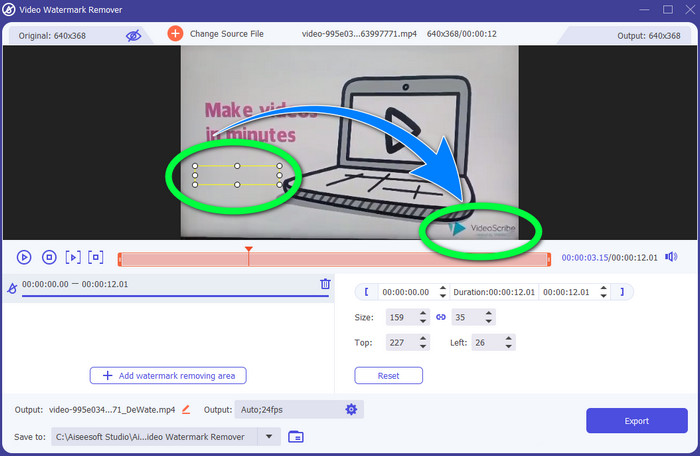
Trinn 4: Når du er ferdig med å importere videoen, klikker du på Add Watermark Removing Area og plasserer den lille markeringsboksen over logoen. Du kan justere størrelsen på boksen.
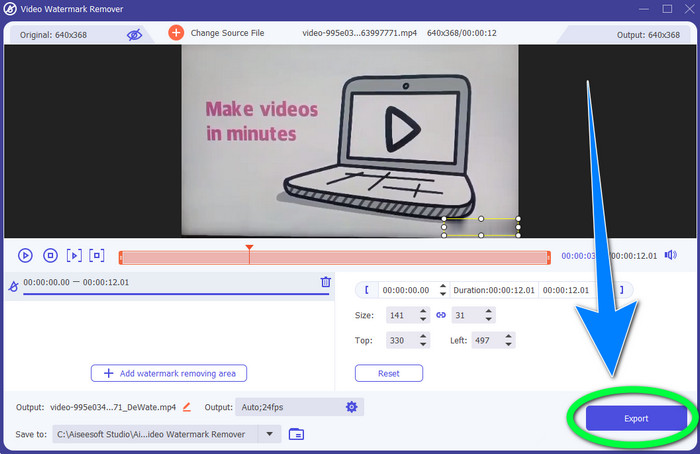
Trinn 5: I det siste trinnet kan du klikke på Export-knappen slik at du kan lagre videoen uten logoen.
Bruke videobeskjæringsfunksjonen
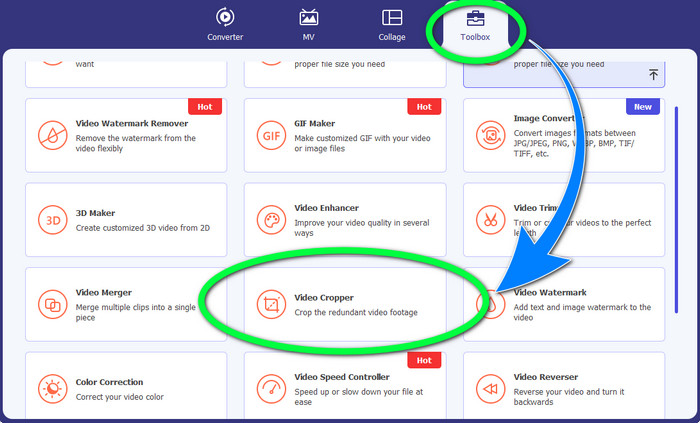
Trinn 1: Beskjæringsverktøyet er en annen måte å fjerne VideoScribe-logoen på. Under Verktøykasse klikker du på knappen Video Cropper.
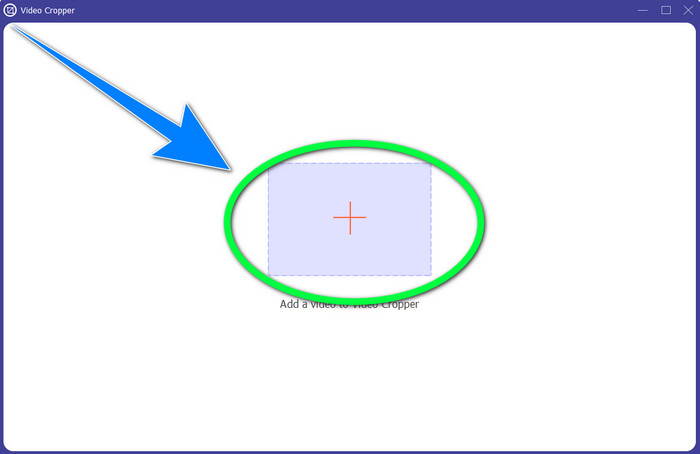
Trinn 2: Et nytt grensesnitt vil vises på skjermen din. Velg +-symbolet og legg inn videoen din med VideoScribe-logoen.
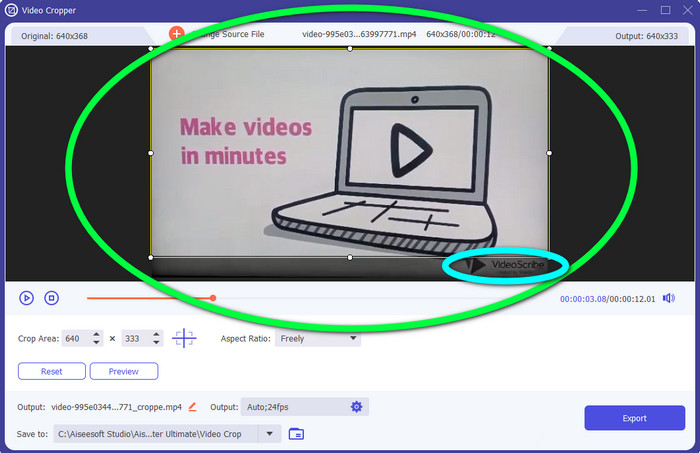
Trinn 3: Beskjæringsverktøyet lar deg beskjære kanten av videoen. Hvis logoen ligger i kanten av videoen, kan du kutte den bort for å fjerne logoen.
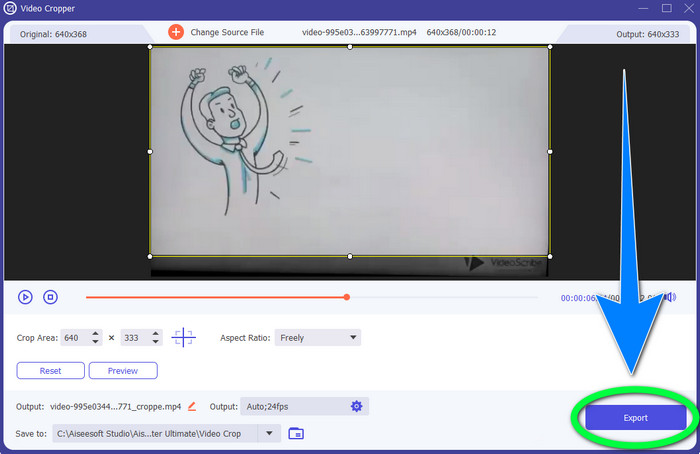
Trinn 4: Deretter, hvis du mener at du allerede har fjernet VideoScribe-logoen, kan du velge Export-knappen og lagre den endelige videoen på enheten din.
Del 2: Slik fjerner du VideoScribe-logoen fra Video Online
Bruke BeeCut-Online Watermark Remover
Vil du fjerne VideoScribe-logoen fra videoene dine på nett? BeeCut-Online Watermark Remover er et av de fantastiske og nyttige nettbaserte verktøyene du kan bruke. Dette nettverktøyet kan hjelpe deg med å fjerne plagsomme elementer fra videoene dine, som logoer, vannmerker, tekst, datostempler og mer. Dermed kan du enkelt fjerne VideoScribe-logoen fra videoene dine på grunn av det enkle grensesnittet. BeeCut-Online Watermark Remover støtter også en rekke filformater, som FLV, MOV, MP4, WebM, ASF, AVI, 3GP, MPG og flere. Dessuten kan du også fjerne forstyrrende elementer fra bildene dine med dette verktøyet. Dessverre er dette programmet avhengig av internett, noe som betyr at du ikke kan bruke dette nettverktøyet hvis du ikke har internettilgang eller internettforbindelse. Når det gjelder fjerningsprosessen, kan den noen ganger være tidkrevende, avhengig av om du har en rask eller treg internettforbindelse. Vi har gitt deg trinnene nedenfor i riktig rekkefølge.
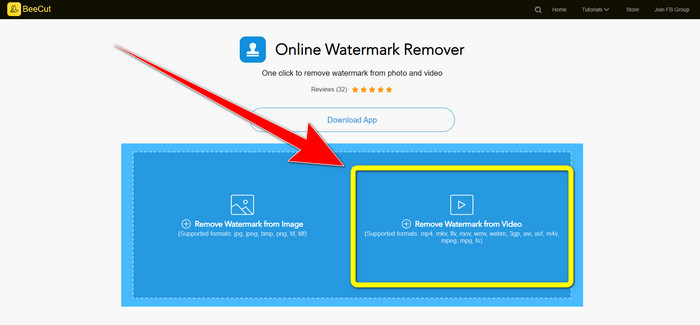
Trinn 1: Gå til nettsiden til BeeCut-Online Watermark Remover. Klikk på knappen Remove Watermark from Video og legg til videoen din med en VideoScribe-logo.
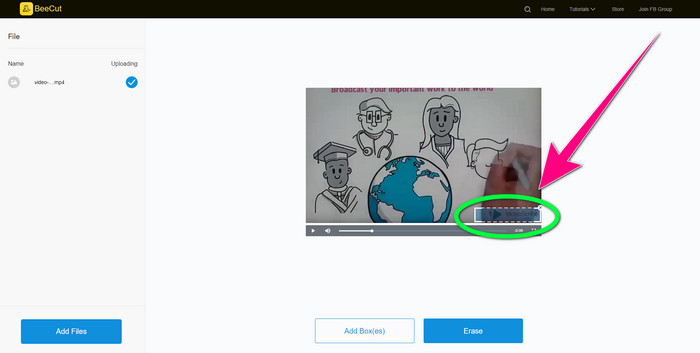
Trinn 2: Etter at du har lagt til videoen, bruker du den lille boksen du ser på videoen og drar den for å dekke logoen.
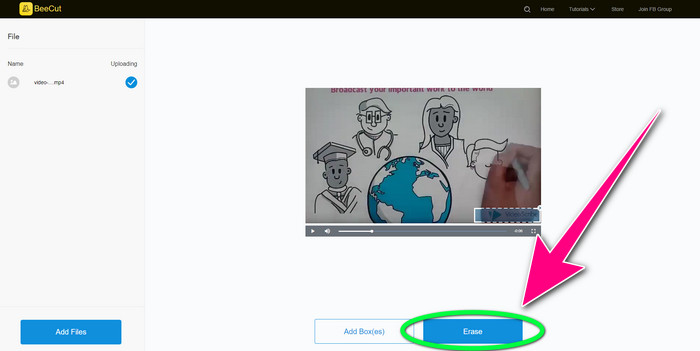
Trinn 3: Når du er ferdig med å dekke logoen med den lille boksen, velger du knappen Erase for å lagre og laste ned videoen din uten VideoScribe-logoen.
Bruke Video Watermark Remover Online
Video Watermark Remover Online er et annet nettbasert verktøy du kan bruke til å fjerne VideoScribe-logoen fra videoene dine. Det har et enkelt grensesnitt og er bra for nybegynnere. I tillegg kan du fjerne logoer fra videoene dine uten kvalitetstap, noe som er utmerket. Men dette nettverktøyet har begrensede funksjoner i gratisversjonen. Du kan bare fjerne logoer fra 5 videoer og kan ikke eksportere dem til andre filformater. Og siden dette er et nettbasert program, kan du ikke bruke det uten internettforbindelse. I tillegg hender det at verktøyet ikke fungerer som det skal. Hvis du vil lære hvordan du fjerner logoer fra videoene dine, følger du de enkle trinnene nedenfor.
Trinn 1: Gå til nettsiden til Video Watermark Remover Online. Klikk på knappen Click or Drag Videos Here for å sette inn videoen din med en VideoScribe-logo.

Trinn 2: Klikk på knappen Remove Watermark og vent på at fjerningsprosessen skal bli ferdig. Deretter kan du lagre videoen din.
Del 3: Vanlige spørsmål om fjerning av VideoScribe-logoen fra video
Kan jeg stole på nettverktøy for å fjerne logoer fra videoene mine?
Ja det kan du. Nettbaserte verktøy er trygge og kan sikre videofilen din. Noen verktøy kan automatisk slette filene dine etter prosessen, så du trenger ikke å bekymre deg. Imidlertid er ikke alle nettverktøy de samme, så du må fortsatt se etter anmeldelser for å vite om du kan stole på et bestemt verktøy.
Hvordan blir du kvitt logoene fra en video?
Hvis du vil bli kvitt logoen, last ned Video Converter Ultimate på datamaskinen eller Macen. Du kan bruke videovannmerkefjerneren eller videobeskjæringsverktøyet. Disse to måtene kan hjelpe deg med å bli kvitt logoen fra videoen din.
Kan jeg fjerne VideoScribe-logoen uten abonnement?
Ja, selvfølgelig! Du kan fjerne VideoScribe-logoen ved å bruke Video Converter Ultimate. Du trenger ikke kjøpe denne applikasjonen for å fjerne logoen fordi den er gratis.
Konklusjon
Denne artikkelen ga deg informasjon om hvordan du fjerner VideoScribe-logoen fra video ved hjelp av nedlastbar programvare og nettbaserte verktøy. Men hvis du vil fjerne en logo fra videoene dine raskt og uten anstrengelse, kan du bruke Video Converter Ultimate.
-
 3 av de nyeste Shutterstock-vannmerkefjernerne du noen gang vil trenge
 Liker du ikke Shutterstock-vannmerket knyttet til eksportert video? Du kan bruke en Shutterstock vannmerkefjerner for å slette den effektivt.
-
 Slik fjerner du Powtoon-vannmerket ved hjelp av 4 effektive metoder
 Les denne artikkelen for å lære hvordan du fjerner Powtoon-vannmerket ved å bruke de beste verktøyene vi inkluderte her og en veiledning.
-
 Apowersoft Watermark Remover Review – Funksjoner, fordeler og ulemper og priser
 Apowersoft Watermark Remover er en av de beste fjerning av vannmerker som støtter online og offline, klikk på denne for å vite mer!
