


 Video Converter Ultimate
 Skjermopptaker
 Videoreparasjon
I detaljerte anmeldelser om de 5 beste tilgjengelige lydforsterkerappene
Alle mennesker i hele universet elsker musikk, enten det er pop, metal, rock, jazz og så videre. Men ikke alle høyttalere gir en så god lyd at vi får gåsehud. I tillegg koster det fort mer enn hundre dollar å kjøpe forsterkere, eller enda verre – det kan koste deg mer enn tusen. Er ikke det dyrt? Men vi kan unngå å bruke mye penger hvis vi prøver disse beste forsterkerne som er tilgjengelige på alle plattformer. Og nå, hvis du vil bruke en lydforsterker-app, bør du lese listen nedenfor – de koster mindre enn beløpene nevnt over og gir fortsatt en svært god forsterkning.

Del 1. Fenomenal lydforsterker Tilgjengelig på PC og Mac
Hvis du vil få til en 8D- eller 16D-effekt uten å bruke mye penger på lydforsterkerutstyr, bør du prøve Video Converter Ultimate. I motsetning til fysiske forsterkere vil du med dette verktøyet bruke mindre penger, og du slipper både komplisert installasjon og tykke manualer for å lære hvordan det brukes. I tillegg er dette skrivebordsprogrammet veldig bra til å forbedre video, lyd, GIF-er og mer. Selv om verktøyet er betalvare, er det fortsatt enkelt å bruke uten komplikasjoner, og det tilbyr avanserte funksjoner du lett kan ta i bruk på både video og lyd. Så hvis du vil vite hvordan du bruker programmet, bør du følge trinnene nedenfor.
Trinn for å bruke Volume Booster i Video Converter Ultimate:
Trinn 1. Først og fremst laster du ned programvaren til PC- eller Mac-disken din. Installer den deretter på datamaskinen og gjennomfør den enkle, manuelle oppsettprosessen.
Gratis nedlastingFor Windows 7 eller nyereSikker nedlasting
Gratis nedlastingFor MacOS 10.7 eller nyereSikker nedlasting
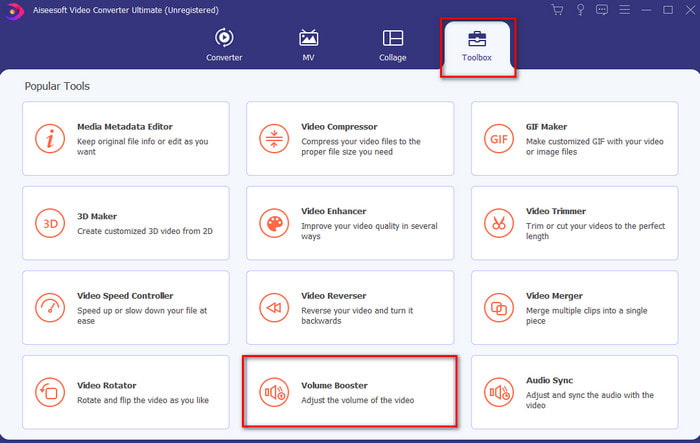
Trinn 2. Under delen Toolbox klikker du på Volume Booster.
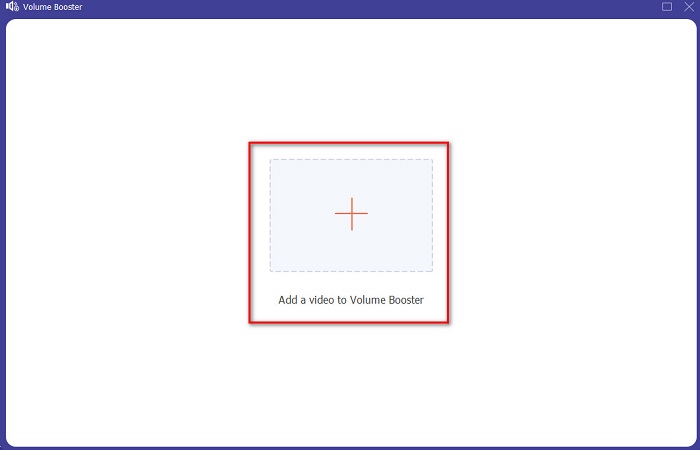
Trinn 3. Klikk på +-knappen for å velge filen du vil forsterke lyden på. Trykk deretter på Open for å fortsette.
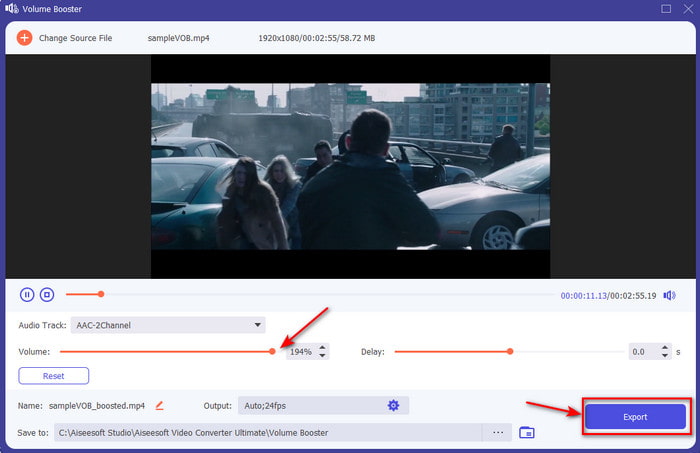
Trinn 4. I grensesnittet kan du nå dra volumglideren for å gjøre lyden høy og klar. Når du er ferdig med å justere lyden, klikker du på Export.
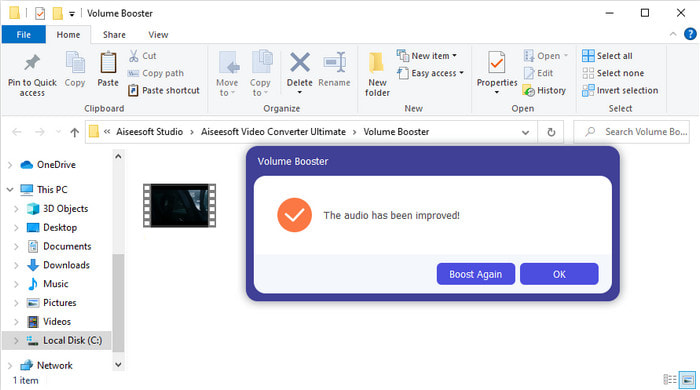
Trinn 5. Vent noen sekunder til prosessen er fullført. Når den er ferdig, åpnes et filvindu på skjermen med filen du har forsterket. Klikk på filen for å høre på den.
Fordeler
- Denne programvaren er enkel å bruke og kan gjøre lyden din fenomenal.
- Ytelsen til programvaren blir satt stor pris på av kundene.
- Den er tilgjengelig og lett å laste ned på PC og Mac.
Ulemper
- Denne programvaren støtter ikke mobile enheter.
- Dette verktøyet er betalt, men det er ikke så dyrt sammenlignet med de andre skrivebordsverktøyene.
Relatert:
Hvordan øke volumet på MP4-video
Hvordan fikse lydforsinkelse i VLC
Del 2. 4 av den beste lydforsterkerappen som er tilgjengelig på iOS- og Android-mobiltelefoner
1. Volumforsterkning – Lydforsterker 4+ (iOS)
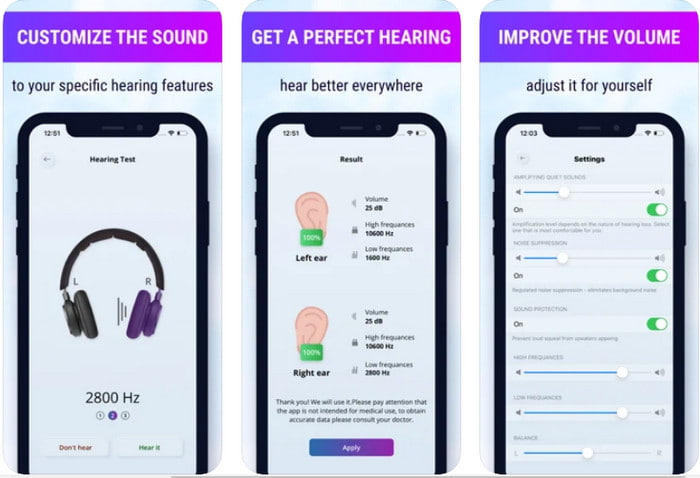
iOS-brukere kan enkelt laste ned Volume Boost- Sound Amplifier 4+ gratis. Denne appen kan forsterke lyd uten bry ved hjelp av automatisk justering, men du kan også overstyre manuelt. I tillegg fungerer appen fint som en forsterker, men den virker ikke med Bluetooth-høyttalere og øreplugger eller -propper. Du vil også kunne oppleve mange krasj i appen og uunngåelige annonser når du åpner den. Selv om appen kan lastes ned gratis, finnes det kjøp i appen for å fjerne annonser og låse opp flere funksjoner.
Fordeler
- Gratis å laste ned på alle iOS-enheter.
- Forsterk høyttalerens lyd enkelt opp til 30db.
- Intuitivt grensesnitt og oppsett.
Ulemper
- Opplev mange krasj, fryser og feil er fortsatt på denne appen.
- Annonser er mye å unngå.
2. Ekstra volumforsterker - høyttaler med høy lyd (Android)
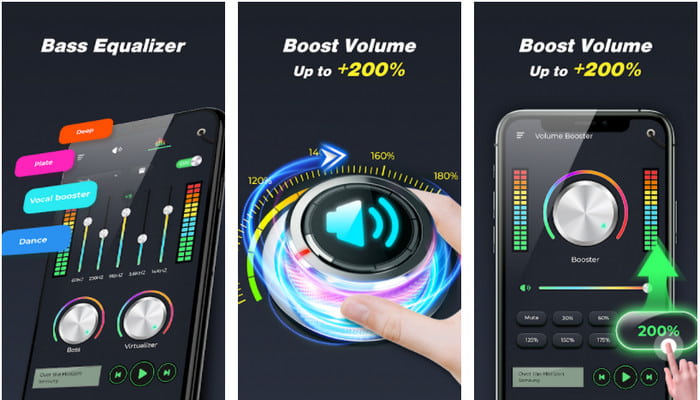
Hvis iOS-brukere har en lydforsterker på telefonen, bør Android-brukere også ha noe lignende, som Extra Volume Booster. Mange brukere er allerede fornøyde med ytelsen til denne appen fordi den er svært god til å forsterke og booste lyden. Men når du åpner denne appen, blir all lyd på telefonen – som ringetone, alarmer, varsler og mer – forsterket. Det betyr at den ikke har egne, separate innstillinger for de ulike lydtypene. Selv om verktøyet er gratis, er det likevel bedre enn mange betalte apper på Android og til og med på iOS. Men hvis du maksimerer volumet til 200%, må du regne med at innebygde høyttalere eller Bluetooth-høyttalere som ikke tåler 200%-volum, kan bli ødelagt.
Fordeler
- Forenklet versjon av forsterkeren du kan laste ned på Android-enheter.
- Selv om app-grensesnittet ikke er mye, er det flott.
- Ulike forsterkning og boosting er tilgjengelig i denne appen.
Ulemper
- Forvent å møte utallige annonser mens du bruker appen.
- Mens du bruker verktøyet, er det en sjanse for at CPUen eller telefonen vil varmes opp.
3. Høyttalerforsterkning: Volumforsterker og lydforsterker 3D (Android)
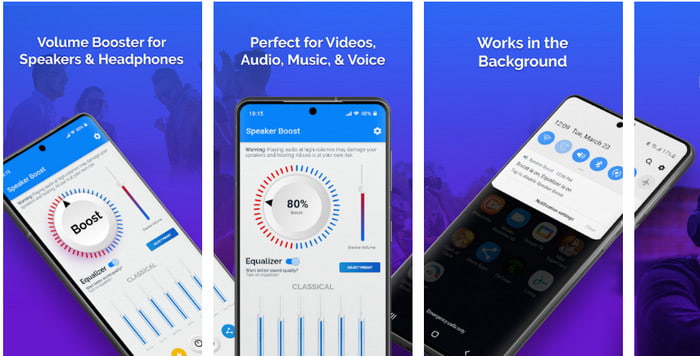
En annen Android-app du kan bruke som gir en flott surround-lydforsterkning er Speaker Boost. Akkurat som Extra Volume Booster er denne appen svært treffsikker og mye enklere å bruke, selv uten erfaring. Du kan også laste ned dette verktøyet gratis, men det har kjøp i appen som du kanskje vil bruke, for eksempel for å fjerne plagsomme annonser og annet. Selv om verktøyet virker greit å bruke, vil kjøp i appen her koste deg mer enn hos de andre programmene på denne listen. Et annet problem som bekymrer mange brukere, er at appen kjører i bakgrunnen forbi annonseblokkere, og det er en risiko for at appen kan være spionvare.
Fordeler
- On-point for å øke lyden enkelt og likevel kraftig å bruke.
- Last ned verktøyet gratis uten problemer med å forsterke lydene.
- Gjør den manuelle overstyringen på equalizeren.
Ulemper
- Dette verktøyet er ufullstendig, noe som i utgangspunktet betyr at det er under eksperimentelt.
- Når du øker lyden er det noen forvrengninger du vil høre.
4. Bom: Bass Booster & Equalizer 4+ (iOS)
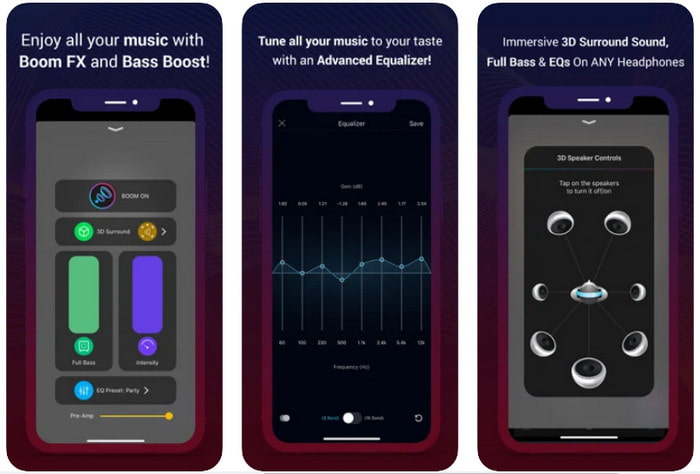
Hvis du leter etter en avansert lydforsterker-app, er Boom: Bass Booster et godt valg. Denne appen er imidlertid bare tilgjengelig på iOS-enheter, så du finner den ikke til Android. Så langt har verktøyet fått mye ros fra brukerne, men enkelte formater støttes ikke for forsterkning. Når du bruker denne appen, må du også regne med noen feil og krasj under bruk. I tillegg kan appen virke misvisende for nye brukere. Selv om ytelsen virker grei, trenger den fortsatt forbedringer for å gjøre appen bedre.
Fordeler
- Noen av de avanserte funksjonene er tilgjengelige her.
- Bærbare forsterkere du enkelt kan bruke.
- Appen får 4,1 stjerne av 5 stjerner.
Ulemper
- Ikke det beste valget for nybegynnere på grunn av den forvirrende grensesnittstrukturen.
- De fleste av lydformatene støttes ikke for å bli forsterket med denne appen.
- Problemer med feil og forsinkelser skjer fortsatt med appen.
Del 3. Vanlige spørsmål om lydforsterkere
Hva er db?
Db betyr desibel og dette er måleenheten for å uttrykke lydstyrken eller kraften til lydbølgen. Ved hjelp av desibel kan vi også enkelt bestemme hvilken lyd vi er trygge å høre på lenge. Og alle de 85 desibelene nedenfor er veldig trygge å høre.
Hva er ulempene med høy lyd?
Det er veldig vanlig for oss at når vi utsettes for høye lyder, kan hørselen bli skadet. Men visste du at dette kan resultere i kvalme, hodepine, stress, tretthet og mer. Så hvis du er i ferd med å bruke en forsterker, bruk den riktig og ikke overbruk den for å unngå de uunngåelige skadelige effektene.
Hvorfor hører jeg noen sprekker på høyttalerne?
Dette problemet er veldig vanlig for høyttalerne med en svært begrenset hertz kan håndtere. Så hvis du øker lyden, sørg for at høyttaleren kan håndtere det. Og hvis du hører noe sprekk, må du senke lyden umiddelbart. Men hvis du hører noen sprekker selv om du senker lyden, er det for sent.
Konklusjon
Alle appene og programmene som er presentert her, egner seg godt som forsterkere. Selv om programmene som er nevnt over, har noen forskjeller, er funksjonene deres like. Men hvis du er på jakt etter den beste lydforsterkeren til PC og Mac, bør Video Converter Ultimate være valget. Den tilbyr fenomenale, avanserte funksjoner som du enkelt kan bruke. Så hvis du lurer på om dette er det beste alternativet, bør du først laste det ned til datamaskinen din og følge trinnene som er beskrevet ovenfor.
Gratis nedlastingFor Windows 7 eller nyereSikker nedlasting
Gratis nedlastingFor MacOS 10.7 eller nyereSikker nedlasting
-
 [Enkelt] Hvordan fikse lyd og video som ikke er synkronisert
 Tenk deg at du planlegger strømmen for i morgen, men når du sjekker oppsettet ditt, er lyd og video ute av synkronisering. Les denne artikkelen for å lære mer om denne bekymringen.
-
 7 enkle trinn for hvordan du fikser problemer med OBS-lydforsinkelser [løst]
 Sliter du med å se videoklippet ditt etter opptak på grunn av lydforsinkelsen når du bruker OBS Studio? Les artikkelen nedenfor for å lære hvordan du fikser usynkronisert lyd effektivt.
-
 Hvordan legge til lyd og musikk til video gratis på datamaskinen / telefonen
 Denne artikkelen viser 4 enkle måter å legge til lyd til video gratis. Uansett hvilket lydspor du vil legge til i videoen din, kan du få tilfredsstillende resultater her.
