


 Video Converter Ultimate
 Skjermopptaker
 Videoreparasjon
 Sikker nedlasting
Veiledning om hvordan du enkelt kan øke hastigheten på en video på Instagram
Med Instagram kan vi enkelt laste opp eller poste en video uten begrensninger så lenge vi vil. Selv om du kan dele øyeblikkene dine på Instagram, krever appen at du følger en standard for videovarighet eller at du klipper den. Men hvis du vil dele videoen i full lengde uten å klippe den, anbefaler vi at du heller øker hastigheten. Ved å endre normal avspilling til en høyere hastighet kan du dele hele videoen uten å måtte klippe den, fordi varigheten på videoen blir kortere enn før. Her forklarer vi hvordan du kan øke hastigheten på en video på Instagram som en profesjonell. Hold tempoet oppe ved å lese denne artikkelen for å lære hvordan du gjør videovarigheten kortere.

Del 1. Hvordan øke hastigheten på en video på Instagram ved hjelp av hjul
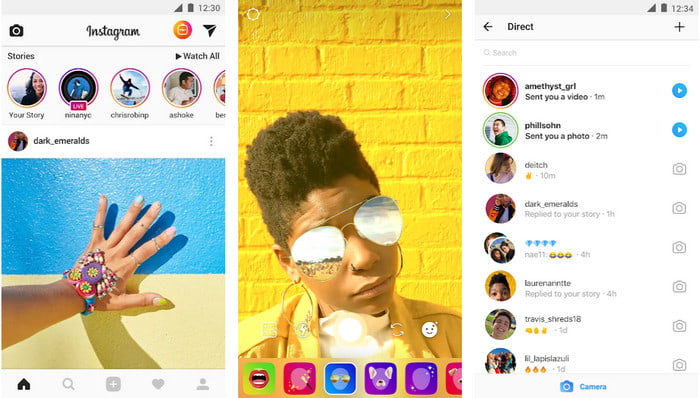
Spole-funksjonen kan øke hastigheten på video for Instagram gratis. Denne funksjonen er tilgjengelig på iOS- og Android-enheter for å ta opp en høyhastighets bevegelsesvideo opptil 3x. Selv om den kan ta opp en raskere video, har den også andre funksjoner som å legge til musikk, stille inn videovarighet, tidtaker osv. For å vite hvordan du bruker denne funksjonen, må du følge trinnene vi legger til nedenfor for å øke hastigheten på videoen du ønsker å skyte på Instagram som en profesjonell.
Trinn 1. Etter at du har lastet ned Instagram på enheten din, åpner du appen.
Trinn 2. Sveip til venstre og se etter navnet REEL.
Trinn 3. Nå kan du trykke på hastighet i dette området og endre den til ønsket hastighet. Så enkelt er det – nå kan du filme i høy hastighet.
Del 2. Topp 3 programvare for å øke hastigheten på video for Instagram online og offline
FVC Video Converter Ultimate
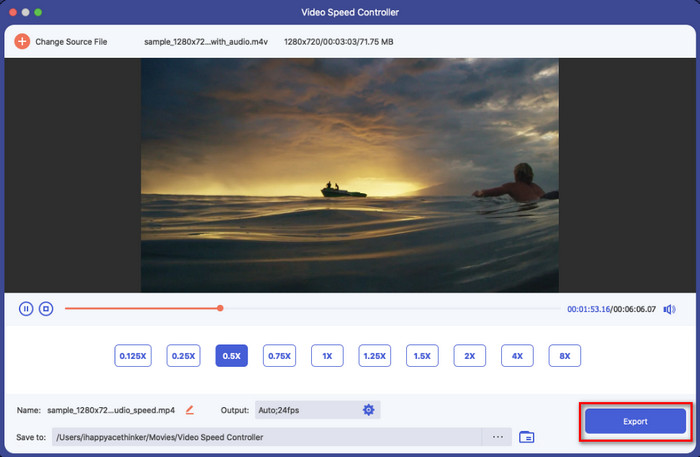
FVC Video Converter Ultimate er den mest fenomenale skrivebordsprogramvaren du kan bruke til umiddelbart å øke hastigheten på videoer for Instagram. Den gir brukerne muligheten til å gjøre mange fantastiske ting for å gjøre videoen enda bedre når den gjøres om til en hurtigavspilt video. Med noen få klikk kan du enkelt endre hastigheten på en vanlig video uten å bekymre deg for kvaliteten og hvor jevn videoavspillingen er. Fantastisk, ikke sant? Dette verktøyet lar deg også senke hastigheten på videoen raskt; uansett fungerer verktøyet svært godt.
Ønsker mer? Denne programvaren støtter over 1000+ videoformater, så det er ingen grunn til bekymring hvis du tror videoformatet ikke støttes fordi det er her. Det er også flere redigeringsfunksjoner som du kanskje vil bruke, spesielt hvis du vil imponere folkene som skal se den. Ved å følge de angitte trinnene på mindre enn ett minutt kan du endre videoens hastighet.
Trinn 1. Last ned og installer den ultimate konverteren på disken din, og velg hvilket operativsystem du bruker. Etter det åpner du programmet og gjør deg kjent med brukergrensesnittet. På den måten kan du enkelt følge trinnene vi går gjennom videre.
Gratis nedlastingFor Windows 7 eller nyereSikker nedlasting
Gratis nedlastingFor MacOS 10.7 eller nyereSikker nedlasting
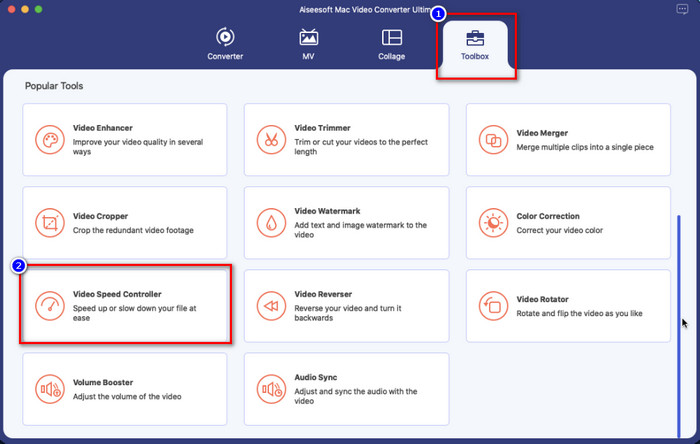
Trinn 2. Klikk på delen Verktøykasse for å åpne den; der finnes en liste over funksjoner du kan bruke. Klikk Video Speed Controller for å endre hastigheten på videoen du ønsker.
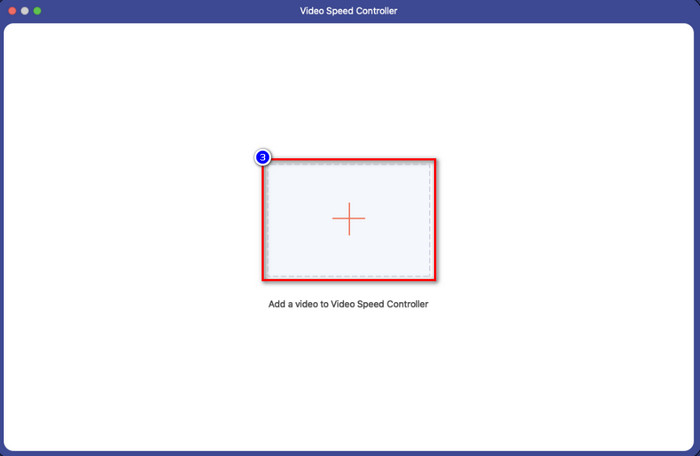
Trinn 3. Klikk på +-ikonet, så åpnes en mappe på datamaskinen din. Finn videoen du vil øke hastigheten på, og klikk Åpne for å sette den inn.
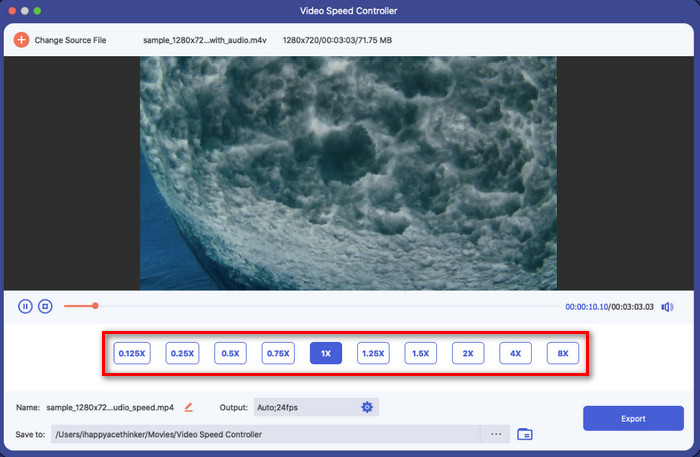
Trinn 4. Når du har lastet opp videoen, velger du videohastigheten du vil bruke blant de tilgjengelige alternativene her. Klikk på dem én etter én og se i forhåndsvisningen om det er den rette hastigheten du vil ha på videoen du skal poste på Instagram.
Trinn 5. Til slutt, for å lagre videoen du har endret hastigheten på, klikker du Eksporter, og konverteringen av videobevegelsen starter om kort tid. Når konverteringen er ferdig, vises en mappe på skjermen, noe som betyr at videoen inne i mappen er den du har endret hastigheten på.
iMovie
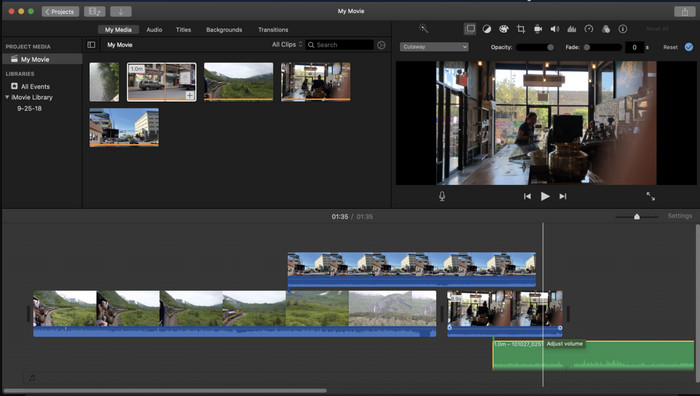
For Mac-enheter er nedlasting ikke nødvendig, spesielt hvis du har iMovie. Dette innebygde videoredigeringsprogrammet kan hjelpe deg med å endre hastigheten på videoen du vil laste opp eller dele på Instagram. Så hvis du vil øke hastigheten på en video og du er Mac-bruker, anbefaler vi at du prøver dette videoredigeringsprogrammet, siden det er gratis. Selv om programvaren er gratis å bruke, er det likevel brukere som synes det er litt krevende å bruke den, fordi du trenger en viss ekspertise for å håndtere denne typen redigeringsprogram. Hvis du derfor ser etter hvordan du kan øke hastigheten på en video på Instagram før du poster den, følger du trinnene nedenfor.
Trinn 1. Åpne iMovie på Mac-en din, og legg deretter til videoen du vil bruke, på tidslinjen.
Trinn 2. Klikk på klippet du har lastet opp, og et speedometer-ikon vil vises på skjermen din.
Trinn 3. Velg hastigheten du vil legge til videoen i hastighetsmenyen. Til slutt klikker du på Eksporter for å lagre videoen du har økt hastigheten på på Mac-en din.
Clideo
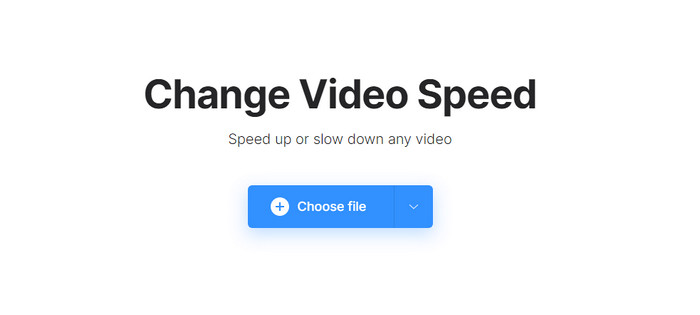
En av de beste videoredigererne du kan bruke, er Clideo. Dette nettbaserte verktøyet er en alt-i-ett-løsning hvis du ikke vil laste ned et videoredigeringsprogram på datamaskinen for å spare plass. Selv om du ikke trenger å laste ned dette nettverktøyet, trenger du likevel en stabil internettforbindelse for å bruke det og øke hastigheten på videoen du vil redigere. Hvis du prøver å bruke dette for å endre hastigheten på videoen, kan du regne med å fullføre jobben på et minutt. Dette nettverktøyet er virkelig flott til å øke hastigheten på videoer på nett, men det er ikke like bra som de to andre redigeringsprogrammene. For å lære hvordan du bruker verktøyet til å øke hastigheten på en video for Instagram, kan du lese og følge trinnene nedenfor.
Trinn 1. Åpne nettleseren din og søk etter Clideo; åpne hastighetskontrolleren for å begynne. Klikk på Choose File for å legge til videoen du vil øke hastigheten på.
Trinn 2. I dette området kan du enten dra glidebryteren til venstre for å øke hastigheten på videoen eller velge en hastighet blant alternativene. Uansett gjør de samme jobben.
Trinn 3. Etter at du har valgt hastigheten du vil ha, klikker du Eksporter.
Del 3. Vanlige spørsmål om hvordan du kan øke hastigheten på video for Instagram
Hva er standardvarigheten for video på Instagram?
Du kan laste opp en video fra 3 sekunder til 10 minutter. Det er ikke mye, men det er fortsatt bra. Hvis videoen du vil ta opp er lang, prøv å øke hastigheten litt for å spare litt tid på videovarigheten for å legge ut hele videoen på Instagram på mindre enn 10 minutter.
Hvor høyt kan Hyperlapse øke hastigheten på videoen min på Instagram?
Du kan bruke Hyperlapse til å ta opp en video i rask bevegelse på Instagram fra 1 til 12x hastighet. I tillegg til hastighetskontrollen, støtter den også stabilisering for å gjøre videoen din mer stabil og redusere skjelvingen i videoen du tar opp.
Kan jeg eksportere videoen jeg øker hastigheten på på Instagram?
Ja, du kan lagre videoen du fremskynder på Instagram på telefonen din; etter at du har tatt bilder, kan du trykke på lagringen fra enheten for å lagre videoen i hastighetsversjonen du velger. Finn videoen du øker hastigheten på på Bilder, biblioteket ditt for alle bildene, levende bilder og videofiler.
Konklusjon
Denne artikkelen gir en solid forklaring og trinn for å håndtere raskere videoer for Instagram. Ettersom vi løste problemet ditt med å endre hastigheten på Instagram, kan du nå håndtere det uavhengig. Følg trinnene vi legger til ovenfor for å ta opp en speed-up eller konvertere normalhastighetsvideoen til en speedup ved å bruke det ultimate verktøyet. Hvilken vei ville du valgt? Uansett hva du bestemmer deg for, vil du få hastigheten du ønsker før du legger det ut eller deler det på Instagram.
-
 Hvordan få fart på en video med de 5 beste programvarene [Windows/Mac/Linux]
 Vil du vite hvordan du enkelt kan øke hastigheten på video? Les deretter denne oppskriften mens vi forklarer hvordan du kan øke hastigheten effektivt på Windows, Mac og Linux.
-
 Enkleste måter å øke hastigheten på en video på Android-enhetene dine [2021]
 Visste du at du kan øke hastigheten på en video på Android? Så hvis du vil vite hvordan du øker hastigheten på en video på Android-telefonen din, kan du lese denne oppskriften.
-
 Hvordan øke hastigheten på video i Premiere Pro og med dens alternativer
 Vil du vite hvordan du bruker premiere pro for å øke hastigheten på en video? Da er du inne i den riktige artikkelen da vi tilbyr trinn og andre rimelige alternativer.
