


 Video Converter Ultimate
 Scherm opnemer
 Videoreparatie
Korte analyse over de beschikbare tekst op video-apps Windows/Mac/Android/iOS
Je project beschermen is essentieel, zeker als je het online plaatst om te voorkomen dat iemand je werk steelt. Toch kunnen niet alle websites je werk beschermen tegen mogelijk misbruik door anderen. Dus voordat je je project op het web zet, is het ideaal om een watermerk toe te voegen. Hoewel een watermerk je werk niet altijd volledig kan beschermen, kunnen we zeggen dat dit een extra manier is om je werk te beveiligen tegen mogelijke diefstal. Daarom geeft dit artikel je een overzicht van de tools die je kunt gebruiken; de meeste zijn gratis, maar voor sommige moet je betalen om het volledige potentieel van de tool te ontgrendelen. Laten we op dit moment een volledig kijkje nemen naar de tekst-op-video‑app van het jaar 2022.

Deel 1. 3 van de beste tekst op videotoepassingen die u kunt downloaden op Windows en Mac
FVC Video Converter Ultimate
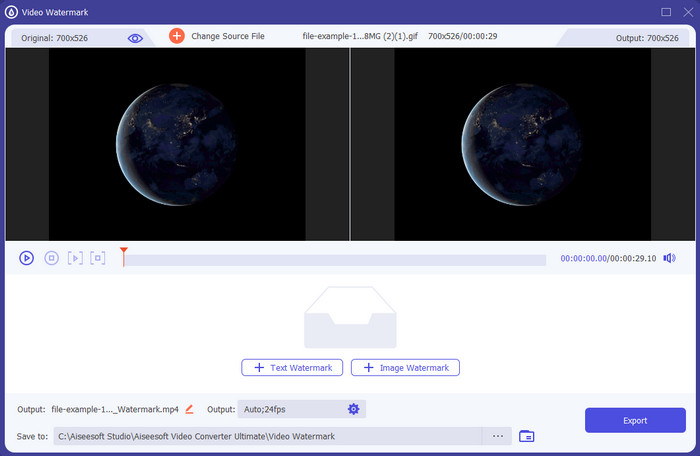
Kosten: Gratis proefversie beschikbaar, prijs begint vanaf $39,50 voor één jaar, $55,20 voor een levenslange licentie, en voor 2–5 stuks levenslange licentie $119,00.
Ondersteunde platformen: Windows en Mac.
Als je een app wilt om tekst aan een video toe te voegen, dan moet je kiezen voor de meest gebruikte tool van 2022, de FVC Video Converter Ultimate. Deze tool ondersteunt een groot aantal formaten die je kunt uploaden, dus het toevoegen van het videobestand hier zal geen probleem zijn; je kunt het formaat ook wijzigen als dat nodig is. Op het eerste gezicht ziet de GUI er netjes en tegelijkertijd professioneel uit. Hoewel het een professionele tool is, kunnen gebruikers met weinig of geen ervaring snel leren hoe ze deze moeten gebruiken. De leercurve is niet zo steil als die van Adobe Photoshop.
Bovendien is de tool trots op zijn naam als de ultieme tool omdat het het snelste upload- en downloadproces heeft, of het nu gaat om één, twee of meer bestanden. Het coderen van het lossy of lossless bestandsformaat is snel en gemakkelijk als u deze tool gebruikt. Hoewel de tool een beetje duur is uit de lijst van de videoteksteditor, vinden we deze tool nog steeds het gemakkelijkst te gebruiken en toch het meest effectief.
Gratis downloadVoor Windows 7 of nieuwerVeilige download
Gratis downloadVoor MacOS 10.7 of nieuwerVeilige download
Adobe Photoshop
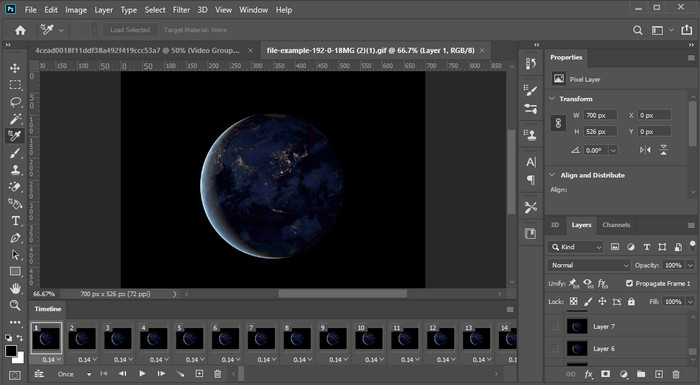
Kosten: Gratis proefperiode van 7 dagen en $20,99 per maand.
Ondersteunde platformen: Windows, Mac en iPad.
Heb je een pro‑tool nodig om de taak uit te voeren? Welnu, Adobe Photoshop is de professionele tool in dit overzicht. De volledig uitgeruste GUI en functies maken het tot de eerste keuze van professionals die een editor op hun platform willen downloaden. Daarnaast biedt deze tool geavanceerde bewerkingsfuncties die je kunt gebruiken om de tekst op de video er beter dan ooit uit te laten zien.
Deze tool is echter niet de beste keuze als je een beginner bent in het bewerken, omdat het zo technisch is dat zelfs sommige professionals enkele tutorials moeten lezen over het uitvoeren van een bepaalde taak. Maar als je hier gebruik van wilt maken, voeg dan tekst toe aan de video-app; je kunt het downloaden op de officiële website van Adobe.
iMovie
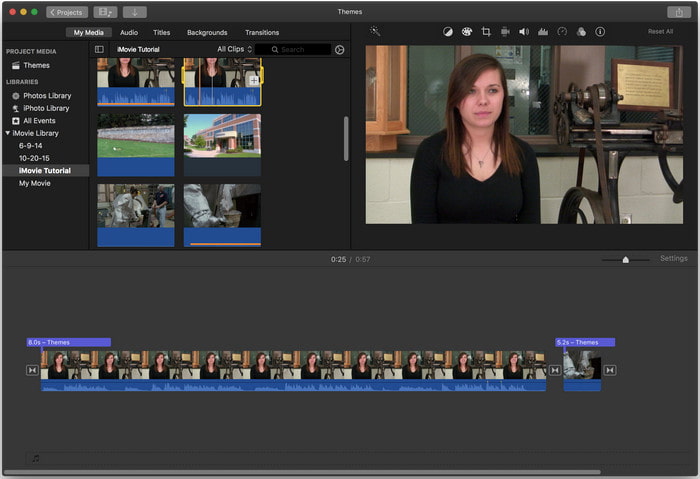
Kosten: Gratis, vooraf geïnstalleerd.
Ondersteunde platformen: Mac en iOS.
Als je een gratis tool op je Mac‑ of iOS‑apparaat nodig hebt om een watermerk aan de video toe te voegen, kun je iMovie gebruiken om deze taak uit te voeren. Deze tool is niet te downloaden op Windows‑ of Android‑apparaten, omdat hij uitsluitend voor Apple‑apparaten is bedoeld. Hoewel de tool een beperkt aantal ondersteunde platformen heeft, wordt hij nog steeds beschouwd als een van de beste watermerk‑editors die je op Mac en iOS kunt gebruiken. De meeste beginners werken er graag mee vanwege de gratis, volledig uitgeruste bewerkingsmogelijkheden. Dus als je een Mac of iOS‑apparaat hebt, moet je eerst deze tekst‑over‑video‑app proberen en kijken of deze aan je behoeften voldoet.
Deel 2. 3 Beste videoteksttoepassing beschikbaar in alle Android en iOS
Alle bovengenoemde tools zijn beschikbaar op Windows en Mac, terwijl sommige beperkte mobiele apparaten ondersteunen. Wat als je een mobiel apparaat hebt en tekst als watermerk aan een video wilt toevoegen? Kun je het nog? Dat kan met de tool die we hieronder presenteren. Lees het met de nodige voorzichtigheid om te weten of deze tool aan uw behoeften voldoet.
Video-editor: tekst op video
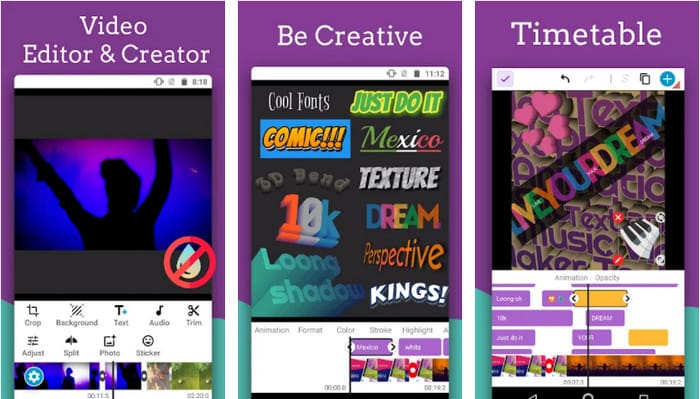
Kosten: Gratis te downloaden.
Ondersteunde platformen: Android.
Hoewel er veel gratis apps zijn om tekst aan video toe te voegen op Android, vinden wij de Video Editor: Text on Video op veel vlakken nog steeds uitstekend. Deze Android‑app biedt gebruikers tal van geavanceerde bewerkingsfuncties om hun video er opvallend uit te laten zien. Als je hem wilt gebruiken om een watermerk aan je video toe te voegen, heeft hij ook tekstanimaties om geanimeerde tekst in de video op te nemen.
Hoewel de tool gratis te downloaden is, is er nog steeds veel verbetering nodig en moet deze worden opgelost, zoals bugs en glitches die sommige gebruikers tegenkomen. Er verschijnen ook enkele advertenties zodra u de app op uw telefoon opent en gebruikt. Desalniettemin blijft de ontwikkelaar de tool updaten om de beste video-editor op Android te worden om zijn volledige potentieel te bereiken.
Vont - Tekst op video's 4+
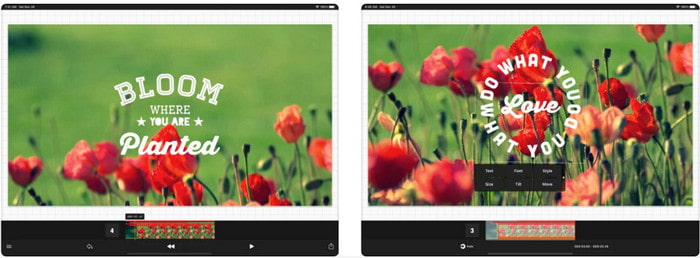
Kosten: Gratis te downloaden, $2,99 tot $9,49 in‑app aankopen.
Ondersteunde platformen: iPhone, iPad en Android.
Vont - Text on Videos 4+ is een van de beste apps om tekst aan video toe te voegen op alle mobiele apparaten. Deze app ondersteunt zowel Android‑ als iOS‑apparaten, dus het is logisch dat deze tool aan beide kanten bekendheid en populariteit heeft verworven. Maar als we vergelijken waar de app beter werkt, kunnen we zeggen dat hij gunstiger is op iOS‑apparaten, omdat hij meer formaten ondersteunt en veel meer gedetailleerde bewerkingsfuncties biedt die je kunt gebruiken.
Hoewel de tool beter is op iOS, kunnen we het er nog steeds over eens zijn dat deze tool uitstekend te gebruiken is, zelfs op Android-apparaten om het watermerk snel toe te voegen aan sommige video's.
Tekst op video: Easy Vid Editor 4+
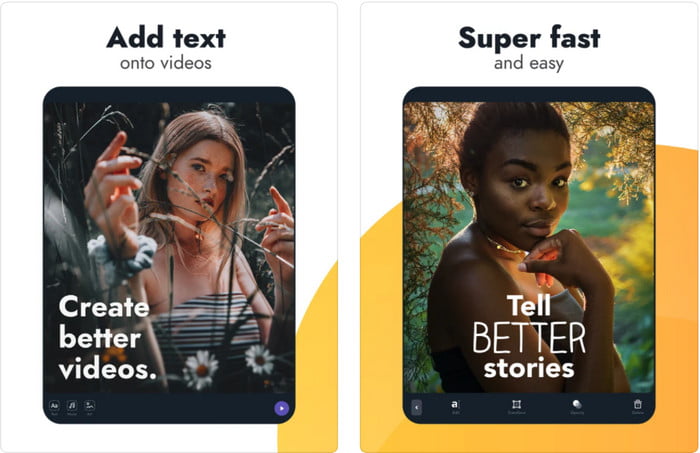
Kosten: Gratis te downloaden, $1,99 tot $49,99 in‑app aankopen.
Ondersteunde platformen: iPhone en iPad.
Als je de beste tekst‑op‑video‑app voor iOS wilt kennen, dan is het zonder twijfel de Text On Video: Easy Vid Editor 4+. Deze tool biedt verschillende bewerkingsfuncties waarmee je eenvoudig een tekstwatermerk aan je video kunt toevoegen, met verschillende lettertypestijlen.
Net als Photoshop promoot deze tool 3D-tekstwatermerken om u te helpen de tekst te manipuleren en overal te plaatsen alsof deze zich bevindt terwijl u de video of foto maakt. Ook al beschouwen we het als de beste, we denken nog steeds dat het niet de professionele tool is die je nodig hebt als je van veel gedetailleerde bewerking houdt die een professional nodig heeft.
Gerelateerd:
Ondertiteling aan video toevoegen
Deel 3. Veelgestelde vragen over het toevoegen van tekstwatermerk-apps
Is het veilig om een tekstwatermerk-app te downloaden?
Het is veilig als u de tool op de officiële sites of downloader hebt gedownload. Het zal geen probleem veroorzaken als u het downloadt op de officiële website. Niet alle websites zijn echter beveiligd, dus u moet oppassen dat u de veiligste download om de tool op uw besturingssysteem te gebruiken om problemen te voorkomen.
Welke app met tekstwatermerk presteert beter, op desktop of telefoons?
Het lijdt geen twijfel dat de desktop-tekstwatermerk-app beter presteert voor zwaar gebruik, omdat de desktop een hogere CPU heeft dan de telefoon. Maar als u semi-gewogen bewerking wilt, dan is het telefoontekstwatermerk uw go-to, want u kunt het overal mee naartoe nemen en op elk moment gebruiken zonder een bureaublad in te stellen.
Is het ideaal om te kopen voor de tekstwatermerk-app?
Als je een krap budget hebt, raden we je aan de gratis tool te gebruiken, maar er zijn enkele beperkingen en verwacht dat omdat het gratis is. Maar als u de beste functies van de premium-versie wilt hebben, raden we u aan deze te kopen of u erop te abonneren, omdat u ze niet kunt krijgen met de gratis versie.
Gevolgtrekking
Nu we de tools hebben geanalyseerd, is het tijd om de juiste voor jou te downloaden. We hopen dat dit artikel je helpt beslissen welke je moet gebruiken, maar als je niet kunt kiezen, raden we je aan om te gaan voor de FVC Video Converter Ultimate. Omdat het een alles‑in‑een‑tool is die je op zowel Windows als Mac kunt downloaden, en al zijn functies zijn goed ontworpen om je met een specifieke taak te helpen. Dus zonder twijfel is dit de beste tekst‑watermerkapp die je hierboven kunt downloaden.
-
 Hoe u gratis audio en muziek aan video kunt toevoegen op uw computer / telefoon
 Dit artikel toont 4 eenvoudige manieren om gratis audio aan video toe te voegen. Welke audiotrack u ook aan uw video wilt toevoegen, u kunt hier bevredigende resultaten krijgen.
-
 GIF naar videoformaat omzetten: GIF-memes naar video converteren [2025]
 Bepaal hoe u GIF in videoformaat kunt omzetten met behulp van de onderstaande tools. Kies welke en leer hoe u het moet doen, aangezien we er genoeg bewijs over verzamelen.
-
 Geweldige GIF naar video-apps voor Android- en iOS-apparaten
 Wist je dat je GIF's naar elk gewenst videoformaat kunt converteren met je telefoon? Kies de beste apps op je Android of iOS.
