


 Video Converter Ultimate
 Scherm opnemer
 Videoreparatie
 Beveiligde download
Hoe MP4 gratis en online naar OGG te converteren
MP4 is een digitale multimediacontainer waarin video, audio en ondertitels worden opgeslagen. OGG is een gratis en open containerformaat voor efficiënte streaming en bestandscompressie. Soms moet u MP4 naar OGG-indeling converteren om op sommige audiospelers af te spelen. Dit bericht deelt 3 gratis MP4 naar OGG-converters om MP4 zonder gedoe naar OGG te converteren.

Deel 1. Professionele manier om MP4 gratis naar OGG te converteren
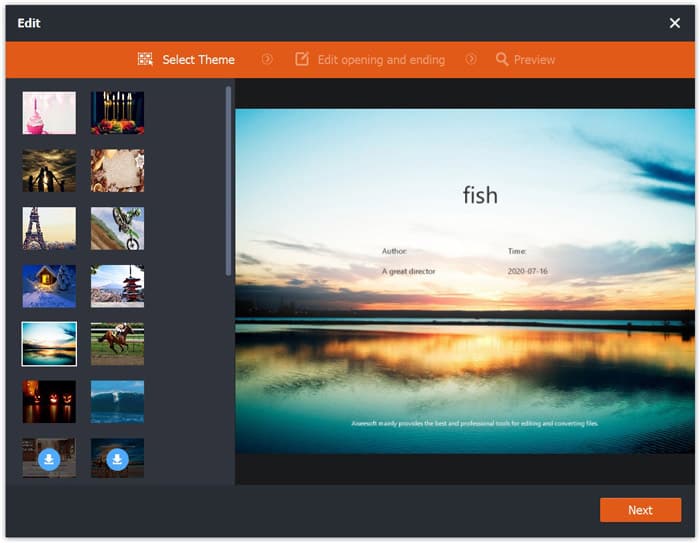
If you want to find the best MP4 to OGG converter, you can try FVC Free FLV to MP4 Converter. It is the free and easy-to-use video converting software for Windows and Mac. You can convert various videos like MP4, FLV, MOV, MKV, MTS, M2TS, etc. to OGG with ease. Moreover, it offers editing features to add themes, adjust author, time, provider at the beginning/ending part.

- Converteer video's in MP4, MKV, AVI, MOV, MP3, AAC, AIFF, etc. naar OGG.
- Exporteer OGG-video's en verliesloos audiobestanden van MP4-bestand met 1 klik.
- Sta gebruikers toe om provider, titel, auteur, tijd te bewerken en een thema toe te voegen.
- Batch converteer MP4 naar OGG om af te spelen op sommige draagbare audiospelers.
Free DownloadFor Windows 7 or laterSecure Download
Free DownloadFor MacOS 10.7 or laterSecure Download
Step 1. After downloading, install and launch FVC Free FLV to MP4 Converter on your Windows or Mac. Click Add Files button to load the MP4 files from your computer. If you want to convert several MP4 files at one time, just upload them all.
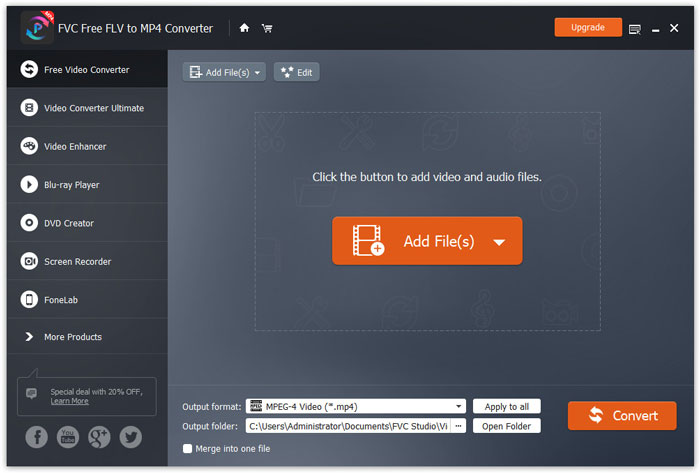
Step 2. Click on your MP4 file and click Edit button. You can add a theme to your MP4 file, and edit the opening and ending content. Then click Next to preview and save the changes.
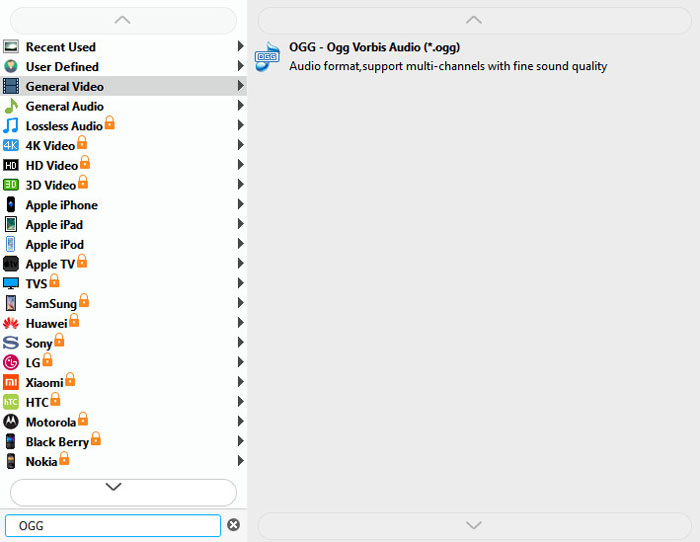
Step 3. Click the drop-down Output format button at the bottom, and search OGG format from the list. You can select OGG - Ogg Vorbis Audio (*.ogg) as the output format.
Step 4. Browse the output folder on your computer and click Convert button to start changing MP4 to OGG.
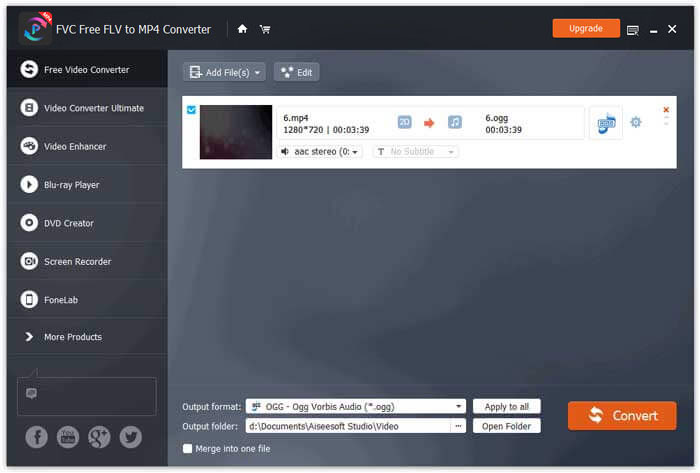
With FVC Free FLV to MP4 Converter, you can also combine several MP4 files into one.
Deel 2. Hoe MP4 online naar OGG te veranderen
In vergelijking met een desktopconverter is het gebruik van een online converter een tijdbesparende methode om MP4 naar OGG te converteren. Er zijn veel online MP4 naar OGG-converters die u kunt kiezen. In dit deel zullen we 2 MP4 naar OGG-converters delen om uw MP4-bestanden gratis online naar OGG te transformeren.
1. Zamzar
Zamzar is een multifunctioneel online platform voor video-omzetter, audio-omzetter, beeld-omzetter en eBook-omzetter. Met Zamzar kun je eenvoudig MP4 converteren naar verschillende andere formaten, zoals OGG. Hier zijn eenvoudige stappen om MP4 online naar OGG te converteren met Zamzar.
Step 1. Go to www.zamzar.com/convert/mp4-to-ogg/, and click Add Files button to upload your MP4 files.
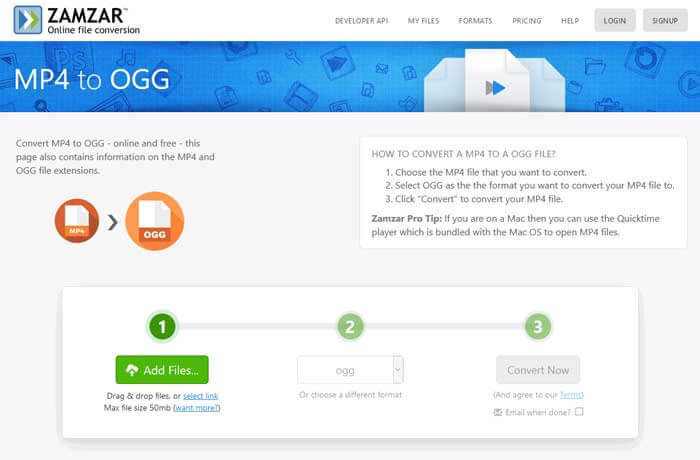
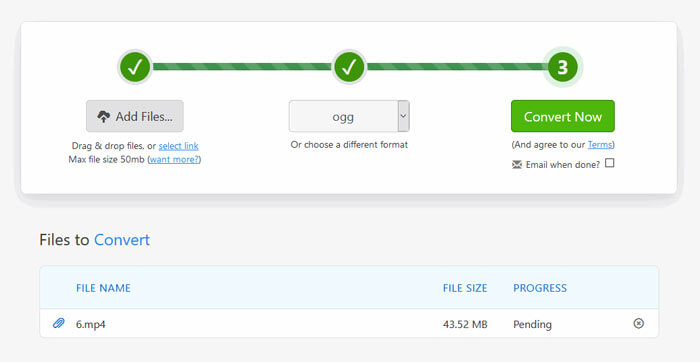
Step 2. The default output format has been set to ogg already. Click Convert Now button to start converting MP4 to OGG.
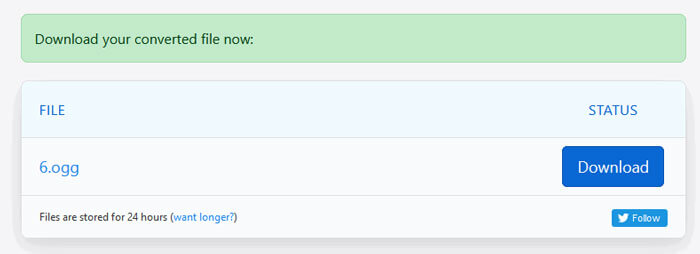
Step 3. Then it will jump to another page. You can click Download button to save the converted OGG file to your computer.
When you are converting a MP4 file in large size, the conversion may get stuck using Zamzar. You need to refresh the page and convert again. If you want a smooth conversion, FVC Free FLV to MP4 Converter can help you a lot. (See more MP4 players here)
2. Convertio
Convertio is een eenvoudig hulpmiddel om document-, afbeelding-, spreadsheet-, e-boek-, audio- en videobestanden te converteren. Met behulp van Convertio kunnen de MP4-bestanden met een uitstekende nauwkeurigheid naar MP3 worden geconverteerd. Volg de onderstaande stappen om OGG vanuit MP4 met Convertio te exporteren.
Step 1. Go to Convertio MP4 to OGG Converter (convertio.co/mp4-ogg/). Click Choose Files button to upload your MP4 files. You can also add MP4 files from Dropbox, Google Drive, or copy the URL.
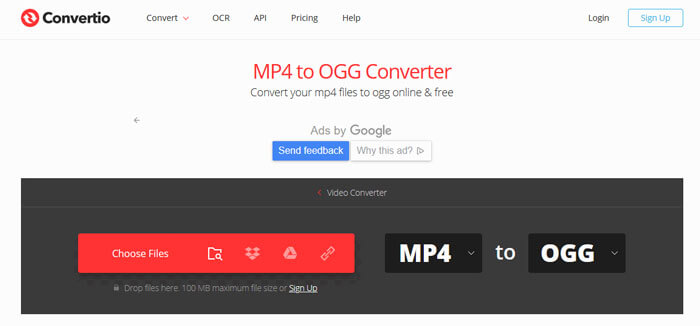
Step 2. Choose OGG from the drop-down icon, and then click the gear icon to set the codec, quality, audio channels, frequency, volume. You can cut the MP4 file to the wanted part.
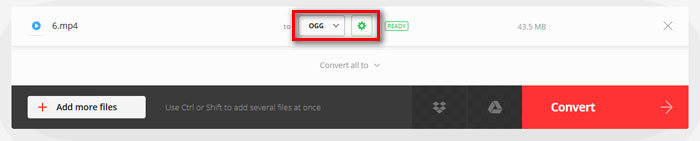
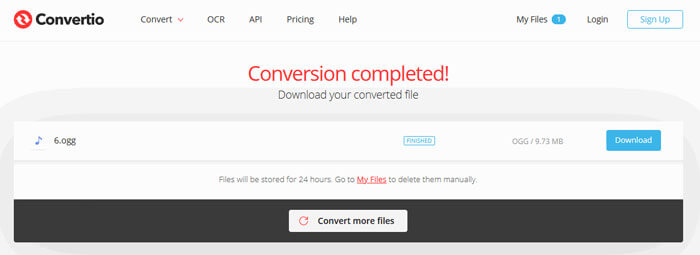
Step 3. After all is set, click the Convert button to convert MP4 to OGG. After conversion, click the Download button to save the converted OGG file to your computer.
Deel 3. Veelgestelde vragen over het converteren van MP4 naar OGG
1. Wat is het OGG-videoformaat?
OGG is een gratis en open containerformaat dat muziek, video, tekst zoals ondertitels en metadata kan bevatten.
2. Welke speler kan een OGG-bestand afspelen?
Er zijn veel draagbare spelers die OGG-bestanden kunnen afspelen, zoals VLC, Windows Media Player, Adobe Audition, Audials, MPlayer en meer.
3. Hoe converteer ik MP4 naar MP3?
With the help of FVC Free Online Video Converter, you can easily convert MP4 to MP3 online. Go to this online site and click Add Files to Convert button to install the launcher. Then select the MP4 files from computer, and check MP3 as the output format. Click Convert button to convert MP4 to MP3.
Gevolgtrekking
We hebben voornamelijk 3 MP4 naar OGG-conversies geïntroduceerd om MP4 naar OGG-bestanden online en offline te converteren. Met de desktop FVC Free FLV to MP4 Converter kun je eenvoudig het open source OGG-bestand exporteren vanuit MP4. Als u betere oplossingen heeft, aarzel dan niet om een reactie achter te laten.
-
 WebM naar MP4 | Gratis WebM converteren naar MP4
 Hoe WebM-bestanden bekijken zonder webbrowser? U moet WebM naar MP4 converteren. Hier zijn de top 10 gratis WebM naar MP4-converter om WebM naar MP4 online en op Mac- en Windows-computers te veranderen.
-
 MP4 naar FLV | Top 3 gratis converter
 Dit bericht is de gedetailleerde gids voor conversie van MP4 naar FLV. U kunt de top 3 gratis converters gebruiken om MP4 gemakkelijk online naar FLV te wijzigen, op een Windows- of Mac-computer.
-
 Top 6 manieren om MP4-bestanden te combineren op Windows / Mac / online
 Wilt u uw onbewerkte MP4-bestanden samenvoegen voor uw project? Dit bericht bevat de 6 beste manieren om u te helpen MP4-video's gemakkelijk te combineren op Windows, Mac en online.
