


 Video Converter Ultimate
 Scherm opnemer
 Videoreparatie
[Windows en Mac] Leer hoe u MP4 kunt bijsnijden: de beste online en offline tools
Een video bijsnijden is een veelvoorkomende taak als je graag video’s bewerkt. Het formaat aanpassen is de beste manier om de details uit te lichten die je de kijker wilt laten zien. In plaats van tijdens het filmen in- of uit te zoomen – wat nogal omslachtig is, en met een trillende hand nog lastiger wordt – kun je de video beter achteraf bijsnijden. Bovendien bestaat er bij het in- of uitzoomen tijdens het opnemen een kans dat de geloofwaardigheid van je video afneemt. Naar aanleiding van deze uitleg volgt hier een lijst met de beste tools om te knippen en te leren hoe je een MP4-bestand bijsnijdt, inclusief de stappen die je moet volgen. Lees de onderstaande artikelen aandachtig door; zij laten zien welke tools je het best kunt gebruiken om de perfecte bijsnijdtool te vinden.

Deel 1. Hoe MP4-video's offline bij te snijden met stappen en details
1. FVC Video Converter Ultimate (venster en Mac)
Wil je weten hoe je video’s bijsnijdt zoals in Hollywood? Zelfs als je nieuw bent met video’s bijsnijden, kun je toch een uitstekend resultaat behalen. Om dit te bereiken kun je FVC Video Converter Ultimate gebruiken om MP4-video’s bij te snijden op een specifieke lengte en breedte. In tegenstelling tot andere hier genoemde tools is deze software ontwikkeld om alle obstakels waarmee je te maken krijgt te overwinnen. In plaats van verschillende programma’s te moeten openen of downloaden om de klus te klaren, kun je de meest veelzijdige tool gebruiken die alles voor je afhandelt. Wil je meer weten over hoe deze functie werkt? Dan gaan we nu verder met de stappen en leer je hoe je bijsnijdt als een professional.
Stap 1. Download en installeer FVC Video Converter Ultimate op je computer. Kies het programma dat compatibel is met jouw desktop of laptop. Daarna kun je de instellingen van de tool aanpassen en op Voltooien klikken om de aanpassingen op te slaan.
Gratis downloadVoor Windows 7 of nieuwerVeilige download
Gratis downloadVoor MacOS 10.7 of nieuwerVeilige download
Stap 2. Start de tool door op het pictogram van de software op je scherm te klikken. Een interface zoals deze zal op je scherm verschijnen; dat betekent dat het programma correct werkt.
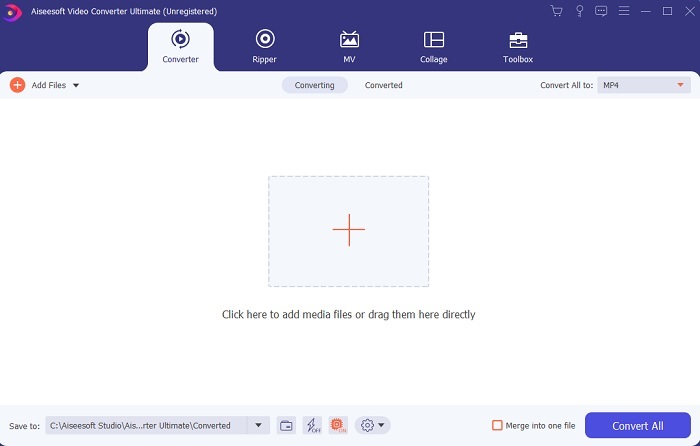
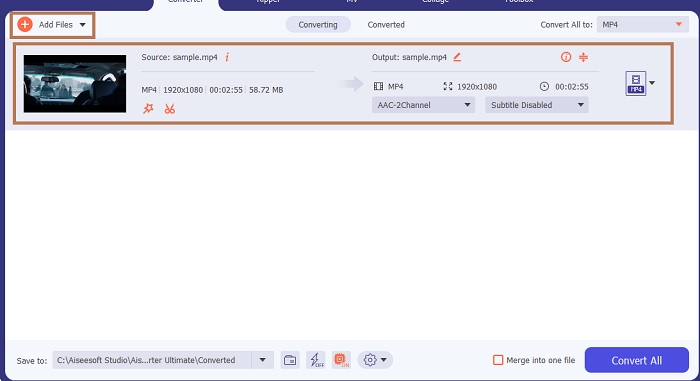
Stap 3. Klik op Bestanden toevoegen om de MP4-video te importeren die je wilt bijsnijden.
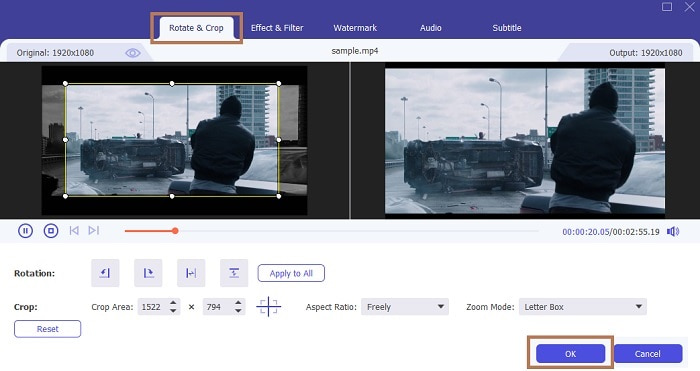
Stap 4. Nadat je het bestand hebt ingevoegd, klik je op de toverstaf-knop om wat ‘magie’ aan je video toe te voegen en ga je vervolgens naar het tabblad Draaien & Bijsnijden. Om MP4 bij te snijden kun je beginnen met het slepen van de kleine stippen om de lengte en breedte van de video aan te passen. Als je een specifieke afmeting in gedachten hebt, kun je ook naar Beeldverhouding gaan en daar een formaat kiezen. Als je klaar bent, klik je op OK om op te slaan en verder te gaan.
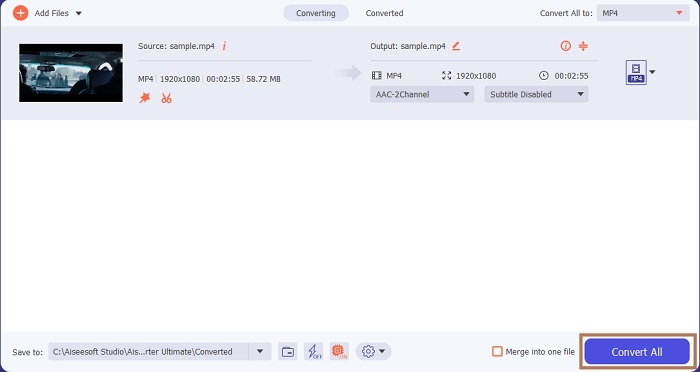
Stap 5. In de interface van de tool kun je nu het uitvoerformaat wijzigen door op de vervolgkeuzeknop te klikken. Als je het formaat niet wilt wijzigen is dat ook prima; klik dan gewoon op Alles converteren. Wacht een ogenblik tot het proces is voltooid en voilà, je bent klaar.
Naast bijsnijden kun je met deze tool eenvoudig MP4-bestanden samenvoegen, MP4-video’s comprimeren tot een kleiner formaat en meer.
2. iMovie (Mac)
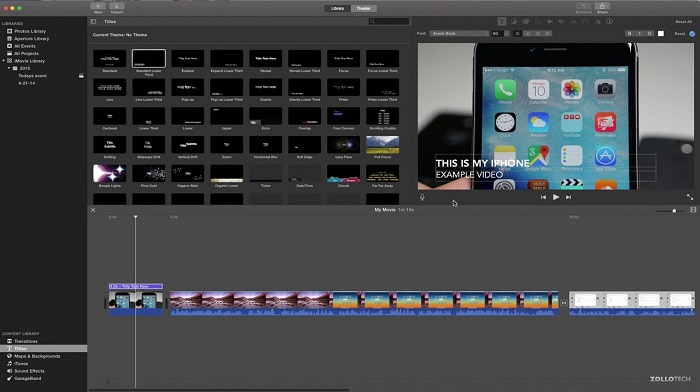
Wil je weten hoe je een MP4-video bijsnijdt op een Mac? Dan is iMovie misschien de geschikte tool voor deze taak. Hoewel FVC Video Converter Ultimate ook Mac ondersteunt, wil je misschien een ander programma proberen. Het haalt het niet helemaal bij de bovenstaande tool, maar de bewerkingsfuncties zijn zeker de moeite waard. Met deze tool kun je ook animaties toevoegen tussen de videofragmenten die je gebruikt. Wil je weten hoe je video’s bijsnijdt met iMovie? Volg dan de onderstaande stappen.
Stap 1. Download iMovie via je zoekmachine.
Stap 2. Klik na de installatie op Film importeren om de video’s te importeren die je wilt bijsnijden.
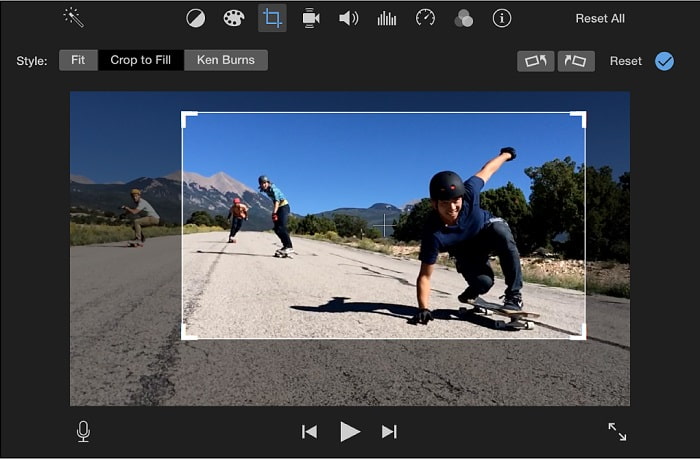
Stap 3. Kies welk type bijsnijden je op je video wilt toepassen: ‘Bijsnijden om te vullen’ of ‘Ken Burns’. Klik vervolgens op ‘Pas bijsnijding aan’ en je bent klaar.
Deel 2. Kies de beste alternatieven voor het online bijsnijden van MP4
1. VEED.IO
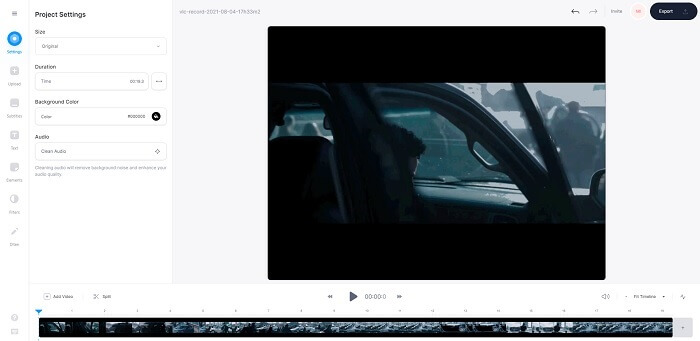
Snijd MP4 online bij met behulp van VEED.IO. Deze online tool biedt een aantal basisbewerkingsfuncties die je ook in de eerste tool hierboven terugziet. Maar in tegenstelling tot de eerstgenoemde tools heeft deze en de volgende geen extra installatiebestanden nodig om te werken. Je kunt ze namelijk online gebruiken, wat erg handig is. Het nadeel is echter dat je een account moet aanmaken om de tool te gebruiken. Dat is wat lastig voor iedereen, zeker voor wie het gewoon meteen wil doen. Als je VEED.IO toch wilt proberen, kun je het opzoeken via je zoekmachine.
2. Clideo
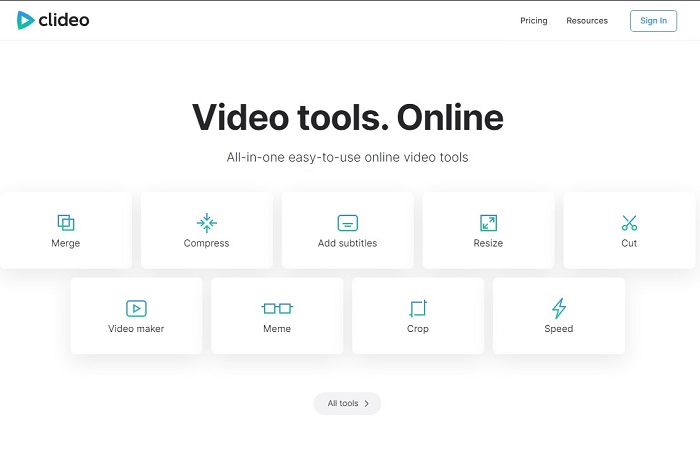
Een andere online tool waarmee je MP4 kunt bijsnijden zonder opnieuw te coderen is Clideo. Deze tool vereist geen account of download om te functioneren, maar de mogelijkheden zijn zeer beperkt. Concreet biedt het minder dan de basisbewerkingsfuncties. Als je je fantasie de vrije loop wilt laten, legt deze tool je dus de nodige beperkingen op. Daarnaast kan het uploaden van video’s om met bijsnijden te beginnen enige tijd duren, afhankelijk van je internetsnelheid. Maar maak je geen zorgen: het is eenvoudig in gebruik, gratis en to the point. Je kunt het dus een keer proberen als je wilt.
Deel 3. Veelgestelde vragen over Crop MP4
Wat is de betekenis van MP4?
MP4 is het universele mediabestand dat gegevens bevat in plaats van code voor audio en video. Het kan ook gegevens opslaan voor ondertitels en stilstaande beelden als u dat wilt. MP4 staat bekend als MPEG-4 Part 14.
Welke is beter: MP3 of MP4?
Dat hangt van de situatie af. Het meest gebruikte formaat voor het opslaan van muziek, geluidsopnames, soundclips en meer is bijvoorbeeld MP3. Hoewel MP4 ook audiobestanden kan bevatten, omdat het een multifunctionele container is, blijft MP4 toch het primaire formaat om video’s of clips te downloaden, op te nemen en te converteren. Wil je meer informatie over deze twee formaten, lees dan MP3 vs. MP4.
Kun je MP4 bijsnijden op VLC?
Ja, je kunt bijsnijden op VLC, hoewel het een goede mogelijkheid heeft om mediaspelers bij te snijden en converteren een van de functies is die het biedt. Maar het is niet de ideale keuze om een video bij te snijden, hoewel het toch het proberen waard is. Dus, als je VLC niet leuk vindt als je cropper, dan kun je de tool van hierboven kiezen.
Gevolgtrekking
Het is nu gemakkelijk te begrijpen dat bijsnijden een van de gemakkelijkste taken is, maar ook gemakkelijk te mislukken. Maar zoals ze zeggen als je het juiste gereedschap kiest om het werk te doen, dan ben je klaar om te gaan. Dus, wat bedoelen we met de juiste tool? FVC Video Converter Ultimate is wat we bedoelen. In plaats van genoegen te nemen met de andere tool hierboven of via internet, waarom neem je dan geen genoegen met de beste cropper-tool die hierboven wordt genoemd. Het wordt bovenaan vermeld vanwege één doel en dat doel is om alle tools te domineren.
-
 4 beste methoden om MOV gemakkelijk naar MP3 op Windows en Mac te converteren
 Als u de MP3-audiobestanden uit MOV-bestanden wilt extraheren, kunt u meer leren over de 4 meest efficiënte MOV naar MP3-converters om de gewenste bestanden uit het artikel te halen.
-
 WAV naar MP3 - Top 5 gratis converters om WAV naar MP3 te converteren
 Deze pagina is een lange lijst met gratis WAV naar MP3-converters (iTunes, Audacity, VLC, Windows Media Player en Free Audio Converter) om WAV naar MP3 op de computer te veranderen.
-
 M4V naar MP3 Converter - 4 beste methoden om MP3 uit M4V-bestanden te extraheren
 Als u de MP3-audio met gemak uit M4V-video's wilt extraheren, kunt u meer leren over de 4 beste M4V naar MP3-converters om de gewenste audiobestanden uit het artikel te halen.
