


 Video Converter Ultimate
 Scherm opnemer
 Videoreparatie
Converteer uw GIF via online met deze Online GIF naar Video Converter
Het verzenden van GIF's met berichten werd een nieuwe routine voor ons om een veel betere boodschap uit te drukken. Desondanks ondersteunen platforms zoals Instagram het GIF-formaat nog steeds niet. Het ondersteunt alleen afbeeldingen en video's en geen statische afbeeldingen. Dus als je een GIF probeert toe te voegen aan je Instagram, bestaat de kans dat het bestand niet wordt geladen of niet kan worden geladen. Ten tweede kun je alleen een stilstaand beeld krijgen als het is gepost. Maar er is een andere manier, namelijk door een app van derden te downloaden of online te openen om GIF naar een videoformaat te converteren. Leren hoe u deze tools kunt gebruiken, is een geweldige kennis om te onthouden. Dus als u op zoek bent naar een online GIF naar video-converter, dan bent u hier aan het juiste adres. Blijf lezen om te weten wat de beschikbare tools zijn en hoe u ze dienovereenkomstig kunt gebruiken.
Top 1. Ezgif
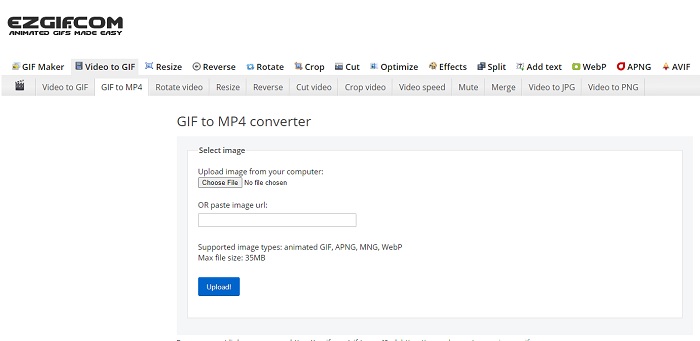
Heb je moeite met het maken en converteren van een GIF? Geen zorgen, want Ezgif is er om je te helpen. Deze online tool is niet alleen bedoeld voor één taak, maar maakt het ook mogelijk je GIF’s te bewerken. Hoewel de bewerkingsmogelijkheden van deze tool niet heel indrukwekkend zijn, zijn ze wel degelijk en voldoen ze aan de standaard. Daarnaast is er ook een limiet aan het maken en converteren van een GIF-bestand.
Voordelen
- Het is ideaal om een GIF te maken.
- Alle advertenties op haar website zijn PG-13 beperkt.
- Eenvoudige bewerkingsfuncties voor beginners.
Nadelen
- De webinterface is een beetje saai om naar te kijken.
- Alleen MP4-indeling beschikbaar als u GIF's probeert te converteren.
Boven 2. Cloudconversie
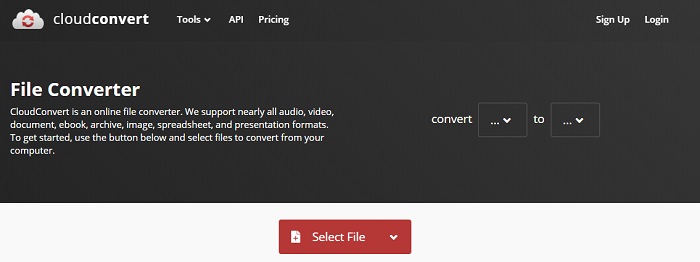
Als we het over converteren hebben, dan hoort Cloudconvert zeker in het rijtje thuis. Deze online GIF-naar-video-converter is speciaal gemaakt om elke video en elk audiobestand naar een afspeelbaar formaat te converteren. Maar deze tool heeft een beperking: je kunt de kwaliteit van de GIF’s die je converteert niet verbeteren. Wat je ziet, is dus wat je krijgt met deze tool.
Voordelen
- Een van de krachtigste online converters.
- U kunt er toegang toe krijgen zonder de tool te downloaden.
- Een geweldige kleurencombinatie op de webinterface.
Nadelen
- Kan het bestand dat u converteert niet bewerken om een beter bestand te worden.
- De kans dat het niet lukt om te converteren is groot. Zeker als je internet is onderbroken.
Top 3. Omzetten
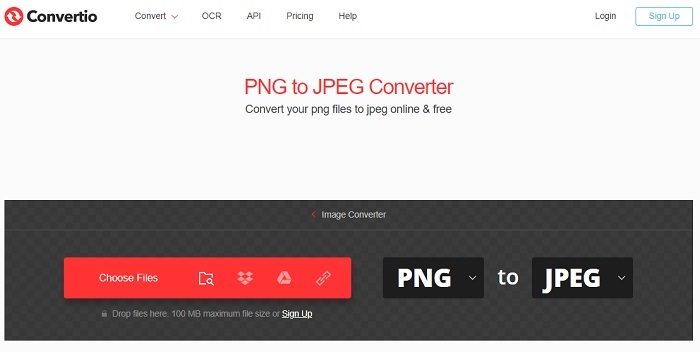
Net als Cloudconvert is Convertio uitsluitend ontwikkeld om te converteren. Het ondersteunt net zoveel bestandsindelingen als de tool die hiervoor genoemd is. Het nadeel van deze tool is echter dat de website volstaat met advertenties. Ondanks de advertenties is het nog steeds een goede converter om mee te oefenen en bestanden naar een nieuw formaat om te zetten.
Voordelen
- Open access-tool beschikbaar op internet.
- U hoeft geen extra bestand te downloaden om te beginnen met converteren.
- Kies wat de bitrate van het bestand is.
Nadelen
- Kan geen GIF's maken met deze tool en ook niet bewerken.
- Advertenties zijn overal, dus vermijd ze om geen onnodige website te openen.
Top 4. Zamzar
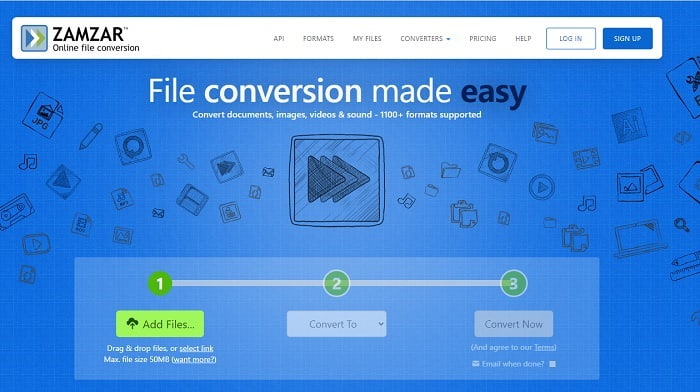
De gebruikersinterface van Zamzar is geweldig en deze tool gebruiken is ontzettend eenvoudig. Maar de maximale bestandsgrootte is beperkt tot 50 MB, dus als je daar overheen wilt gaan, moet je de betaalde versie nemen of inloggen. Bovendien kun je een conversie die eenmaal bezig is niet stoppen, zelfs niet als je op het kruisje klikt. Zorg er dus voor dat je het juiste bestand converteert, want het proces kan niet onderbroken worden.
Voordelen
- Converteer hier alle video's, afbeeldingen en audio.
- Alle bestanden hier worden langer dan een dag bewaard.
- De maximale bestandsgrootte is 50 mb voor een enkel bestand.
Nadelen
- Het conversieproces is afhankelijk van uw internetsnelheid, dus als u internet heeft, zal het converteren veel tijd kosten.
- Kan je geconverteerde video niet bewerken in een betere.
Aanbevolen: FVC Video ConverterUltimate - Beste GIF-converter
Zoals men zegt: bewaar het beste voor het laatst, en dat beste is de FVC Ultimate Video Converter. Deze premium tool kan meer dan alle andere converters die hier genoemd worden – en zelfs meer dan vele andere die niet genoemd zijn. Als je op zoek bent naar een tool om je conversies naar een hoger niveau te tillen en die geen internetverbinding vereist, dan is dit iets voor jou. Het geweldige aan deze tool is bovendien dat hij niet alleen kan converteren, maar ook verbeteren, creëren en nog veel meer dan alleen converteren. Hij stelt de gebruiker in staat alle mogelijkheden te verkennen en een beter eindresultaat te maken dan met andere tools. Lees de stappen hieronder zorgvuldig om stap voor stap te leren hoe je deze tool gebruikt. Later kun je de werkbalk raadplegen om de geconverteerde GIF verder te verbeteren.
Stap 1. Installeer het juiste programma op je harde schijf. Volg de voorkeuren, pas ze aan naar jouw behoeften en klik op Voltooien om de tool zelf te starten.
Gratis downloadVoor Windows 7 of nieuwerVeilige download
Gratis downloadVoor MacOS 10.7 of nieuwerVeilige download
Stap 2. Als de tool op de achtergrond actief is, zie je een klein pictogram op je tabblad dat aangeeft dat de tool al is gestart. Ook verschijnt er een interface zoals deze op je scherm.
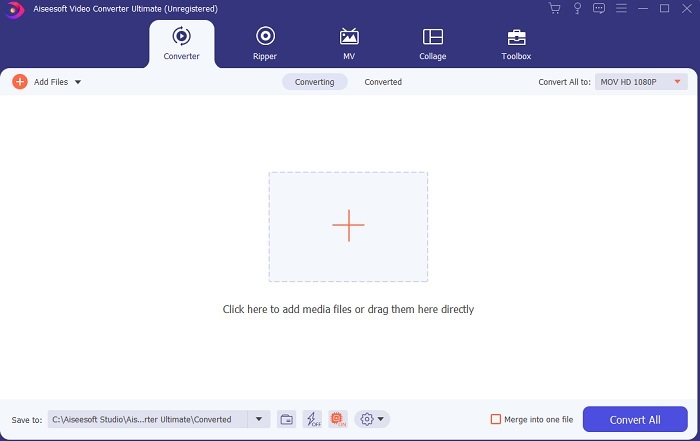
Stap 3. Om bestanden aan de converter toe te voegen, klik je op het Plus-teken in het midden van de interface. Of je kunt het bestand slepen en neerzetten als het er twee of drie (of meer) zijn.
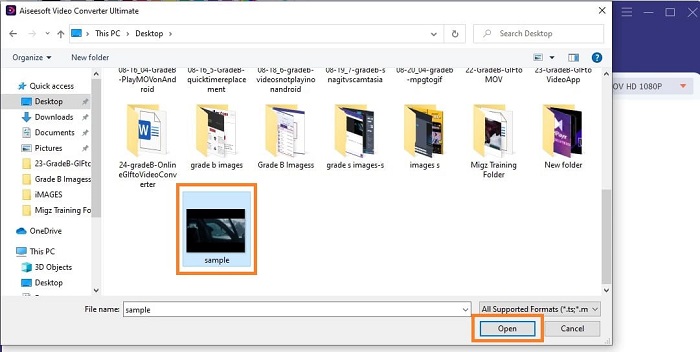
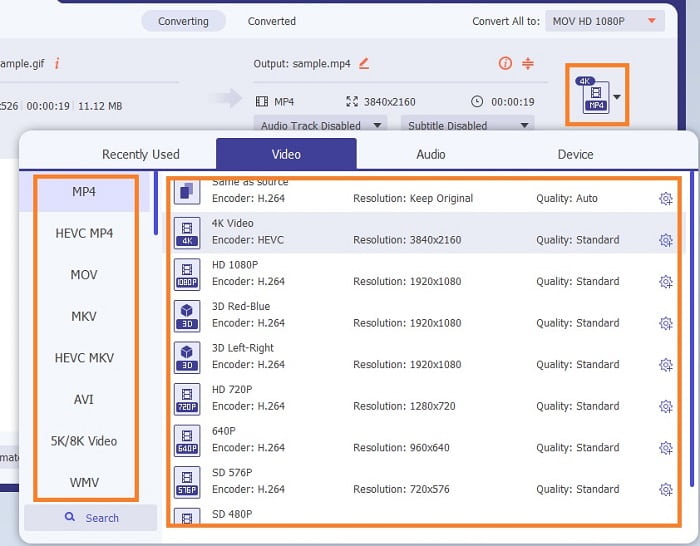
Stap 4. Zodra het GIF-bestand in de interface staat, klik je op de drop-down-knop en kies je in het submenu naar welk formaat je wilt converteren. Klik op Convert All om het conversieproces te starten.
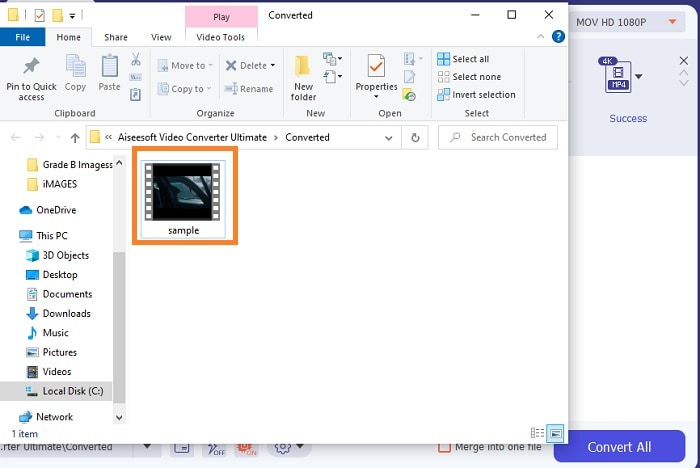
Stap 5. Als het proces voltooid is, wordt er automatisch een bestandsbeheerder in een tabblad geopend en kun je het bestand controleren. Als je de geconverteerde GIF verder wilt verbeteren, kun je later de werkbalk raadplegen.
Voordelen
- Het is een multifunctionele tool die door zijn klanten kan worden gebruikt.
- Beperk nooit uw verbeeldingskracht door effecten en meer toe te voegen aan uw uiteindelijke uitvoer om er veel beter uit te zien dan andere.
- Het conversieproces is veel sneller dan alle tools die online en offline beschikbaar zijn.
Nadelen
- Pay-per-use-tool, wat betekent dat u de tool niet gratis kunt gebruiken, maar het is niet zo duur.
- Downloadbare tool, het betekent alleen dat je een extra bestand nodig hebt om de tool te starten. Maar ondanks dat kunt u deze tool zonder zorgen gebruiken als het internet is onderbroken.
Veelgestelde vragen over Online GIF naar Video Converter
Kan ik een opname maken in GIF-formaat?
Eigenlijk is het antwoord ja: je kunt je eigen GIF opnemen. Dit kan met deze krachtige maar lichte GIF-recorder of met een andere recorder die eveneens het GIF-formaat ondersteunt. Lees Beste GIF-recorder review om te leren hoe je een opname in GIF-indeling maakt.
Wat is het beste alternatief voor GIF's? WebM of APNG?
GIF's zijn het oude formaat dat geanimeerde en statische afbeeldingen ondersteunt, maar naarmate de tijd verstrijkt. Er zijn nu concurrenten zoals WebM en APNG. Laten we de twee vergelijken, WebM is de nieuwe GIF die bewegende beelden over de website ondersteunt, maar als je een oude versie van de zoekmachine probeert te gebruiken, wordt de WebM niet ondersteund. Aan de andere kant staat APNG bekend als visueel aantrekkelijker dan de twee omdat het 24-bits kleur en transparantie ondersteunt, maar sommige sociale-mediaplatforms ondersteunen APNG op dit moment niet.
Wat is de afkorting van GIF?
GIF in tekst betekent Graphic Interchange Format.
Gevolgtrekking
Ten slotte is het nu eenvoudiger om te begrijpen wat de beste offline en online GIF-naar-videoconverters zijn die u kunt gebruiken. Weten hoe je deze tool moet gebruiken, is een geweldige vaardigheid om te ontwikkelen en misschien kun je dit in de toekomst ook gebruiken om te betalen. Als u de ultieme prestaties wilt, moet u precies de ultieme tool kiezen. FVC Ultimate Video Converter is altijd de beste tool om elke video te converteren en te verbeteren om een goede indruk te maken bij anderen of aan wie ze moeten worden afgeleverd. Zoals ze zeggen, verwacht niets minder, want deze tool brengt meer dan de naam doet vermoeden.
-
 WebM naar GIF - 3 gratis WebM naar GIF-converters om uw eigen GIF's te maken
 Is WebM een GIF? Hoe maak je van een video een GIF? Is er een gratis WebM naar GIF-converter? Dit bericht deelt 3 gratis manieren om u te helpen WebM naar GIF te converteren.
-
 Hoe MKV-video's naar geanimeerde GIF's te converteren zonder Photoshop/FFmpeg
 Na het downloaden en bekijken van MKV-films op uw computer, wilt u misschien enkele prachtige momenten delen met vrienden of op internet als GIF's. In dit artikel leert u over de 2 gemakkelijkste manieren om MKV naar GIF te converteren.
-
 Maak je beste geanimeerde GIF via Online GIF Maker [2021]
 Een informatieve recensie over hoe je een GIF maakt met behulp van deze eenvoudige online GIF-makers die je al of niet op internet tegenkomt.
