


 Video Converter Ultimate
 Scherm opnemer
 Videoreparatie
 Beveiligde download
Top 5 GIF-spelers voor computer, Android en iPhone
Geanimeerde GIF’s kunnen meer informatie overbrengen dan statische afbeeldingen. Ben je op zoek naar een goede GIF‑speler om alle soorten GIF‑bestanden op je iPhone, iPad, Android‑telefoon of computer te bekijken?
Via sociale apps kun je eenvoudig allerlei grappige GIF’s ontvangen en versturen. Maar nadat je GIF’s op je apparaat hebt opgeslagen, kunnen sommige daarvan niet direct worden geopend met de standaard mediaspeler die je gebruikt. Daarom vraag je je misschien af of je een aparte GIF‑speler nodig hebt om GIF’s af te spelen.

Je kunt GIF‑bestanden direct in de social‑app bekijken. Maar in sommige gevallen kun je ze later niet opnieuw openen met de speler op je computer of je Android‑ of iOS‑apparaat. Met jouw behoefte in gedachten hebben we een lijst met 5 spelers voor geanimeerde GIF’s voor je samengesteld. Of je nu een GIF‑speler voor Android, iPhone of computer zoekt, je vindt hier een geschikte speler.
Deel 1. Beste GIF-speler voor Mac en Windows - FVC gratis videospeler
FVC Free Video Player is een populaire gratis tool voor het afspelen van mediabestanden waarmee je alle GIF‑bestanden op zowel een Windows 10/8/7/XP‑pc als een Mac kunt afspelen. Deze gratis GIF‑speler is een soort online afspeelsoftware waarmee je alle soorten video‑ en audiobestanden kunt openen. Voor het afspelen van GIF’s moet je de eerste keer een kleine startmodule installeren. Hij is compatibel met veelgebruikte browsers, waaronder Chrome, Safari, IE, Firefox en meer.
Gratis downloadenVoor Windows 7 of laterVeilige download
Gratis downloadenVoor macOS 10.7 of laterVeilige download
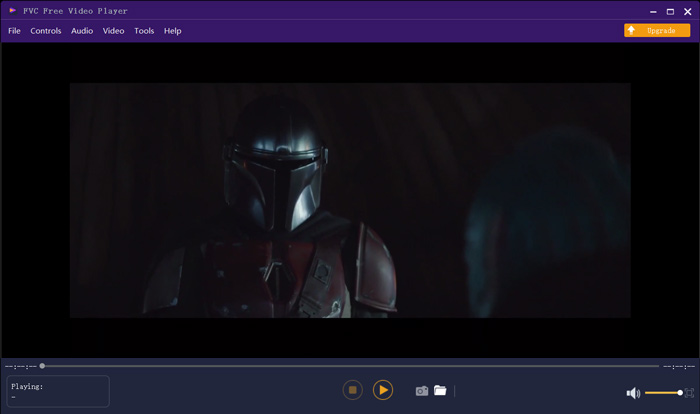
Het is meer dan alleen een gratis GIF-speler, het ondersteunt in hoge mate alle populaire video- en audioformaten zoals MP4, MOV, FLV, AVI, WMV, VOB, MP3, AAC, ALAC, M4A, WAV, FLAC en meer. Er is geen limiet voor de bestandsgrootte voor het afspelen van de GIF. Het kan je een geweldige visuele ervaring geven. Bovendien ondersteunt het de geavanceerde DTS-HD- en Dolby TrueHD-audiocoderingstechnologie die een geweldig geluidseffect kan bieden.
Deel 2. GIF Player-app voor Android - OmniGIF
OmniGIF is een tool voor het afspelen van GIF’s die voornamelijk is ontworpen voor Android‑gebruikers. Als je GIF’s op een Android‑telefoon wilt openen, kun je hierop vertrouwen. OmniGIF is meer dan alleen een GIF‑speler: het werkt ook als GIF‑maker en GIF‑editor. Je kunt er je GIF‑bestanden, videoclips en foto’s eenvoudig mee beheren. Voor het afspelen van GIF’s op je Android‑apparaat kun je de weergavesnelheid verhogen of verlagen, voorwaarts en achterwaarts afspelen, frame voor frame afspelen en nog veel meer doen, afhankelijk van je behoeften.
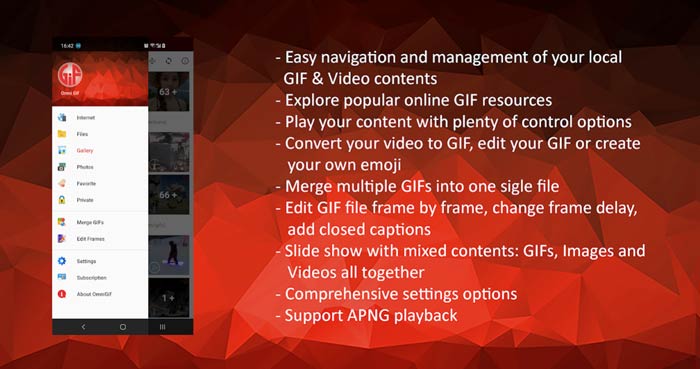
Met deze Android GIF-speler-app kun je sommige privébestanden in het geheim verbergen. Het biedt u ook krachtige functies voor het bewerken en maken van GIF's. Bovendien biedt OmniGIF een geweldige functie om snel uw GIF-bestanden, videoclips of foto's te delen op Facebook, Instagram, Twitter, Messenger, Line, WhatsApp, Gmail en meer.
Deel 3. GIF Player-app voor iPhone en iPad - GIF-viewer
GIF Viewer is een app voor het afspelen van GIF’s voor iOS‑gebruikers. Je kunt deze GIF‑speler gratis vanuit de App Store op je iPhone of iPad installeren. Hij kan de GIF‑bestanden die in de app Foto’s zijn opgeslagen, eenvoudig afspelen, ordenen en delen. Met deze iOS GIF‑speler kun je ook GIF‑animaties uit andere bronnen toevoegen en bekijken.
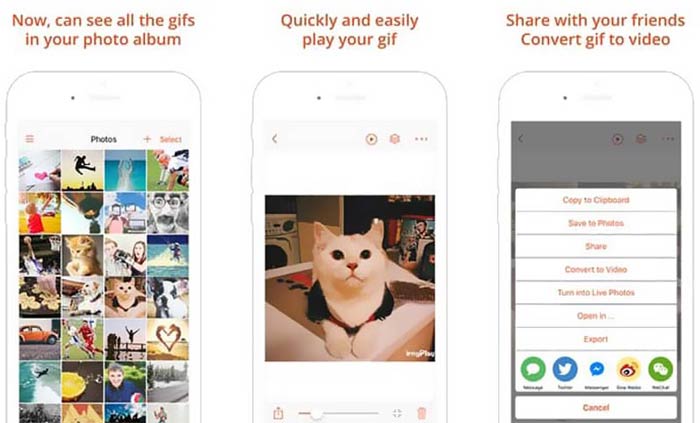
GIF Viewer kan alle soorten GIF‑bestanden afspelen uit de lokale opslag, het klembord, iCloud Drive, Dropbox en gekopieerde Twitter‑links. Bovendien kan deze GIF‑speler je helpen om GIF naar video te converteren voor een betere weergave op je apparaten.
Deel 4. GIF Player voor Mac en Windows-pc - QuickTime Player
QuickTime Player is de standaardmediaspeler voor Mac. Hij kan als GIF‑speler dienen om GIF‑bestanden op een Mac te openen en te bekijken. Als je een Mac gebruikt, kun je een GIF‑bestand direct met deze vooraf geïnstalleerde mediaspeler openen. Er is ook een Windows‑versie waarmee je GIF’s op een Windows‑pc kunt afspelen.
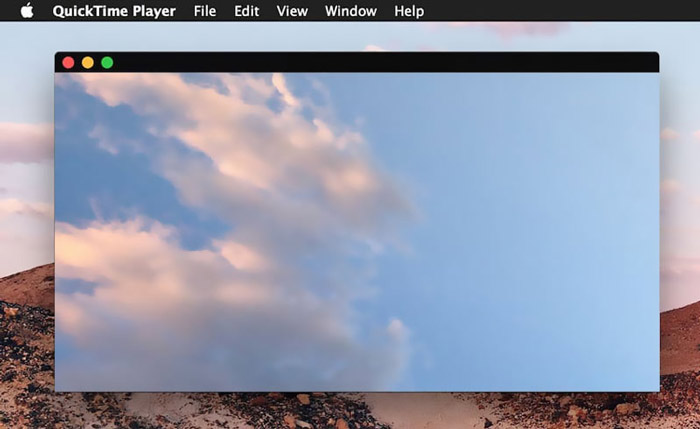
Als speler ondersteunt QuickTime alleen enkele veelgebruikte video- en audioformaten, zoals MP4, MOV, M4V, AAC, M4A, MP3 en meer. Het is ontworpen met enkele basisbewerkings- en opnamefuncties. U kunt op deze GIF-speler vertrouwen om uw scherm vast te leggen en het bestand te bewerken.
Deel 5. Gratis online GIF-speler - OnlineImageTools
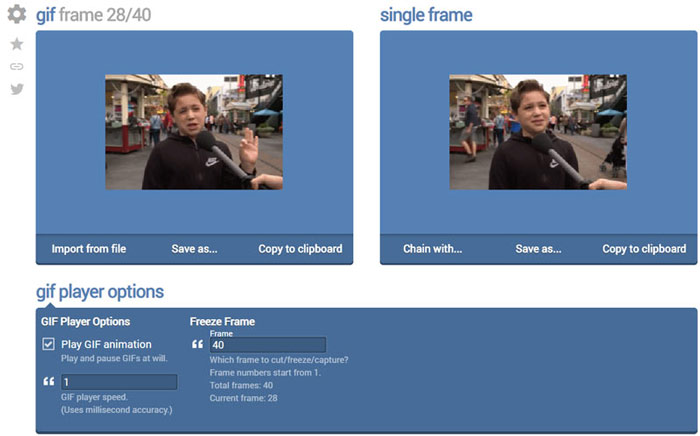
OnlineImageTools is een online tool voor het afspelen van GIF‑bestanden waarmee je GIF’s op zowel Mac als Windows‑pc kunt bekijken. Je hoeft geen plug‑ins of andere bestanden te installeren om GIF’s af te spelen. Deze gratis, browsergebaseerde GIF‑animatiespeler maakt het mogelijk om je GIF‑bestand direct online te openen. Voor het afspelen van GIF’s kun je een GIF‑bestand frame voor frame afspelen.
Deel 6. Veelgestelde vragen over GIF Player
Vraag 1. Hoe bewaar ik GIF's op de iPhone?
Als u een GIF-bestand op uw iPhone wilt opslaan, kunt u de GIF ingedrukt houden totdat de prompt verschijnt. Vervolgens kunt u de optie Afbeelding opslaan kiezen om deze op te slaan in de app Foto's.
Vraag 2. Hoe kan ik video gratis naar GIF converteren?
Om van een video een GIF‑bestand te maken, kun je gebruikmaken van de populaire Free Online Video Converter. Hiermee kun je elk videofragment eenvoudig naar GIF converteren.
Vraag 3. Kan VLC GIF spelen?
Nee. De VLC-mediaspeler kan een GIF-bestand alleen openen als een statische afbeelding.
Gevolgtrekking
Of je nu een GIF‑speler voor je computer of mobiele telefoon zoekt, je vindt een geschikte optie tussen de 5 aanbevolen tools voor het afspelen van GIF’s hierboven. Laat een bericht achter als je nog vragen hebt over de GIF‑speler of het afspelen van GIF’s.
-
 Tutorial om GIF te comprimeren en de bestandsgrootte met hoge kwaliteit te verkleinen
 Hier zijn 2 eenvoudige manieren om GIF op uw computer of mobiele telefoon te comprimeren. U kunt FVC Free Online Video Compressor en Photoshop gebruiken om de GIF-bestandsgrootte in verschillende aspecten te verkleinen.
-
 Top 10 FLV-spelers voor Windows, Mac, iOS en Android in 2021
 FLV-speler helpt u gemakkelijk toegang te krijgen tot uw FLV-bestanden op uw Windows-, Mac-, Android-, iOS-apparaat. Bekijk de beste FLV-bestandsspelers die je nu kunt downloaden.
-
 Top 8 SWF-bestandsspeler om Flash-videobestanden af te spelen op Windows en Mac
 Als u wilt genieten van de SWF-films en -games op pc en Mac, kunt u in het artikel meer leren over de uitstekende functies van de 8 beste SWF-bestandsspelers.
